
Parkstatic – Static Site Hosting for WordPress: Serve React, Vite & Headless Sites
| 开发者 | parkstatic |
|---|---|
| 更新时间 | 2026年8月3日 19:19 |
| PHP版本: | 7.4 及以上 |
| WordPress版本: | 7.0 |
| 版权: | GPLv2 or later |
| 版权网址: | 版权信息 |
详情介绍:
Parkstatic is static site hosting for WordPress. It lets you serve a fast static front end — a React, Vite, Astro or other prebuilt site — from your WordPress domain while keeping the WordPress dashboard fully intact. Your plugins, admin screens, and existing workflows all keep working. Only the public front end is served statically. Requests to
wp-admin, wp-login.php, the REST API, and other WordPress paths are always handled by WordPress.
https://www.youtube.com/watch?v=3CXKd7UjQWE
This free version ships a bundled demo site so you can try the static front-end experience end to end without any external service:
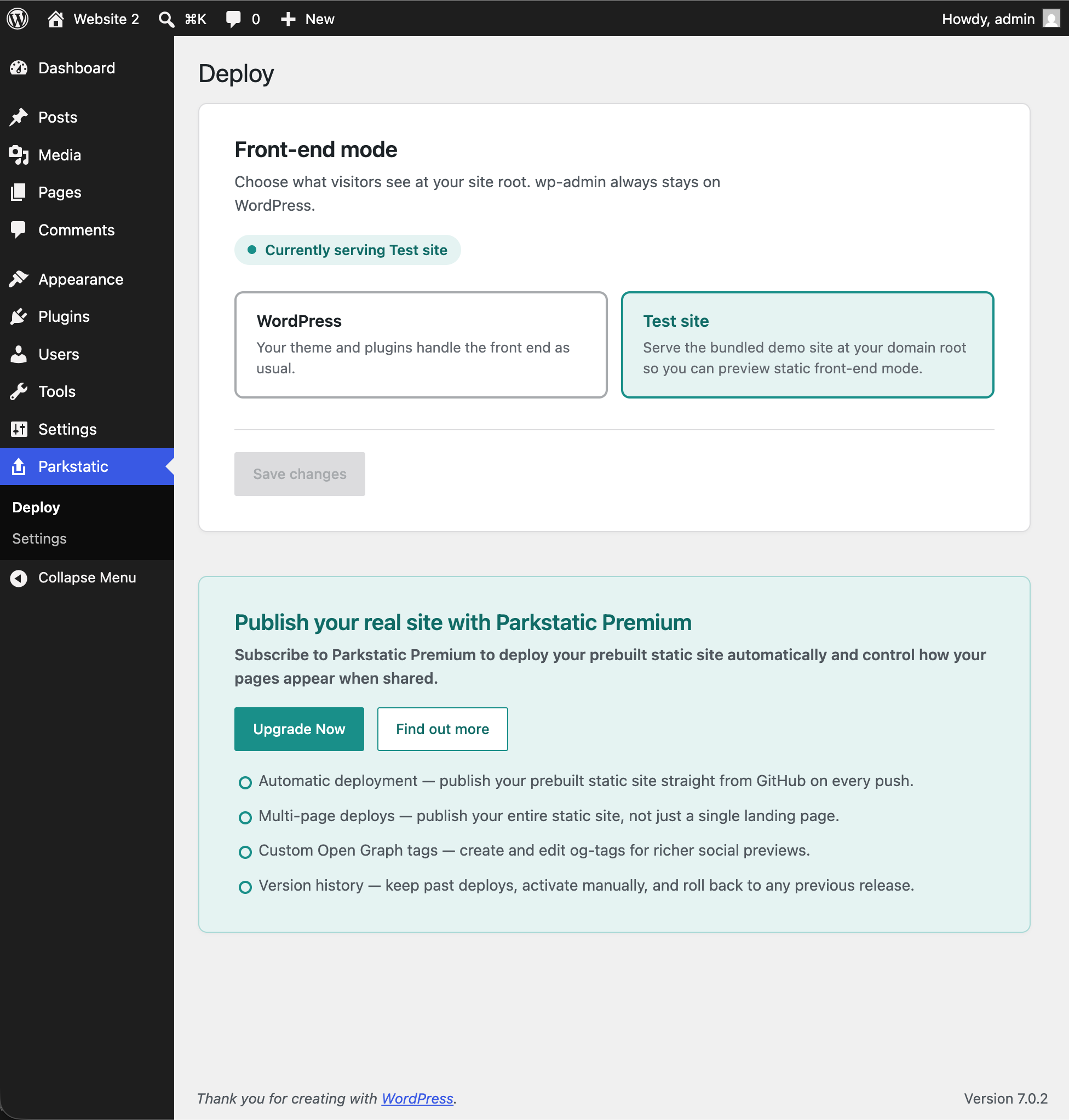
- Switch the public front end between WordPress and a static Test site (the bundled demo) from the Deploy screen.
- Manage your site title, description, and favicon, and choose whether the live front end uses your WordPress values or the values baked into the static build.
- See those values injected into the served static page in real time.
- Learn more: parkstatic.site
- Front-end mode switch: serve WordPress or the bundled static Test site at your domain root.
- Bundled demo site served read-only from the plugin, with no external service and no uploads.
- Site identity and metadata tools (title, description, favicon) with optional injection into served static HTML.
- Leaves
wp-adminand the WordPress REST API untouched.
安装:
- Upload the
parkstaticfolder to the/wp-content/plugins/directory, or install through the WordPress plugins screen. - Activate the plugin through the Plugins screen in WordPress.
- Open Parkstatic → Settings to set your site title, description, and favicon.
- Open Parkstatic → Deploy, choose Test site, and save to preview static front-end mode.
屏幕截图:

常见问题:
Does this replace my WordPress admin?
No. wp-admin, wp-login.php, the REST API, and cron always stay on WordPress. Only the public front end switches, and only while Test site mode is on.
Will the Test site delete or overwrite my site?
No. It's served read-only from the plugin. Your WordPress content is untouched, and switching back to WordPress mode is instant.
Is the free version actually free?
Yes, no license key, no locked features, no time limit. Premium only adds automatic deployment of your own site.
Can I use this on a subdirectory install?
Yes, static front-end serving works on both root and subdirectory installs.
更新日志:
1.0.0
- Initial public release for the WordPress Plugin Directory.
- Switch the public front end between WordPress and a bundled static Test site.
- Site identity and metadata tools, with optional injection into served static HTML.
- No external service calls; Test site is served locally from the plugin.
- Prefer clean /assets/ URLs and only fall back to the legacy query-string form on positive proof the host intercepts /assets/, so modern SSR/Vite builds hydrate instead of failing with a blank page.