Patchmark
| 开发者 | cccode |
|---|---|
| 更新时间 | 2026年11月6日 04:19 |
| PHP版本: | 7.4 及以上 |
| WordPress版本: | 7.1 |
| 版权: | GPLv2 or later |
| 版权网址: | 版权信息 |
详情介绍:
- Updates from WordPress.org. Every update row on the Plugins screen gets a Review the changes first link. Patchmark downloads the update, compares it with what you have, and puts Update in its top bar.
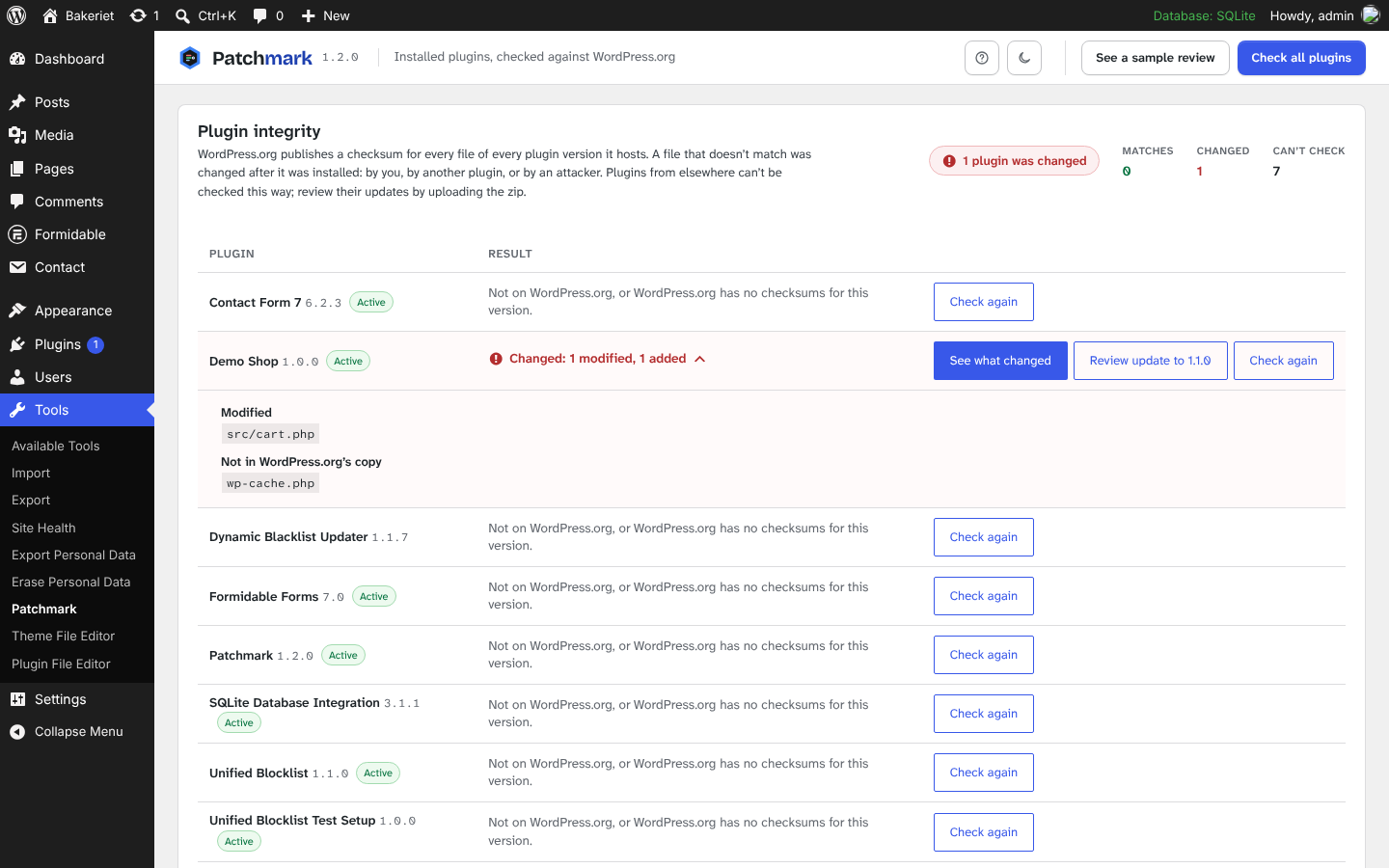
- Integrity check. Tools › Patchmark checks installed plugins against the checksums WordPress.org publishes for every version it hosts, and lists files that were modified, added or deleted since installation. See what changed opens a full review of your copy against WordPress.org's original.
- WP-CLI.
wp patchmark diff,wp patchmark updateandwp patchmark checkprint the same findings as a table, JSON or Markdown, and exit with status 1 on serious findings, for deploy scripts and CI.
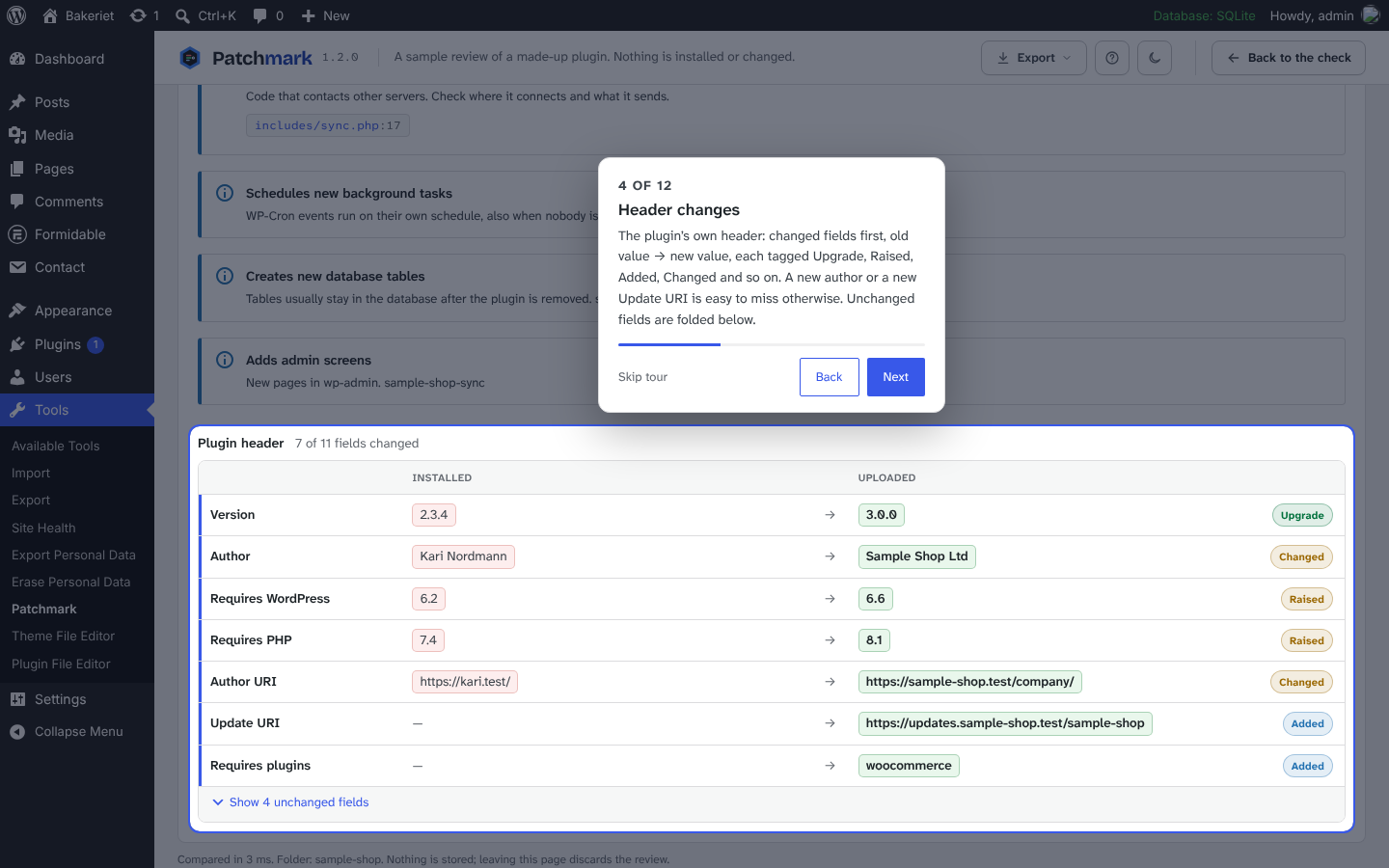
- Header changes: older version than installed, same version with different files, a different plugin name or author, a new Update URI (future updates would come from somewhere else), new requirements, missing required plugins, a renamed main file (the plugin would be deactivated), a changed text domain.
- Unusual files: .htaccess and .user.ini, PHP files with odd extensions (.phtml, .phar, image.jpg.php), PHP in image or font folders, executables and shell scripts, bundled archives.
- Risky code that is new in the upload: eval and decode-and-run, shell commands, includes and unserialize of request data, long encoded strings, names hidden in \x escapes or chr() chains, minified PHP, code that creates users or roles or grants capabilities, browser beacons, new outgoing requests and new web addresses.
- What it adds to the site: new scheduled events, database tables and admin screens.
- Themes: a parent theme that isn't installed, a changed parent theme, and whether the theme (or its parent) is the one visitors see.
$db->exec() or "eval" in a comment is not mistaken for the real thing, and only code that was not in the installed copy of the same file is reported.
Files
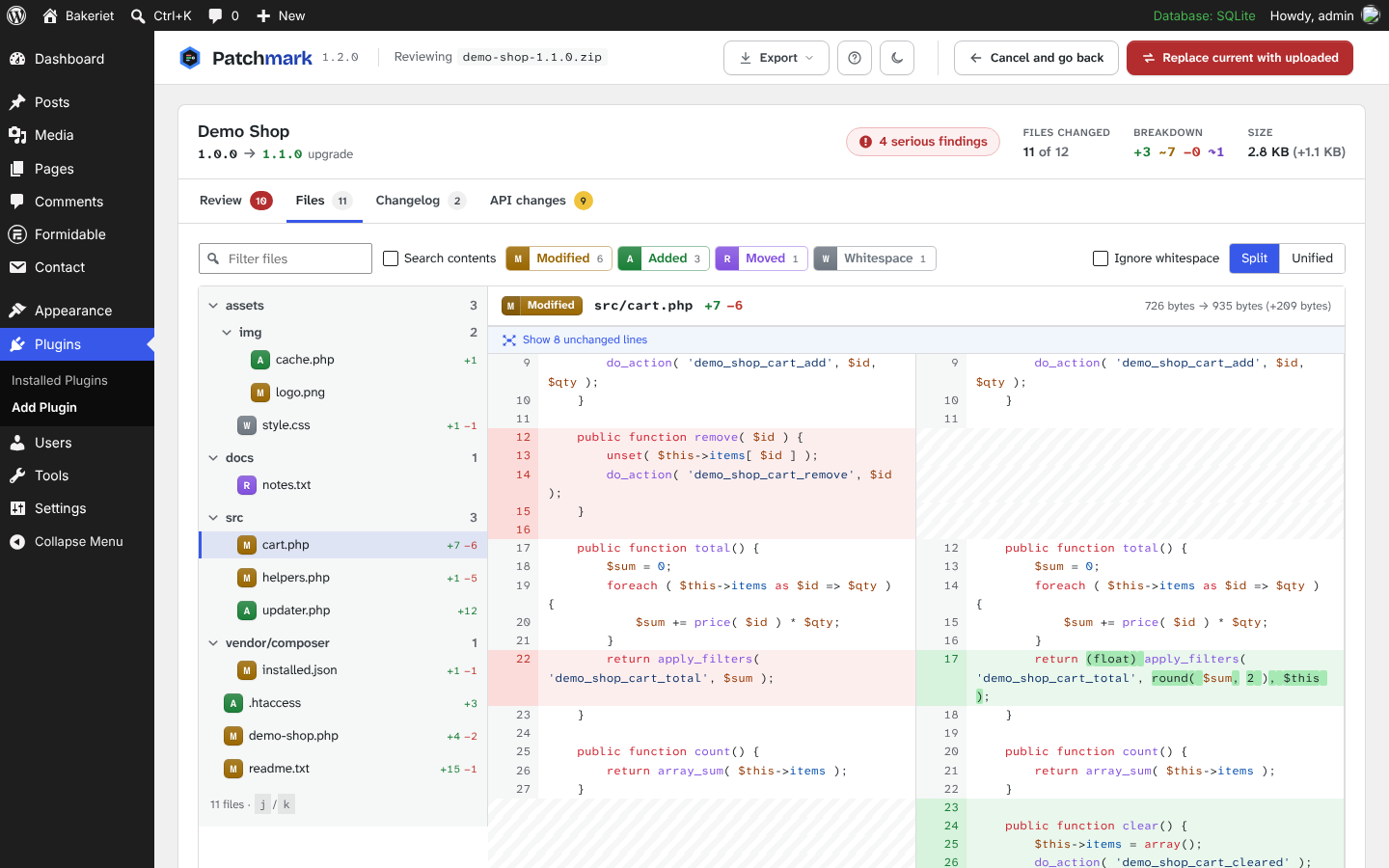
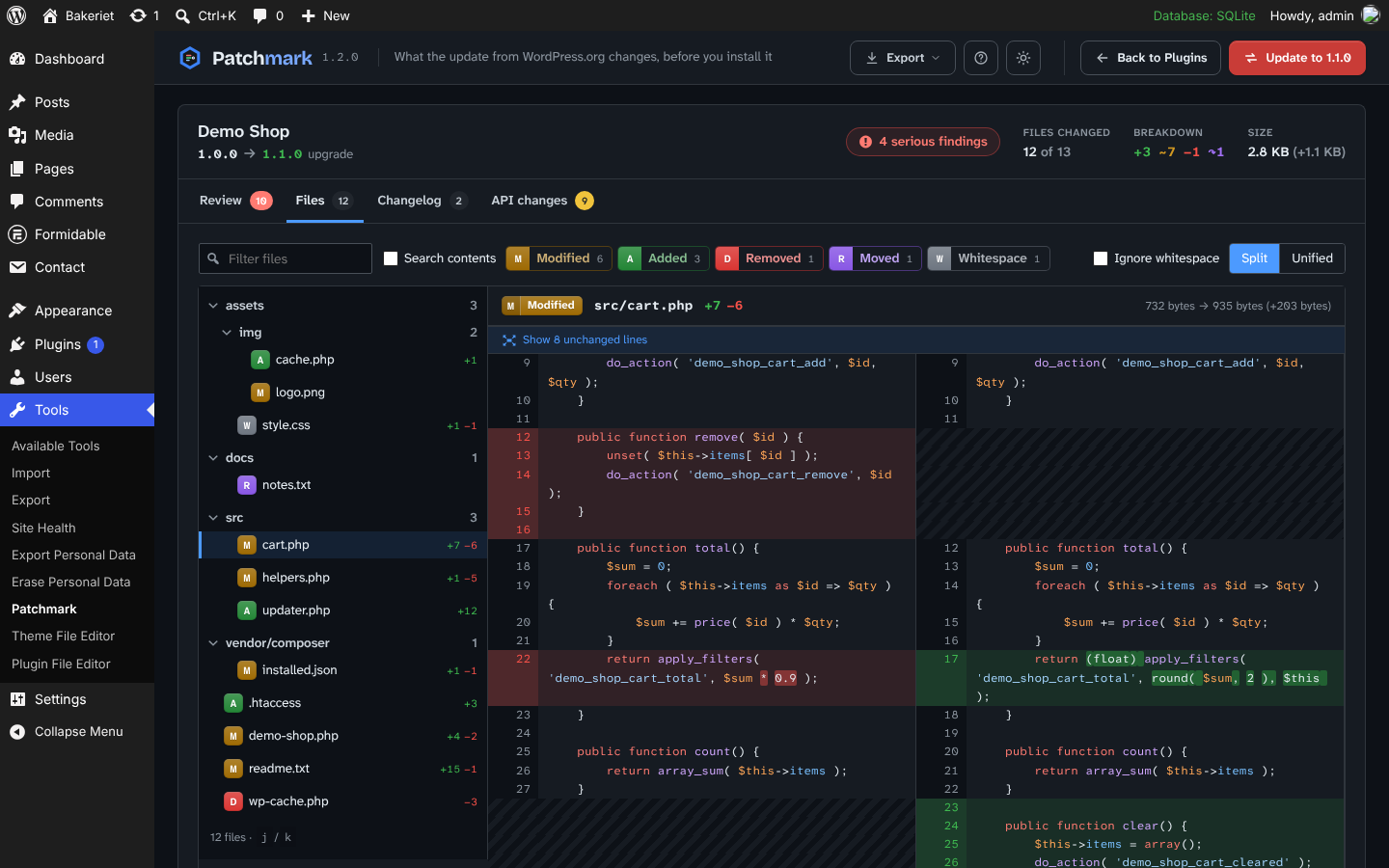
- A folder tree of every added, removed, modified, moved and whitespace-only file, with line counts.
- Split or unified diffs with syntax highlighting (PHP, JavaScript, TypeScript, CSS, SCSS, JSON, HTML, YAML, SQL, Markdown and more), word highlights, folded context you can expand, and an option to ignore whitespace.
- Before and after previews for images.
- Filter by name or status, search inside the changed files, and step through files with j and k.
- Download .patch: a git-style patch of the text changes that
git applyapplies to the installed copy.
安装:
- Install and activate Patchmark.
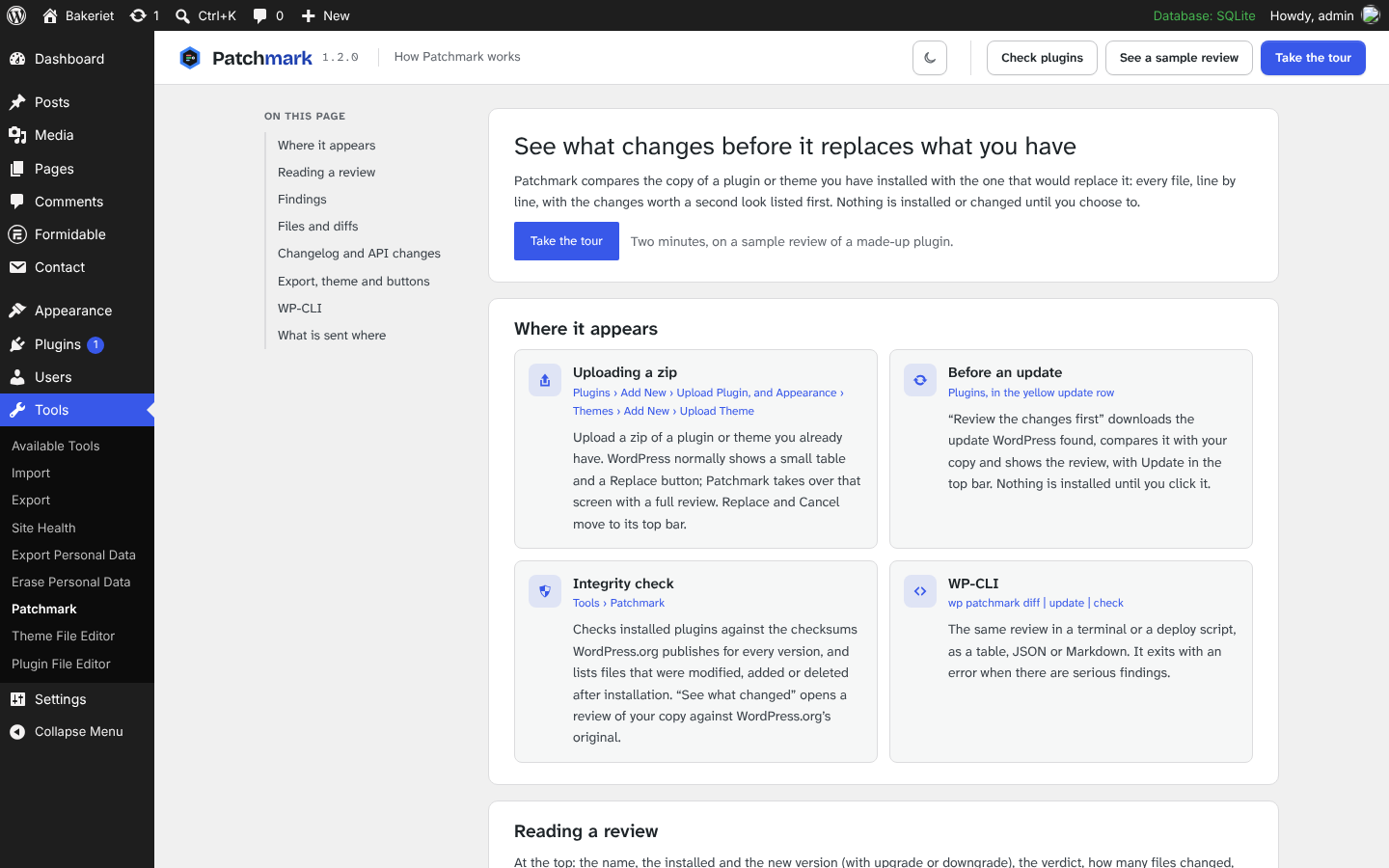
- Upload a zip of a plugin or theme you already have installed (Plugins › Add New › Upload Plugin, or Appearance › Themes › Add New › Upload Theme), or click Review the changes first next to a plugin update.
- Read the review, then choose Replace or Update, or Cancel, in its top bar.
- To check installed plugins against WordPress.org, go to Tools › Patchmark.
屏幕截图:
常见问题:
Can I try it without a zip?
Yes. Tools › Patchmark › See a sample review builds a review of a made-up plugin's update in a temporary folder and removes it again. Nothing is installed. The Live Preview button on this page opens the same sample in WordPress Playground.
Where do I learn what everything does?
Tools › Patchmark › Guide (the question mark on that screen, or the Guide link under Patchmark on the Plugins screen) explains each part. On any review, the question mark in the top bar starts a short tour of the screen you're looking at.
Where are the settings?
There are none. The review appears on the upload screen when it has something to compare, and the integrity check is under Tools › Patchmark.
Does it work for themes?
Yes, for theme zips you upload. Update reviews and the integrity check are for plugins, since WordPress.org only publishes checksums for plugins.
Which plugins can the integrity check verify?
Plugins hosted on WordPress.org, at a version WordPress.org still has. Premium plugins and plugins from GitHub show as "can't check"; review their updates by uploading the zip.
How do I use it from the command line?
wp patchmark diff woocommerce ~/woocommerce.9.4.0.zip
wp patchmark diff ./old-folder ./new.zip --format=markdown > review.md
wp patchmark update akismet --fail-on=warn
wp patchmark check --all --diff
Each side of diff can be a folder, a zip, or the folder name of an installed plugin or theme. --format is table, json or markdown. The commands exit with status 1 when there are serious findings (or, for check, changed plugins).
How large a plugin can it handle?
Plugins with up to 20,000 files. A plugin like Formidable Forms (about 1,800 files, 29 MB) is compared in well under a second. Files over 512 KB, and anything past 8 MB of changed text, are compared and checked but their contents are not shown, to keep the page light.
Is the code check a malware scanner?
No. It points at changes worth reading. It can't prove a plugin is safe, and it reports things that are normal in some plugins (a membership plugin creates users).
更新日志:
- New: a guide under Tools › Patchmark › Guide that explains every part of Patchmark.
- New: a guided tour of the review. Start it with the question mark in the top bar, or from the guide on the sample review.
- New: the sample review is a much fuller example: a major update with renamed and removed functions, hooks and shortcodes, a new block, REST route and libraries, and the kind of changes Patchmark exists to catch.
- New: blocks registered from block.json are listed in API changes.
- Changed: the header comparison lists changed fields first, as old → new with a tag (Upgrade, Downgrade, Raised, Lowered, Added, Removed, Changed), and folds the unchanged ones away.
- Changed: new solid file status badges, easier to tell apart in both themes. The file tree shows the letter (A, M, D, R, W), the diff header shows letter and word (A | Added), and the file filters are color-coded tags.
- Fixed: the Export and theme buttons in the top bar line up with the other buttons.
- New: themes. Uploading a zip for an installed theme gets the same review, with checks for a missing or changed parent theme and the active theme.
- New: review updates from WordPress.org before installing them, from a link in each update row on the Plugins screen.
- New: Tools › Patchmark checks installed plugins against WordPress.org's checksums, and compares a changed plugin with WordPress.org's original.
- New: WP-CLI commands
wp patchmark diff,updateandcheck, with table, JSON and Markdown output and an exit status for CI. - New: export a review as an HTML report or Markdown, next to the .patch download.
- New: dark theme, saved per user.
- New checks: names hidden in escapes or chr() chains, minified PHP, preg_replace /e, strrev, add_cap(), navigator.sendBeacon(), and new scheduled events, database tables and admin screens.
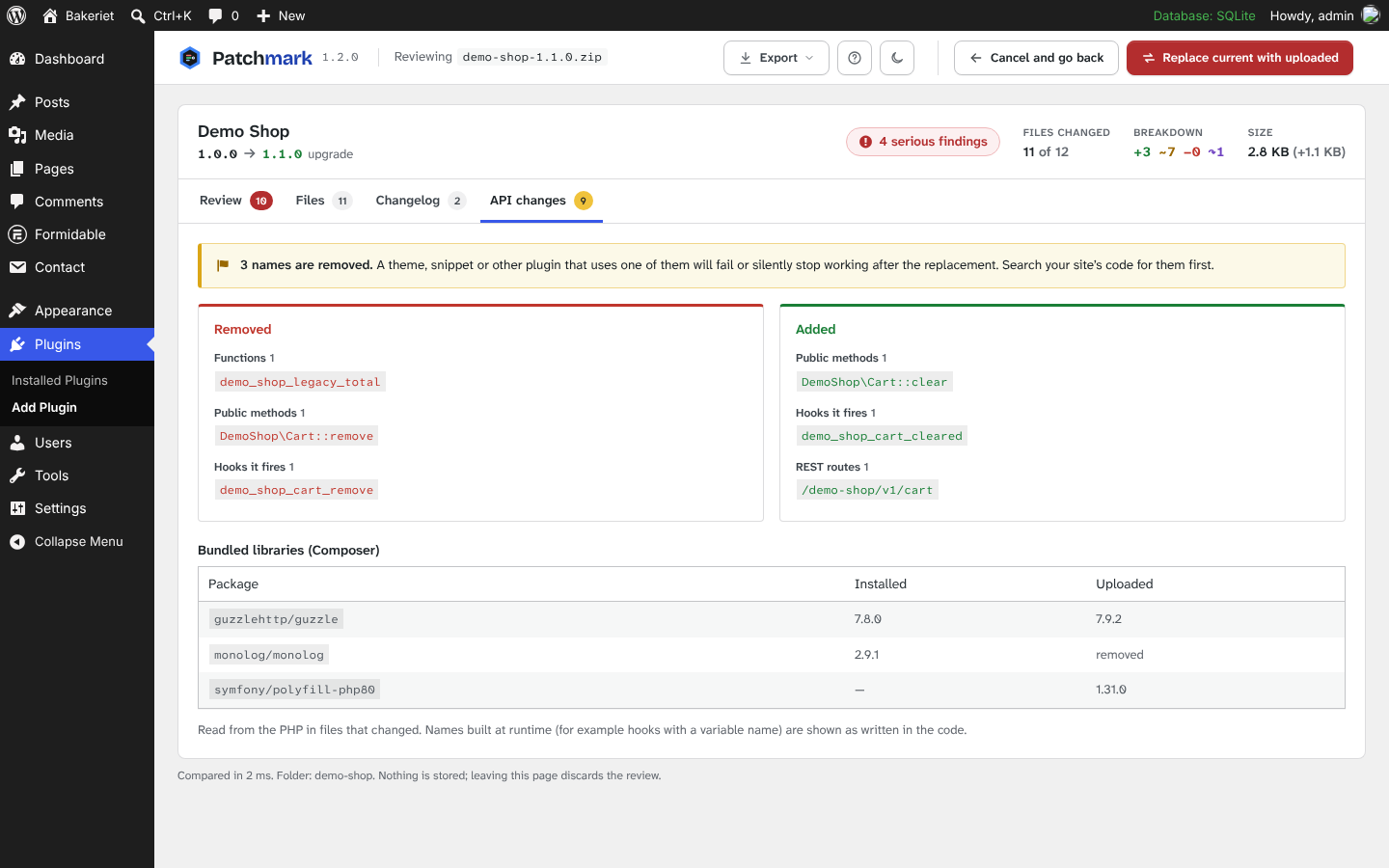
- API changes now also list scheduled events, admin screens, database tables, options and capabilities.
- New: a sample review under Tools › Patchmark, and a Live Preview in WordPress Playground.
- A translation template is included, ready for translate.wordpress.org.
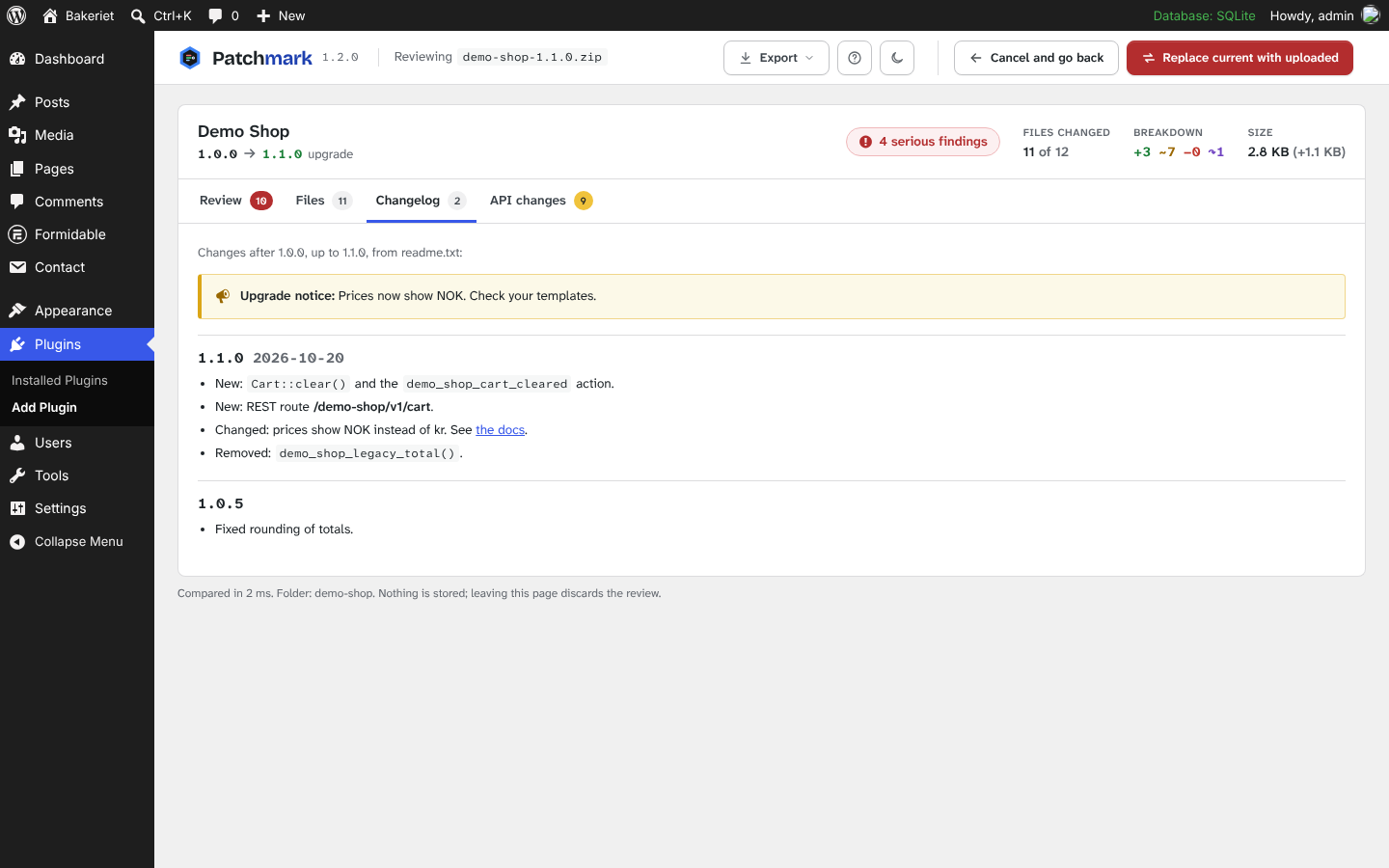
- First release: takes over the "already installed" upload screen with a review, a file browser with split and unified diffs, the changelog in between and API changes.