
Patchwork Split – Split & Merge Orders for WooCommerce
| 开发者 | patchworkstudio |
|---|---|
| 更新时间 | 2026年11月10日 20:30 |
| PHP版本: | 8.0 及以上 |
| WordPress版本: | 7.1 |
| 版权: | GPLv2 or later |
| 版权网址: | 版权信息 |
详情介绍:
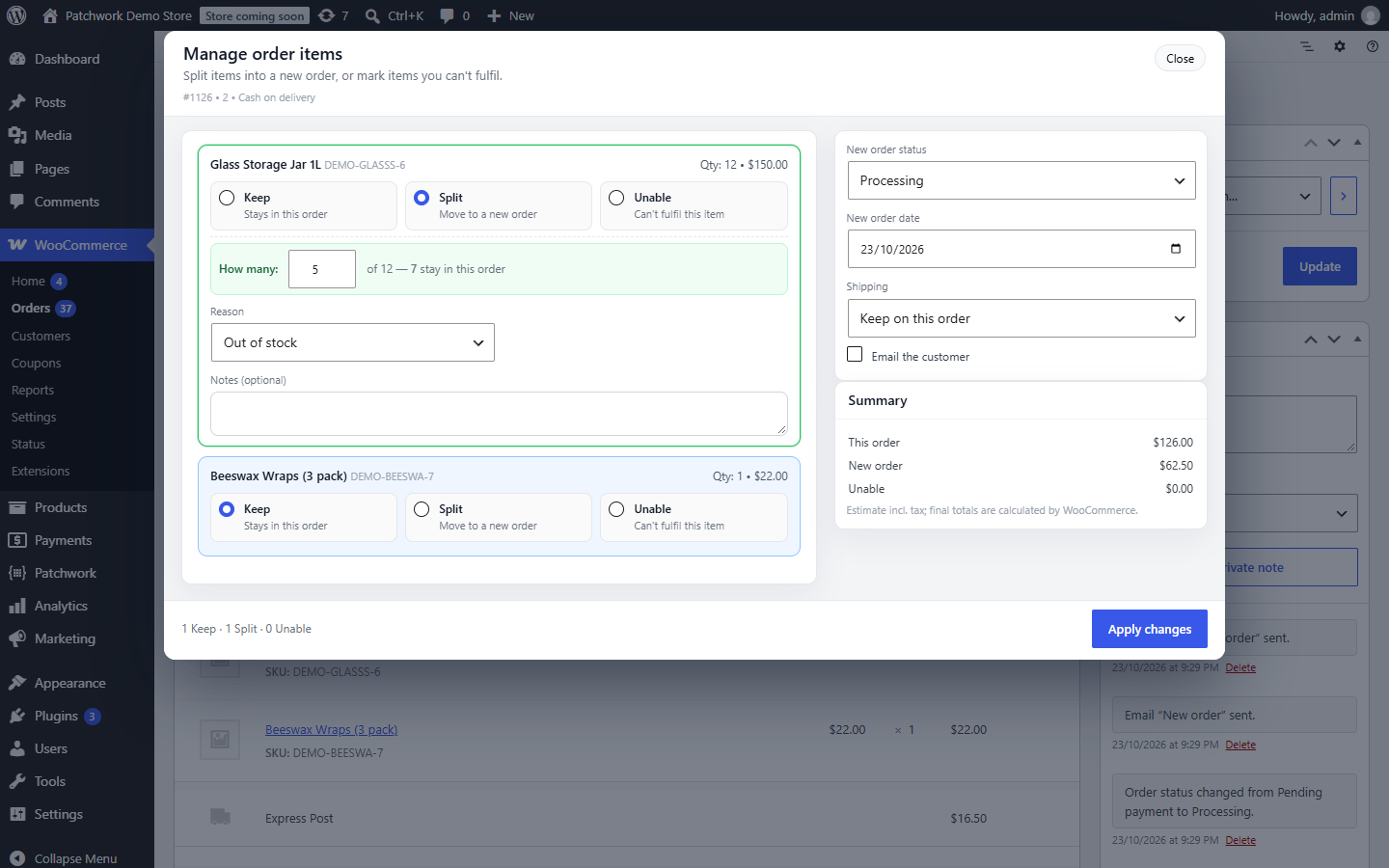
- Keep – stays in this order
- Split – moves into one new order (all of it, or just some of the quantity)
- Unable – you can't supply it
- Totals add up. The original order and the new one always equal what the customer was charged. Discounts and taxes are carried over exactly as charged — never recalculated at today's rates.
- Stock follows the items. Nothing is reduced twice, and cancelling a split order puts its stock back.
- Unable items on unpaid orders are removed, so the customer only pays for what you can send, and go back into stock.
- Unable items on paid orders are refunded on the order (optionally through your payment provider) and go back into stock.
- You decide about postage: keep it on the original order, move it, or add the same method to the new order free of charge.
- No confusing emails. WooCommerce's "new order" and "cancelled" emails are held back during a split; the customer gets one clear note instead (you can switch it off).
- Safe by default. Orders with refunded items, completed orders and the like are protected from changes.
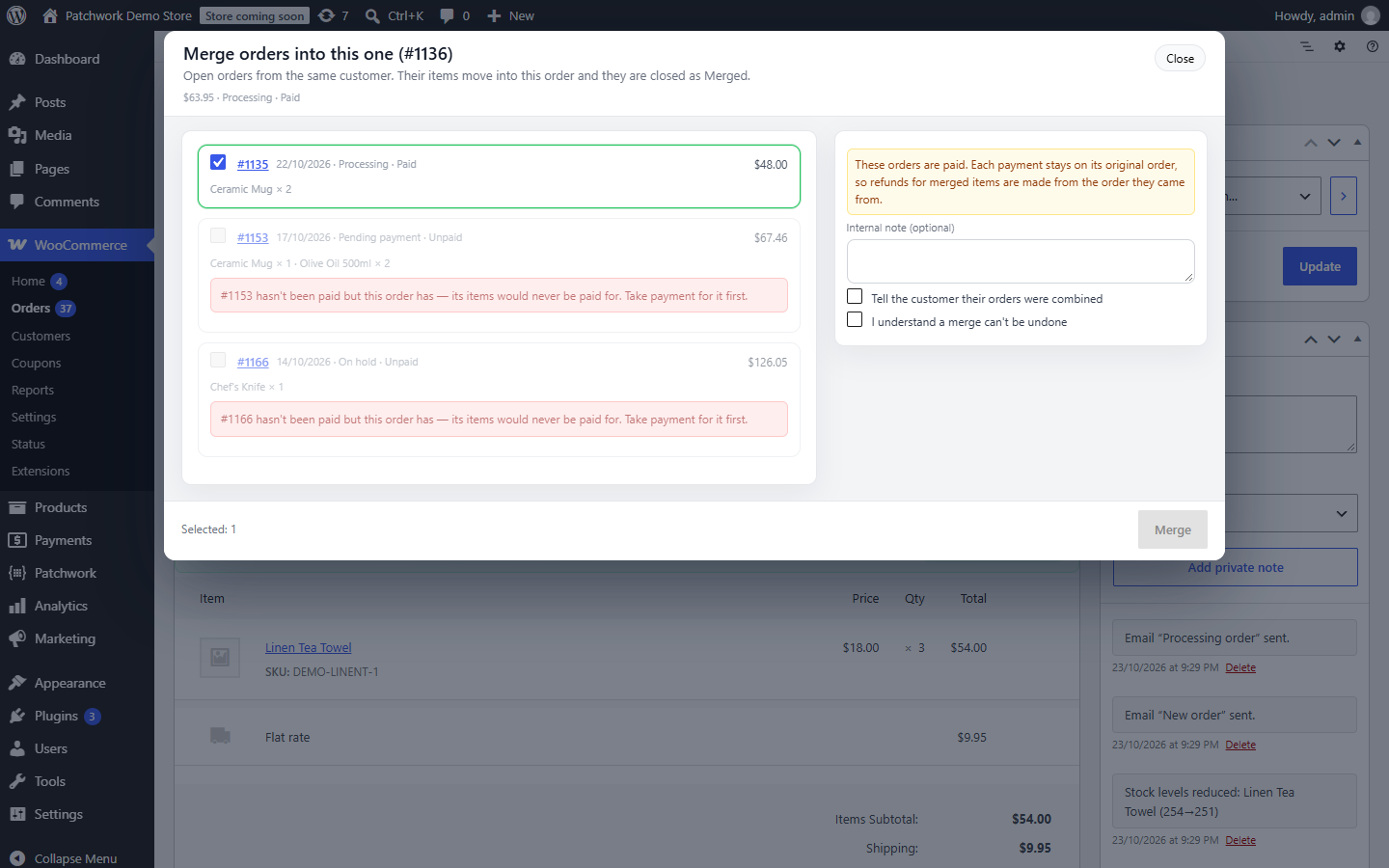
- Merge orders – combine open orders from the same customer so they ship together, with payments and stock kept straight.
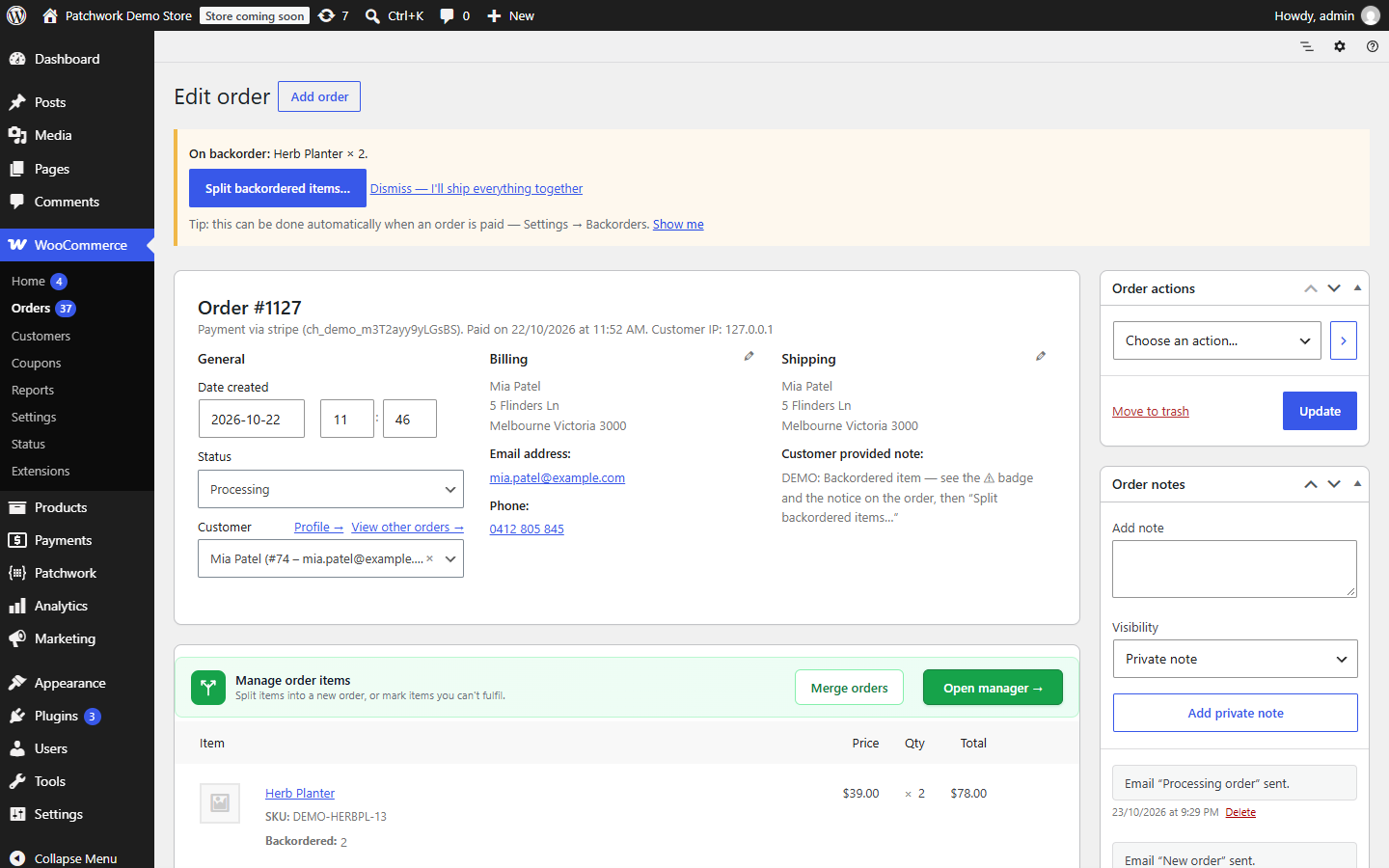
- Automatic backorder splitting – when an order is paid, backordered units move into their own order by themselves (plus a bulk action for existing orders).
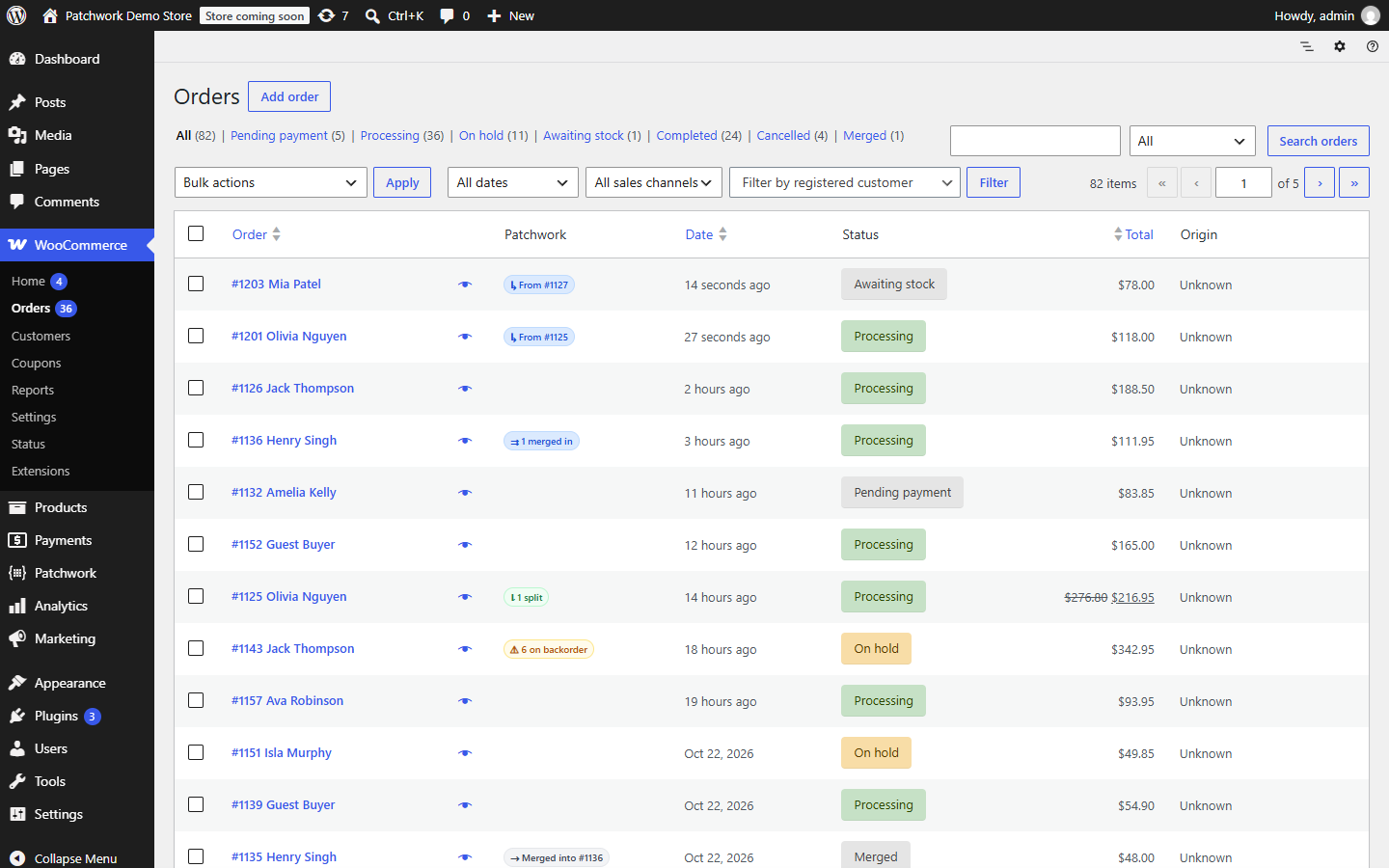
- Choose the new order's status – and create your own, such as "Awaiting stock", with bulk actions on the orders list.
patchwork_split_validate_batch, patchwork_split_before_child_save, patchwork_split_completed and patchwork_split_order_badges, plus a small JavaScript extension API, let other plugins add to the manager.
More from Patchwork
Patchwork builds practical WordPress plugins and custom fixes.
安装:
- Install from Plugins → Add New (search for "Patchwork Split"), or upload the
patchwork-order-splitfolder to/wp-content/plugins/. - Activate it. WooCommerce must be active.
- Optional: adjust reasons, shipping, backorders and emails under Patchwork → Split.
- Open any order and click Split order in the Patchwork bar above the order items.
屏幕截图:
常见问题:
How do I split a WooCommerce order into two shipments?
Open the order and click Split order in the Patchwork bar above the order items. Mark the items (or part of an item's quantity) that should ship later as Split, then apply. They move into one new order, and the original keeps the rest, ready to ship now.
Does splitting an order change the tax or the price?
No. Prices, discounts and taxes are carried over exactly as the customer was charged — never recalculated at today's rates — and the original order plus the new one always add up to the original total.
Can I merge two WooCommerce orders?
Yes, with Pro. Open orders from the same customer can be combined so they ship together. Both orders must be in the same payment state (both paid or both unpaid), so payments and stock stay straight.
How does it handle backorders?
Orders with backordered items get a "⚠ on backorder" badge and a notice on the order. One click opens the manager with the backordered units already selected, so the rest can ship now — or dismiss it to ship everything together. Pro can split backorders automatically when an order is paid.
Who can use the manager?
Administrators and Shop Managers by default. You can allow other roles under Patchwork → Split → Settings → Access; they also need permission to edit orders.
Does it refund the customer automatically?
Only if you tick "Refund unable items through the payment provider now" when applying. Otherwise the refund is recorded on the order and you refund the customer yourself.
How do refunds work for a split order?
A split order from a paid order is marked as paid via the original. Make refunds from the original order, where the payment was taken.
What happens to postage when I split?
You choose each time: keep it on the original order (default), move it to the new order, or add the same shipping method to the new order free of charge. When every item leaves the original order, shipping goes with them.
Can a split be undone?
Not automatically. Every split is recorded on both orders and in the activity log, so you can see exactly what happened.
Does it work with HPOS?
Yes — High-Performance Order Storage and classic (posts) storage are both supported and tested.
更新日志:
- Order screen: Split's buttons now sit in one shared Patchwork bar above the order items, with this order's badges. Every Patchwork plugin uses the same bar, the same Patchwork box and the same line under each product, so nothing is scattered.
- Orders list preview (the eye icon) has a matching Patchwork section with the badges and a Split order button.
- With Patchwork Inventory: when stock ordered for an order arrives, the "on backorder" badge and notice clear by themselves.
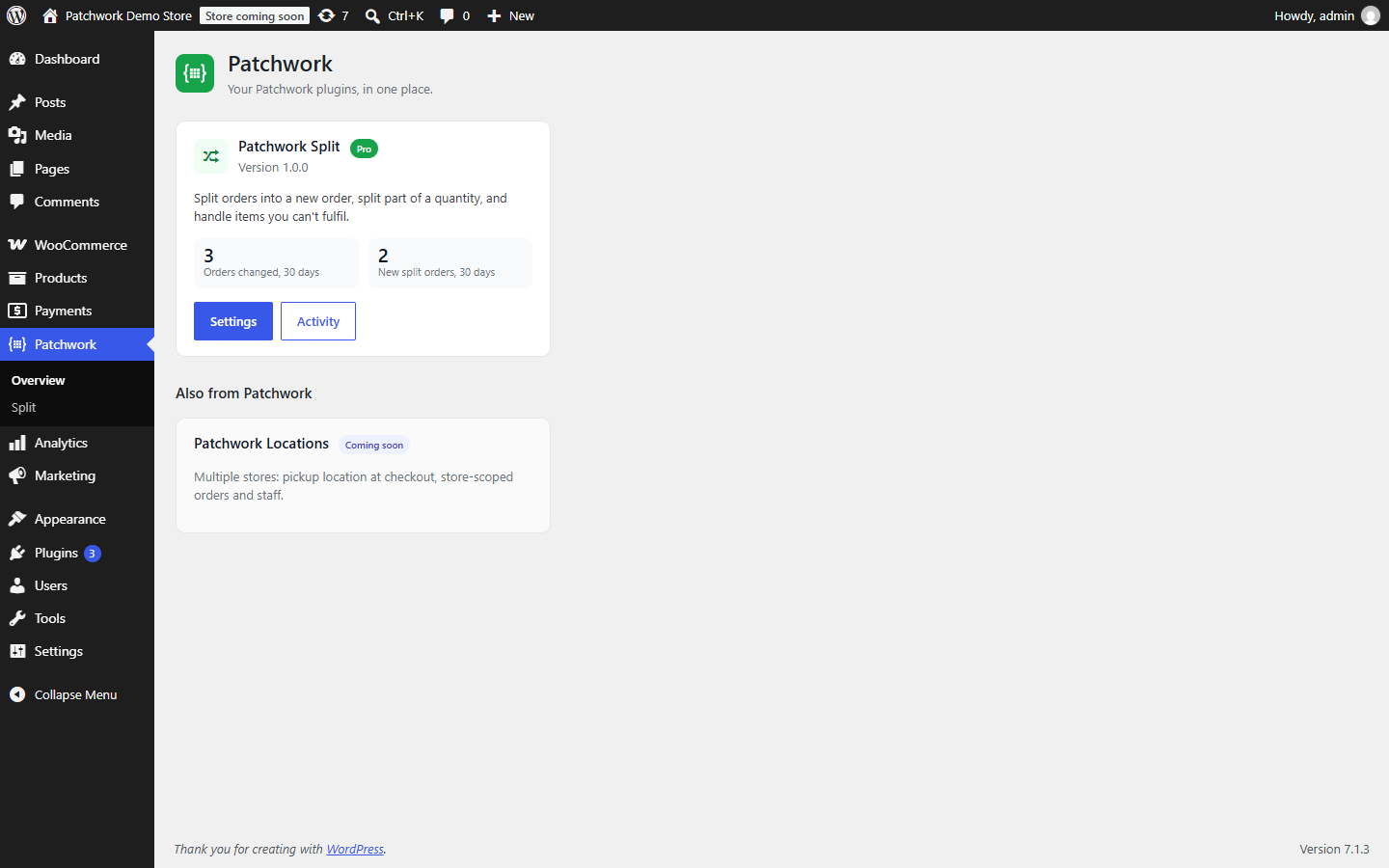
- Patchwork dashboard: a link back to all Patchwork plugins, shortcut buttons on each plugin's card, and a "custom work" option on the Support page.
- Guide links on Split's page and in this readme.
- Fix: after an update, browsers now always load the new scripts and styles (no more stale copies).
- Security: order actions now check that you can edit that specific order (respects plugins that limit which orders a user can edit).
- No upgrade prompts on order screens.
- New: Patchwork → Support — send a support request (with screenshots and optional system info) straight from your dashboard.
- "Get support" links on the Patchwork overview and plugin pages.
- Requires PHP 8.0 or later.
- First public release.