Pattern Paste: Block Patterns for Any Block Theme
| 开发者 | jakedickinson |
|---|---|
| 更新时间 | 2026年10月12日 20:10 |
| PHP版本: | 7.4 及以上 |
| WordPress版本: | 7.1 |
| 版权: | GPLv2 or later |
| 版权网址: | 版权信息 |
详情介绍:
- Signoff: Three oversized statements travel in alternating directions above a stationary studio footer with editable brand, contact, navigation and legal details.
- Visitors who ask their browser for reduced motion get the resting state, always. Each section also has its own Motion setting.
- Without JavaScript every panel, answer and photograph is still there to read.
- Deactivate the plugin and a Designed Pattern's inner blocks still render as ordinary core blocks.
- Anime.js 4.5.0, copyright Julian Garnier, MIT licence (https://animejs.com). The licence ships in
assets/vendor/anime/LICENSE; the unminified source isassets/vendor/anime/anime.js. - The portraits and logo marks in
assets/imagesare original works made for Pattern Paste. No real person or company is depicted. They are dedicated to the public domain under CC0 1.0 (https://creativecommons.org/publicdomain/zero/1.0/). - The photographs in
assets/images(thewp-files) come from the WordPress Photo Directory (https://wordpress.org/photos/) and are licensed CC0 1.0. They are bundled, resized and compressed, so nothing loads from the directory.
安装:
- In your WordPress admin, go to Plugins, Add New Plugin, search for "Pattern Paste Block Patterns" and choose Install Now. Or download the zip from WordPress.org, then go to Plugins, Add New Plugin, Upload Plugin, choose the zip and choose Install Now.
- Choose Activate.
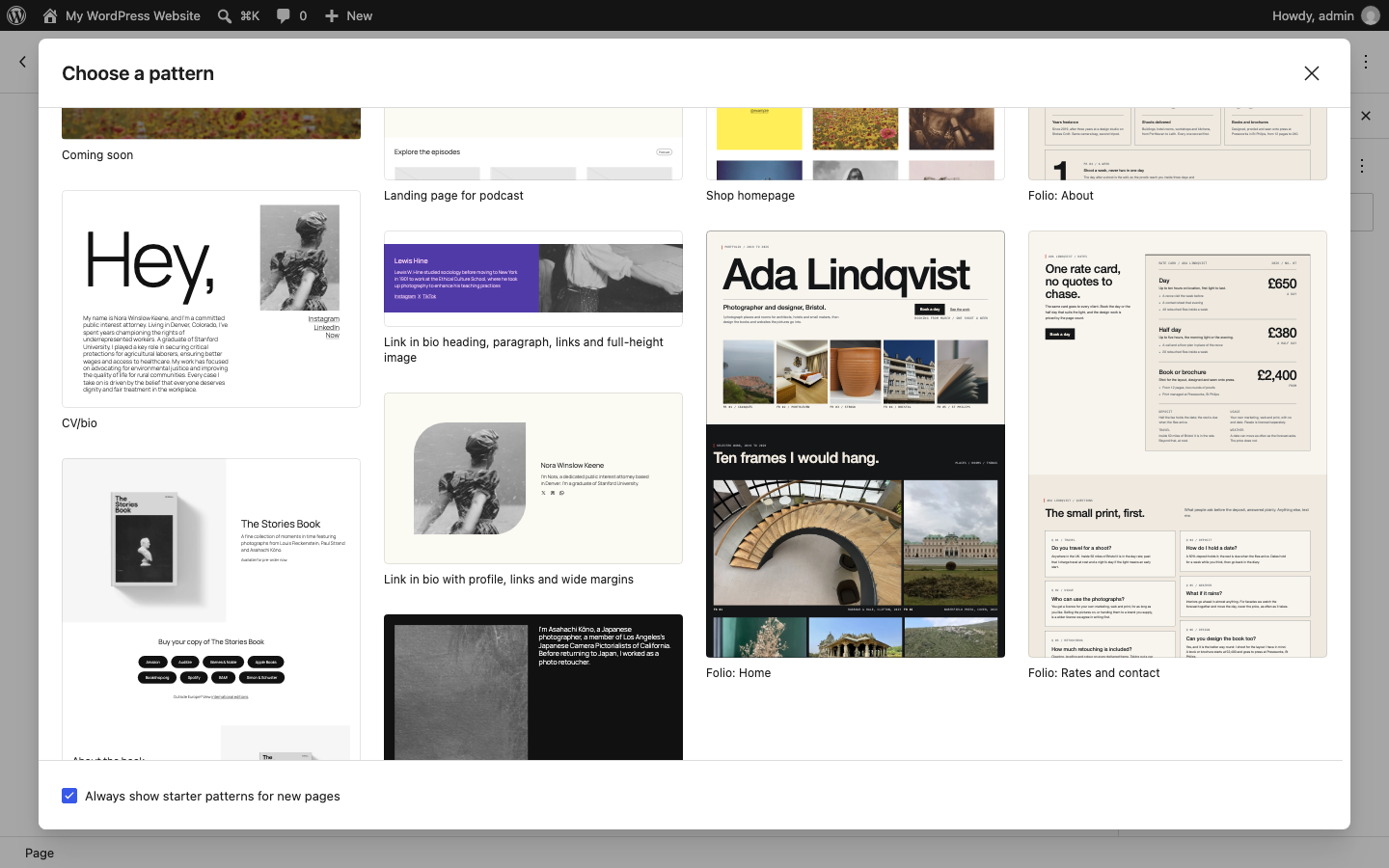
- Edit any page or post, open the block inserter (the + button) and choose Patterns. The patterns are in the Pattern Paste Core and Pattern Paste Folio categories, and in their usual WordPress categories.
- Optional: Settings, Pattern Paste Block Patterns turns the patterns in the inserter on or off, and decides whether inserted images are copied into your Media Library.
屏幕截图:
常见问题:
Do I need an account or a licence key?
No. Everything in this plugin works without one, on as many sites as you like.
Will it work with my theme?
Core Patterns work in any block theme and take its colours and fonts. Designed Patterns work in any theme that supports the block editor; choose Use my theme in the block's settings to match your site.
Does it add images to my Media Library?
Yes, when you insert a pattern. Each photograph, portrait and logo mark a pattern uses is copied once into your Media Library from this plugin's own files, so WordPress can make its usual sizes and you can reuse or replace it like any upload. Nothing is downloaded. Inserting the same image again reuses the copy. The logo marks are copied the same way, as PNG images. Pages you already have are never changed. To stop copying, turn off Copy pattern images into the Media Library under Settings, Pattern Paste Block Patterns; inserted patterns then show the images from this plugin's folder. Deleting the plugin keeps every copy.
What happens if I install Pattern Paste Pro?
Pro registers the same block with the same settings, so activating it deactivates this plugin and your pages carry on unchanged. If a page still shows images from this plugin's folder, Pro offers to copy them into your Media Library; after that you can delete this plugin.
What happens if I deactivate this plugin?
Core Patterns you inserted are plain core blocks and stay exactly as they are. A Designed Pattern's text, images and links still render as ordinary core blocks; its composed layout and motion go until you reactivate it.
Does it respect reduced motion?
Yes, and it cannot be switched off. Every Designed Pattern checks the visitor's reduced-motion preference before it animates anything.
My theme also loads Anime.js. Will they clash?
No. This plugin's copy loads only on a page with a Designed Pattern that animates, and lives at window.patternpasteAnime, so a theme's own window.anime is never touched.
Where do I get help?
In this plugin's support forum on WordPress.org.
更新日志:
- Signoff, a Designed Pattern: a footer whose three statements travel in alternating directions.
- Two image-led cover patterns: Cover window and Cover seam stamp.