
Paxelo – 7 SEO Content Deliverables, One Click
| 开发者 |
ssowin
paxelo |
|---|---|
| 更新时间 | 2026年4月2日 03:48 |
| PHP版本: | 7.4 及以上 |
| WordPress版本: | 6.9 |
| 版权: | GPL-2.0-or-later |
| 版权网址: | 版权信息 |
详情介绍:
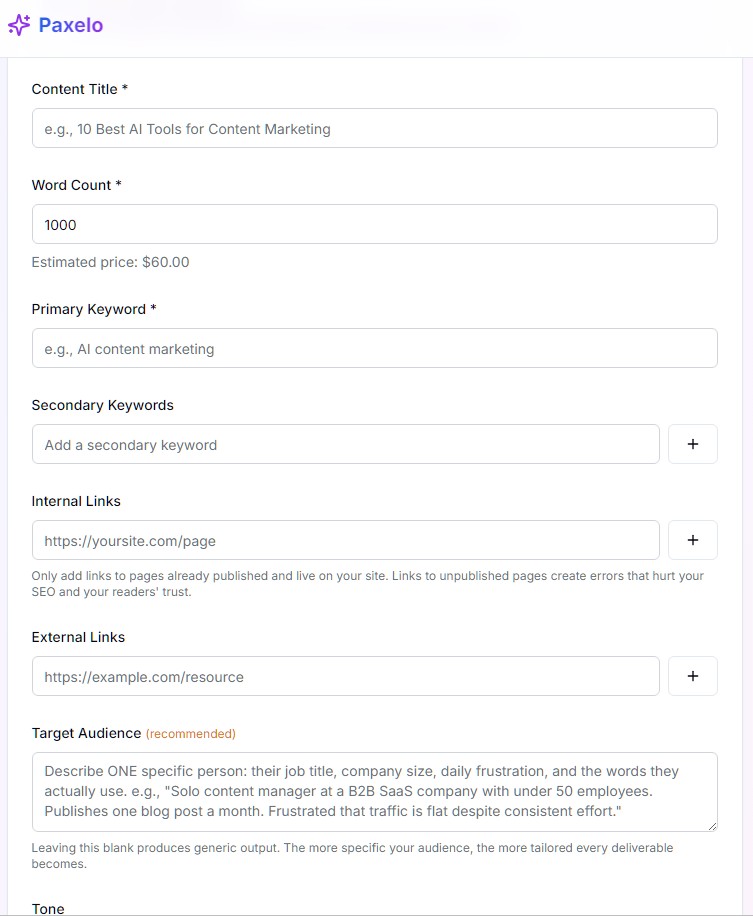
Paxelo connects your site to the Paxelo content platform, giving you one-click access to professionally written, SEO-optimised content packages — all from inside WordPress.
What you get
- SEO Blog Articles — long-form, keyword-rich posts imported as drafts with Yoast SEO meta filled in.
- Social Media Posts — ready-to-publish copy for Facebook, Twitter/X, LinkedIn and Instagram saved as post meta.
- Email Newsletters — HTML newsletter content attached to every order.
- Content Calendar — a 30-day editorial calendar with topic suggestions you can mark complete.
- News Curation — define your industries, keywords, RSS feeds and URLs; Paxelo curates trending topics.
- Brand Voice — describe your tone and style once; every piece of content matches it.
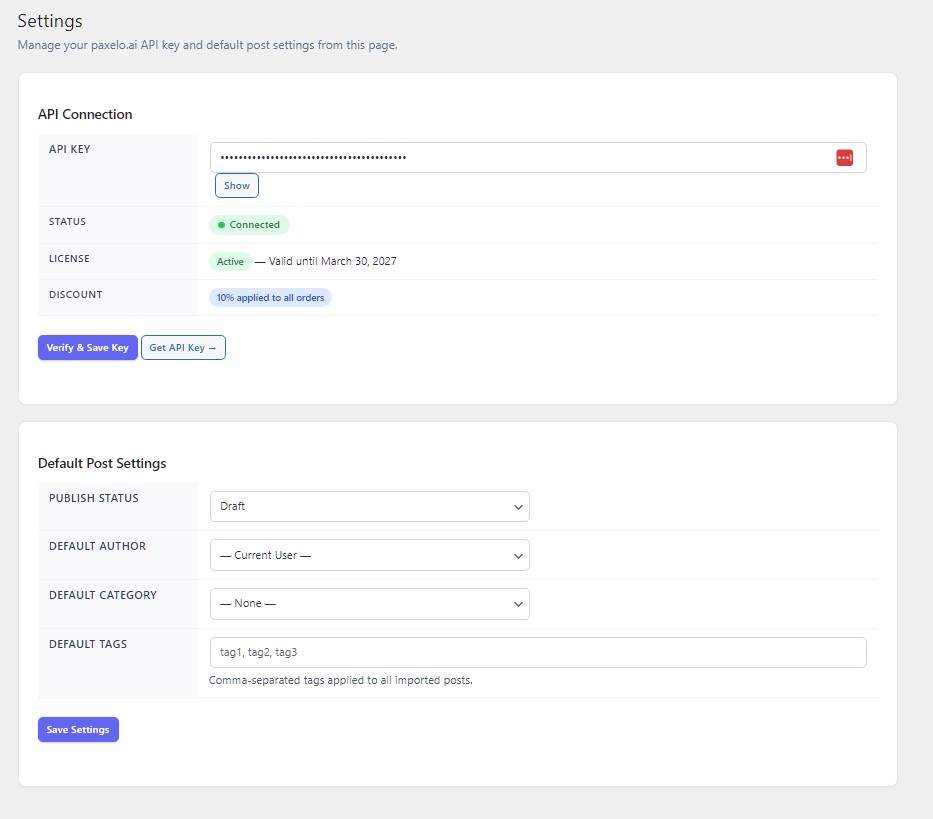
- Coupon & Discount Management — save promo codes and stack them with the built-in 10% plugin discount.
- Webhooks — automatic content import the moment an order is ready.
安装:
- Upload the
paxelofolder to/wp-content/plugins/. - Activate the plugin through the Plugins menu.
- Go to Paxelo → Settings and enter your API key (get one at paxelo.ai/account).
- Click Verify & Save. Once connected you're ready to order content.
屏幕截图:
常见问题:
Where do I get an API key?
Sign up or log in at paxelo.ai and copy your key from the Account page.
How does the 10% plugin discount work?
The discount is applied automatically at checkout for every order placed through this plugin. It stacks with any valid coupon code.
Can I import content as published posts?
Yes. Go to Paxelo → Settings and change the default post status to "Published".
Does it work with Yoast SEO?
Absolutely. The plugin writes meta descriptions to the Yoast _yoast_wpseo_metadesc field automatically.
What happens when content is ready?
The plugin imports the 7 SEO content pieces automatically. Otherwise you can manually import from the Orders page.
更新日志:
2.2.0
- Free tier support — create up to 5 articles at no cost.
- Usage progress bar on the Orders and Settings pages.
- Upgrade prompt when the free article limit is reached.
- One-click upgrade link to the Paxelo paid plan ($49/year).
- Plugin checker compliance: text domain, escaping, input sanitization.
- Initial release.
- Full content ordering, import and management.
- News curation, brand voice, content calendar.
- Webhook auto-import.
- Coupon & discount stacking.