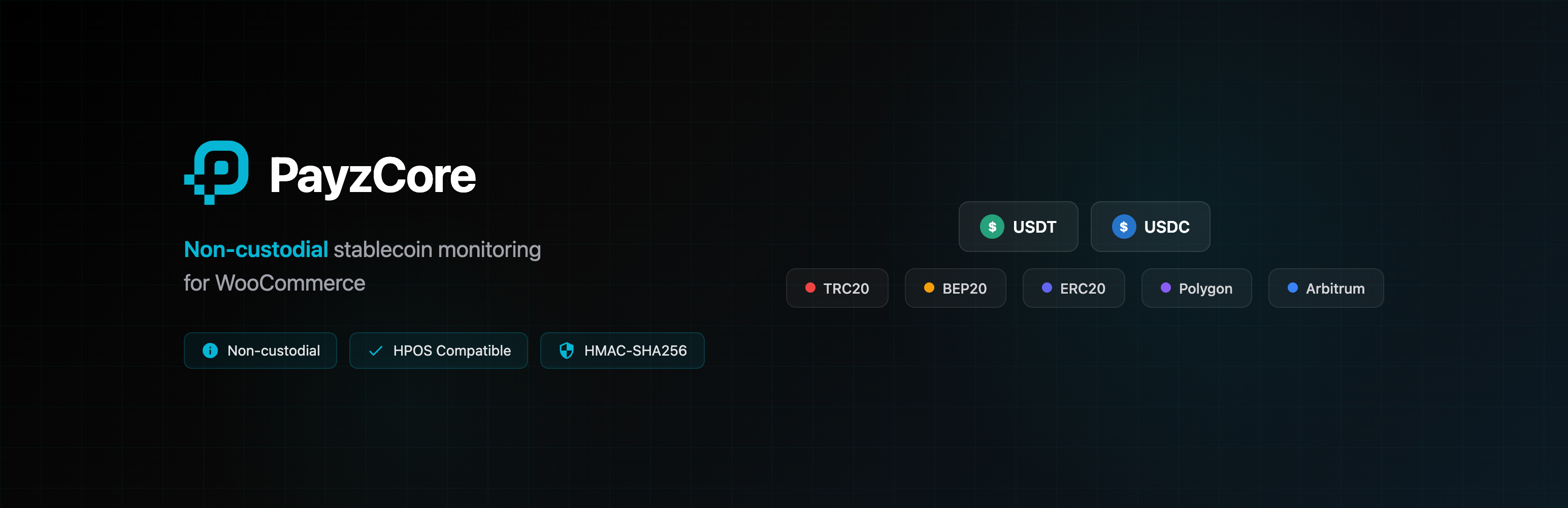
PayzCore for WooCommerce
| 开发者 | payzcore |
|---|---|
| 更新时间 | 2026年3月11日 06:17 |
| PHP版本: | 7.4 及以上 |
| WordPress版本: | 6.9 |
| 版权: | GPLv2 or later |
| 版权网址: | 版权信息 |
详情介绍:
- Your wallets, your funds — You provide your own wallet (HD xPub or static addresses). Customers pay directly to your addresses.
- Read-only monitoring — PayzCore watches the blockchain for incoming transactions and sends webhook notifications. That's it.
- Protection Key security — Sensitive operations like wallet management, address changes, and API key regeneration require a Protection Key that only you set. PayzCore cannot perform these actions without your authorization.
- Your responsibility — You are responsible for securing your own wallets and private keys. PayzCore provides monitoring and notification only.
- Accept USDT and USDC stablecoins
- Multi-network support: TRC20 (Tron), BEP20 (BNB Smart Chain), ERC20 (Ethereum), Polygon, and Arbitrum
- Non-custodial: funds go directly to your wallet, PayzCore never touches them
- Static wallet mode: use a fixed address for all payments with customer tx hash confirmation
- Real-time payment status polling with automatic order updates
- Dark-themed payment instructions page with QR code and countdown timer
- HMAC-SHA256 webhook signature verification for security
- Automatic order completion for virtual/downloadable products
- Blockchain explorer links in order notes (Tronscan, BSCScan, Etherscan, Polygonscan, Arbiscan)
- WooCommerce HPOS (High-Performance Order Storage) compatible
- Translatable with full i18n support
- Go to WooCommerce > Settings > Payments > PayzCore (Stablecoin)
- Enter your wallet address in the "Static Wallet Address" field
- Save settings
- All payments use the same address you configured
- The payment amount includes a micro-offset (e.g., $50.003 instead of $50.00) to distinguish transactions
- Customers see a notice with the exact amount to send
- After sending payment, customers are shown a form to paste their blockchain transaction hash (TxID)
- The transaction hash is submitted to PayzCore for verification
- Order status is updated automatically once PayzCore confirms the transaction
- A PayzCore account at payzcore.com
- A project with an API key and webhook secret configured
- WooCommerce 7.0 or higher
- PHP 7.4 or higher
- WordPress 5.8 or higher
- Verify your wallet — In the PayzCore dashboard, verify that your wallet addresses are correct. For HD wallets, click "Verify Key" and compare address #0 with your wallet app.
- Run a test order — Place a test order for a small amount ($1–5) and complete the payment. Verify the funds arrive in your wallet.
- Test sweeping — Send the test funds back out to confirm you control the addresses with your private keys.
- Getting Started — Account setup and first payment
- Webhooks Guide — Events, headers, and signature verification
- Supported Networks — Available networks and tokens
- Error Reference — HTTP status codes and troubleshooting
- API Reference — Interactive API documentation
- GitHub — Source code
安装:
- Upload the
payzcore-woocommercefolder to/wp-content/plugins/ - Activate the plugin through the Plugins menu in WordPress
- Go to WooCommerce > Settings > Payments > PayzCore (Stablecoin)
- Enter your PayzCore API Key (found in your PayzCore dashboard under Projects)
- Enter your Webhook Secret (shown when you create a project)
- Set your Webhook URL in the PayzCore dashboard to:
https://yourstore.com/wp-json/payzcore/v1/webhook - Select your preferred blockchain network (TRC20, BEP20, ERC20, Polygon, or Arbitrum)
- Select your preferred stablecoin token (USDT or USDC)
- Enable the payment method and save
常见问题:
What is PayzCore?
PayzCore is a non-custodial blockchain transaction monitoring API. It watches blockchain addresses for incoming stablecoin transfers (USDT, USDC) and sends webhook notifications. It does not hold, transmit, or custody any funds.
How do I get API credentials?
Sign up at payzcore.com, create a project, and you will receive an API Key and Webhook Secret. Enter these in the plugin settings.
What currencies and networks are supported?
USDT (Tether) and USDC (USD Coin) on TRC20 (Tron), BEP20 (BNB Smart Chain), ERC20 (Ethereum), Polygon, and Arbitrum networks. Ensure the token you select is supported on your chosen network in your PayzCore project configuration.
Is this a payment processor?
No. PayzCore is a monitoring and notification service. Funds are sent directly from the customer to your wallet address. PayzCore watches the blockchain and notifies your store when a transfer is detected. No funds pass through PayzCore at any point.
What happens if a customer underpays?
If a partial transfer is detected, an order note is added with the received amount. The order remains on hold until the full amount is received or the payment window expires.
What happens if a customer overpays?
The order is marked as complete with an order note indicating the overpayment amount. Any excess amount handling is between you and your customer.
How long does confirmation take?
Blockchain confirmation times vary by network. TRC20 transactions typically confirm within 1-3 minutes. BEP20 and Polygon transactions typically confirm within 15-30 seconds. ERC20 transactions typically confirm within 1-5 minutes. Arbitrum transactions typically confirm within a few seconds. PayzCore checks every 2 minutes.
Is HPOS compatible?
Yes. The plugin fully supports WooCommerce High-Performance Order Storage.
更新日志:
- Security: SSRF protection on confirm endpoint with host validation
- Security: Webhook idempotency with transient lock to prevent double-processing
- Security: Removed SVG from allowed QR code formats (XSS prevention)
- Security: Generic error messages to customers (no internal API details exposed)
- Security: API URL field restricted to HTTPS only
- Fixed: Webhook race condition — expired/cancelled events no longer cancel paid orders
- Fixed: Template variable mismatch for nonce fields
- Fixed: HPOS compatibility — replaced meta_query with meta_key/meta_value
- Fixed: Event listener leak on checkout page during AJAX updates
- Fixed: QR code re-validated at render time
- Fixed: order_is_virtual returns false for empty item sets
- Improved: All inline styles moved to enqueued CSS files (WordPress.org compliance)
- Improved: Network/token selector moved from inline JS to enqueued script file
- Improved: All text defaults wrapped in translation functions (i18n ready)
- Improved: Proper escaping on all webhook order note values
- Improved: Order key validation on thank-you page script loading
- Improved: Added return statements after all wp_send_json calls
- Updated: Tested up to WordPress 6.9
- Updated: WC tested up to 10.5.3
- Fixed QR code visibility on light backgrounds (standard black-on-white QR)
- Initial release
- Multi-network support: TRC20, BEP20, ERC20, Polygon, Arbitrum
- Multi-token support: USDT + USDC
- Network/token selector on checkout page
- QR code generation for payment addresses
- Real-time payment status polling
- Webhook signature verification (HMAC-SHA256)
- Static wallet support (dedicated + pool modes)
- Transaction hash confirmation for pool mode
- HPOS (High-Performance Order Storage) compatible