Linux 软件免费装
Banner图

PC User Address Manager for WooCommerce

开发者 pluginchef
更新时间 2026年4月21日 11:13
捐献地址: 去捐款
PHP版本: 7.4 及以上
WordPress版本: 6.9
版权: GPLv2 or later
版权网址: 版权信息

标签

woocommerce woocommerce checkout address-book multiple shipping address multiple billing address

下载

1.0.0

详情介绍:

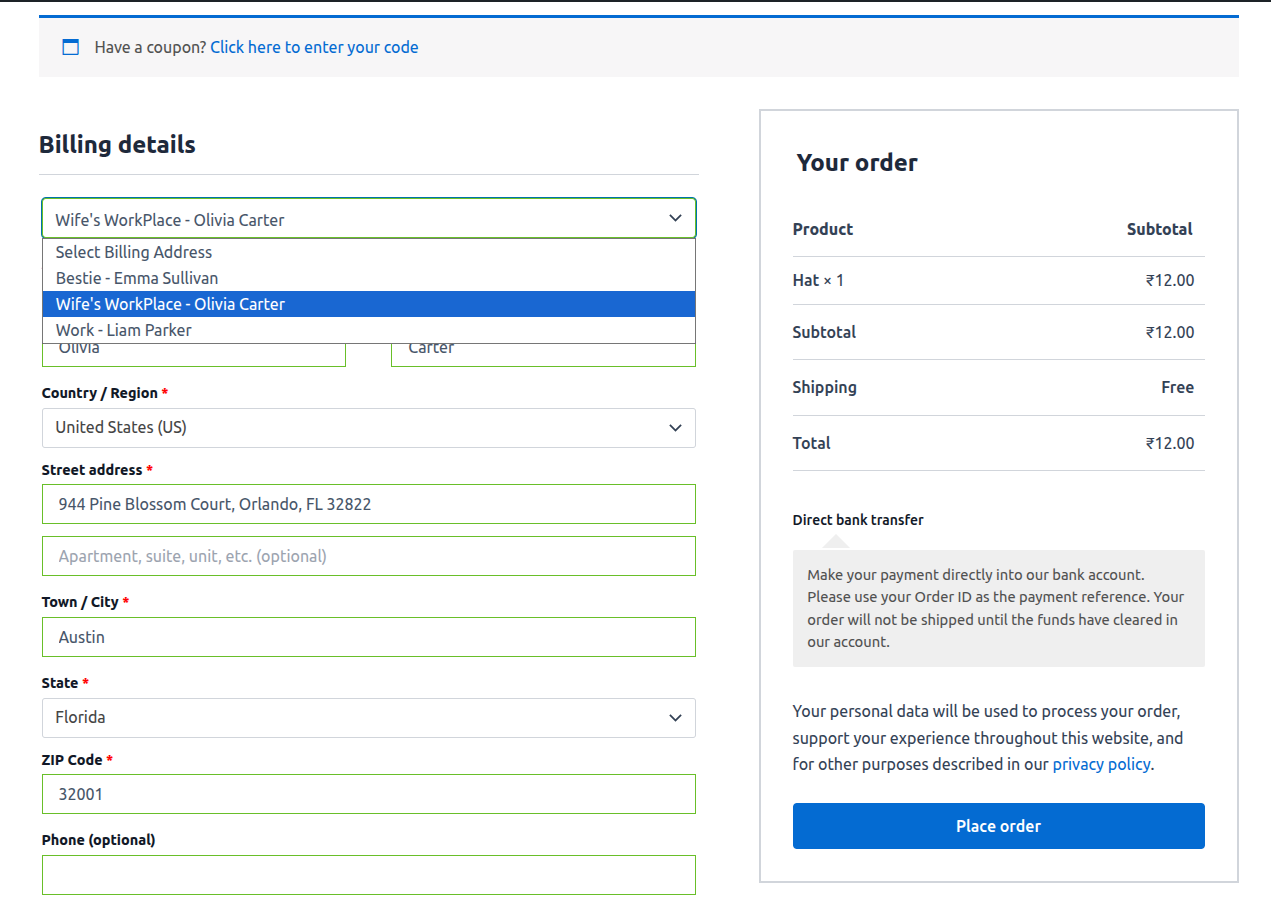
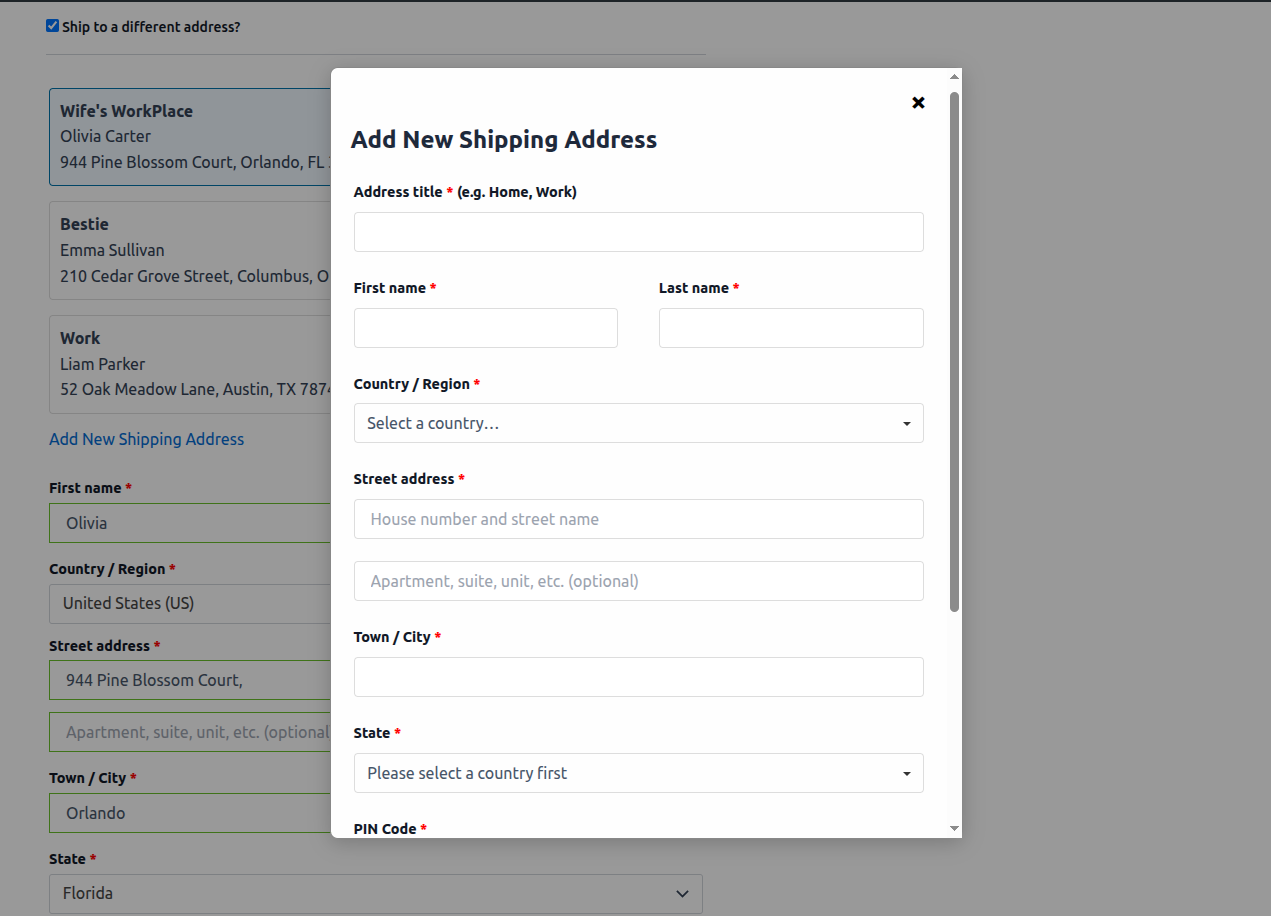
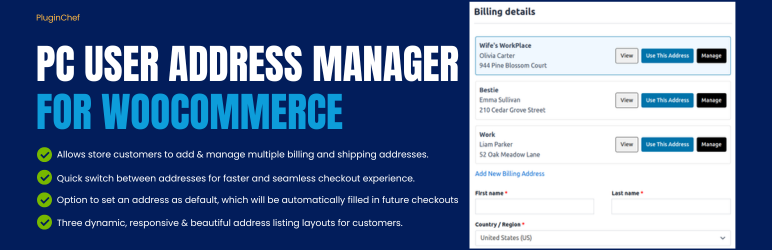
PC User Address Manager for WooCommerce lets customers add and manage multiple billing and shipping addresses from both the Checkout and My Account pages. Unlike other solutions that require users to first save an address through my account page to use at checkout, our plugin eliminates these extra steps. It ensures an uninterrupted checkout process by allowing customers to add and use a new shipping or billing address directly on the checkout page—with no need to navigate away and return to select it. This plugin features an interactive popup that allows you to add and manage multiple billing and shipping addresses directly on the checkout page. When saving a new address for the first time, you can simply fill out the form and click the "Save & Use" button—this both stores the address for the future and instantly populates all the corresponding checkout fields. Alternatively, the "Save" button lets you store it without applying it immediately. For returning customers, a list of all saved addresses is displayed. Each one has a "Use This Address" button that, when clicked, automatically fills the billing or shipping form and smoothly scrolls the page to the completed section, enabling you to quickly verify the details for a seamless and confident checkout experience. The [Free Version] version allows users to save and select any saved address, automatically populating the billing and shipping form fields on the traditional WooCommerce checkout form, which uses the shortcode [woocommerce_checkout]. The Professional Version brings the same functionality for the new WooCommerce Checkout Block, extending its powerful address management to the modern checkout experience. This means your site users can instantly save a new address and autofill the billing and shipping fields directly on the Checkout Block, or they can select one from their list of previously saved addresses. The intuitive workflow—using the interactive popup and the "Use This Address" button—remains perfectly consistent. Whether your store uses the traditional WooCommerce Checkout Form or the new Checkout Block, the Pro version delivers the same seamless functionality, making it the key differentiating feature for a future-proof setup.

安装:

  1. Upload the plugin files to /wp-content/plugins/pc-user-address-manager-for-woocommerce.
  2. Activate the plugin via the Plugins menu in WordPress.
  3. Ensure latest WooCommerce is active.
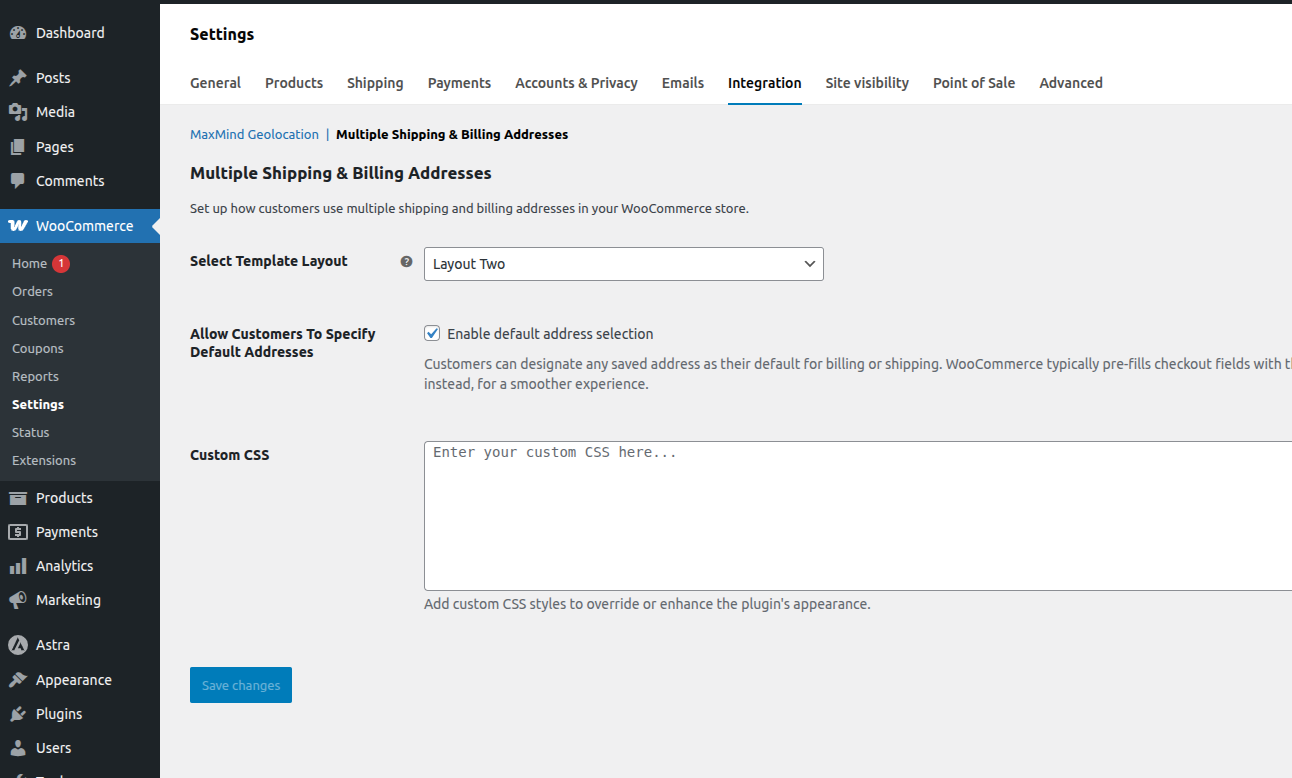
  4. Go to WooCommerce -> Settings > Integration -> Multiple Shipping and Billing Addresses to configure plugin settings.
Once the setup is complete, users on the checkout page will see links to add and use billing or shipping addresses. For assistance, please refer to the FAQ section or contact the contributor via the plugin’s official page.

屏幕截图:

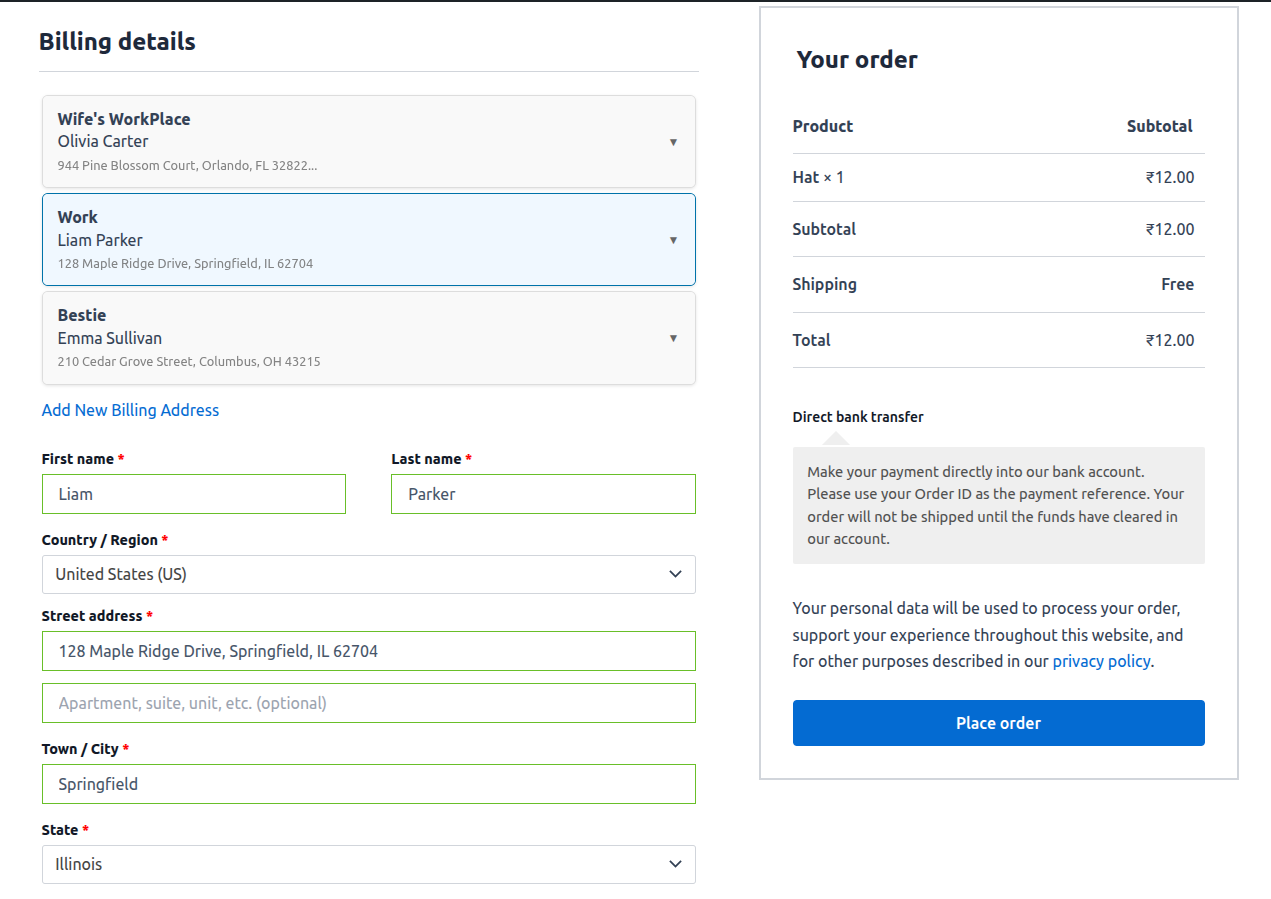
  • Template Layout Two
  • Template Layout Three
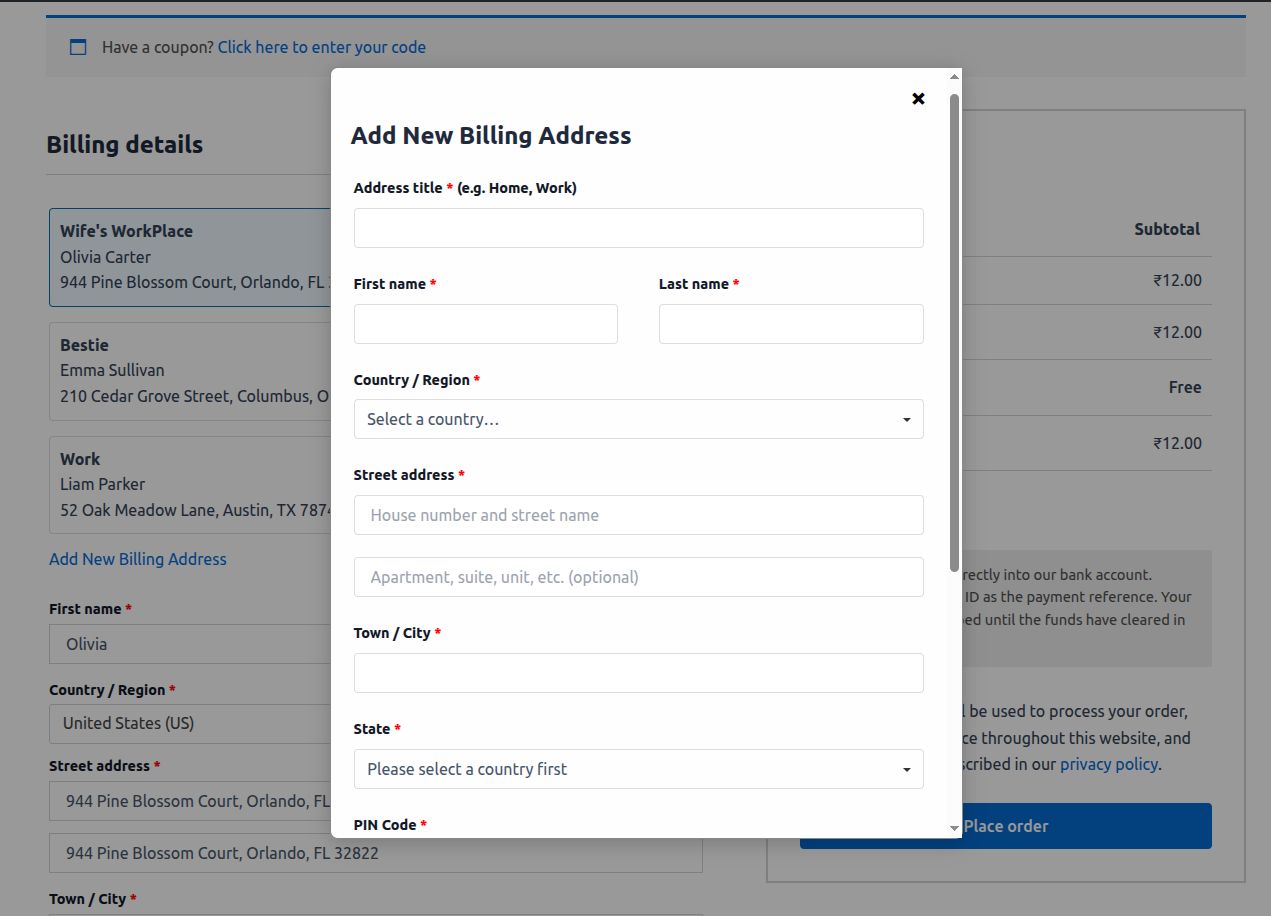
  • Add New Address Modal
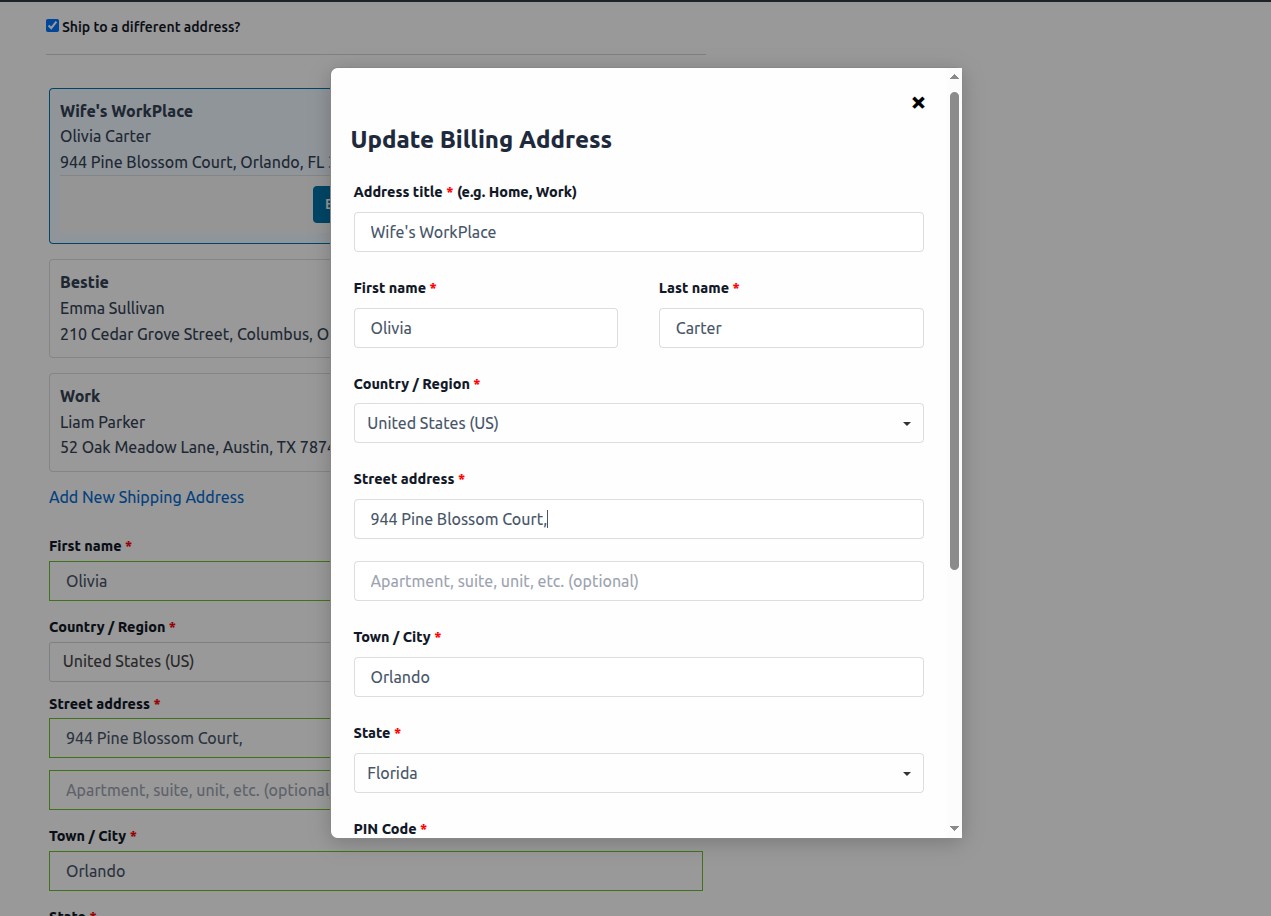
  • Update Address Modal
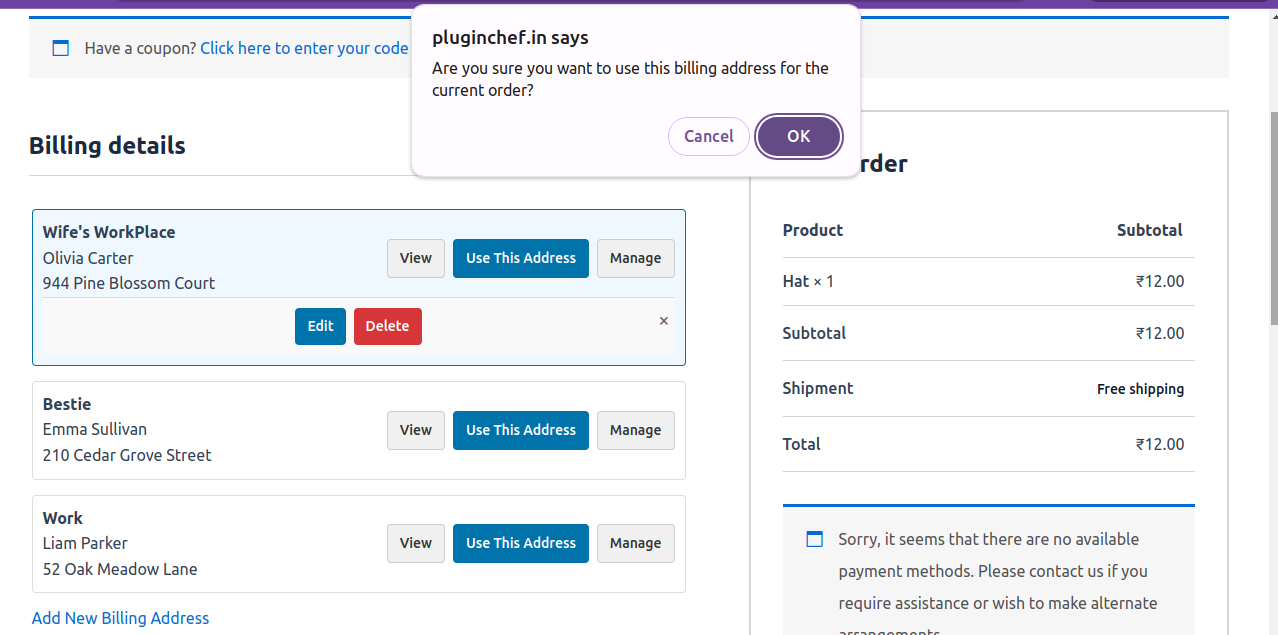
  • Address Deletion Confirmation Box
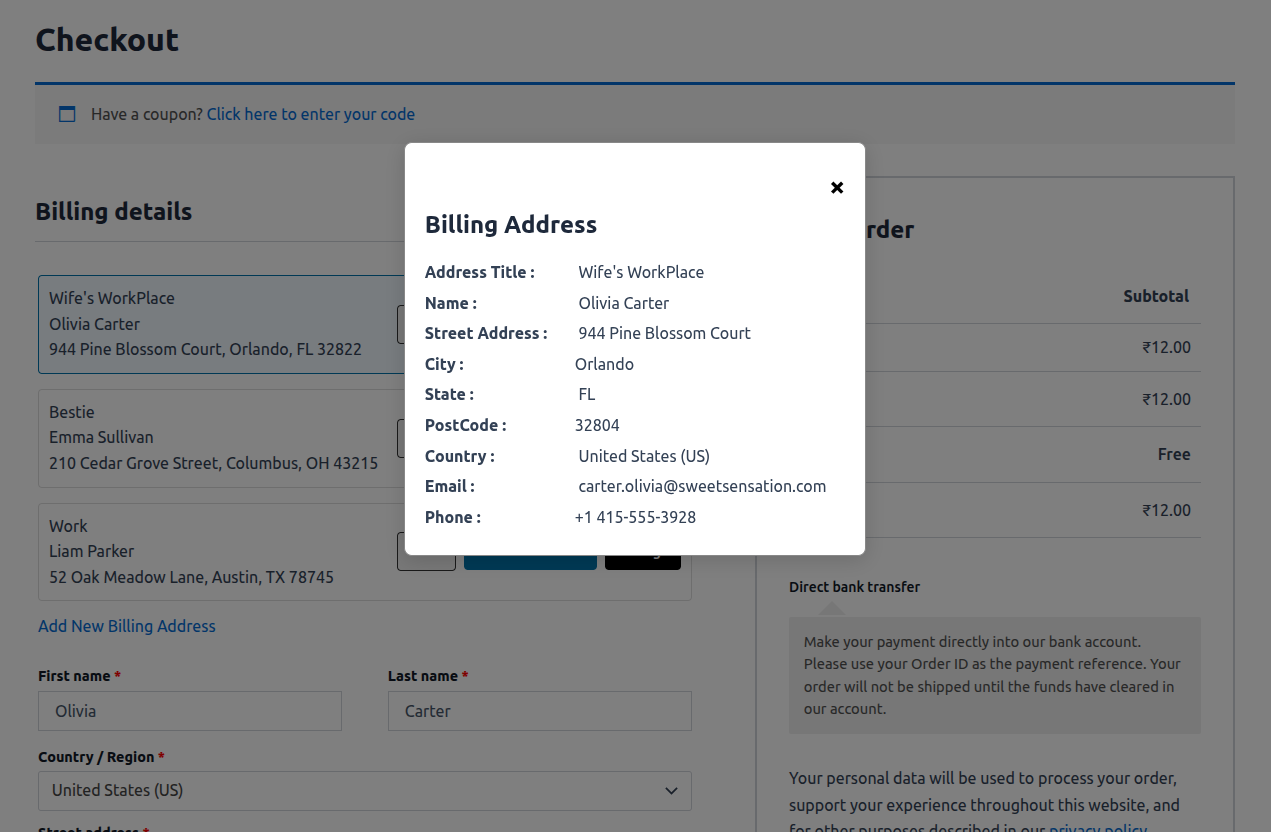
  • Full Address Details View
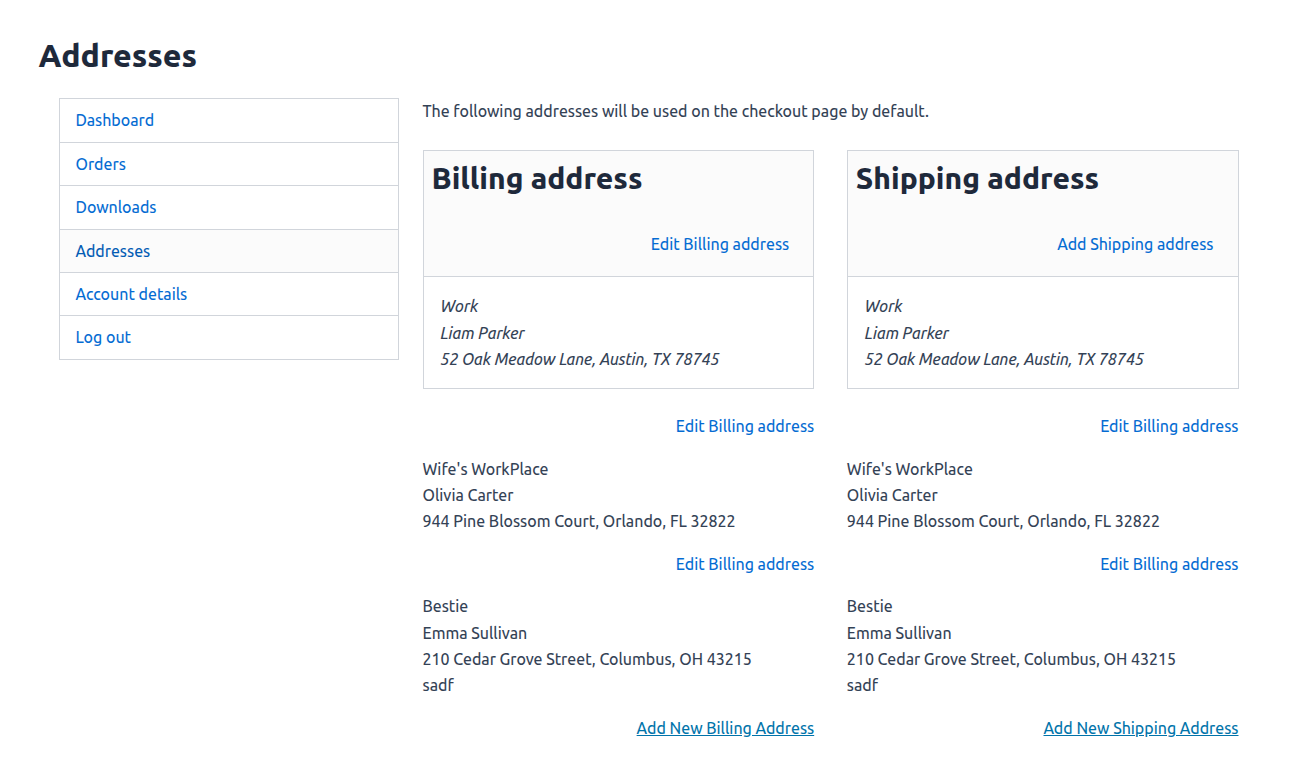
  • Manage Multiple Addresses in “My Account” Page
  • Set Default Billing/Shipping Address for Faster Checkout
  • WooCommerce Integration Tab Plugin Settings Page

升级注意事项:

= 1.0 =\ Initial release — no upgrade required. Visit the Pro Version Website.

常见问题:

What is a default address and how does it work?

= Where can users add multiple billing and shipping addresses? =\ Customers can add multiple addresses directly from the Checkout page or from the My Account → Addresses section. They can view, edit, delete, and manage all saved addresses conveniently from the same interface. = Does this plugin work with the new WooCommerce Checkout Block? =\ The free version is compatible with the classic WooCommerce checkout form (using shortcode [woocommerce_checkout]). To enable the same seamless address management on the new WooCommerce Checkout Block, you will need the Pro version. Our plugin allows customers to mark one saved address as their default billing address and another as their default shipping address. Once these are set, the checkout form will be automatically pre-filled with these default addresses on their next visit. This greatly speeds up the process, as returning customers can complete their purchase with a single click. They can still easily select any other saved address if needed, but the automatic pre-filling streamlines the experience and helps boost conversions. = How do customers set a default address? =\ From the My Account → Addresses section, customers can mark any address as default using the “Mark as Default” button. = Can I customize the address form fields? =\ No. The plugin uses WooCommerce’s standard address fields (such as country, state, and phone) to save user address. = Can the plugin be customized according to specific requirements? =\ Yes, the plugin can be fully customized to meet your specific needs. Plugin developer is available to assist with both UI (design) changes and functionality enhancements, ensuring the plugin works exactly as required for your use case.

更新日志:

1.0