
PDFGate – HTML to PDF
| 开发者 | pdfgate |
|---|---|
| 更新时间 | 2026年10月13日 05:28 |
| PHP版本: | 7.4 及以上 |
| WordPress版本: | 7.1 |
| 版权: | GPLv2 or later |
| 版权网址: | 版权信息 |
详情介绍:
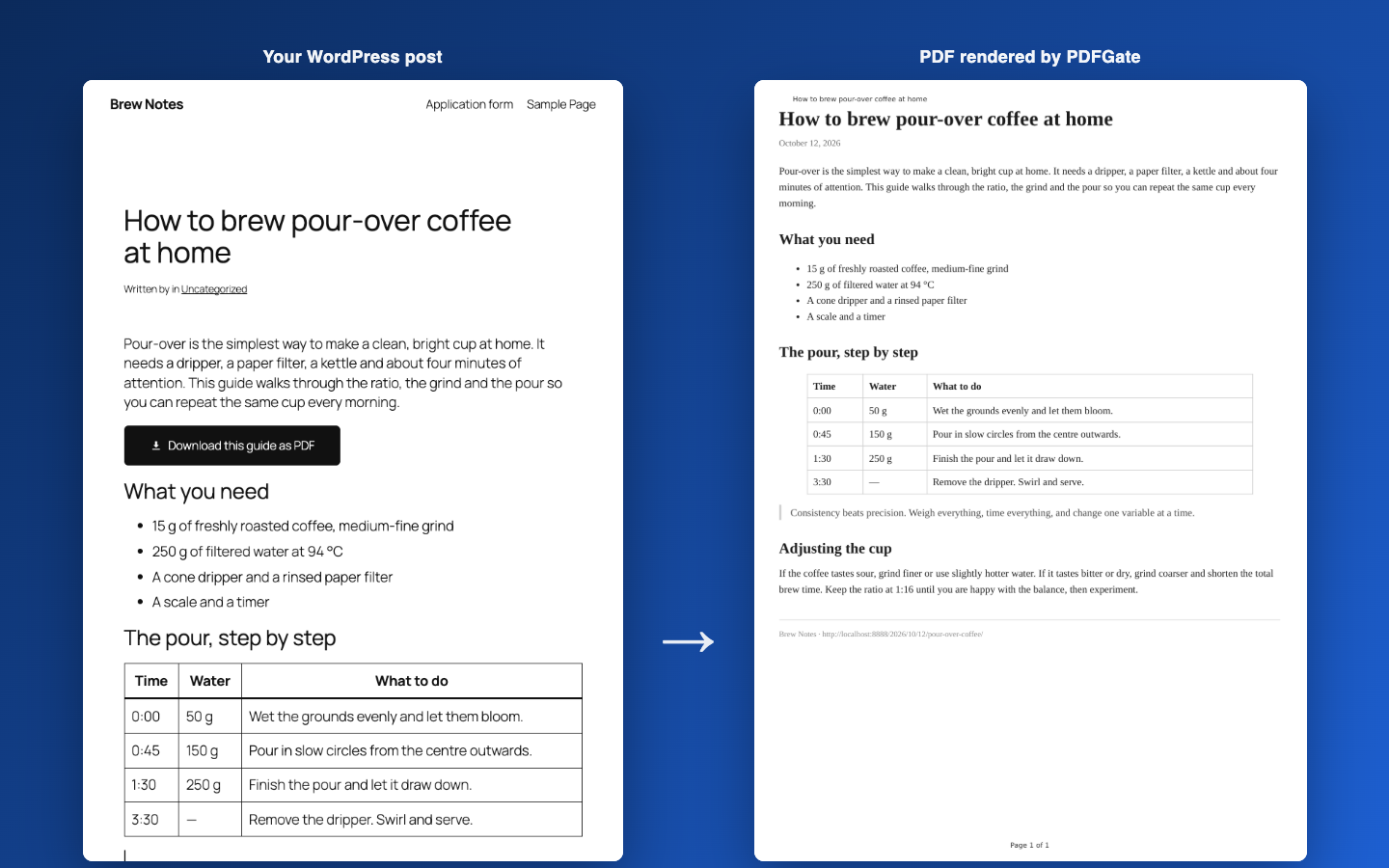
- "Download as PDF" block for the block editor, with a custom label and alignment.
[pdfgate_download]shortcode for classic themes and page builders.- Optionally add the button automatically below every post, page or custom post type.
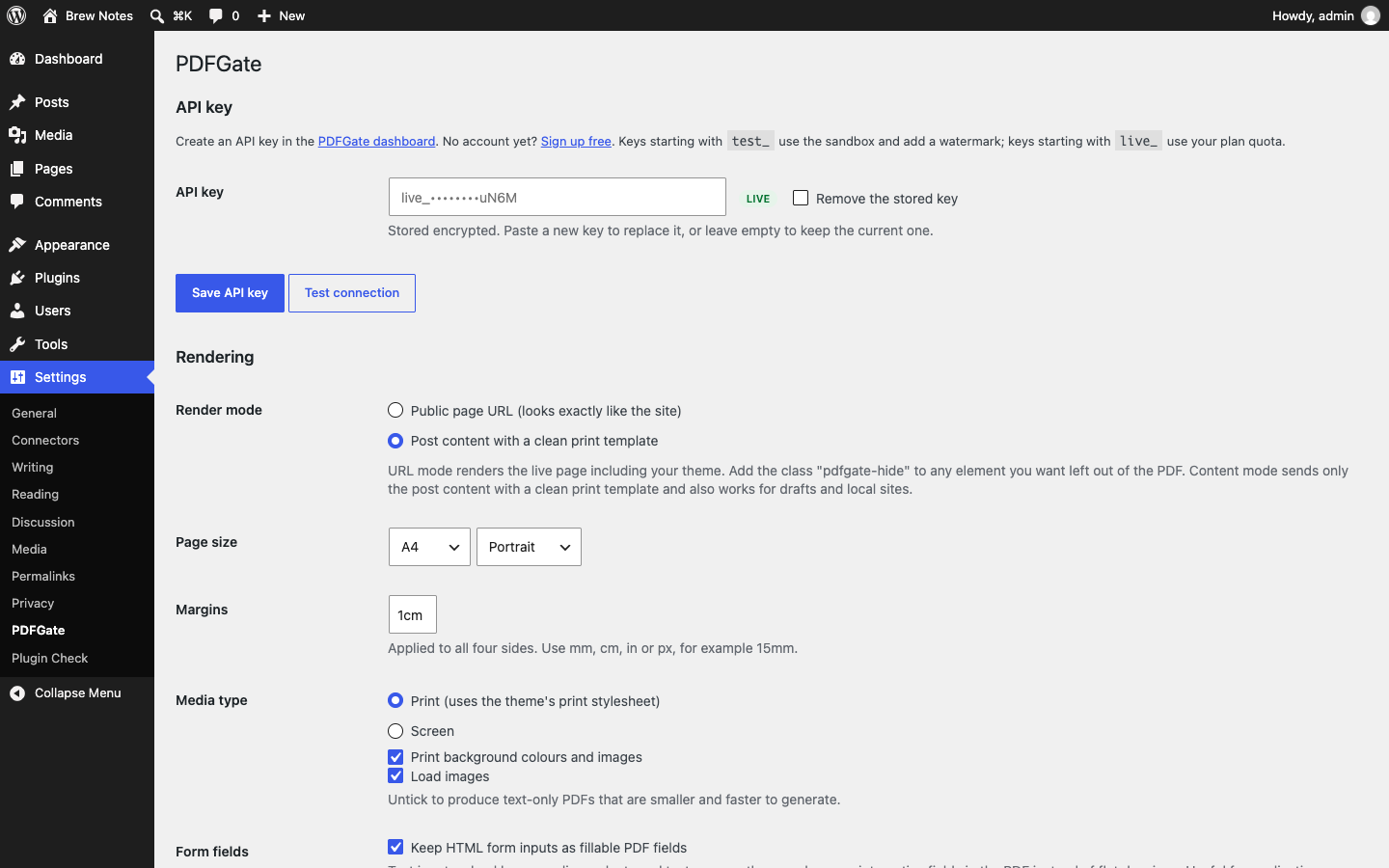
- Two render modes: the public page as your theme shows it, or the post content alone with a clean print template.
- Page size, orientation, margins, print media emulation, background printing and image loading settings.
- Global header and footer HTML with page numbers, date, title and URL placeholders.
- Optional fillable form fields: HTML inputs on the page become interactive PDF fields.
- Generated PDFs are cached and reused until the post changes, so your API quota is spent once per edit, not once per visitor.
- Per-visitor rate limiting protects your quota from bots.
- API key stored encrypted. It can also be defined as the
PDFGATE_API_KEYconstant inwp-config.php. - Filters for developers to change the request, the template, the filename and the button markup.
安装:
- Install and activate the plugin.
- Create an API key at https://dashboard.pdfgate.com/settings/api-keys.
- Go to Settings → PDFGate, paste the key and click "Test connection".
- Add the "Download as PDF" block to a post, use the
[pdfgate_download]shortcode, or enable "Add automatically" for your post types.
屏幕截图:
常见问题:
Does this work on a local or password-protected site?
The "Public page URL" render mode needs PDFGate to fetch your page, so the site must be reachable from the internet and the post must be public. Switch to "Post content" mode for local development, staging sites behind a login, or drafts.
How do I hide an element from the PDF?
In URL mode, add the CSS class pdfgate-hide to any element, or target the pdfgate-render body class in your stylesheet. The download button itself is always hidden.
How many API requests does a download use?
One per post per edit. The generated file is cached in wp-content/uploads/pdfgate and served from there until the post is updated, the settings change, or a day passes. Visitors are also limited to ten fresh generations per minute. Developers can change both with the pdfgate_cache_ttl and pdfgate_rate_limit filters.
Can I add a header or footer, or change any other option?
Yes. Use the pdfgate_generate_payload filter to set any option documented at https://pdfgate.com/documentation/generate-pdf, for example header, footer, css or javascript.
Where is the API key stored?
Encrypted in the WordPress options table, using a key derived from your site's authentication salts. You can instead define PDFGATE_API_KEY in wp-config.php, in which case the settings page becomes read-only for the key.
更新日志:
- Initial release: block, shortcode, automatic button, URL and content render modes, caching and rate limiting.