
PeakURL
| 开发者 |
peakurl
iamabdurrehman |
|---|---|
| 更新时间 | 2026年5月22日 05:54 |
| PHP版本: | 7.4 及以上 |
| WordPress版本: | 7.0 |
| 版权: | GPLv3 or later |
| 版权网址: | 版权信息 |
详情介绍:
PeakURL connects a WordPress site to PeakURL with a bearer API key.
With the plugin enabled, editors and admins can:
- connect WordPress to a PeakURL install from the WordPress admin
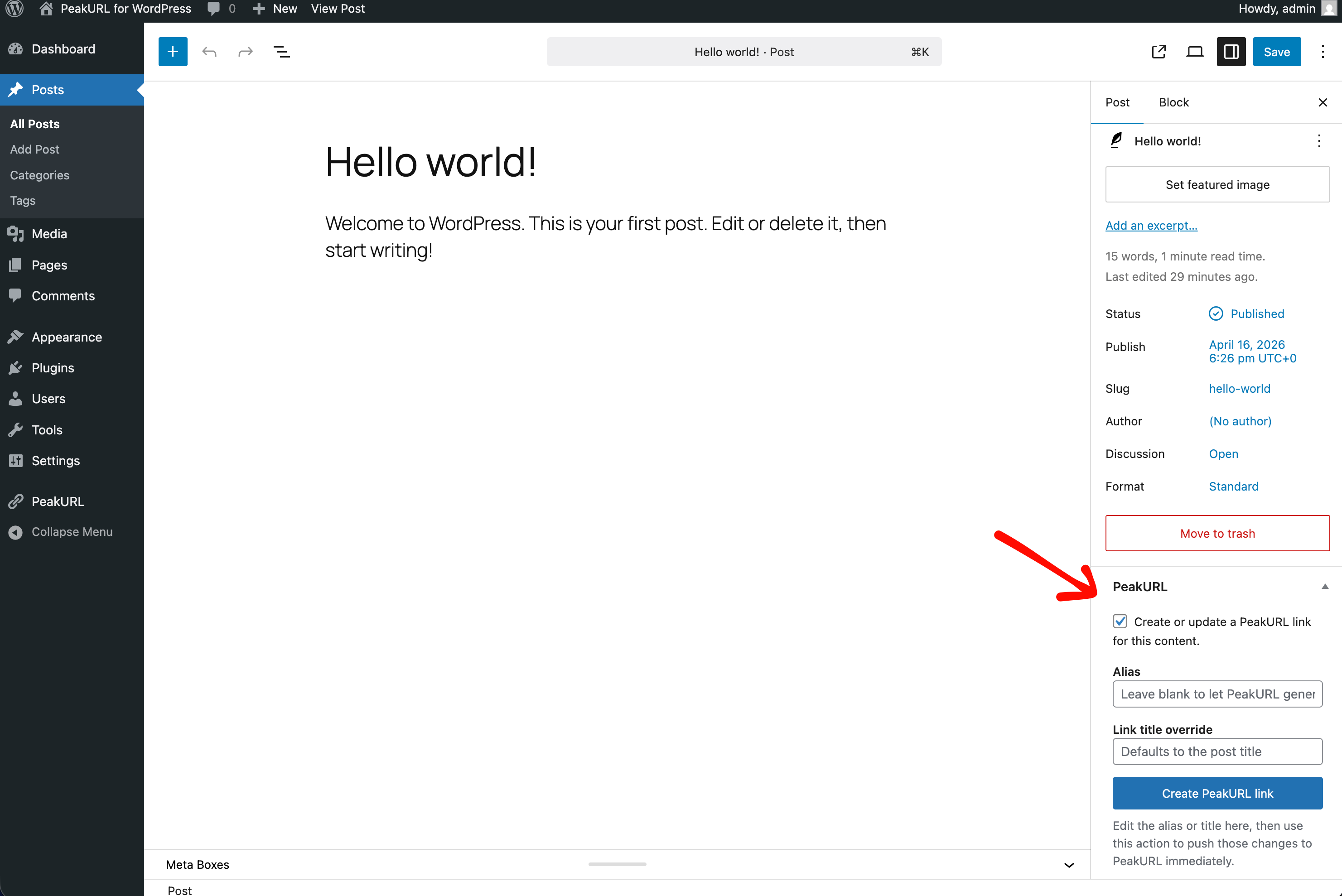
- create or update a PeakURL link for posts, pages, and supported custom post types
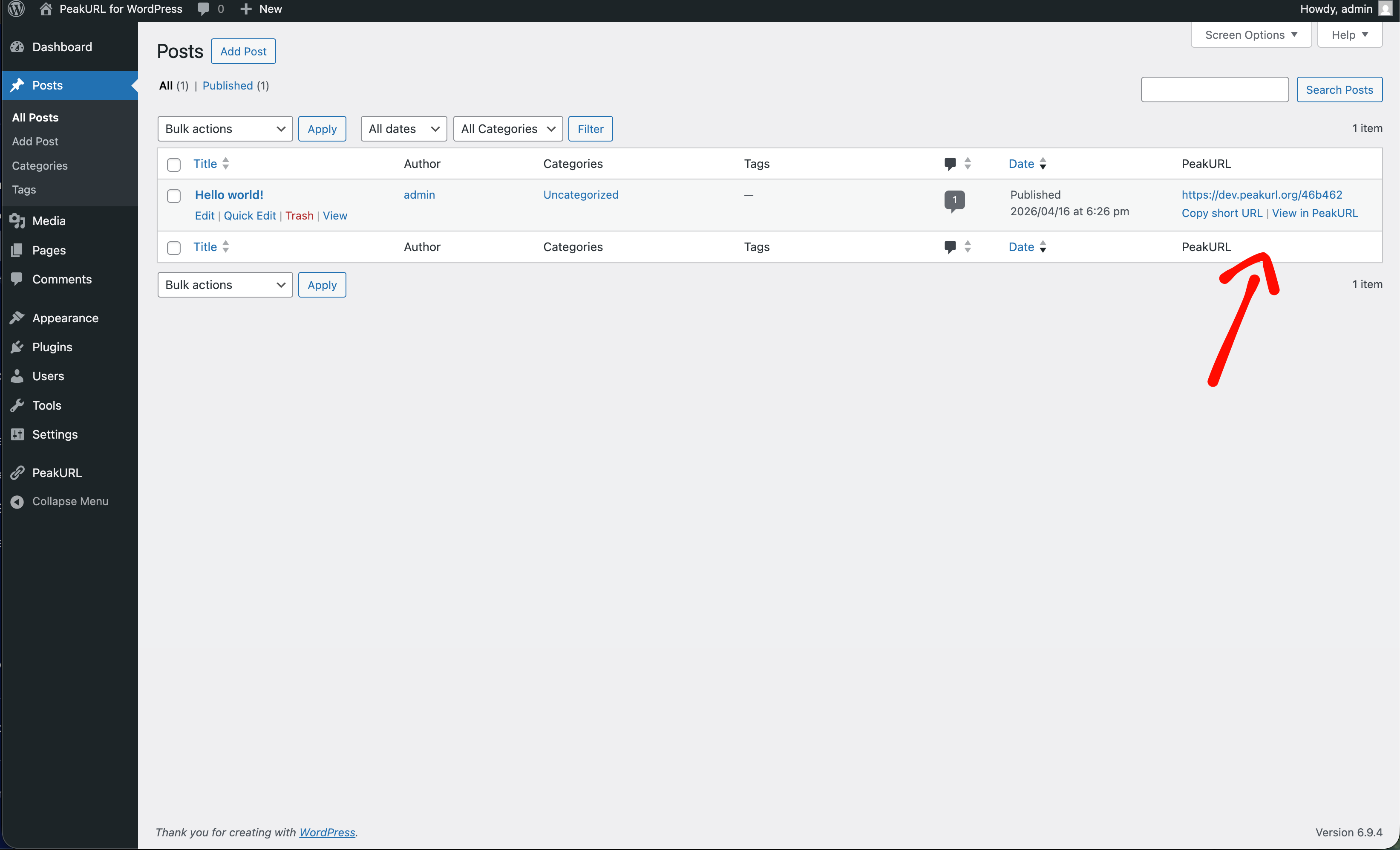
- copy the generated short URL from the editor or posts list
- open the matching PeakURL dashboard screen for an existing short link
- bulk sync selected posts from the posts list
- optionally delete the remote PeakURL link when content is permanently deleted in WordPress
安装:
- Upload the
peakurlfolder to the/wp-content/plugins/directory, or install the plugin through the WordPress plugins screen. - Activate the plugin through the
Pluginsscreen in WordPress. - Open the
PeakURLmenu item in the WordPress admin. - Enter the PeakURL API URL, that you can get from the PeakURL dashboard settings API Keys.
- Create an API key in your PeakURL dashboard and paste it into the plugin settings.
- Save the settings and use
Test Connectionto confirm the site can connect.
屏幕截图:
常见问题:
Where do I find the base API URL?
You can find that from the PeakURL dashboard Settings > API Keys.
Where do I get the API key?
Create the key in your PeakURL dashboard from Settings -> API Keys.
Which content types are supported?
PeakURL supports posts, pages, and supported public custom post types that you enable in the plugin settings.
Where can I learn more about setup and usage?
Read the full PeakURL for WordPress documentation.
Can I update an existing PeakURL link instead of creating duplicates?
Yes. Once a post already has a connected PeakURL link, the plugin updates that link in place.
更新日志:
1.0.0
- Initial release.