
Peppol Plugged
| 开发者 |
peppolplugged
rhyswynne |
|---|---|
| 更新时间 | 2026年10月13日 17:06 |
| PHP版本: | 8.0 及以上 |
| WordPress版本: | 7.1 |
| 版权: | GPLv2 or later |
| 版权网址: | 版权信息 |
详情介绍:
安装:
- WordPress Plugin Directory:
- Go to Plugins > Add New in your WordPress admin
- Search for "Peppol Plugged for WooCommerce"
- Click "Install Now" and then "Activate"
- Manual Installation:
- Upload the
peppol-pluggedfolder to the/wp-content/plugins/directory - Activate the plugin through the 'Plugins' menu in WordPress
- After setup:
- Upon activation the plugin will generate a unique ID for your website. This will be sent via an API to Peppol's servers to link your site to our servers to allow invoice generation.
- You will need to add a company name, company number & VAT number to your company details. This option can be found in WooCommerce > Settings
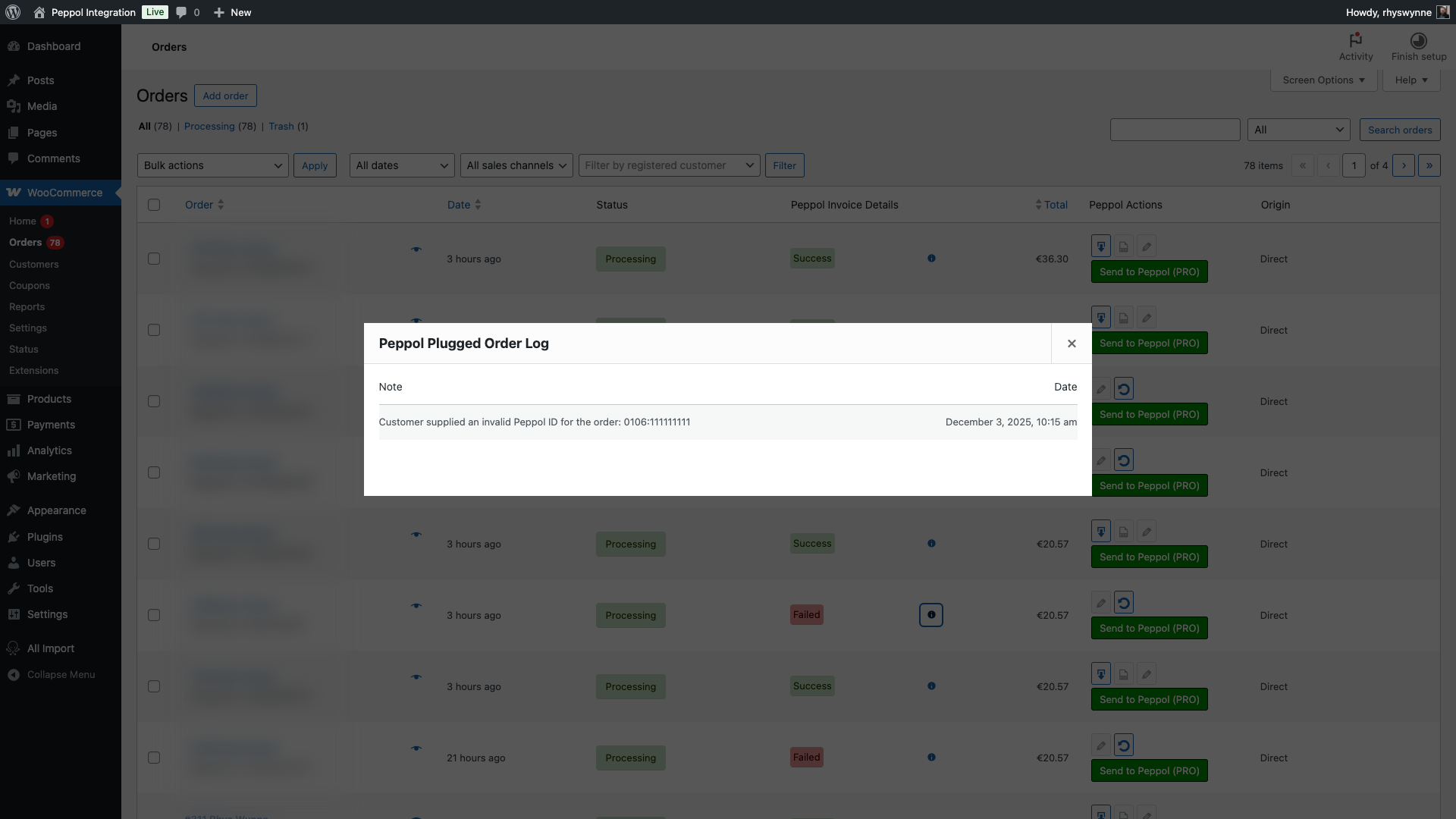
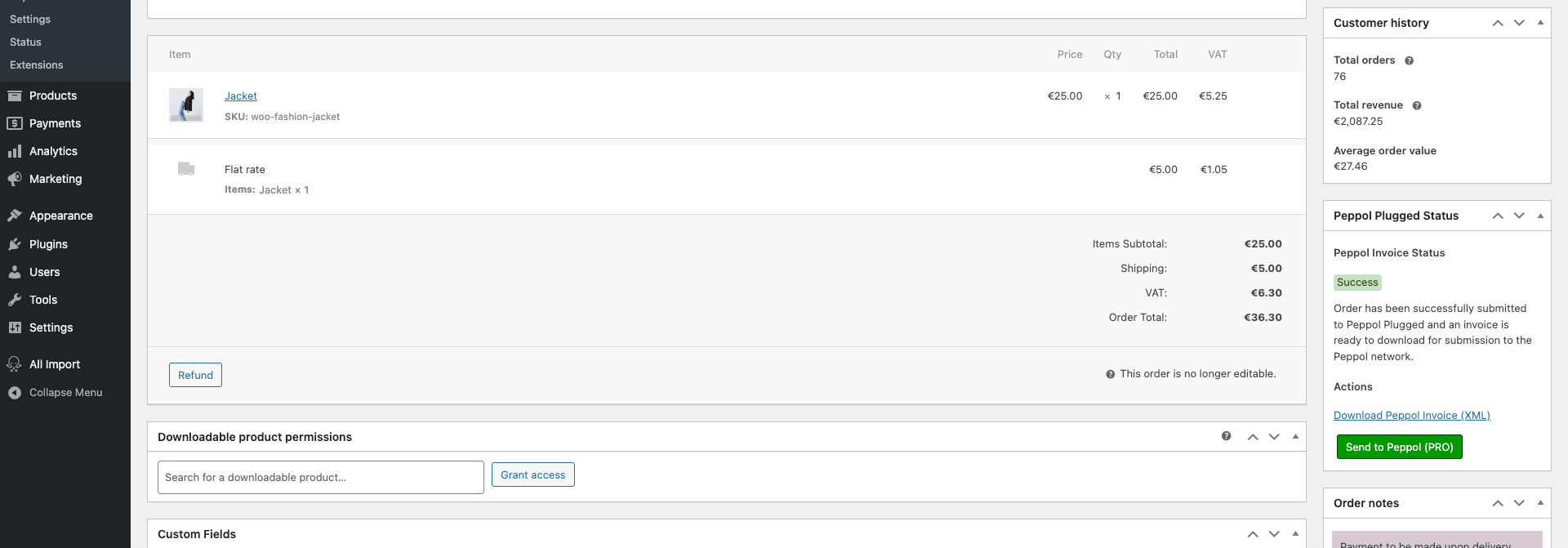
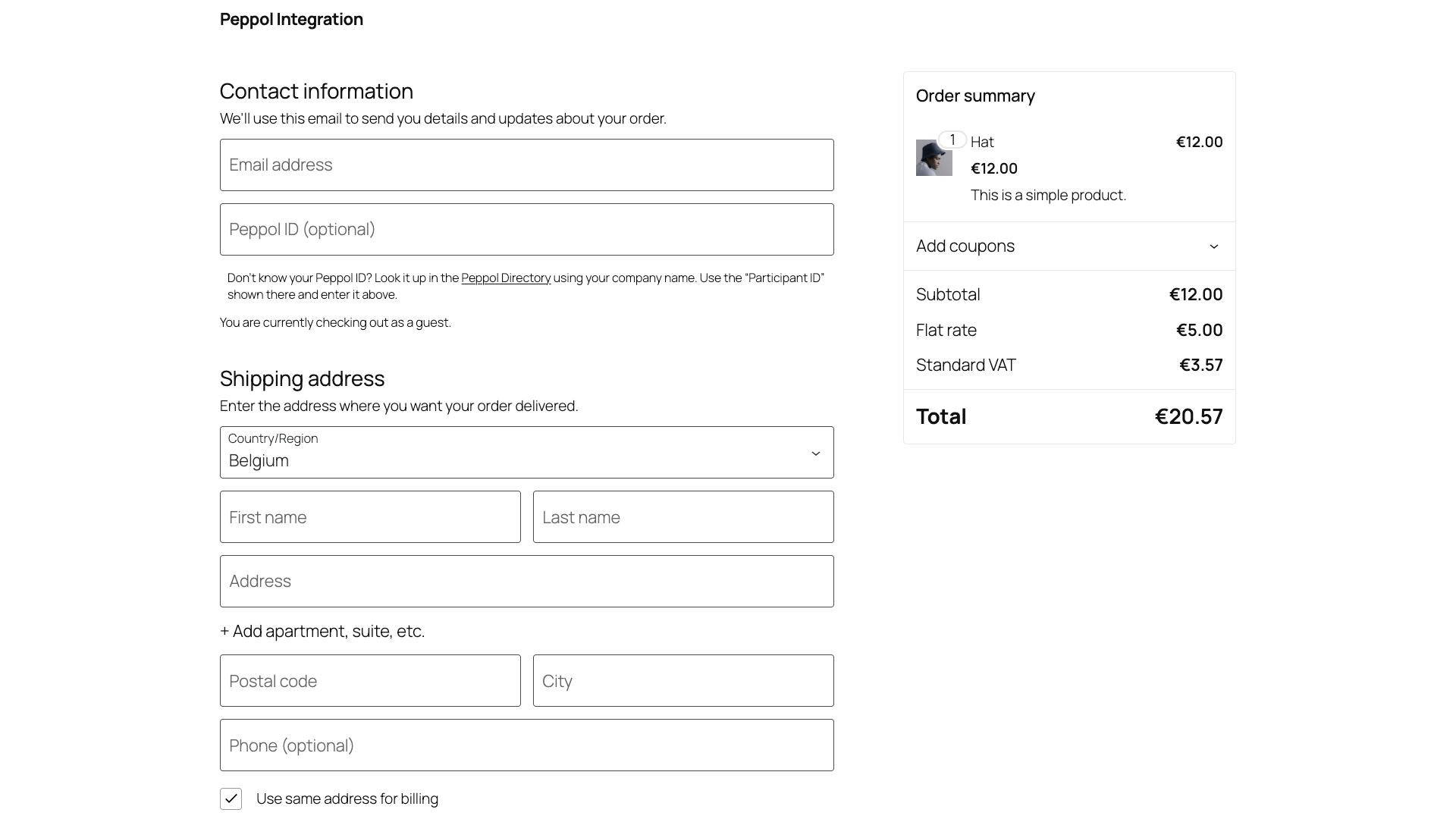
- Upon completion of a valid order (the customer must add their Peppol ID), you will receive a file which can then be submitted to the Peppol network.
屏幕截图:
常见问题:
What happens if a customer enters an incorrect Peppol ID?
If a customer enters an incorrect Peppol ID, the invoice may not be delivered correctly. In Peppol Plugged, webshop owners can adjust the order’s Peppol ID afterward and have the e-invoice resent via the Peppol network. This way, they don’t have to recreate the order from scratch.
Does Peppol Plugged only work for Belgian customers?
No. The plugin was deliberately developed as an internationally applicable solution. Do you have Belgian B2B customers? Then Peppol Plugged helps you comply with e-invoicing requirements. Do you have customers in other countries? Once they have a Peppol ID and want to invoice via Peppol, you can send invoices using the same plugin. This allows you to prepare your webshop for developments in other countries without having to redesign your entire invoicing process.
Do I still need to upload or export files myself?
The free version requires you to download the XML and upload to Peppol directly. To skip this step, please upgrade to Peppol Plugged Pro.
Is Peppol Plugged also suitable if I only occasionally have business customers?
Yes. Especially if you don’t work with large numbers of invoices daily, it’s helpful if these kinds of requirements are handled automatically. You don’t have to figure out “how do I send via Peppol” for each customer or invoice – Peppol Plugged takes care of that as soon as a business customer enters their Peppol ID.
Where do I report security bugs found in this plugin?
Please report security bugs found in the source code of the undefined plugin through the Patchstack Vulnerability Disclosure Program. The Patchstack team will assist you with verification, CVE assignment, and notify the developers of this plugin.
更新日志:
- Added support for DIC (Daňové identifikačné číslo) for Slovakian markets, due to come in January 1st, 2027.
- Introduced "Company Type", so you can select what type of company you are. This helps speed up submission, as we check the relevant country's country database, rather than all of them.
- Added Slovakian translation to front end strings.
- Missed file, pushed an update to fix the broken error.
- Added the Peppol ID to individual account pages, allowing editing of them customer wide.
- Tested with WordPress 7.1
- Improved validation process of the Peppol field for legacy checkouts.
- Fixed a display bug that didn't display the warning message on legacy checkouts cleanly.
- Added another check on the submission field to only submit one Peppol ID.
- Tested up to WordPress 7.0
- Fixed a bug that prevented Peppol ID to be changed on legacy orders.
- Fixed a display bug that "Submissions" wouldn't show if 0 orders were placed.
- Added the beginning of French (FR) and French Belgium (FR_BE) translations
- Added the ability to add a Peppol ID to a manually generated order.
- Fixed a label display mistake on the individual orders page.
- Improved functionality with legacy carts and shortcode checkouts.
- Cleaned up some function names & other translation strings.
- Added a menu item to the admin bar that displays the documents made and the limit.
- Clarified a tooltip for "Company Number", as it's your registered business number.
- First Public Release