
PickyBooking – Visual Table & Seat Booking Map
| 开发者 | gogetthemes |
|---|---|
| 更新时间 | 2026年11月22日 15:39 |
| 捐献地址: | 去捐款 |
| PHP版本: | 7.4 及以上 |
| WordPress版本: | 7.1 |
| 版权: | GPLv2 or later |
| 版权网址: | 版权信息 |
详情介绍:
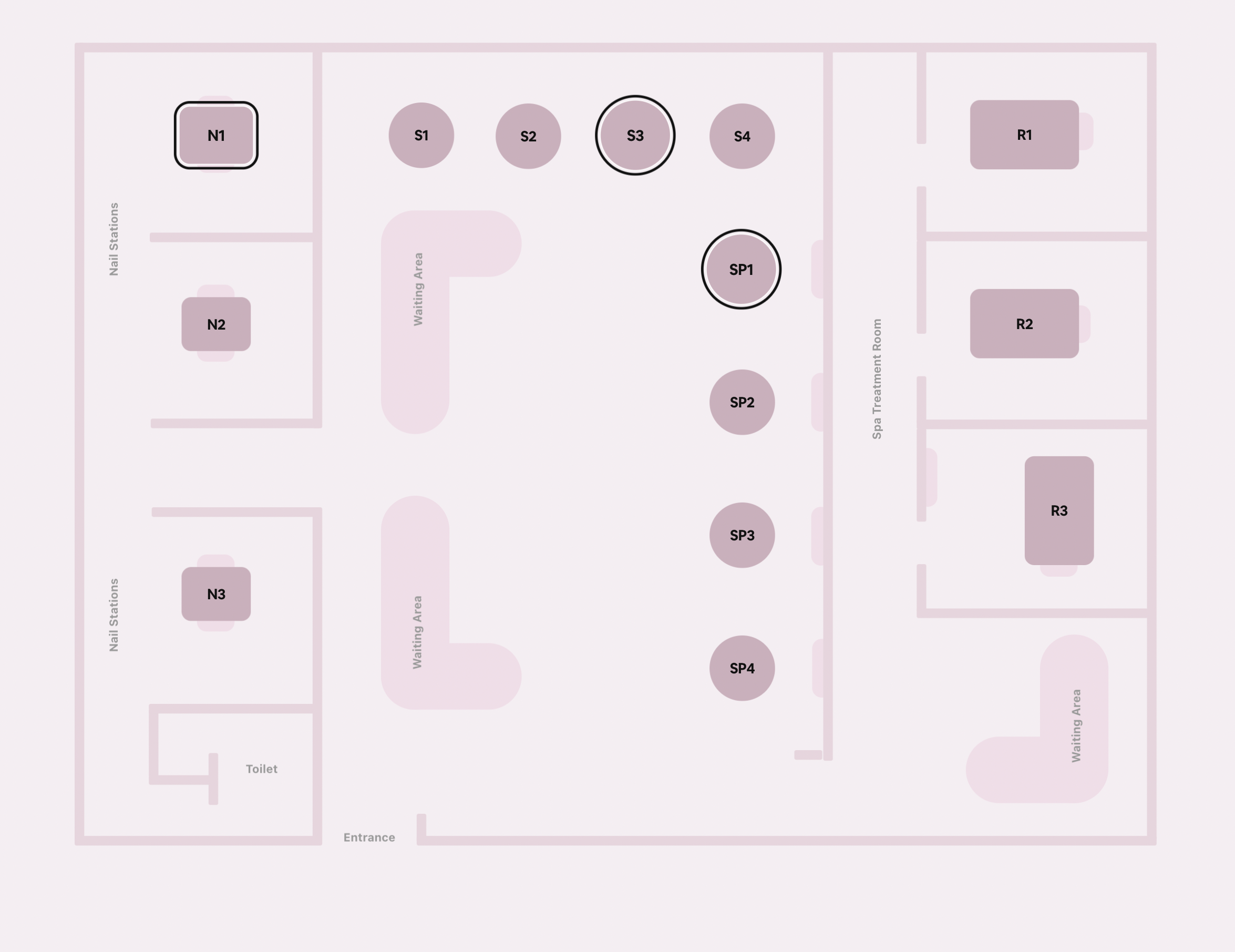
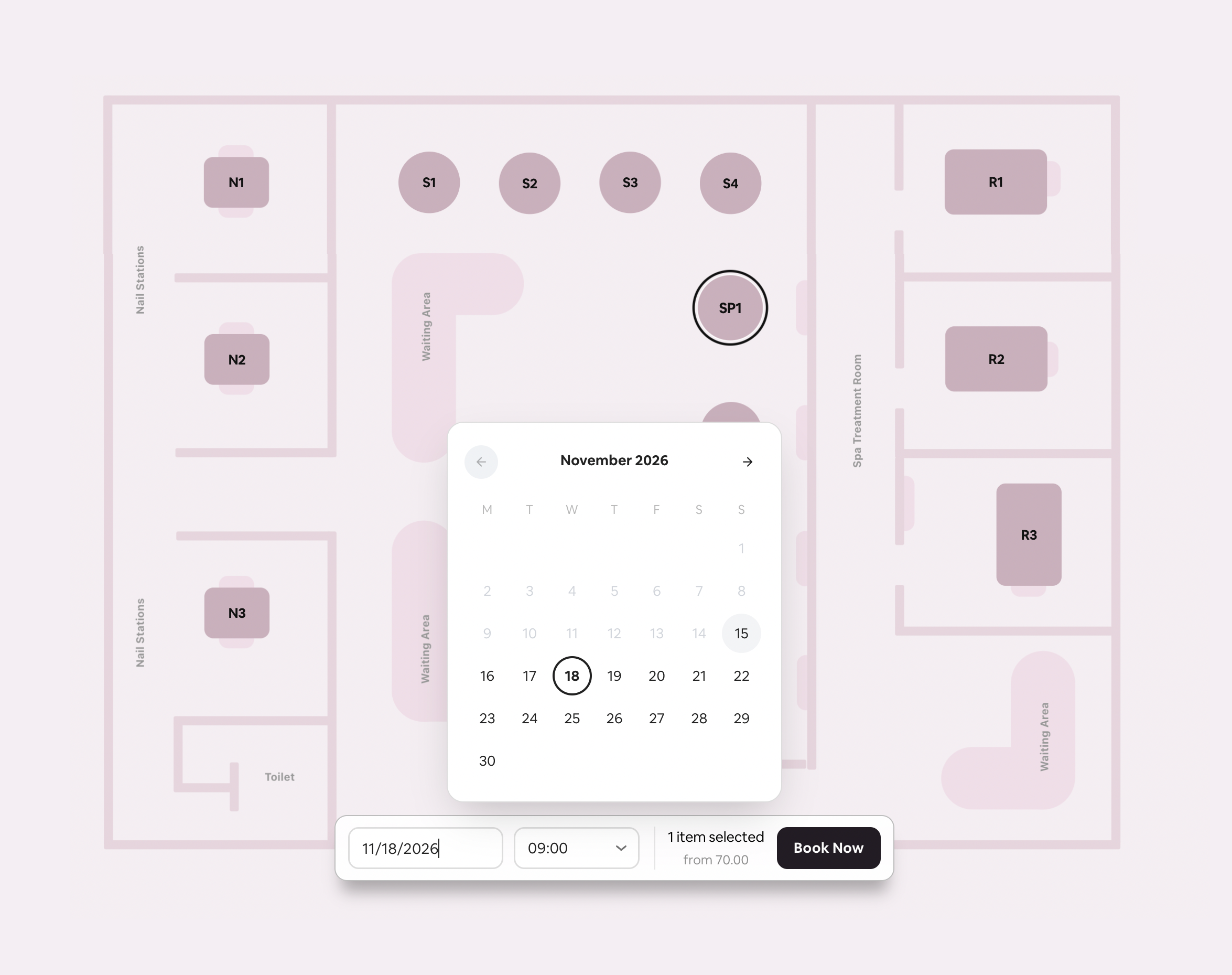
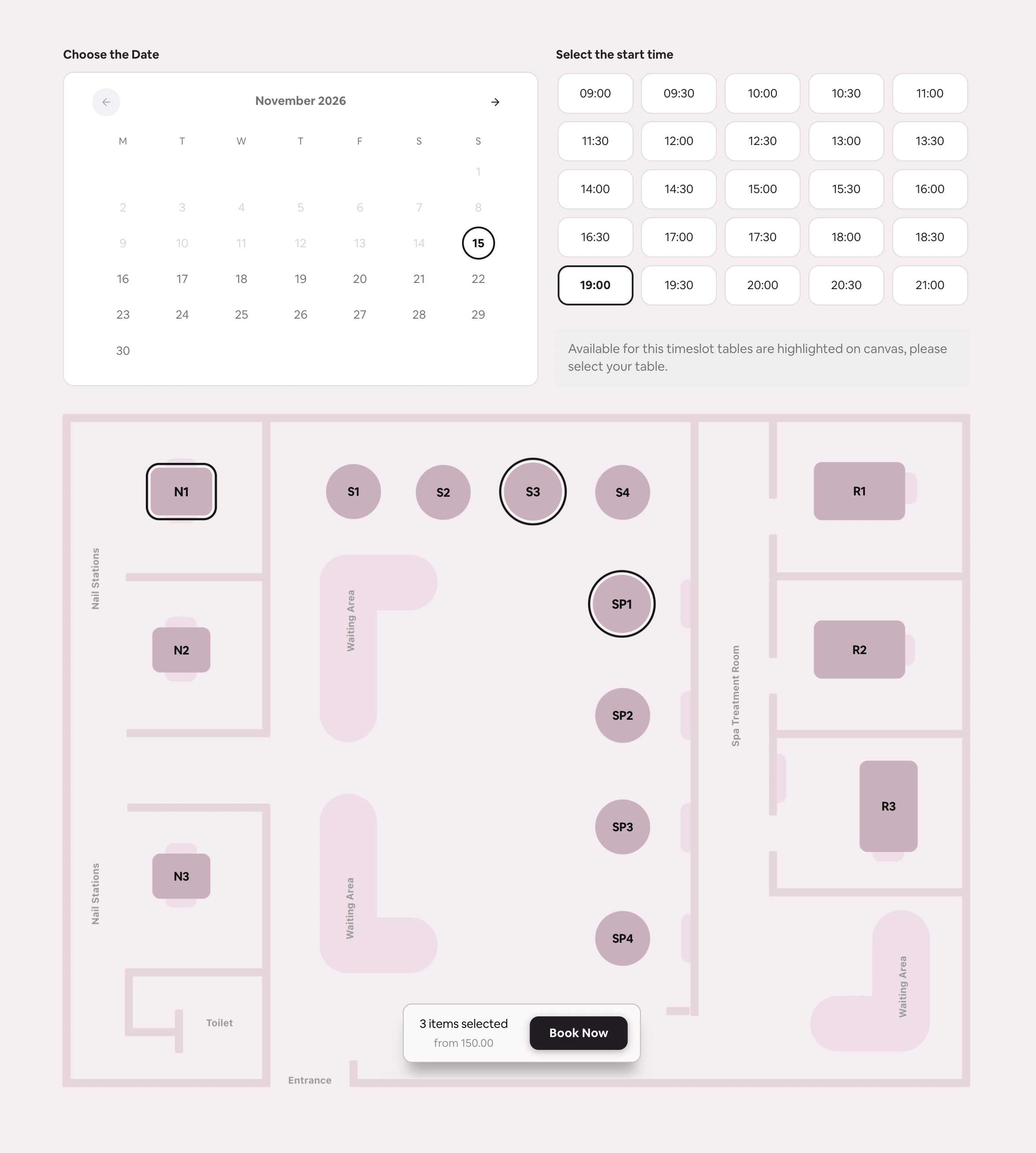
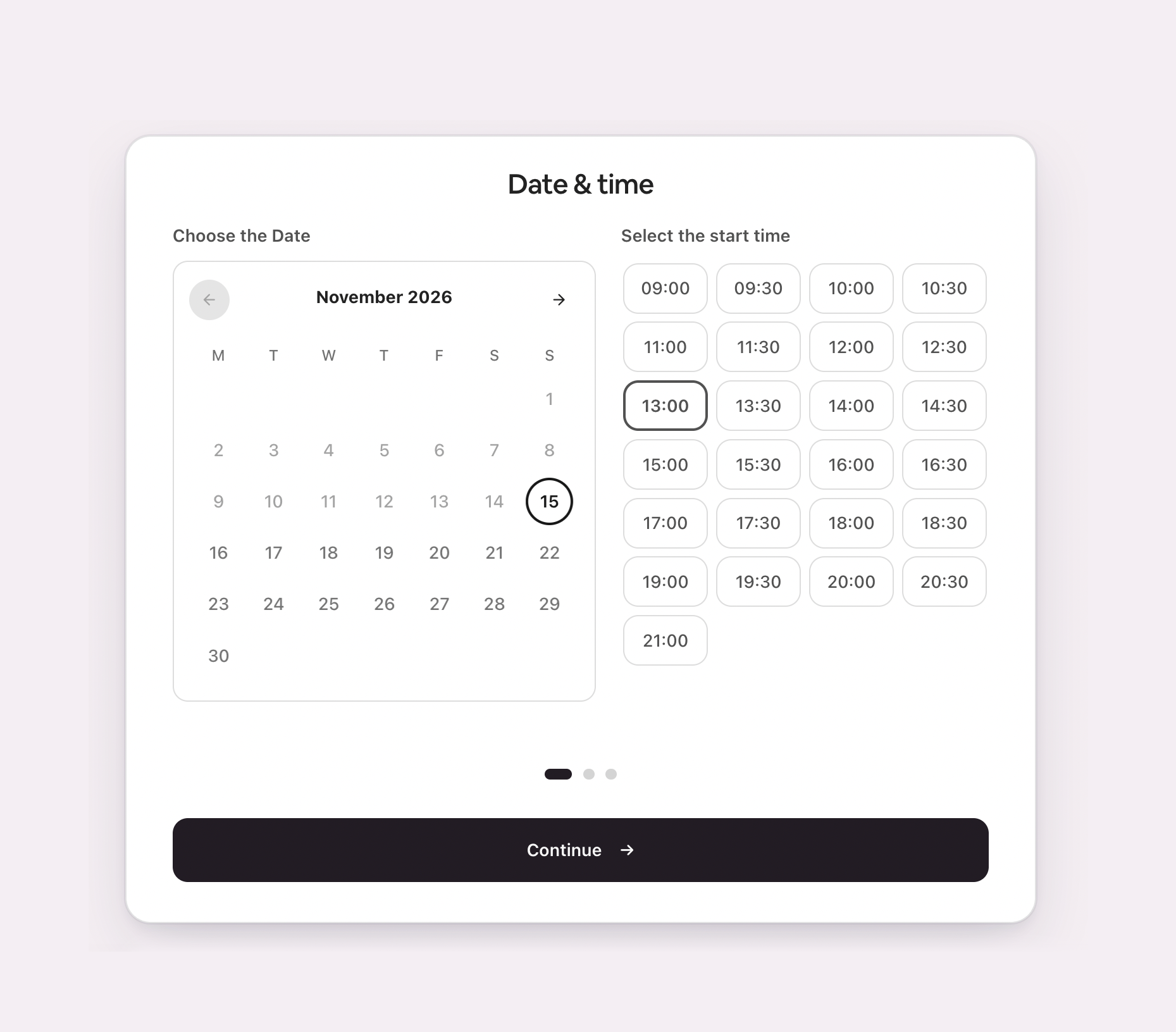
PickyBooking turns a floor plan into a booking page. Guests pick a table, seat, desk, chair, or other bookable item on a visual map, choose a time, and send a reservation — all on your WordPress site.
Live demos (open any industry map and book as a guest):
- Restaurant — floor plan with table picking, party size, and time slots
- Coworking — desks and rooms on one interactive layout
- Cinema — auditorium seat map with live availability
- Wedding ceremony — numbered seats and ceremony seating chart
- Beauty salon — chairs, services, and appointment flow
- Football / sports — field or player-spot booking with schedules
- EV charging — reserve a charging bay on a station map
- Drag-and-drop layout builder for bookable items (square and circle)
- Guest booking shortcode:
[pickybooking id="LAYOUT_ID"] - Booking wizards: Classic (pick item first) and Simple (no map, time only)
- Exclusive or capacity booking modes
- Weekly opening hours, booking horizon, default duration, and buffers
- Form fields (name, email, phone, party size, notes, consent, and more)
- Layout colors / appearance settings
- Mobile map modes (scaled map, list, or hide map)
- Admin calendar and bookings list
- Email notifications via WordPress
wp_mail - Start from a blank layout (free curated demos can be added over time)
- In-plugin documentation and Setup Checklist
- WPML-ready UI strings (text domain
pickybooking; layouts stay shared across languages)
- Smart and Smart Map booking wizards
- Curated Pro layout presets (restaurant, cinema, coworking, salon, EV, wedding, sports, and more)
- Stripe Checkout and WooCommerce deposits / payments
- Decorative builder layers (walls, text, shapes, icons)
- Booked guest avatars on the map
- SMS notifications (Vonage)
- AI layout drafting helpers
- HubSpot, Mailchimp, Google Calendar, Zapier, Make, and n8n webhooks
- Layout JSON import / export
- Elementor widget
- White-label admin branding
wp_mail. This free plugin does not call third-party APIs. Bundled docs use system fonts only (no Google Fonts or remote stylesheets).
安装:
- Upload the
pickybookingfolder to/wp-content/plugins/or install from Plugins → Add New. - Activate PickyBooking through the Plugins menu.
- Open PickyBooking in the admin menu.
- Create or import a layout from the Layouts library.
- Place
[pickybooking id="YOUR_LAYOUT_ID"]on a page.
屏幕截图:

常见问题:
Does Lite include Stripe payments?
No. Card payments and deposits are part of PickyBooking Pro. Lite accepts booking requests and can notify you by email.
Can I use decorative walls and icons in the builder?
Decorative layers are Pro. Lite focuses on bookable square/circle items so guests can reserve seats, tables, desks, and similar items.
Where is the documentation?
After install: wp-content/plugins/pickybooking/docs/ or PickyBooking → Documentation in wp-admin.
Is this trialware?
No. Every feature listed as free works without a license key or time limit. Pro is a separate commercial plugin.
更新日志:
1.0.35
- Fix sticky Book Now tray in Live Preview: harden datepicker re-init, portal tray to body, keep Book Now wired after portal.
- Fix sticky Book Now tray not appearing after selecting map items (opacity / canvas wrap).
- Stop page jumping to the top when selecting items before the booking form opens.
- Show the floor plan in mobile-canvas mode on small screens.
- Show a universal in-modal booking success screen (check icon + “You’re all set!”) instead of a separate “call you back” thank-you popup.
- Fix booking popup centering: restore full-viewport overlay shell (Lite was missing it) and stop modal animation from overriding transform.
- Restore missing frontend helpers so the selection tray (price + Book Now) appears after choosing map items.
- Fix broken frontend map: remove an orphaned CSS keyframe fragment that prevented
.picky-element { position: absolute }from parsing (elements stacked as full-width blocks).
- Fix frontend map crash: define missing pickyShowPaymentReturnNotice so the booking canvas can initialize.
- Add Setup Checklist under Settings, clarify free booking amount calculation vs Pro online payments, match Payments radio tiles to Main, and refresh Pro badges / provider brand icons. Lite Pro areas are upsell stubs only (no working Pro forms).
- Fix admin menu icon/label spacing and keep the settings rail on-screen in narrow Playground viewports.
- Use a short admin menu / settings-rail label so the long WP.org Plugin Name no longer wraps and overlaps the sidebar.
- Plugin Check: clarify nonce verification on frontend POST helpers; omit hidden files from the distribution zip.
- Final EscapeOutput pass: remove phpcs:ignore escapes, confirm dialogs via data-picky-confirm, and wp_kses for settings shell markup.
- Escape embedded admin list markup with wp_kses instead of phpcs:ignore.
- WordPress.org review follow-up: escape remaining builder/frontend attribute ternaries and related late-output strings.
- WordPress.org review follow-up: escape remaining admin/frontend HTML attributes, verify settings and booking nonces before other POST reads, and check edit-redirect nonces before reading post IDs.
- WordPress.org review: verify nonces before reading POST/GET on admin AJAX and form handlers, and escape plugin font URLs in inline CSS.
- Plugin Check: sanitize the query string with wp_strip_all_tags() before it is parsed. Each parameter is still passed through sanitize_text_field().
- Phone booking dialog shows every time slot, and the thank-you message replaces the form.
- Plugin Check: the query string is split into parameters, then each value is sanitized.
- WordPress.org review: stop unverified GET requests from changing booking data, and sanitize request values before they are used.
- WordPress.org review: escape shortcode output, require nonces on layout create/delete, sanitize admin input, and escape late on echoed HTML.
- WordPress.org review: Select2 4.1.0, prefixed layout admin slug, enqueue for admin and shortcode CSS/JS.
- Stop calling load_plugin_textdomain(); WordPress.org loads translations automatically.
- Plugin URI and Author URI are now different (WordPress.org header requirement).
- Fix Save layout fatal (missing sanitizer) and apply Layout Colors on the frontend after picky-frontend.css.
- Translation text domain is pickybooking (matches the WordPress.org plugin slug).
- WordPress.org listing: contributor gogetthemes, docs use system fonts only, load textdomain.
- Save and query bookings with prefixed statuses so new reservations occupy the slot and show in admin.
- Escape datepicker data attributes and time options; restrict canvas text colors to hex.
- Fix Classic layout booking JS crash on the last step (data-time was encoded twice).
- Upgrade links go only to pickybooking.com. This free build does not include a third-party checkout.
- WordPress.org compliance: Pro-only code omitted from this zip (payments, AI, integrations, decorative layers, JSON import/export). Prefixes, licenses, and translation template updated.
- Rebranded to PickyBooking (plugin name, slug, text domain, shortcode).
- WordPress.org review follow-up: enqueue hardening, sanitization, Select2 stable, readme/external services docs.
- WordPress.org Plugin Check compliance and security hardening.
- Initial WordPress.org release (Lite).