
Pinny’s Simple SMTP – 轻量级 SMTP 邮件发送器
| 开发者 | realpinny |
|---|---|
| 更新时间 | 2026年8月31日 03:21 |
| PHP版本: | 7.0 及以上 |
| WordPress版本: | 7.1 |
| 版权: | GPLv2 or later |
| 版权网址: | 版权信息 |
详情介绍:
安装:
- Upload the Plugin
- Download the plugin ZIP file.
- In your WordPress admin dashboard, navigate to Plugins > Add New, and click Upload Plugin.
- Choose the ZIP file you downloaded and click Install Now.
- Activate the Plugin
- Once installed, click Activate to enable Pinny’s Simple SMTP.
- Configure SMTP Settings
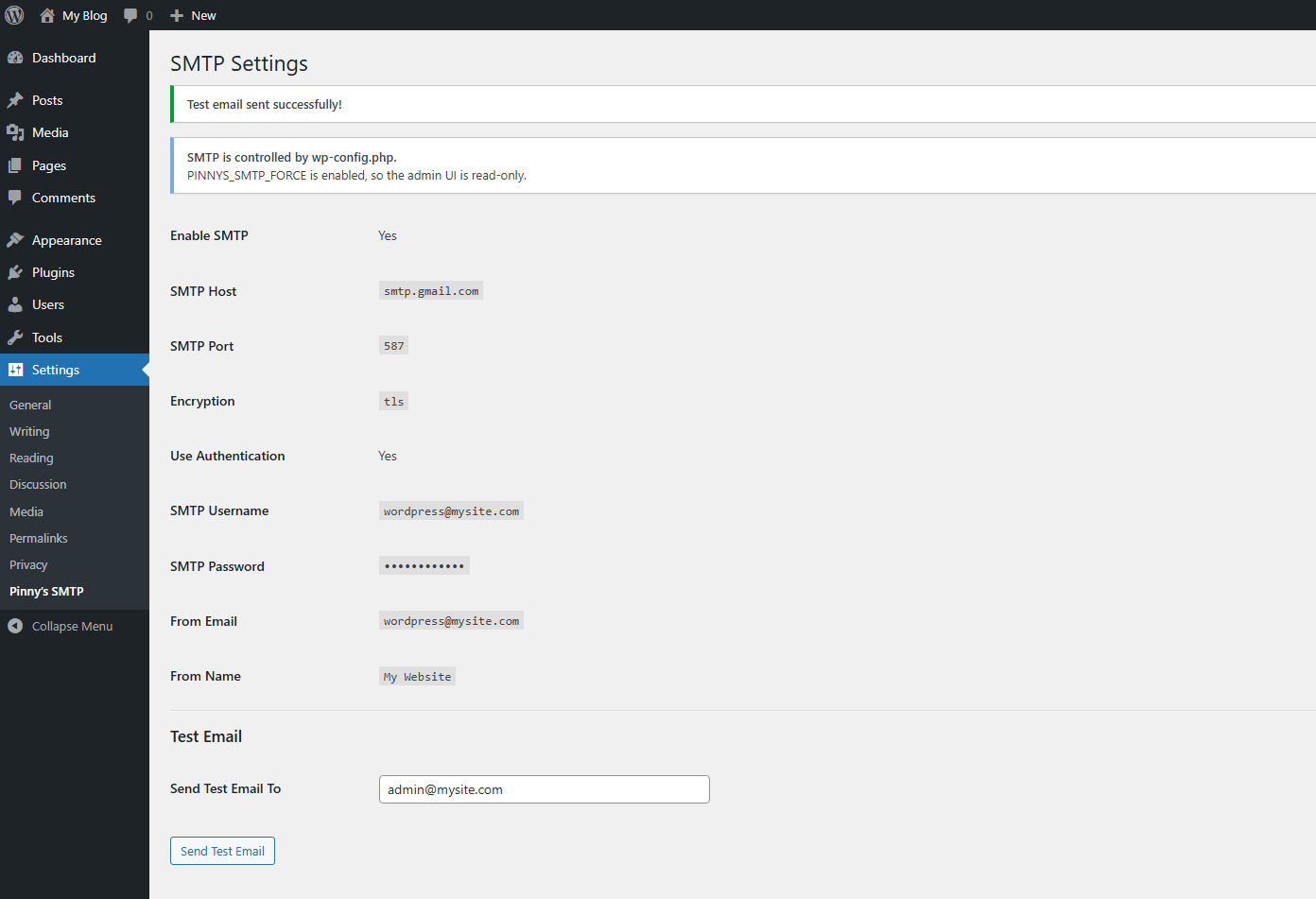
- Go to Settings > Pinny’s SMTP in the admin menu.
- Enter your SMTP host, port, and other settings.
- Save your changes.
- Send a Test Email
- Enter a test email address and click Send Test Email to verify your SMTP configuration.
屏幕截图:
常见问题:
如何配置 Pinny's Simple SMTP?
设置非常简单!只需在插件设置中输入您的 SMTP 主机、端口和登录凭据,然后点击“保存”即可。搞定!
这个能在 Gmail 或 Outlook 上用吗?
Yes! However, because we don't use bloated OAuth libraries, you must use an App Password generated by Google or Microsoft in place of your standard login password.
我的密码是如何存储的?
您的 SMTP 密码会在数据库中借助 WordPress 盐值自动加密。我们绝不以明文形式存储凭据,确保您的数据安全无虞。
这款插件与其他 SMTP 插件有何不同?
Pinny's Simple SMTP 仅有 4KB,是 WordPress 上极致轻量的 SMTP 插件。它配置快捷、密码加密安全可靠,且做到真正的零臃肿——没有广告,没有诱导升级,更没有多余的无关功能。
更新日志:
== Changelog ==
1.2.0
- NEW: Optional wp-config configuration mode (
PINNYS_SMTP_FORCE) allows SMTP settings to be defined in wp-config.php. - 新增:当设置由 wp-config.php 控制时,后台界面自动切换至只读模式。
- 改进:重构 SMTP 配置处理逻辑,以提升可靠性与一致性。
- 加固:新增边缘情况处理,提升内部稳定性。
- 代码:内部架构优化,同时保持插件极致轻量。
- 改进:大幅重构,改为采用 WordPress 原生 Settings API。
- 修复:解决了导致“设置已保存”提示未显示的缓存问题。
- 优化:大幅精简代码。现仅约 3KB。
- 首次发布