
Playmint – Reward Games for WooCommerce
| 开发者 | playmint |
|---|---|
| 更新时间 | 2026年11月7日 04:23 |
| PHP版本: | 7.4 及以上 |
| WordPress版本: | 7.1 |
| 版权: | GPLv2 or later |
| 版权网址: | 版权信息 |
详情介绍:
- Collects emails. Visitors leave their email to play, with a separate, unticked box for your newsletter. Export the list as CSV for Mailchimp, Klaviyo, MailerLite, Brevo, Omnisend or any other tool.
- Brings customers back. Run the game for signed-in customers only, and let them play again every day.
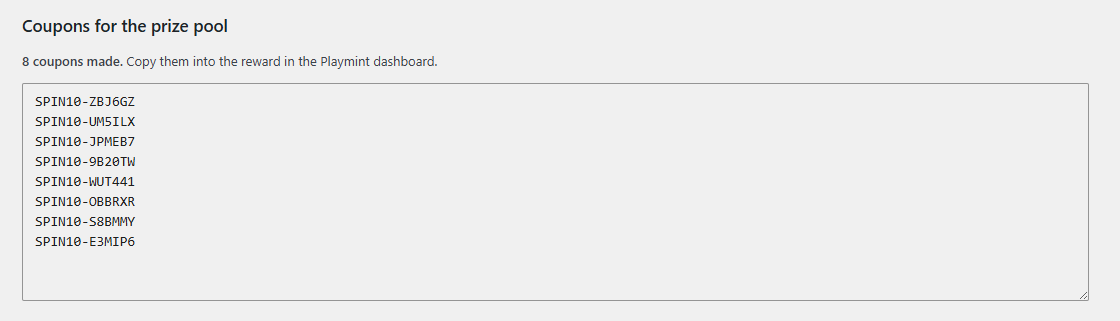
- Gives real, unshareable prizes. Every winner gets a code of their own, and the plugin turns it into a single-use WooCommerce coupon that works only with the winner's email. Nothing to make or paste, and a code used at checkout is marked as used in Playmint.
- Shows the prize everywhere. Logged-in customers see their unspent prize on the cart, checkout and My account pages, on any device, with an Apply button.
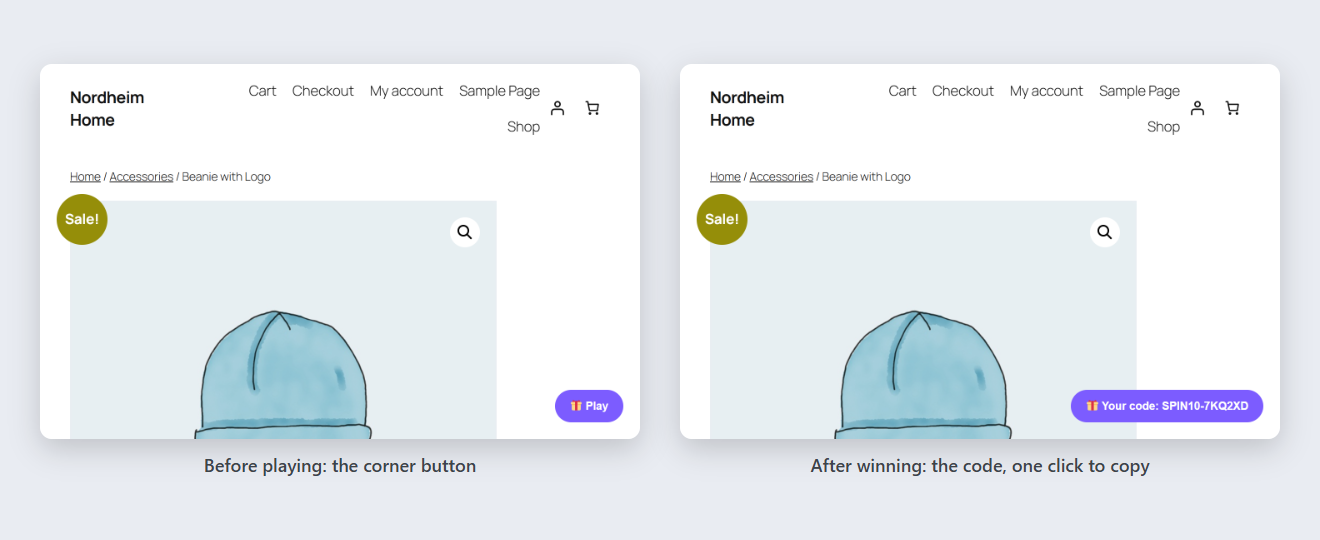
- A "Win a prize" button sits in the corner of your shop (or the game opens once by itself).
- The visitor plays. The outcome is decided on Playmint's server from the odds you set, so it can't be cheated from the browser.
- The winner sees their code straight away, and it stays in the corner, with Copy and Apply to cart, until they use it. Signed-in customers see it on any device.
- Spin the wheel, in three looks: Classic, Summer and Winter
- Scratch card
- Slot machine
安装:
- Install and activate the plugin.
- Create a Playmint account at https://dashboard.play-mint.com.
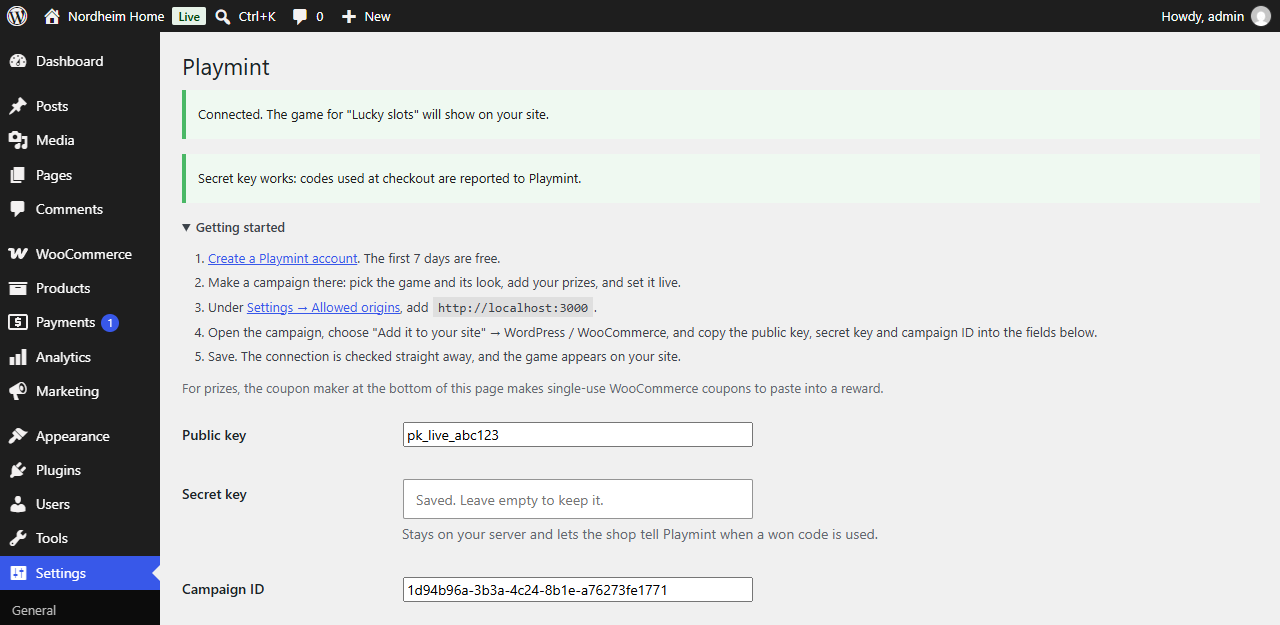
- In WordPress, open Settings → Playmint and paste the public key and secret key (in the dashboard: Settings → API Keys).
- Save. Your shop is connected: Playmint allows the site's address and makes every winner's coupon. The plugin tells you what to fix if anything is missing.
- Make your first campaign in the dashboard (the game, its look, your prizes and their odds) and set it live. It shows on your site within minutes; to show a different one later, choose it under Your shops, on the dashboard's Campaigns page.
屏幕截图:

常见问题:
Do I need WooCommerce?
No, the game works on any WordPress site. WooCommerce adds the winners' own coupons, the used-code reporting and the prize on the cart, checkout and My account pages.
Will it slow my shop down?
The loader is about 3 KB. The game and its pictures download only when a visitor opens it, and the pictures come in the size the visitor's screen needs.
Does it pop up on checkout?
Never by itself. On the cart and checkout pages only the button shows.
Where do the winners' coupons come from?
Playmint gives each winner a code starting with PM. The first time it's applied, the plugin asks Playmint about it and makes a WooCommerce coupon: single use, only for the winner's email (the one they typed, or their account's), ending with the campaign. You'll find it under Marketing → Coupons.
Can a visitor play again and again?
No. Playmint decides who can play: once per email, once per customer account, or once a day, depending on your campaign.
The game doesn't show. What's wrong?
Open Settings → Playmint and press "Check connection". It tells you what's missing, most often a key that wasn't saved or no live campaign.
Can I open the game from my own button or link?
Yes. Under "When should the game open?" choose "Only when I call PlaymintWoo.open()", and call it from your link.
Are prize games legal where I sell?
Rules for promotional games differ by country. A free-to-enter game with discount codes as prizes is allowed in most places, but check your own country's rules, and publish the game's rules on your site.
更新日志:
- A guest's prize on an email campaign goes into the cart again. Newer WooCommerce versions refuse a coupon that works only with the winner's email while the cart has no email, so the plugin first puts in the email the shopper played with: only in their own browser, never over one they typed at checkout, and never into a signed-in customer's account. Checkout shows it filled in.
- Campaigns for signed-in customers: the plugin signs each customer's ID with your secret key, and Playmint refuses a play without that signature, so nobody can play as an invented or another customer. Update before running one: Playmint refuses those plays from older versions.
- The loader's TypeScript source and build setup ship in source/loader/ (see Source code).
- No campaign ID: your newest live campaign shows, as in the Shopify app, and you choose another for each site in the Playmint dashboard (Your shops, on the Campaigns page). The secret key is now required: it's what connects the site.
- A winner's code works only on the site it was won on, when one account runs several sites.
- Connect your shop before making a campaign: the site's address is allowed by itself, so there's no Allowed origins step.
- No "Players" setting: whether a campaign is for signed-in customers or asks for an email comes from the campaign itself.
- The button and the won prize look and read like the Shopify app's: a "Win a prize" button, and a "… is yours" pill with the code, Copy and Apply to cart. Signed-in customers see their prize on every page, from any device.
- Settings match the Shopify app's: when the game opens, the button text and position, and applying the prize automatically (now on by default).
- Each winner gets a code of their own, which becomes a single-use WooCommerce coupon, locked to the winner's email, the first time it's used. No coupons to make or paste.
- Used codes are reported for every campaign of your account, not only the one in the settings.
- Getting started: every account starts on the Free plan.
- The connection check explains a paused game: the account has used this month's plays.
- Getting started steps on the settings page, with your site's exact address for Allowed origins.
- Connection check: right after saving, and from a "Check connection" button, with what to fix.
- A notice on the Plugins screen until the plugin is connected.
- The API and loader URLs only accept Playmint addresses.
- The coupon maker's expiry date defaults to three months ahead.
- Settings are removed when the plugin is deleted.
- Translation-ready (text domain: playmint).
- Logged-in customers see their unspent prize on the cart, checkout and My account pages from any device, with an Apply button (or applied automatically).
- First release.