
Ticketmeo - Sell Tickets - Event Ticketing
| 开发者 | snexed |
|---|---|
| 更新时间 | 2026年6月6日 14:58 |
| PHP版本: | 2.8 及以上 |
| WordPress版本: | 7.0 |
| 版权: | GPLv2 or later |
| 版权网址: | 版权信息 |
标签
booking
booking system
event registration
event management
ticket
tickets
tickets online
ticketing system
event ticketing
eventbrite
ticket sales
sell tickets
event tickets
box office
wordpress ticketing
sell tickets online
e-ticket
ticket shop
ticket store
event ticket
online ticketing
online ticket
online box office
ticket widget
white label ticketing
wordpress event ticketing
wordpress box office
wordpress ticket sales
event-management
ticketmeo
event management system
sell-tickets
ticketing-platform
下载
详情介绍:
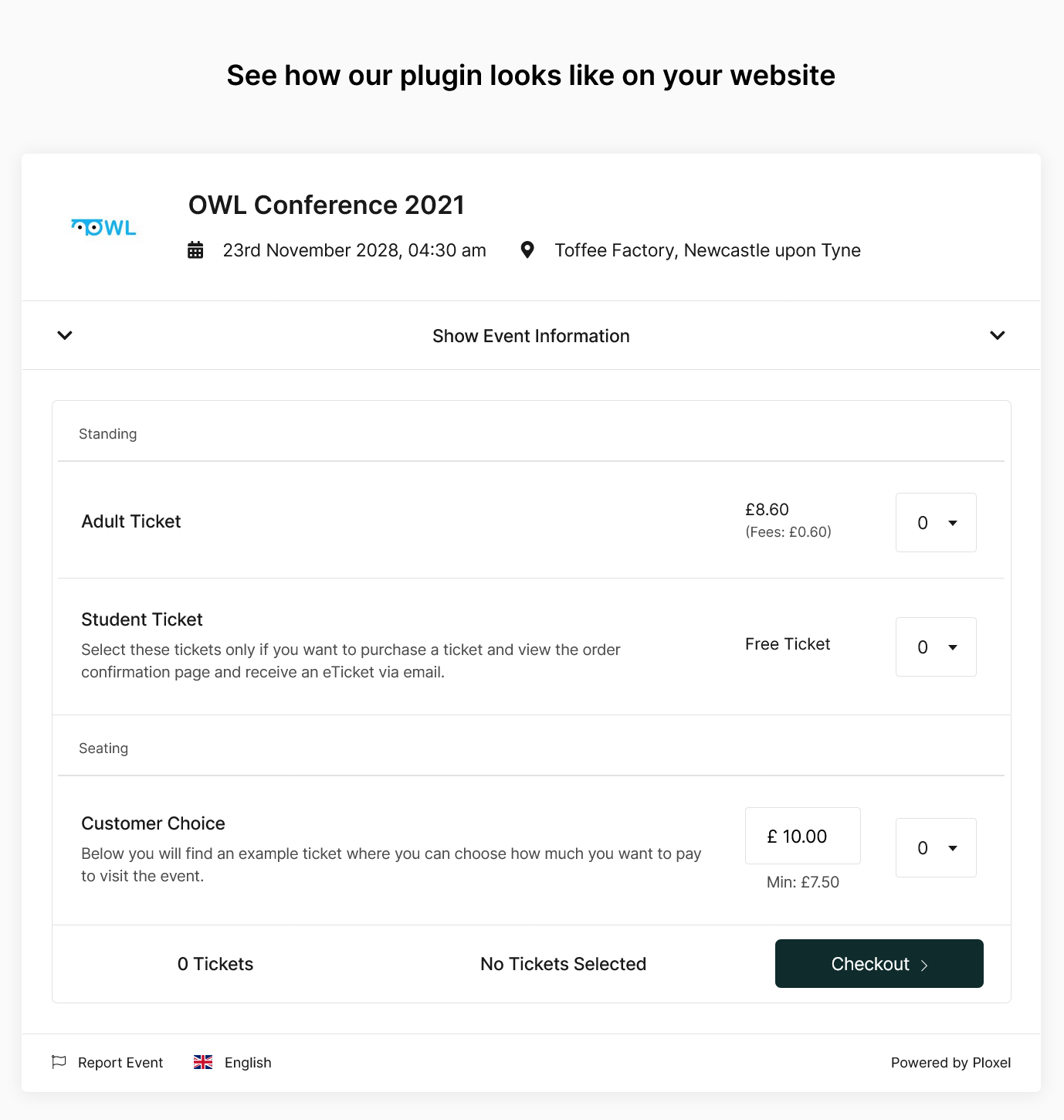
The Ticketmeo Widget plugin allows your customers to sell tickets online direct from your WordPress website, with the power of the Ticketmeo ticketing platform. Our plugin is free to install and use, with a small booking fee taken for all paid events which can be paid by the customer. All free events are free.
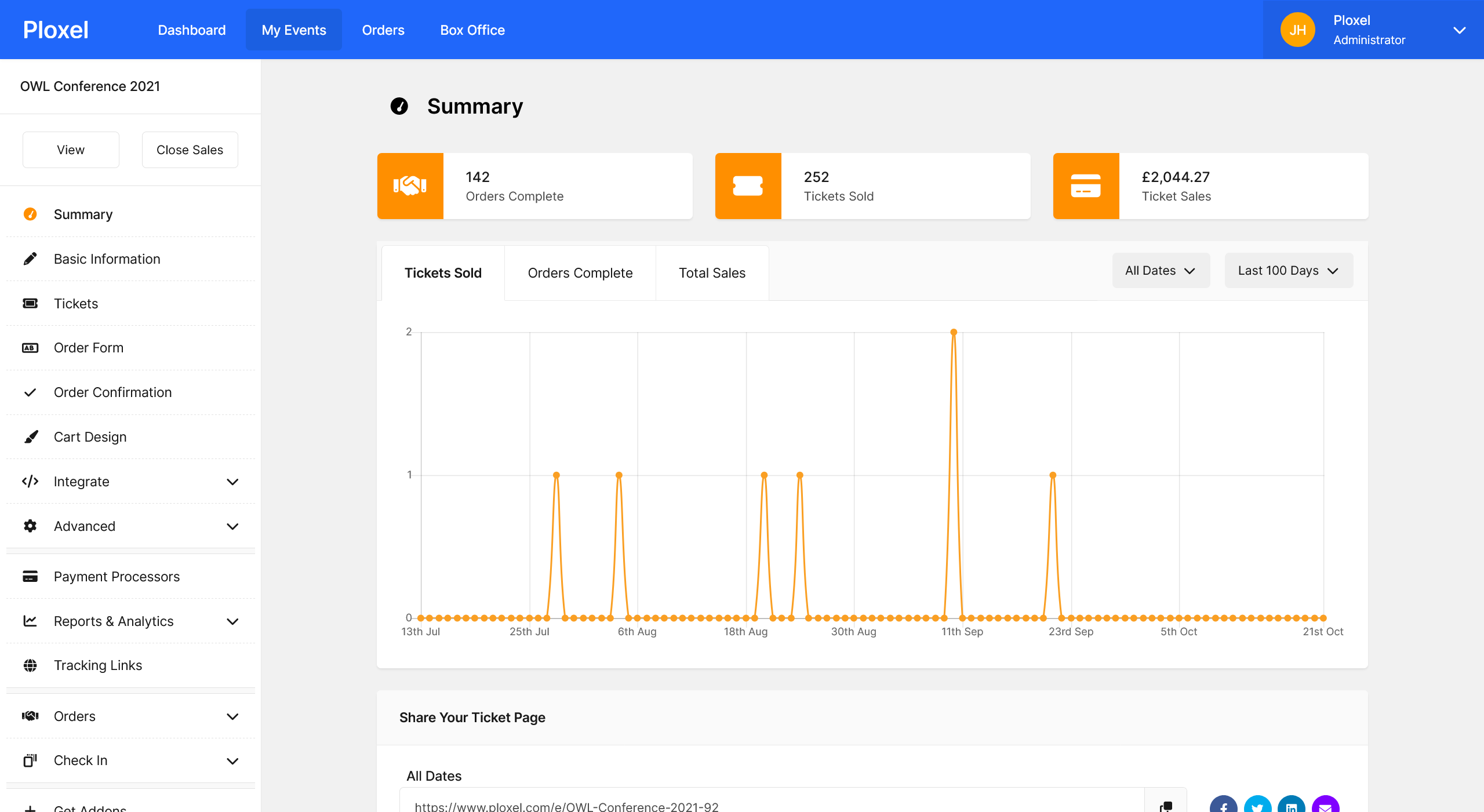
Ticketmeo provides you with all the features you need to manage your event from selling tickets to checking in your customers with our simple to use QR Code based check in app available on both iOS and Android.
› See a live preview of our plugin in use.
Everything You Need To Manage Your Events
- 🕗 Recurring Event Support Create multiple dates for one event without having to setup a new event every time the event occurs.
- 🛒 Simple Checkout We keep your checkout progress short so your customers don't have to fill pages full of forms to purchase their tickets.
- 🎫 Unlimited Ticket Types No limit on the number of tickets on sale, with the ability to sell different ticket types ie. Standard, Premium, VIP.
- 🧑🧒🧒 Grouped Tickets Sell different ticket types for a single section with different price points ie. Adult, Child, Student, OAP.
- ❓ Custom Checkout Questions Modify your checkout form and ask custom questions in relation to your event, ie. food options or where they heard of you from.
- 🏷️ Advanced Discount Codes Give discounts to your customers by offering discount codes with a set reduction or percentage reduction based on criteria you set such as minimum spend, minimum tickets, restricted events.
- 📞 Sell Offline Tickets Create unlimited orders in the backend for free for tickets sold either in person or over the phone and record any payments taken.
- 🎟️ Automatic e-tickets Attendees get their tickets instantly, with eTickets which can be customised to add important details about the event, ie. entrance details etc.
- ✏️ Attendee Management Manage your attendees in the control panel; with the ability to change details, void tickets, refund tickets and modify tickets.
- 📱 Check In App with Ticketmeo Scan Use our quick and easy check in app to check in your attendees to the event. Find out more about our app.
- 🔐 Access Control Restrict who can see your ticket pages by restricting your ticket pages with a password.
- 🧩 Expand With Zapier Extend your ticketing needs by creating automatic zap's with Zapier and send your ticket data to other platforms; ie. Salesforce, Google Sheets, ID Printing Software
- 🖼️ Seamless Integration With our theme editor you can create a design which looks like your WordPress website so they do not know we exist.
- 💰 Instant Payments Direct We use Stripe or PayPal so all of your payments are sent directly to you, we do not hold you funds for a period of time.
- 🌍 Multi Language Support Let your customers purchase their tickets in their native language when using our ticketing pages based upon their browser settings.
- 👍 Social Media Sharing All of our ticket pages have social media links so they can share your event to their friends increasing your sales.
- 🧑🤝🧑 Team Support Allow your team to manage your events with their own accounts, with the ability to restrict permissions depending on their needs.
- 📅 Calendar Integration Allow attendees to add the event to their online calendar with direct links to Gmail, Outlook and Yahoo or download an ICS File for other services.
- 📈 Analytic Tools Find out important information on where your customers are coming from, ie. country with our analytical tools with the ability to add Google Analytics, and META Pixel on your ticketing pages.
- ✉️ Mass Contact Message your customers before the event with our mass contact tool, detailing important information they need to know.
- 🧾 Automatic Tax Rules Charge tax rules on each of your tickets to collect for tax purposes such as VAT tax in the United Kingdom.
- 🗺️ Track Your Activity Find out in real time what your users are doing on your cart and with our analytic tools you can find out how well your sales are performing.
- 👨⚖️ Legal Compliance Use our privacy controls to show a privacy policy which your attendees must accept before purchasing tickets with payments taken through our ticketing platform comply to SCA Regulations.
- 🔗 SEO Optimised Pages All our tickets pages are optimised for SEO, with Event Schemas enabled automatically so your events are listed on search engines.
- ☁️ Cloud Based All the data is stored on our servers so you do not have to worry about securing your ticketing data.
- 💨 Not Fixed To WordPress Your data is hosted on the cloud, with the ability to use our hosted pages, or it host it on another service in the future if you decide to move away from WordPress.
“Ticketmeo has helped us sell tickets for our events, helping us at every opportunity, with support at all hours. We can never thank them enough!” - Hut9 ━━━━━━━━━━━━━━━━Why Sell Tickets With Ticketmeo
- ✅ No pro options, all features are available to all customers.
- ✅ Easy to setup, get started in minutes.
- ✅ No monthly or upfront fees with multiple currency support including GBP, EUR, USD, AUD, CAD and more. Find out the pricing for your currency.
- ✅ No charge for customers reserving attendees. Free events are free.
- ✅ White label solution, no Ticketmeo branding on any frontend pages if set.
- ✅ No limit to the number of tickets you can sell.
- ✅ No limit to the number of events which you can host at the same time.
- ✅ Collect your payments via credit card or debit card directly to your Stripe or PayPal account.
- ✅ No waiting time for payments to be received. Payments are send immediately to your account.
- ✅ Multi language support on all our ticket pages, automatically selected using your customers browser settings.
- ✅ Change the colour of your ticketing pages to fit your brand.
- ✅ Your data is yours, we do not use your customers data for any marketing purposes.
- ✅ Simple easy to use control panel with no complex and confusing features.
- ✅ Ability to add addons to improve your experience with automated features such as MailChimp, Google Analytics and Zapier just to name a few.
- ✅ Human, UK based support, for all users (no premium needed)
- 🎶 Concerts and Shows - Learn more
- 🎪 Festivals - Learn more
- 🍹 Nightlife - Learn more
- 🏃 Sports and Fitness - Learn more
- 🍟 Food and Beverage - Learn more
- 💕 Non Profit - Learn more
- 🎄 Festive - Learn more
- 🕍 Religious - Learn more
- 🎡 Attractions - Learn more
- 🎓 Courses and Workshops - Learn more
- 💼 Exhibitions - Learn more
- 🏢 Conferences and Webinars - Learn more
安装:
- Download the plugin.
- Install the plugin by going into your WordPress admin panel. Once inside go to Plugins -> Add New. You will now be on the page with all the plugins available. From here click the 'Upload Plugin' button and upload the ZIP which you downloaded in the last step. You have now successfully installed the plugin.
- Activate the plugin. Once the plugin has been installed it should be listed on the installed plugins page (Plugins -> Installed Plugins) as Ticketmeo. The final step is to make sure that the plugin is active.
- Register and sign up to Ticketmeo for free and create your event first at https://account.ticketmeo.com/events/create, this should only take a few minutes.
- Use our WordPress Integration script which can be found from your event dashboard, copy and paste this short code into your WordPress post or page and it will automatically display.
- Sell tickets to your attendees, without them ever leaving your website.
屏幕截图:

常见问题:
Do I need WooCommerce?
No Ticketmeo, works independent of WooCommerce. We pay all payments direct to your PayPal or Stripe account.
Wait is your plugin free?
Yes the Ticketmeo plugin is free to install, we take a booking fee with paid events. If you only host free events, then there is no charge to use Ticketmeo.
Help I have problem where do I get help?
Sign up for Ticketmeo and use our support system, we always happy to help you with your problems. Alternatively post on our Wordpress Plugin page we often check to see if there is anyone asking for help here.
更新日志:
2.6.2
- Bug fix
- Bug fix
- Added max-height option
- Removed old files and cleanup.
- Updated widget to allow full screen and access to Payment API.
- Upgraded URL checks to ensure Ticketmeo domain
- Bug fixes
- Bug fixes
- Bug fixes
- Bug fixes
- Bug fixes
- Bug fixes
- Upgraded iFrame package.
- Limited iFrame attributes.
- Added new Ticketmeo tags.
- Cleanup of some files.
- Updated iFrame script to newer version in tandem with new Ploxel version.
- Added new Ticketix tag for adding posts in combination with Ploxel.
- Added redirect script on installation.
- Added options page on how to create integration code on Ploxel.
- Updated to work with Ploxel v2
- Initial release of the plugin.