
Plug ChatBot
| 开发者 | nafcorptech |
|---|---|
| 更新时间 | 2026年7月18日 15:32 |
| PHP版本: | 7.4 及以上 |
| WordPress版本: | 7.1 |
| 版权: | GPLv2 or later |
| 版权网址: | 版权信息 |
详情介绍:
- OpenAI and xAI Grok customer chat integrations
- Business-friendly dashboard and guided setup experience
- Provider-specific business knowledge files
- Custom AI identity, welcome message, conversation shortcuts, and business guidelines
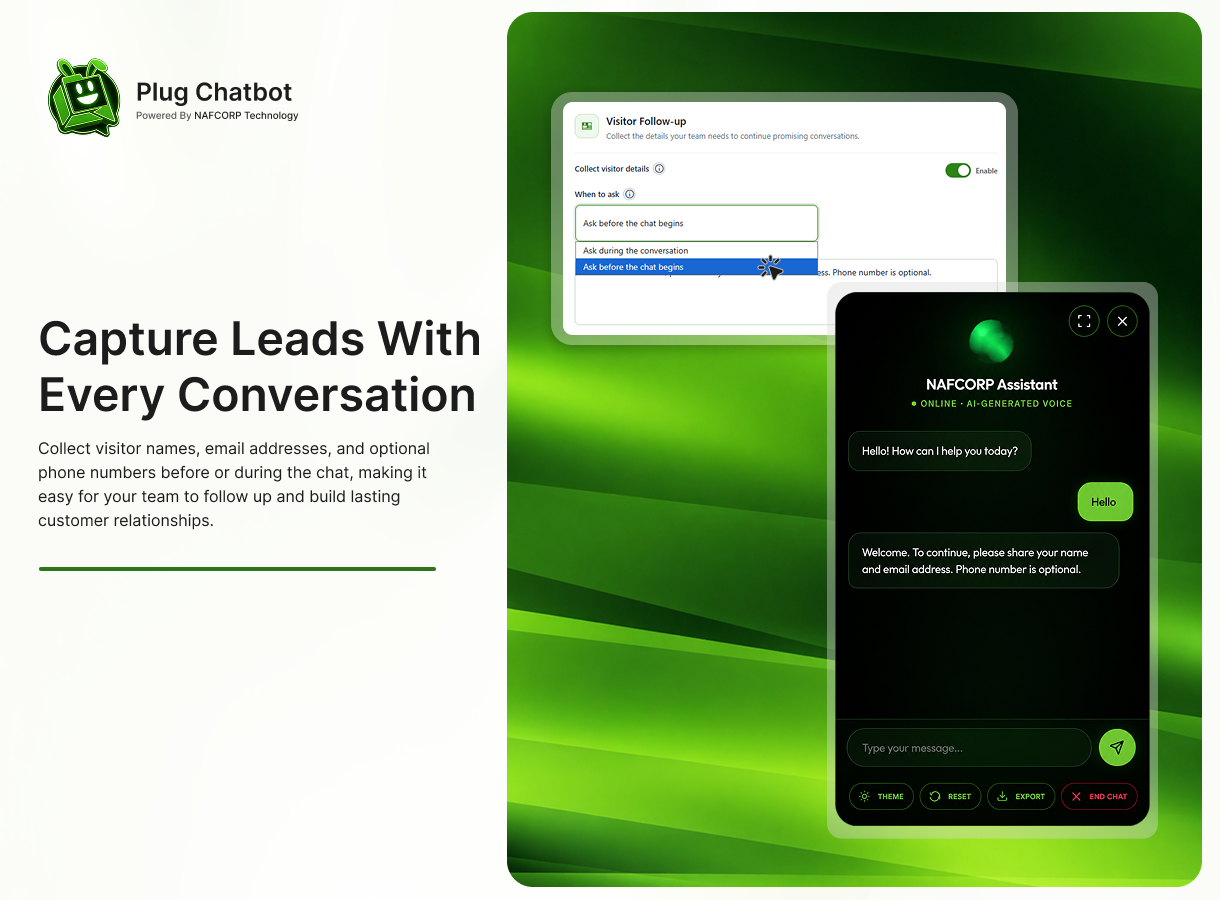
- Optional visitor name and email capture with an optional phone number
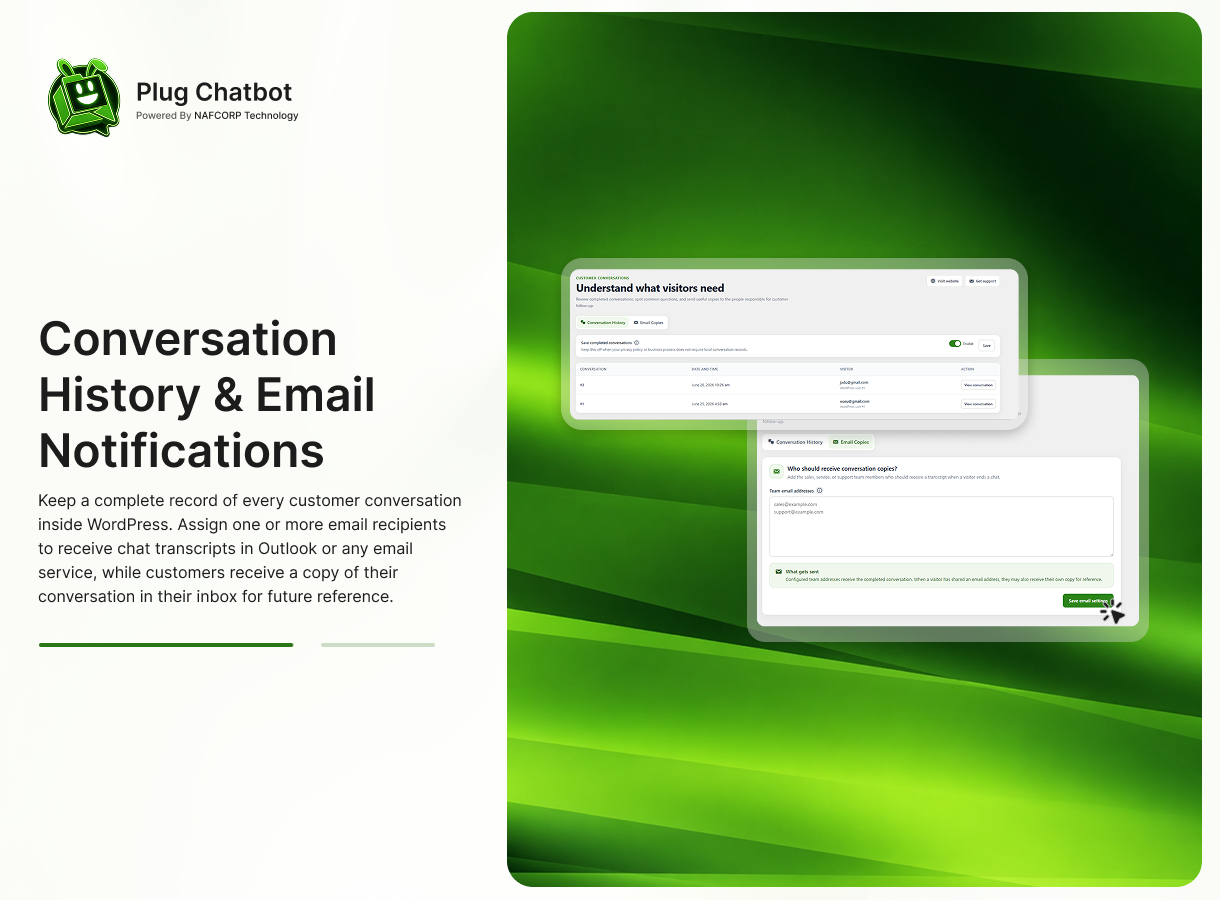
- Optional conversation history stored in WordPress
- Team email copies of completed conversations
- Optional OpenAI voice replies with an AI-generated voice disclosure
- OpenAI-only extra content safety when OpenAI is the active provider
- Live widget design preview
- Brand colour, widget position, reply length, and usage protection controls
安装:
- Log in to your WordPress admin dashboard.
- Navigate to Plugins → Add New → Upload Plugin.
- Upload the
plug-chatbot.zipfile and click Install Now. - Click Activate Plugin.
- Open Plug ChatBot from the WordPress admin menu.
- Complete the initial setup by connecting your AI provider (OpenAI, Grok, or both).
- Choose your preferred AI model and configure your chatbot settings.
- Test the chatbot on your website to ensure everything is working correctly.
- Download the
plug-chatbot.zipplugin package. - Extract the ZIP file on your computer.
- Upload the
plug-chatbotfolder to/wp-content/plugins/using FTP or your hosting file manager. - Log in to your WordPress admin dashboard.
- Navigate to Plugins and activate Plug ChatBot.
- Open Plug ChatBot from the WordPress admin menu.
- Connect your AI provider (OpenAI, Grok, or both).
- Select your preferred AI model.
- Configure your chatbot's Identity, Knowledge Base, and Interface Design.
- Visit your website and verify that the chatbot is working as expected.
屏幕截图:
常见问题:
Do I need both OpenAI and xAI API keys?
No. Connect the service you want to use for customer chat. Both can be saved so you can switch later.
Why is a second Grok key used for business files?
Grok uses a separate document-management credential to organise files used in customer answers. The interface calls this the xAI Management API Key.
Does Grok use OpenAI business files?
No. Each provider maintains its own business file library. Choose the provider at the top of the Business Knowledge page before uploading or managing files.
Are voice replies available with Grok?
No. Voice replies and extra content safety are shown and executed only when OpenAI is the active customer chat service. Saved preferences are retained when switching providers.
Is a visitor phone number required?
No. A visitor name and valid email address are sufficient when visitor follow-up is enabled. The phone number is optional.
Does this plugin send data to external services?
Yes. Messages and configured instructions are sent to the active AI provider. Business files are sent to the provider selected on the Business Knowledge page. Optional OpenAI voice and content-safety requests run only when OpenAI is active.
Can I store conversations in WordPress?
Yes. Conversation history is optional and can be enabled from the Conversation History page.
更新日志:
- Updated WordPress.org release metadata for the 2.1.5 tag.
- Updated Images
- Rebuilt the full administrator experience with a responsive, card-based interface.
- Rewrote dashboard, settings, conversation, email, and business knowledge content for non-technical business users.
- Added a live widget preview for AI name, welcome message, conversation shortcuts, brand colour, and position.
- Added consistent, accessible information tooltips and status badges.
- Replaced technical business-file storage controls with automatic provider-specific management.
- Added secure
admin-post.phpsettings handling with capability checks, nonces, early sanitisation, allowlist validation, and escaped output. - Upgraded new API-key storage to authenticated encryption while preserving compatibility with existing encrypted keys.
- Added live Grok text-model discovery with a safe fallback list.
- Updated OpenAI voice replies to the current GPT-4o mini TTS model and expanded supported voice choices.
- Kept OpenAI-only voice replies and extra content safety hidden and inactive while Grok is selected.
- Made visitor phone numbers optional across both capture experiences.
- Added a customer-facing AI-generated voice disclosure when voice replies are enabled.
- Removed the legacy PHP-session compatibility shim; frontend state continues through HTTP-only cookies and WordPress transients.
- Improved human-readable error, empty, loading, and success states.
- Improved provider activation states so API key and model selection are both required.
- Added clean dashboard empty states for unconfigured providers.
- Added local OpenAI and Grok provider logos.
- Replaced persistent helper descriptions with accessible information tooltips.
- Updated the xAI Management API key placeholder.
- Fixed a frontend fatal error when conversation starters were not yet saved.
- Fixed Grok business file and document listing requests.
- Fixed the xAI Management API Key warning state.
- Improved OpenAI model discovery and surfaced model-loading errors.
- Added xAI Grok chat integration.
- Added separate OpenAI and Grok integration cards.
- Added provider-specific conversation state and API error handling.
- Added provider-specific business knowledge management.
- Preserved OpenAI settings through an automatic upgrade migration.
- Updated privacy and external-service disclosures.