
PluginCity Minimum Order for WooCommerce
| 开发者 | plugincitywp |
|---|---|
| 更新时间 | 2026年10月29日 21:22 |
| PHP版本: | 8.1 及以上 |
| WordPress版本: | 7.1 |
| 版权: | GPLv2 or later |
| 版权网址: | 版权信息 |
详情介绍:
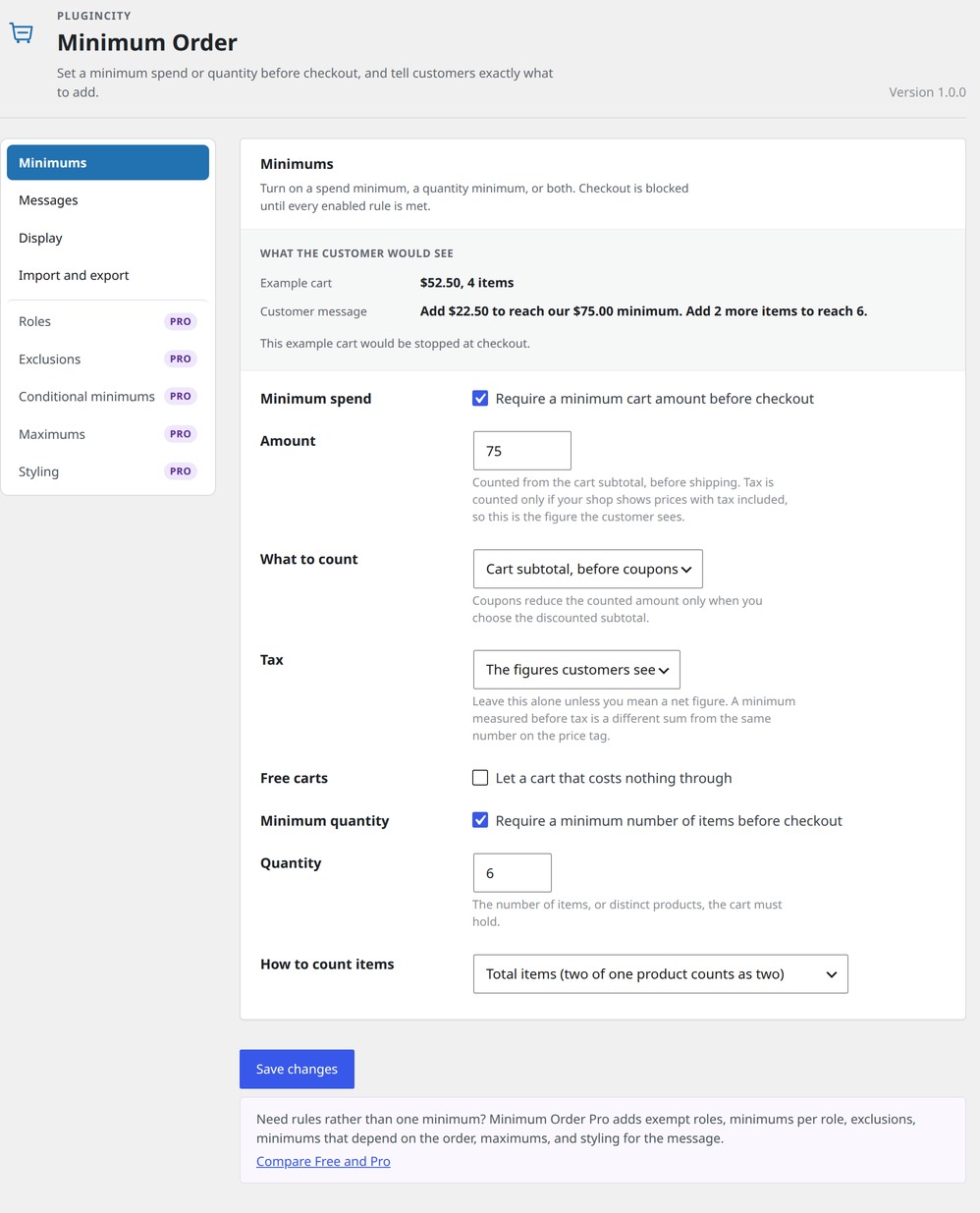
- A minimum spend, counted from the cart subtotal, before or after coupons
- A minimum quantity, counted as total items or as distinct products
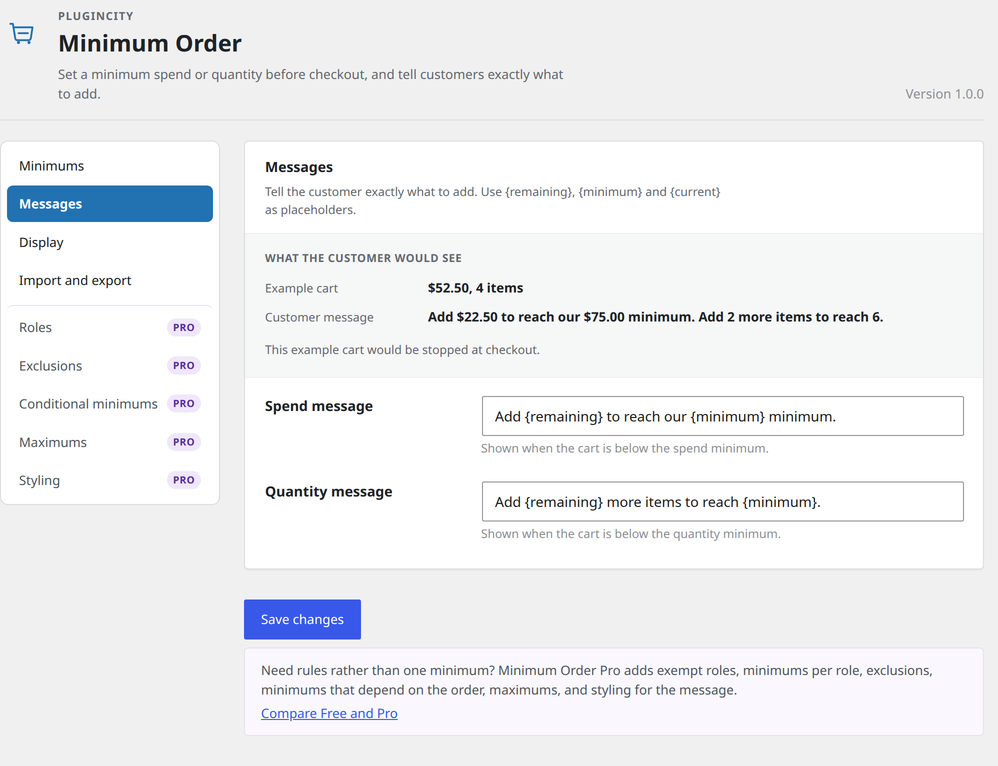
- Messages you write yourself, with {remaining}, {minimum} and {current} placeholders
- A live example on the settings screen of the sentence today's short cart would see
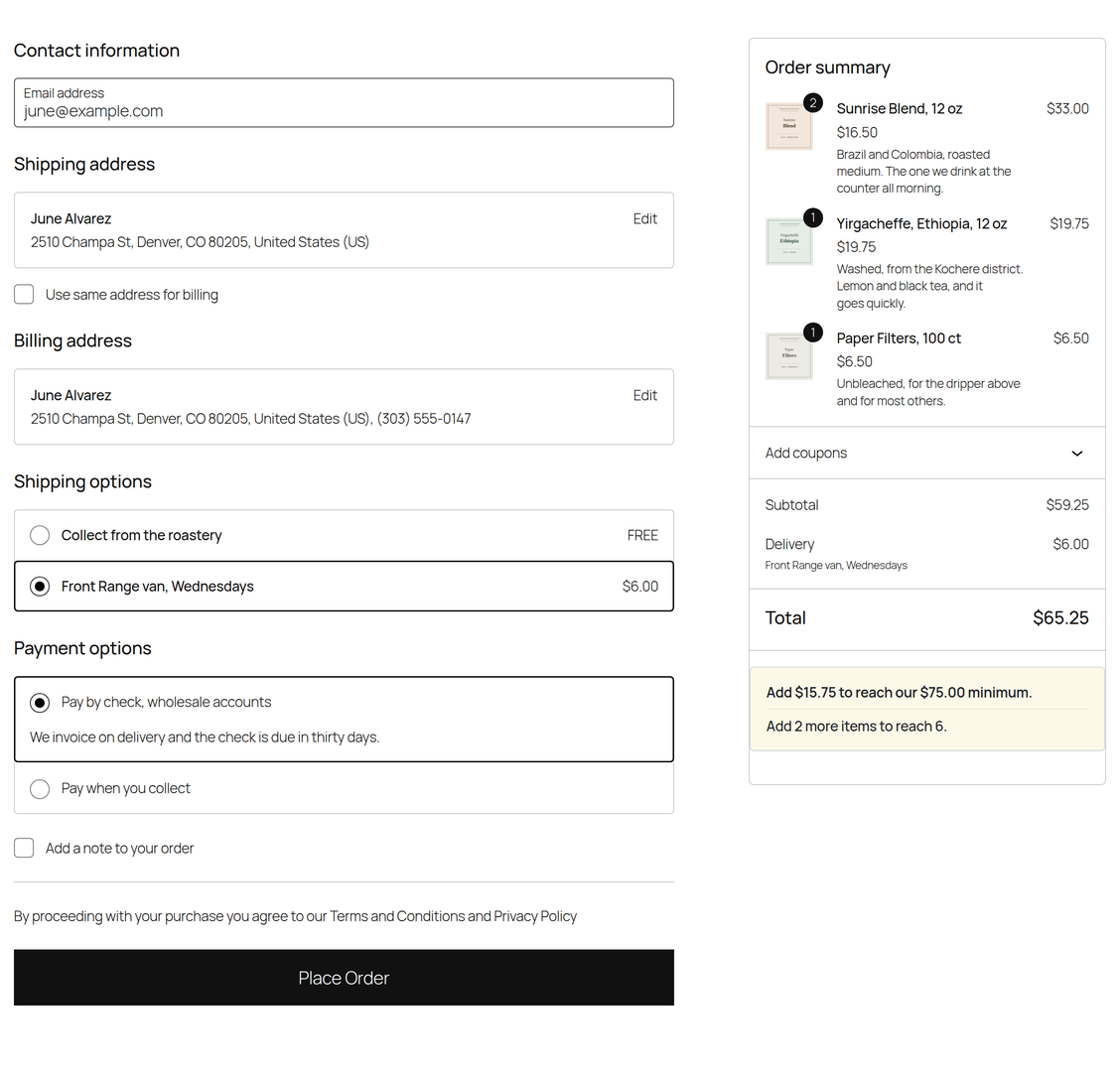
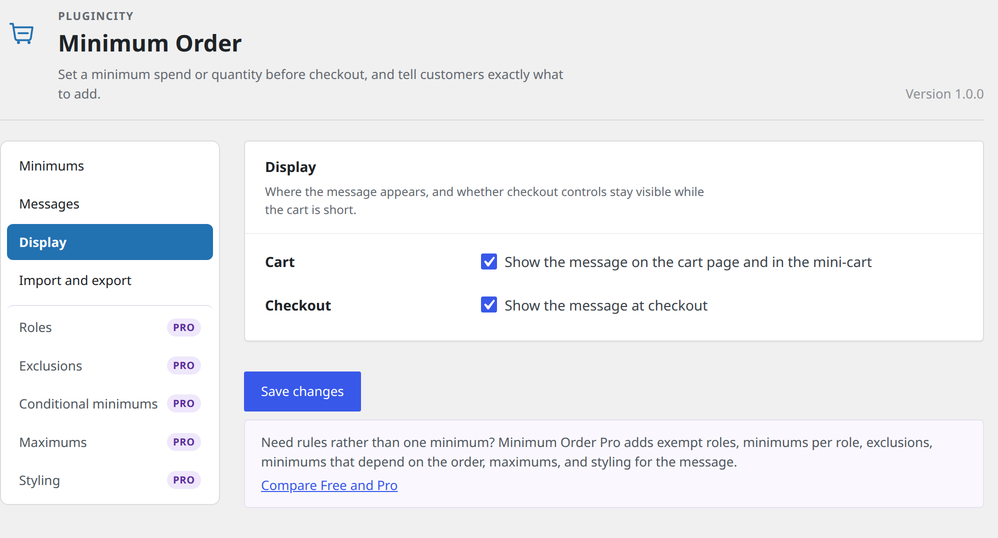
- Notices on the cart and at checkout, with a switch for each
- Checkout blocked on classic and block flows until every enabled rule is met
- PayPal express buttons refused too, so a one-tap order cannot get past the rules
- A shortcode,
[minimum_order_message], to put the shortfall message anywhere - A choice of whether a cart that costs nothing has to meet the spend minimum
- A choice of whether the minimum is judged including or excluding tax, whatever your prices show
- Minimums converted for shops that sell in more than one currency, so nobody is held to the wrong figure
- Settings import and export, so a configuration can be copied to another shop or kept as a backup
- High-Performance Order Storage compatibility
安装:
- In WordPress, go to Plugins → Add New.
- Search for PluginCity Minimum Order for WooCommerce.
- Click Install Now, then Activate.
- Go to WooCommerce → Minimum Order, or click Settings on the Plugins screen.
屏幕截图:
常见问题:
Is this a replacement for WC Minimum Order Amount?
It does the same job: a minimum order amount, a notice on the cart, and no checkout until the cart reaches it. It is a different plugin by a different author and we have no connection to it. The differences to know about: this plugin judges the cart subtotal before shipping, where WC Minimum Order Amount 1.1 (2020) compares the cart total, which includes shipping and tax; it refuses the order on classic and block checkout; and it offers a minimum quantity.
How do I switch from WC Minimum Order Amount?
- Note your amount and wording under WooCommerce → Settings → Minimum order settings.
- Install and activate this plugin. It starts with a minimum spend of 50 in your shop's currency switched on, so open WooCommerce → Minimum Order straight away and set your own figure.
- Choose how tax and coupons are treated, and check the worked example at the top.
- Retype your wording if you want it, using
{remaining},{minimum}and{current}. - Test with a short cart on the cart and at checkout.
- Deactivate and delete the old plugin. While both are active, both rules apply.
Does it work with the block cart and checkout?
Yes. Shortfalls are reported through WooCommerce's Store API, so the block cart and checkout refuse to proceed and show the same message.
How do I set a minimum purchase amount in WooCommerce?
Go to WooCommerce → Minimum Order, turn on the minimum spend and type the amount. Customers cannot check out until their cart reaches it.
What does the spend minimum count? Is it the cart total?
It is the minimum order value: the cart subtotal, before shipping, not the final total. Tax is counted only if your shop shows prices with tax included, so the figure is the one the customer sees in their cart. You choose whether coupons come off it.
Can the minimum exclude VAT?
Yes. Set Tax to "Always excluding tax" and the minimum is judged on the net figure, whatever your shop displays. The opposite setting is there too, for a shop that shows net prices but means the gross total.
Does it work with a currency switcher?
Yes. Your minimum is typed once, in your shop's own currency, and converted for a customer shopping in another. WPML's multi-currency, Aelia, WOOCS, CURCY and Price Based on Country are all read directly. Pro lets you set a round figure per currency, so a shopper paying in euros is asked for €70 rather than whatever the day's rate makes of $75.
Can I let collection in person skip the minimum?
Pro can. Tick "No minimum" against a shipping method and it is let off entirely, which is what click and collect usually wants.
Can wholesale or trade customers have a different minimum?
Pro can: give a user role its own spend or quantity, or let it skip the minimum. The free version holds every customer to the same one.
Does the minimum apply to PayPal and other express checkout buttons?
PayPal's express buttons and those in the Cart and Checkout blocks are refused like any other order. A one-tap button another gateway adds to the classic checkout is not guarded by name, so test it with a short cart.
Can I set a minimum order per product or category?
Not in the free version, which sets one minimum for the whole cart. Pro can raise it when the cart holds a product from a category you choose, and leave products or categories out of the totals.
Can I require both a spend and a quantity?
Yes. Checkout stays blocked until every enabled rule is met, and the customer sees a line for each shortfall.
Can I change the wording?
Yes. Use {remaining}, {minimum} and {current} where those numbers should appear. The settings screen shows a worked example.
Can the message contain a link?
Yes. Basic formatting and a link are allowed, so you can point customers at a category that would get them over the line. The block checkout shows the wording without the link, because it refuses an order with plain text.
Can I change how the message looks?
The free version draws it in a plain box that suits most themes, and it can be restyled with your own CSS. Pro gives you controls for colour, fill, border, size, weight, alignment, an optional icon, and the shape of the box.
Do virtual products count?
In the free version, yes: every line counts. Pro can leave virtual and download-only products out, and a cart with nothing left to count is not held to the minimum.
Does it work with High-Performance Order Storage?
Yes. Nothing is written to orders, so HPOS shops are fully supported.
What happens if I deactivate WooCommerce?
The plugin steps aside and shows a notice. Your settings are waiting when WooCommerce comes back.
Do I need an account or a licence?
No. It is free for as long as you like, needs no key, and never contacts PluginCity.
更新日志:
- Listing text and FAQ for shops moving from another minimum order plugin, with switching steps. The plugin works as before.
- One review request on the settings screen, shown only after an order has been held back. Dismiss it and it stays gone.
- Three more answers in the FAQ.
- Clearer listing text, and dollar amounts in the examples. The plugin works as before.
- The settings example now says "1 item" rather than "1 items", and counts products when that is what you are counting.
- The message boxes show your whole wording, the Tax note no longer explains itself in pounds, and a refused save no longer says "Settings saved."
- First public release.