
PlugUpp Dynamic Attachments for Gravity Forms: Notification Attachments, PDFs and Private Files
| 开发者 | plugupp |
|---|---|
| 更新时间 | 2026年10月11日 22:59 |
| PHP版本: | 7.4 及以上 |
| WordPress版本: | 7.1 |
| 版权: | GPLv2 or later |
| 版权网址: | 版权信息 |
详情介绍:
- The page must still exist, be published, have no password, and be a type that shows the Email attachments box.
- Its box must hold at least one file.
- Every file must be a real, readable file inside your uploads folder. A private file must still be in the plugin's store.
- The whole email must carry no more than 25 MiB of files. A developer can change that ceiling with the
dagf_max_total_bytesfilter.
安装:
- Install and activate Gravity Forms 2.5 or later. Use 2.9 or later to attach the files from the page the form was on.
- Install and activate this plugin from Plugins, Add New, or upload the zip.
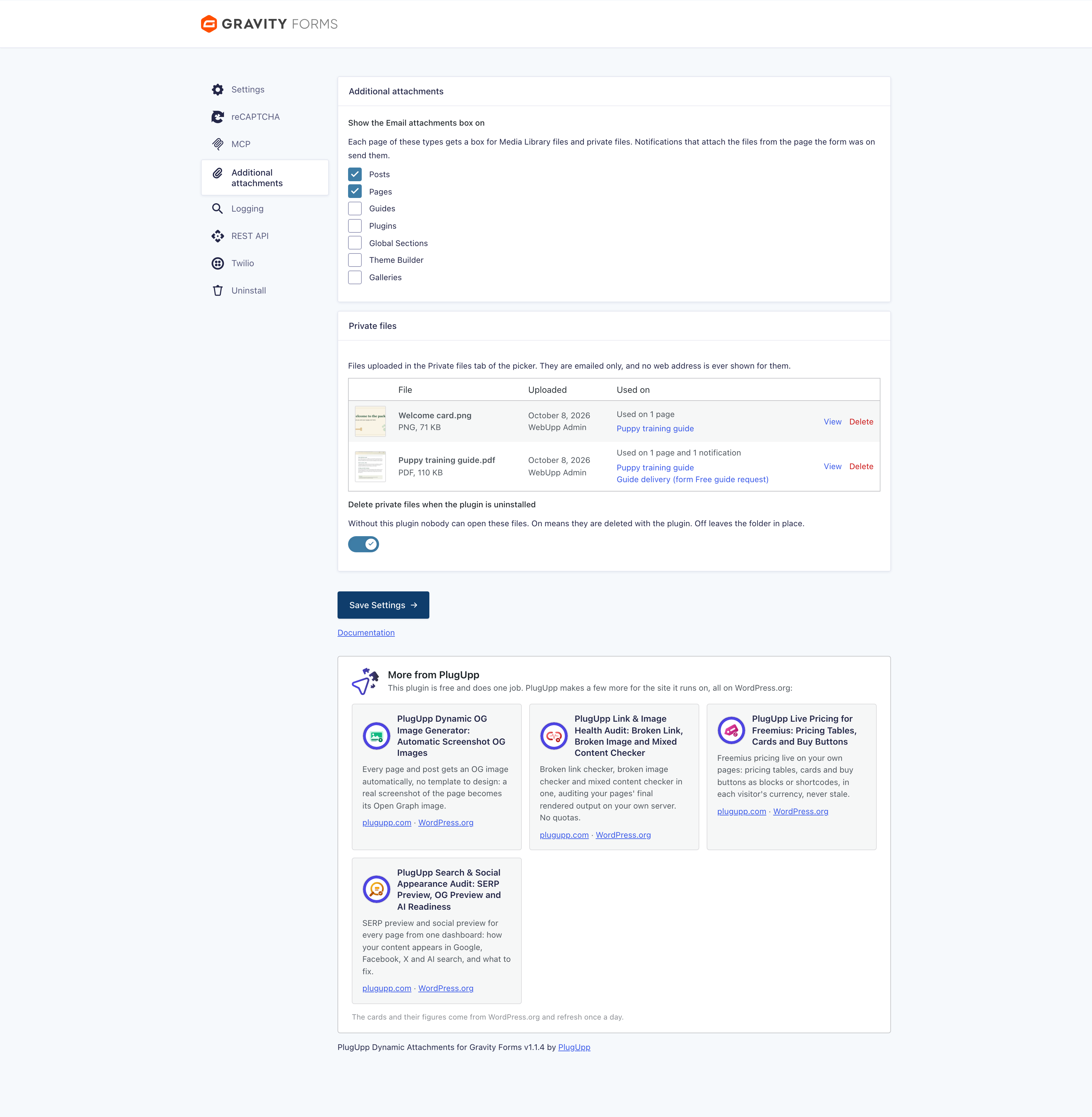
- Go to Forms, Settings, Additional attachments and tick the post types that should show the Email attachments box. Posts and Pages are ticked to start with.
- Open a form, go to Settings, then Notifications, and edit a notification. The Additional attachments section is at the end.
屏幕截图:
常见问题:
Does it need any other plugin?
Only Gravity Forms. The Email attachments box is the plugin's own, so no field plugin or theme feature is involved.
Can anyone download a private file?
No address for a private file or its preview is ever published or shown. A file can only be reached by an address nobody is given. The file sits in a folder with a long random name. The plugin never prints that name on a screen, in its log, in an entry note or in an email. Nothing links to it, so a visitor or a search engine has nothing to follow, and the name is too long to guess. Opening the folders in a browser shows an empty page, never a list of files. The protection is that the address is unknown. A server rule is not involved, so it works the same on every host. If someone did learn a file's full address, the file would download, which is why the plugin never discloses one. Signed-in users who can upload files open private files with View, which goes through the plugin. An emailed copy belongs to its recipient, like any attachment. Gravity Forms logging, when it is on, writes each email's attachment list to its log. A private file appears there as a placeholder under its real name. The plugin puts the address back only at the last step, inside WordPress's own mail function, so it never reaches Gravity Forms' log.
What name does a private file arrive under?
Its own name. The file is stored under the name you uploaded, made safe for a server. Spaces become dashes and accents are dropped, so "Price list.pdf" is stored as "Price-list.pdf". On WordPress 6.2 and later, WordPress's own mail sends the exact name you see in the list. Older WordPress, and some mail plugins such as Post SMTP, send the stored name instead, so the recipient may see the dashes. Either way it is the file's own name, never a random one.
Can a mail plugin log where a private file is stored?
Yes. The plugin hands the file's location to WordPress's mail function at the last step, and the mail plugin needs it there to attach the file. Post SMTP, with its log level set to debug, writes the full path of each attachment to the PHP error log. That log belongs to your server, outside this plugin. Other mail plugins may do the same. Keep mail debug logging off on a live site, and keep the server's error log private.
What happens to private files when I delete the plugin?
They are deleted with it, unless you turn off "Delete private files when the plugin is uninstalled" on the plugin's tab under Forms, Settings. Without the plugin nobody can open or even name these files, so keeping them only makes sense if you plan to install it again. Keep your own copies of the originals.
Where do the files from the page come from?
From the Email attachments box on the page the form was sent from. Gravity Forms saves that page on every entry, on the server, when the form is sent. The form has to be on the page itself. An archive or a preview has no page, so a notification that needs one is held back. A form in a popup counts as sent from the page the popup opens on.
Can a page send more than one file?
Yes. Add as many files as you like to a page's Email attachments box. They are sent in the order listed, and a notification is held back if any one of them cannot be prepared.
Which file types can I attach?
Any type your Media Library accepts. The plugin does not change what can be uploaded. Mail providers have their own rules, so test a new type with your provider.
Is there a size limit?
One email never carries more than 25 MiB of files, counted over every file before encoding. That includes files visitors upload and files other plugins attach. Encoding adds about a third to the size, and many mail providers accept less, so keep attachments well under it. There is no setting for it. A developer can change it with the dagf_max_total_bytes filter.
Can a visitor get a file they should not have?
Only published pages without a password, of the types you tick, can give files, and only the files in their Email attachments box are read. A visitor can still send a form from any published page, so the files of any such page can reach them. Anything you attach to a public form can reach anyone who fills it in, and an emailed copy cannot be recalled. Only attach files you are happy to send.
Does it work with Prevent Direct Access?
Yes. Media Library files are found by their attachment ID and their current location on the server, so a protected file is attached in the same way as any other. Private files need no protection plugin. Protecting a file's web address does not make an emailed copy private.
What happens if I deactivate the plugin?
While it is inactive it cannot hold a notification back, so Gravity Forms sends notifications without these files. Turn the affected notifications off or change them first. The settings stay on each notification, each page keeps its chosen files, and the private files stay in their folder. They do nothing until the plugin is active again.
What happens to my settings when I import a form on another site?
The settings remember the site they were saved on. On a different site the notification is held back until you open it, check each file, and save it there. Attachment IDs differ between sites, so this stops the wrong file being sent.
Does the plugin send anything to an outside service?
Not your forms, entries or files. Attachments are prepared on your own server and sent through Gravity Forms' normal sending. The one outside call is the More from PlugUpp panel on the plugin's tab under Forms, Settings. Once a day it reads the list of PlugUpp plugins from WordPress.org, and it sends nothing about your site. External services above has the detail.
更新日志:
- Changed: The help in a notification's Additional attachments section is one line, with the details behind its ? button.
- Added: While "Attach the files from the page the form was on" is on, a line under it says how many published pages hold the form and whether their Email attachments boxes have files.
- Changed: An empty file list says what Add files opens.
- Changed: The plugin's link in the Plugins list goes to its page on plugupp.com.
- Changed: The plugin's link in the Plugins list goes to the documentation site.
- Changed: The Additional attachments tab under Forms, Settings has its own paper clip icon.
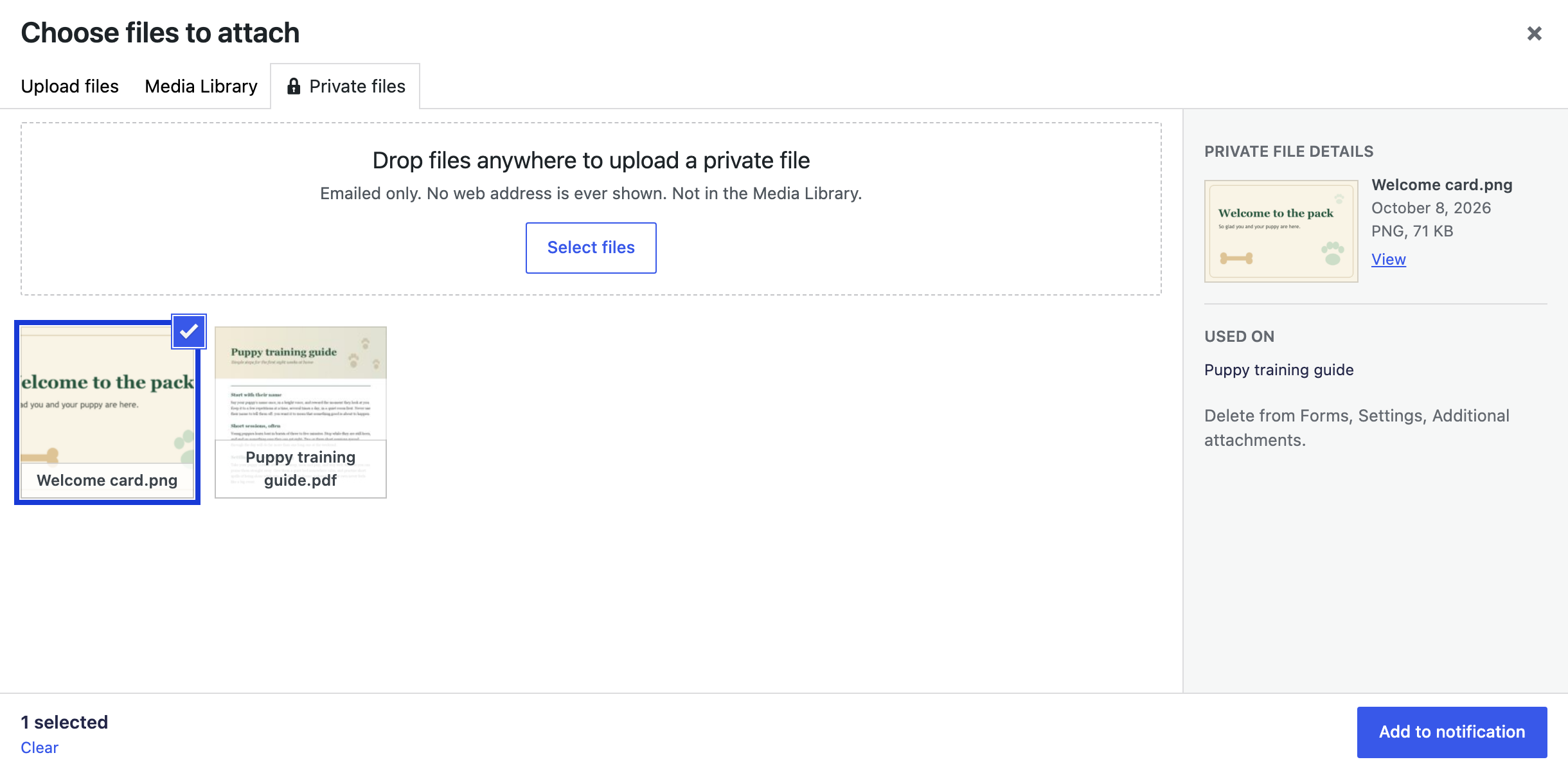
- Changed: The Private files tab now looks and works like the Media Library tab, with square tiles and a details sidebar for the selected file.
- Added: Drop files anywhere on the media window to upload a private file while the Private files tab is open, or press Select files.
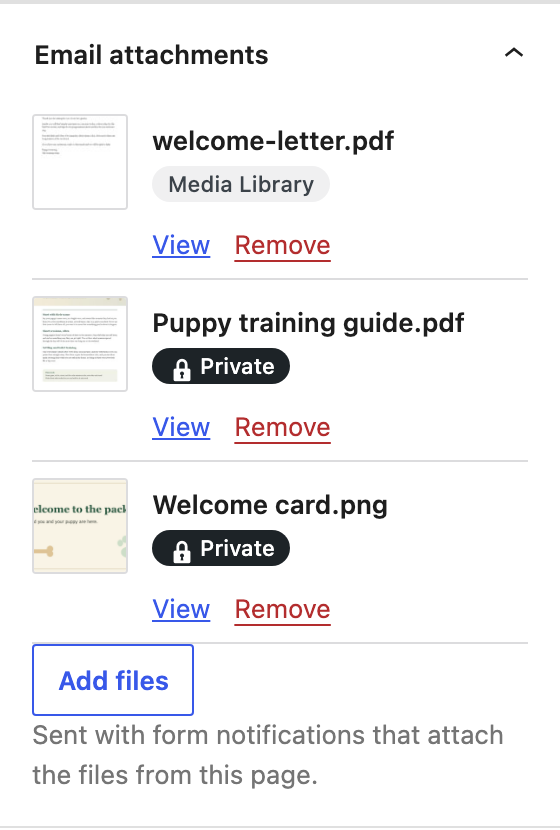
- Changed: The file lists leave a gap above Add files, show View and Remove under each name, and wrap long file names.
- Added: Private files. Upload them in a Private files tab of the media window. They are not in the Media Library, and no web address is ever shown for them.
- Added: A private file is emailed under its real name.
- Added: View opens a private file through the plugin, for signed-in users who can upload files.
- Added: Thumbnails on every file, and a Private or Media Library pill under each name.
- Added: A list of private files on the plugin's tab under Forms, Settings, with where each is used and Delete.
- Added: Delete private files when the plugin is uninstalled, a switch that is on until you turn it off.
- Changed: One file picker for the page box and the notification's static files, with Add to page or Add to notification.
- Changed: Deleting a Media Library file now also takes it off every notification's static files.
- Added: Static attachments. Pick Media Library files for any Gravity Forms notification.
- Added: An Email attachments box on the edit screen of the post types you choose, holding any number of Media Library files per page.
- Added: Attach the files from the page the form was on, the page Gravity Forms saves on each entry.
- Added: Two switches in each notification, one for each source. With both off the notification is left alone.
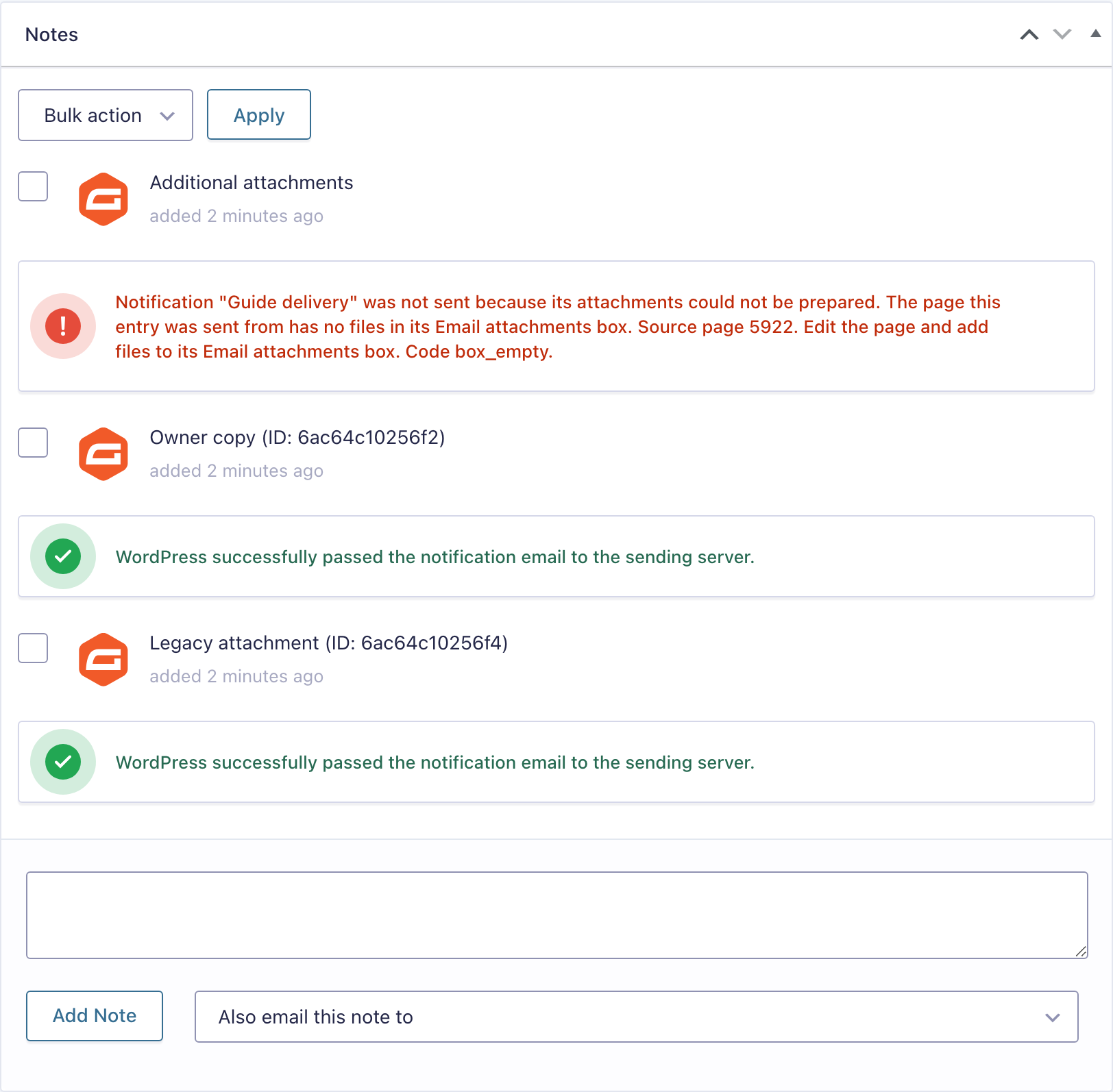
- Added: Notifications whose files cannot be prepared are held back, with a note on the entry and a reason in Gravity Forms logging.
- Added: A 25 MiB ceiling on the files in one email, checked against every file in the final email.
- Added: A More from PlugUpp panel on the plugin's tab under Forms, Settings, listing the other PlugUpp plugins from WordPress.org.