Plvgin Brand Showcase for Elementor
| 开发者 | plvgin |
|---|---|
| 更新时间 | 2026年4月3日 21:22 |
| 捐献地址: | 去捐款 |
| PHP版本: | 7.4 及以上 |
| WordPress版本: | 6.9 |
| 版权: | GPLv2 or later |
| 版权网址: | 版权信息 |
详情介绍:
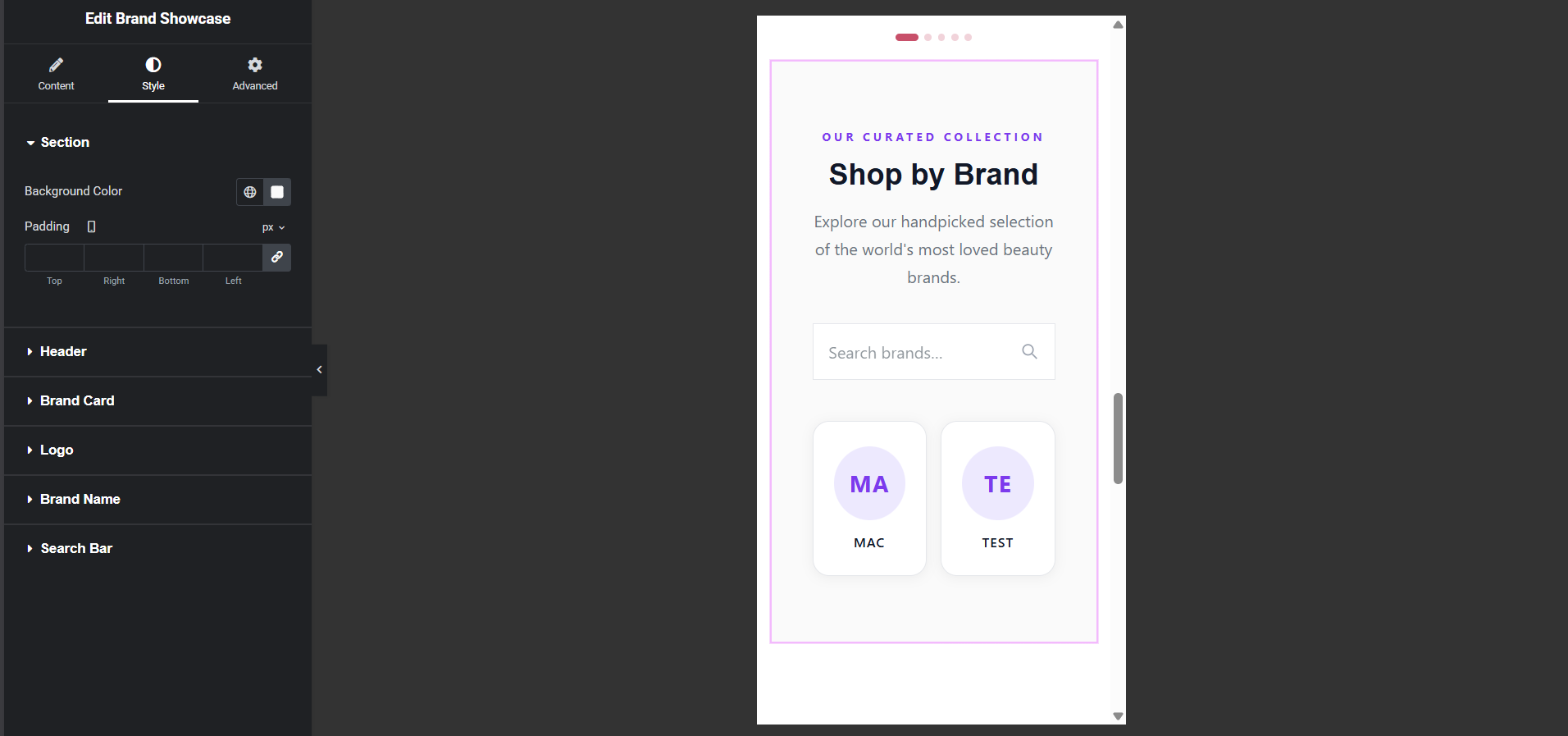
Plvgin Brand Showcase adds a professional Brand Showcase widget to your Elementor panel. It automatically reads your WooCommerce brand taxonomy and renders every brand as a premium, hover-animated card — complete with logos, names, product counts, and a live search bar.
Key Features
- Auto-detects the brand taxonomy from popular plugins (Perfect WooCommerce Brands, YITH WooCommerce Brands, or any custom taxonomy)
- Zero manual entry — brands are fetched live from your database
- Monogram placeholder when a brand has no logo set
- Live search bar — filter brands client-side with no page reload
- Product count badge on each card
- Flexible card styles: Logo Only / Logo + Name / Logo + Name + Count
- Order by Name, Product Count, or Random
- Responsive grid — configurable per breakpoint
- Premium hover effects: lift, glow, shimmer line, logo scale
- Full Elementor style controls: colours, typography, border, shadow, padding
- WordPress 6.0+
- Elementor 3.5.0+ (free)
- A brand taxonomy (e.g. Perfect WooCommerce Brands or YITH Brands)
- PHP 7.4+
安装:
- Upload the
plvgin-brand-showcasefolder to/wp-content/plugins/or install via Plugins → Add New. - Activate the plugin.
- Ensure Elementor and a brand taxonomy plugin are active.
- Edit any page with Elementor and search for "Brand Showcase" under the Plvgin Brand Showcase category.
屏幕截图:
常见问题:
Which brand plugins are supported?
Perfect WooCommerce Brands (pwb-brand), YITH WooCommerce Brands (yith_product_brand), and any custom taxonomy by entering its slug manually.
What if a brand has no logo?
A monogram placeholder (first two letters) is shown automatically.
Does the widget link to brand archive pages?
Yes — enable "Link Cards to Brand Archive" in the widget settings.
Will this slow down my site?
No. The query uses get_terms() (cached by WordPress), and the search filter is pure vanilla JS with no jQuery dependency.
更新日志:
1.0.0 – 2026-03-25
- Initial release.