
Multiple Currencies for Paid Memberships Pro
| 开发者 |
louiswol94
jarryd-long |
|---|---|
| 更新时间 | 2026年4月27日 22:11 |
| PHP版本: | 7.4 及以上 |
| WordPress版本: | 6.8 |
| 版权: | GPLv2 or later |
| 版权网址: | 版权信息 |
详情介绍:
[pmpro_currency_switcher] shortcode to embed it anywhere - a page, a widget, or a block.
Geo-Detection (opt-in)
When enabled, new visitors are automatically offered a currency based on their country, detected via Cloudflare or standard CDN country headers. Visitors can still override using the switcher. This setting is off by default.
Available Currencies Restriction
By default the plugin works with all currencies registered in Paid Memberships Pro. Use the Available Currencies setting to restrict the list to only the currencies your site actually uses - keeping level dropdowns and the frontend switcher clean.
Widget Placement Control
Choose where the floating switcher appears: on all pages (except checkout), on PMPro pages only, or hide it entirely and rely on the shortcode instead.
Sales by Currency Report
A dedicated report under Memberships > Reports shows order count and revenue broken down by currency, with filters for today, this month, this year, all time, or a custom date range. A summary tile also appears on the PMPro reports dashboard.
Accurate Order History
The currency and symbol are saved to order meta at the moment of checkout. This means the account page, admin order screen, invoices, and confirmation emails always reflect the currency the member actually paid in - even if your site default changes later.
Settings
All plugin settings live under Memberships > Settings > Advanced.
- Available Currencies - check the currencies you want to make available for level assignment and the frontend switcher. Leave all unchecked to allow all PMPro currencies.
- Widget Placement - controls the floating currency switcher. Hidden by default — each level uses its assigned currency and no floating widget is shown. Visitors can still switch using the
[pmpro_currency_switcher]shortcode. Set to all pages or PMPro pages only to show the floating widget automatically. - Enable Geo-Detection - when checked, new visitors are automatically detected by country and offered the matching currency.
[pmpro_currency_switcher]
Embeds the currency switcher inline in any page, post, or widget. Only renders when two or more currencies are enabled.
Developer Notes
Enable the debug overlay by adding define( 'PMPRO_MC_DEBUG', true ); to your wp-config.php. The overlay shows the active currency, cookie value, user meta value, geo-detected currency, and the list of enabled currencies - useful for troubleshooting.
This plugin is not an official Paid Memberships Pro add on.
安装:
- Upload the
pmpro-multiple-currenciesfolder to the/wp-content/plugins/directory, or install it directly through the WordPress plugin screen. - Activate the plugin through the Plugins screen in WordPress.
- Make sure Paid Memberships Pro is installed and active.
- Go to Memberships > Settings > Advanced to configure Available Currencies, widget placement, and geo-detection.
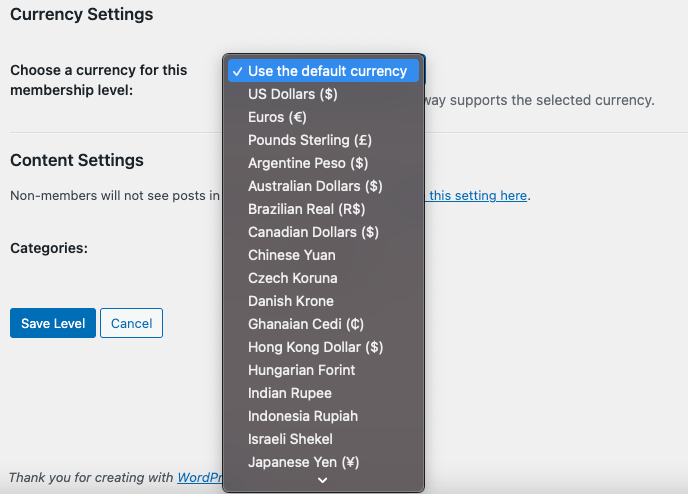
- Edit any membership level under Memberships > Membership Levels and scroll to the Currency Settings section to assign a currency to that level.
屏幕截图:


常见问题:
Does this plugin convert prices automatically?
No. Prices are set manually per membership level. This gives you full control - you decide exactly what to charge in each currency, which is important when exchange rates fluctuate or when you want to use regional pricing that isn't a straight conversion.
What happens to levels that don't have a currency set?
They use the site's default currency, the same one set in Memberships > Settings > Payment Settings.
Will the currency switcher show on the checkout page?
No. The floating widget is hidden on the checkout page to prevent visitors from switching currency mid-purchase. If you need switcher access near checkout, use the [pmpro_currency_switcher] shortcode on a page of your choice.
How does geo-detection work?
When enabled, the plugin reads the visitor's country from the HTTP_CF_IPCOUNTRY header (Cloudflare) or HTTP_X_COUNTRY_CODE / HTTP_X_GEO_COUNTRY headers set by other CDN/proxy providers. If a matching currency is found and it is in your enabled list, it is applied automatically. Visitors can always override with the switcher.
Does geo-detection work without Cloudflare?
It works with any CDN or reverse proxy that sets a country header. Without one of these headers the detection is skipped and no currency is auto-applied.
Will the currency preference follow a logged-in user across devices?
Yes. For logged-in users the active currency is synced to their user account, so switching on one device is reflected when they log in on another.
Where are the sales-by-currency reports?
Under Memberships > Reports, select Sales by Currency. A summary tile also appears on the main Reports dashboard.
Is this an official Paid Memberships Pro add on?
No. It is an independent, community-built add on maintained by Jarryd Long.
更新日志:
- Ownership: Plugin has a new maintainer - Jarryd Long, ex-PMPro support manager and developer, has taken over from the original author Louis Wolmarans
- Feature: Floating frontend currency switcher widget - visitors can click a pill to select their preferred currency; choice is stored in a cookie and persisted to user meta for logged-in users across devices
- Feature: Inline currency switcher via
[pmpro_currency_switcher]shortcode - embed the switcher anywhere in page content - Feature: Geo-detection - automatically suggests a currency based on the visitor's country (via Cloudflare/CDN headers); opt-in via PMPro Advanced Settings
- Feature: Widget placement control - choose to show the floating switcher on all pages, PMPro pages only, or hide it entirely (PMPro Advanced Settings)
- Feature: Available Currencies setting - restrict which currencies can be assigned to levels and shown in the switcher (PMPro Advanced Settings)
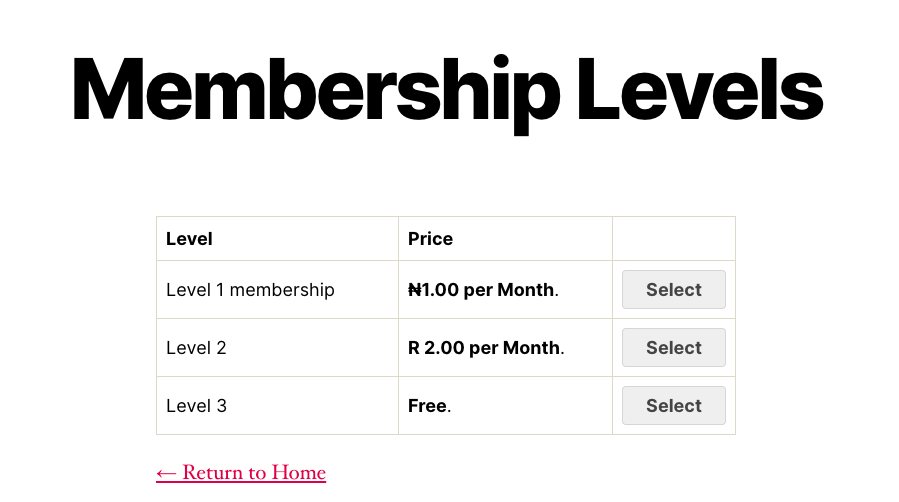
- Feature: Currency column in the membership levels list table - shows the assigned currency for each level, including site default for unset levels
- Feature: "Sales by Currency" PMPro report - shows order count and revenue broken down by currency, with a period filter (today / this month / this year / all time / custom range) and a dashboard summary widget
- Feature: Order meta - saves the currency code and symbol to order meta at checkout so orders always display in the correct currency, including on the account page, admin order screen, invoices, and confirmation emails
- Security: Full hardening pass - output escaping throughout, capability checks on all save functions, input guards, and strict comparisons
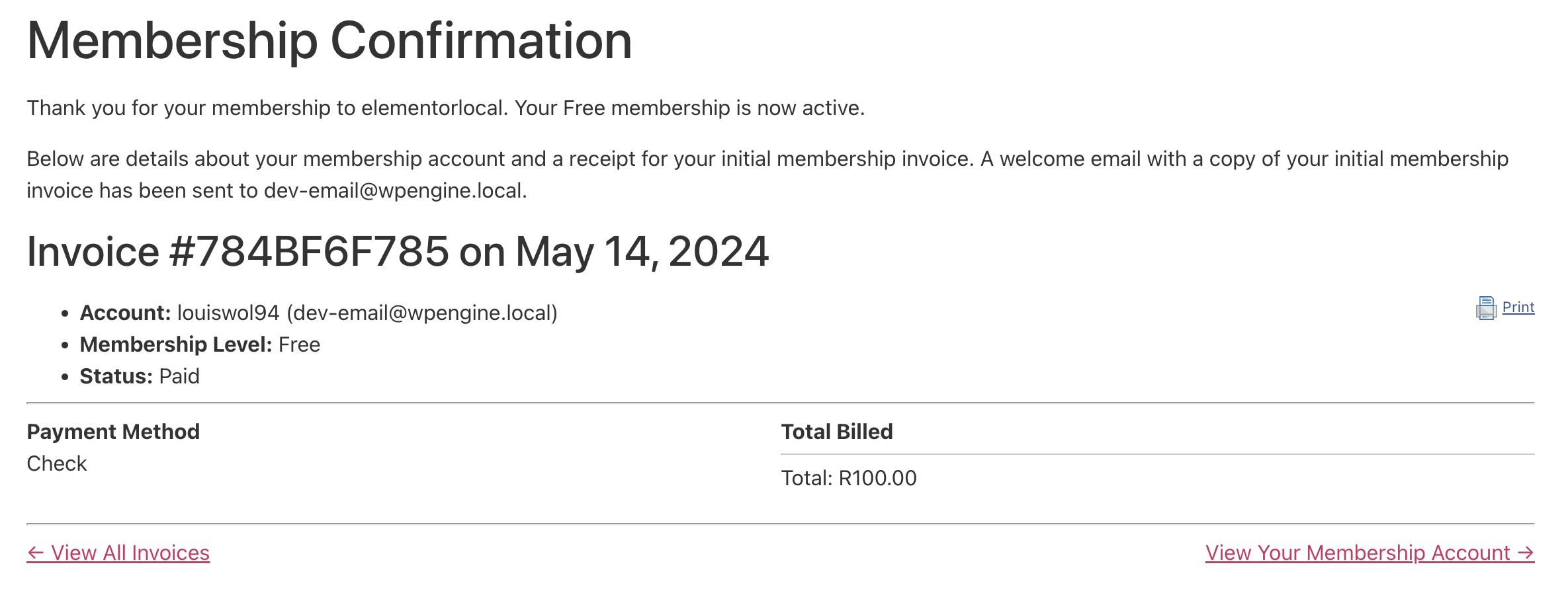
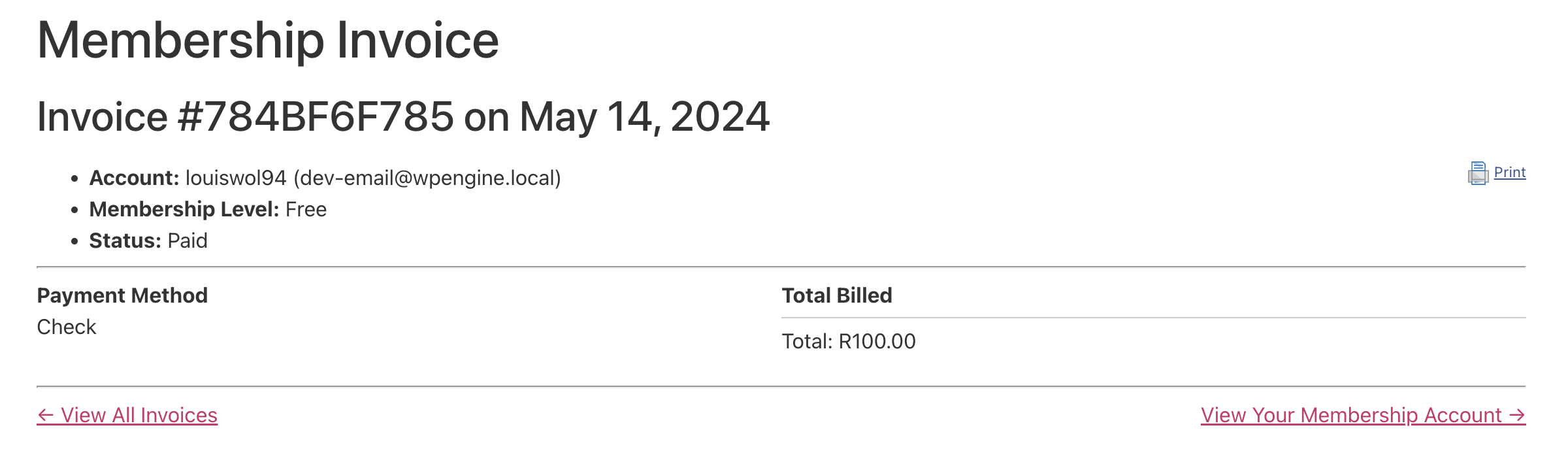
- Fix: Currency symbol on the confirmation page, invoice, and account page now reflects the currency the order was placed in rather than the current visitor currency
- Tweak: Added support for the remaining pages and emails
- Tweak: Improve currency update on Invoice and Confirmation page
- Tweak: Add support for Invoice and Confirmation pages (props @andrewza for the direction)
- Fix: Undefined index on the symbol array key
- Tweak: Minor localization changes
- Initial release