
Custom Query Blocks
| 开发者 |
ronalfy
chrislogan paaljoachim |
|---|---|
| 更新时间 | 2026年10月9日 23:29 |
| 捐献地址: | 去捐款 |
| PHP版本: | 7.2 及以上 |
| WordPress版本: | 7.1 |
| 版权: | GPLv2 or later |
| 版权网址: | 版权信息 |
标签
下载
5.6.0
2.0.5
2.0.7
2.1.0
2.1.1
2.1.2
2.2.0
2.2.1
2.2.2
3.0.5
3.0.7
3.1.1
3.2.0
3.2.1
3.2.2
3.3.0
3.3.1
3.3.5
4.0.0
4.0.1
4.0.5
4.5.0
4.5.5
5.0.0
5.1.4
2.0.4
3.0.0
3.0.9
3.1.0
4.5.1
5.5.0
5.0.5
5.1.5
5.2.0
5.3.1
1.0.0
2.0.0
2.0.3
4.5.2
4.5.3
5.0.1
5.1.2
5.1.6
5.3.0
5.7.0
1.0.1
2.0.1
5.0.6
3.0.6
5.1.0
5.4.0
详情介绍:
A WordPress plugin for displaying posts and terms (e.g., categories) using a Gutenberg block. Works well with posts, pages, custom post types, taxonomies, and terms.
Bonus
Plugin Up for Adoption Custom Query Blocks will be im maintenance mode after October 1, 2026. Please find a replacement. Successor Archive Pages Pro has been archived and released.
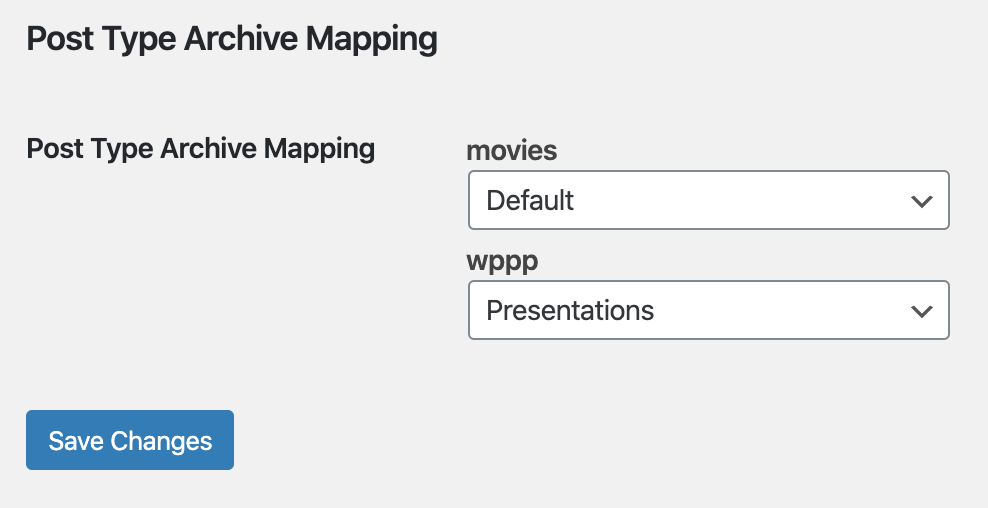
- Map your post type archives to a page for customization of the post type archive page.
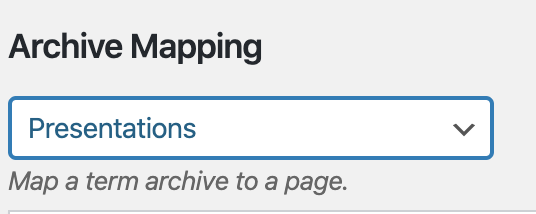
- Map your category archives to a page for customization of the term archive page.
- Map your 404 template to a page and easily customize your 404 page.
安装:
- Just unzip and upload the "post-type-archive-mapping" folder to your '/wp-content/plugins/' directory
- Activate the plugin through the 'Plugins' menu in WordPress
- Create a custom post type that has an archive
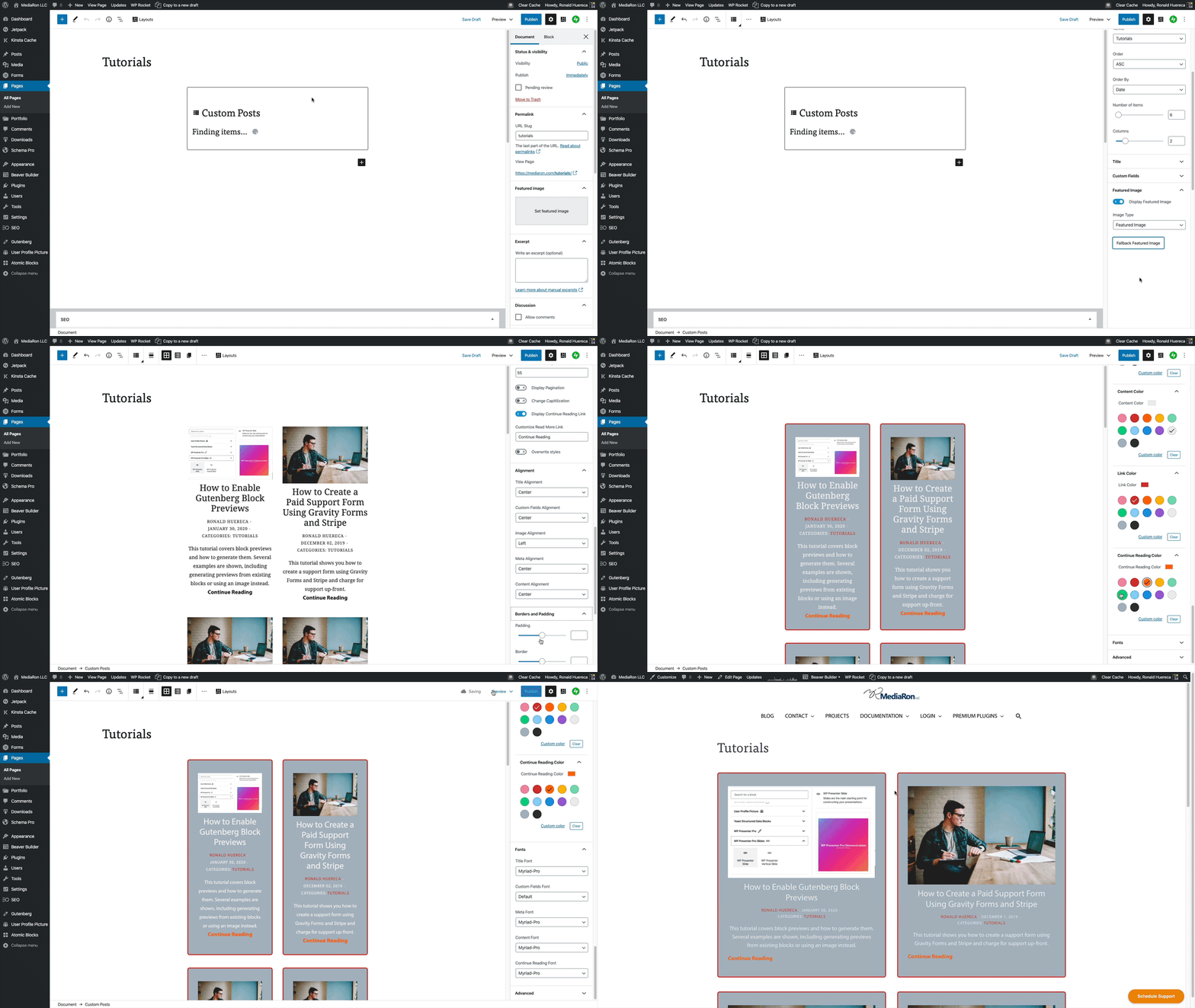
- Create a page with a custom template. Use the Gutenberg block to show off posts in that Custom Post Type.
- Go to Settings->Reading and assign the page to the custom post type archive
- Go to the post type archive and observe the page content is now the archive
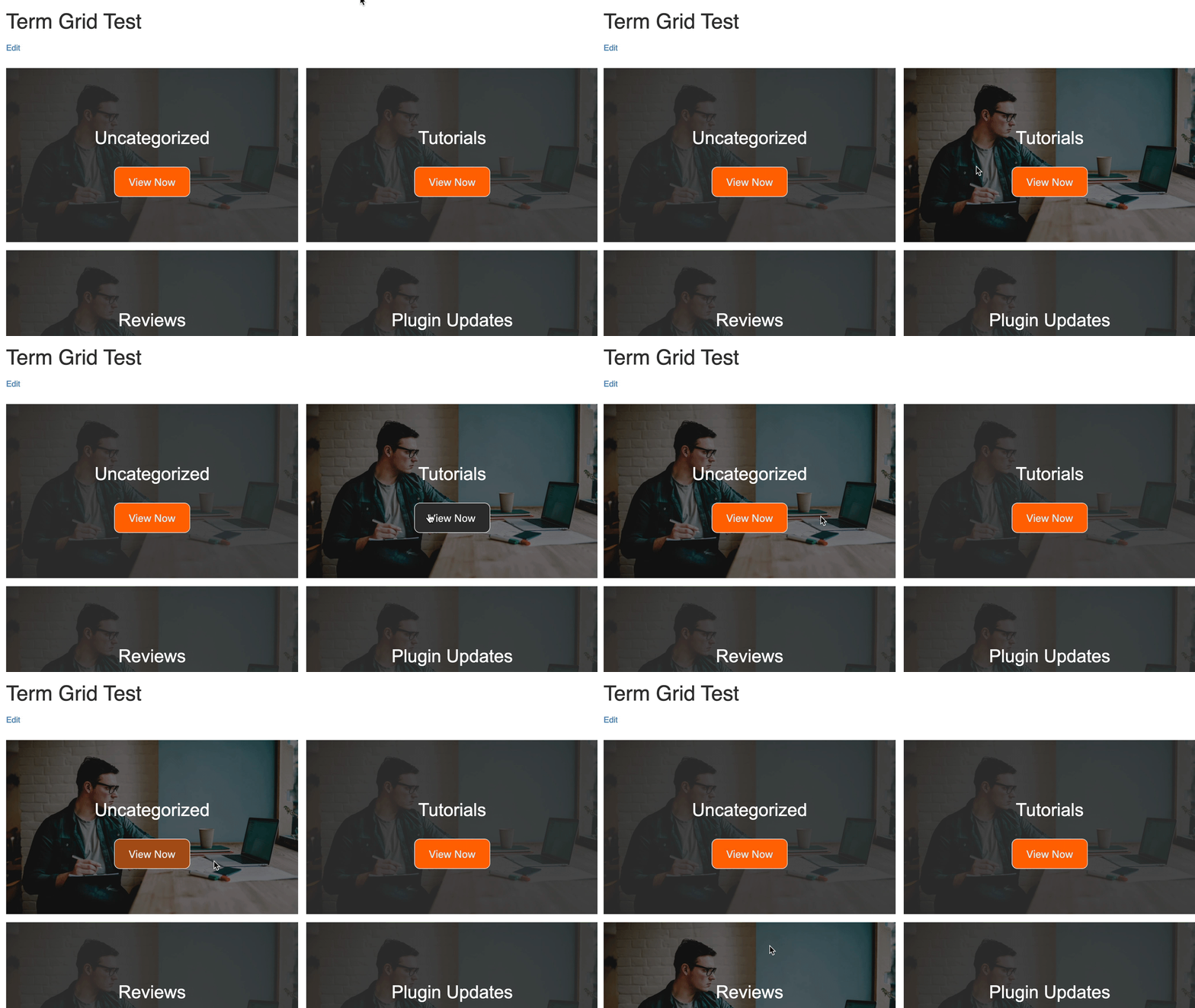
- Create a public page to use as your term archive.
- Visit the edit term page and select the page.
- View the term and you will see your selected page.
- Use Gutenberg on your public page to customize the archive.
- Visit Settings->Reading and map your 404 template to a page.
- Customize the new 404 page.
- Navigate to a broken URL to preview the 404 page.
屏幕截图:
常见问题:
I don't see the post types. What's wrong?
Make sure your post type has has_archive set to true and show_in_rest set to true.
Can you do posts instead of pages?
This plugin will only allow mapping to pages.
Does this plugin work with term (e.g., category) archives?
Yes. Edit a term and you can map it to any page.
I need help. Can you help me?
Yes, just post in the support forums here and I'll do my best to address your issue.
更新日志:
5.7.0
- Released 2026-10-09
- Security fix: escape and allowlist allowed for XSS in block markup if edited and output.
- Released 2026-03-06
- Security Fix: Finalizing resolving XSS issue with image alignment as reported by Patchstack.
- Released 2026-02-19
- Security Fix: Resolving XSS issue with image alignment as reported by Patchstack.
- Bug fix: Resolving PHP warnings when registering classes.
- Enhancement/fix: Blocks are now compatible with Block.json v3.
- Released 2025-11-15
- Resolving XSS vulnerability with title tag as reported via Patchstack. Ensuring compatibility with WP 6.9.
- Released 2024-08-27
- Fixing some deprecation notices in blocks.
- Adding information about new plugin Archive Pages Pro.
- Misc. copy updates.
- Released 2024-07-10
- Hardening REST APIs based on security report from the WordPress security team.
- This is a security release and we recommend updating as soon as possible.
- Released 2024-03-17
- Fixing a bug in the Term Grid block where the SearchListControl in Woo Components was throwing an error, so the component was reworked.
- Released 2023-03-17
- Fixing a bug where the term grid didn't show on the frontend.
- Released 2022-10-02
- Fixing a bug where a term would not save in the custom post types block.
- Released 2022-10-01
- Updated build scripts.
- Fixing schema errors when it comes to registering attributes.
- Released 2021-07-28
- Fixing block categories for WP 5.8.
- Released 2021-03-25
- Seeking volunteer devs if you want to learn blocks and help lower the build size.
- Feature: Can disable post type mapping via the settings page.
- Feature: Can disable the blocks via the settings page.
- Feature: Can disable the columns on the pages screen.
- Feature: Can disable the created image sizes.
- Feature: New admin options to enable/disable settings.
- Bug fix: Selecting individual terms in the term block would not reflect on the front-end.
- Misc: Removing block icon from the Add Blocks screen.
- Misc: Updating block icons and color scheme.
- Bug fix: Tweaking word-break in the terms block.
- Released 2021-03-09
- Fixing term saving causing archives to fail.
- Released 2021-02-12
- Mapping to pages now shows a hierachy to more easily select pages.
- New branding. Hopefully less spammy.
- Making readme more descriptive of what the plugin does.
- Released 2021-02-12
- Fixed the Term block with the block erroring out when modifying the query parameters.
- Testing with WordPress 5.7.
- Released 2020-09-07
- Added ability to map 404 to a page.
- Fixed Gutenberg bugs in the Custom Post Types block and Featured Posts block.
- Released 2020-08-23
- Minimium supported version is now WordPress 5.5
- Fixed pagination for WP 5.5.
- Fixed REST API errors for WP 5.5.
- Miscellaneous block fixes and updates.
- Released 2020-05-17
- Added Polylang support when mapping posts. Added WPML support for the main Custom Post Types block.
- Released 2020-05-01
- Removing the term redirect as some pages would get "stuck."
- Released 2020-04-29
- Added pagination to the Featured Posts by Category Block.
- Released 2020-04-20
- Added featured posts by category block.
- Added block previews.
- New plugin name: Custom Query Blocks = 4.0.5 -
- Released 2020-04-16
- Added compatibility for Yoast SEO.
- Released 2020-04-12
- New block: Term (Category) Grid Block.
- HOT FIX: Term Grid wasn't loading.
- Released 2020-04-07
- Updated plugin architecture.
- Show mapped pages and its own column.
- Mapped term pages now redirect to the correct term.
- Added new contributor: Paal Joachim.
- Released 2020-04-01
- Fixing PHP notice saying invalid argument for foreach statement.
- Released 2020-03-11
- New full post mode for showing off the full post.
- Option to remove the link from the title.
- Released 2020-02-10
- Plugin was having conflicts with other admin screens when saving terms, resulting in a 403 error.
- Released 2020-02-03
- Added support for translations.
- Revised loading screen to make it easier on translators.
- Released 2020-02-03
- Added ability to map term archives to pages.
- Released 2020-02-01
- Added several order and orderby parameters.
- Released 2020-01-26
- Removing custom field placeholder if a custom field isn't present.
- Removing continue reading link and post link if custom post type isn't publicly queryable.
- Wrapping excerpt in paragraph tag.
- Add class to readmore paragraph tag for styling.
- Hiding styles options if override styles is present.
- Changing verbiage of remove styles to Override styles.
- Added support for Adobe fonts through https://wordpress.org/plugins/custom-typekit-fonts/
- Released 2019-12-08
- Added the ability to set a fallback image for the featured image.
- Released 2019-12-05
- Fixing pagination when a page with the Gutenberg block is set as the front page.
- Released 2019-12-05
- Moving featured image to its own panel in Gutenberg settings.
- Moving title to its own panel in Gutenberg settings.
- Cleaning up editor styles for headings.
- Adding ability to change the heading HTML tag.
- Released 2019-12-05
- Adding ability to remove styles so that you can style your own layout.
- Released 2019-12-03
- Adding custom field support.
- Updating REST API for faster loading.
- Released 2019-12-02
- Added ability to remove title from displaying.
- Added new branded loading animation.
- Released 2019-10-29
- Testing up to WordPress 5.3.
- Fixing JS error when jQuery is not defined as a $ variable.
- Released 2019-08-23
- Bug fix when in grid mode and image is placed below the title.
- Bug fix: skipping taxonomies when there are none.
- Bug fix: fixing capitalization error.
- Enhancement: You can now select fonts for your content areas.
- Released 2019-06-11
- Fixing pagination
- Released 2019-05-26
- Some users were seeing featured images twice in the back-end.
- Released 2019-05-25
- Fixed Gravatar sizing not saving.
- Changing the way excerpts are shown in Gutenberg.
- Added the ability to change taxonomy location.
- Content can now be centered in the Grid view.
- Added border, padding, and background style options in Gutenberg block.
- Added color options for text in Gutenberg block.
- Released 2019-05-24
- Added the ability to trim the excerpt length.
- Reduce the file size of the Gutenberg block script using a new build technique.
- Released 2019-04-21
- Conditional term filtering
- Released 2019-04-18
- Adding support for six columns
- Fixing undefined index error
- Released 2019-03-29
- Fixed term not being saved when displaying posts
- Released 2019-01-17
- Fixed pagination when using a page with just the block
- Released 2019-01-17
- Fixing bug where arguments weren't an array when switching reading types in Settings->Reading.
- Released 2019-01-06
- Numerous enhancements to the Gutenberg block including showing taxonomies, setting the image type (Avatar vs Regular), setting where the featured image is displayed, selecting the image size, and much more.
- Released 2018-11-07
- WordPress 5.0 compatibility
- Released 2018-09-24
- Initial release.