PostDeploy
| 开发者 | samworkdev |
|---|---|
| 更新时间 | 2026年11月12日 04:06 |
| PHP版本: | 8.0 及以上 |
| WordPress版本: | 7.1 |
| 版权: | GPLv2 or later |
| 版权网址: | 版权信息 |
详情介绍:
- Unlimited remote environment connections
- Manual deployment (push)
- Posts, Pages, and other public custom post types
- Basic post meta
- Basic taxonomies (categories, tags, public custom taxonomies)
- Featured image
- Basic content media
- Stable object mapping (repeat deployments update, never duplicate)
- Secure authentication and connection testing
- Package validation and deployment verification
- Deployment history and basic logs
- Basic manual retry
安装:
- Upload the plugin files to
/wp-content/plugins/postdeploy, or install directly through the WordPress plugins screen. - Activate the plugin through the "Plugins" screen in WordPress.
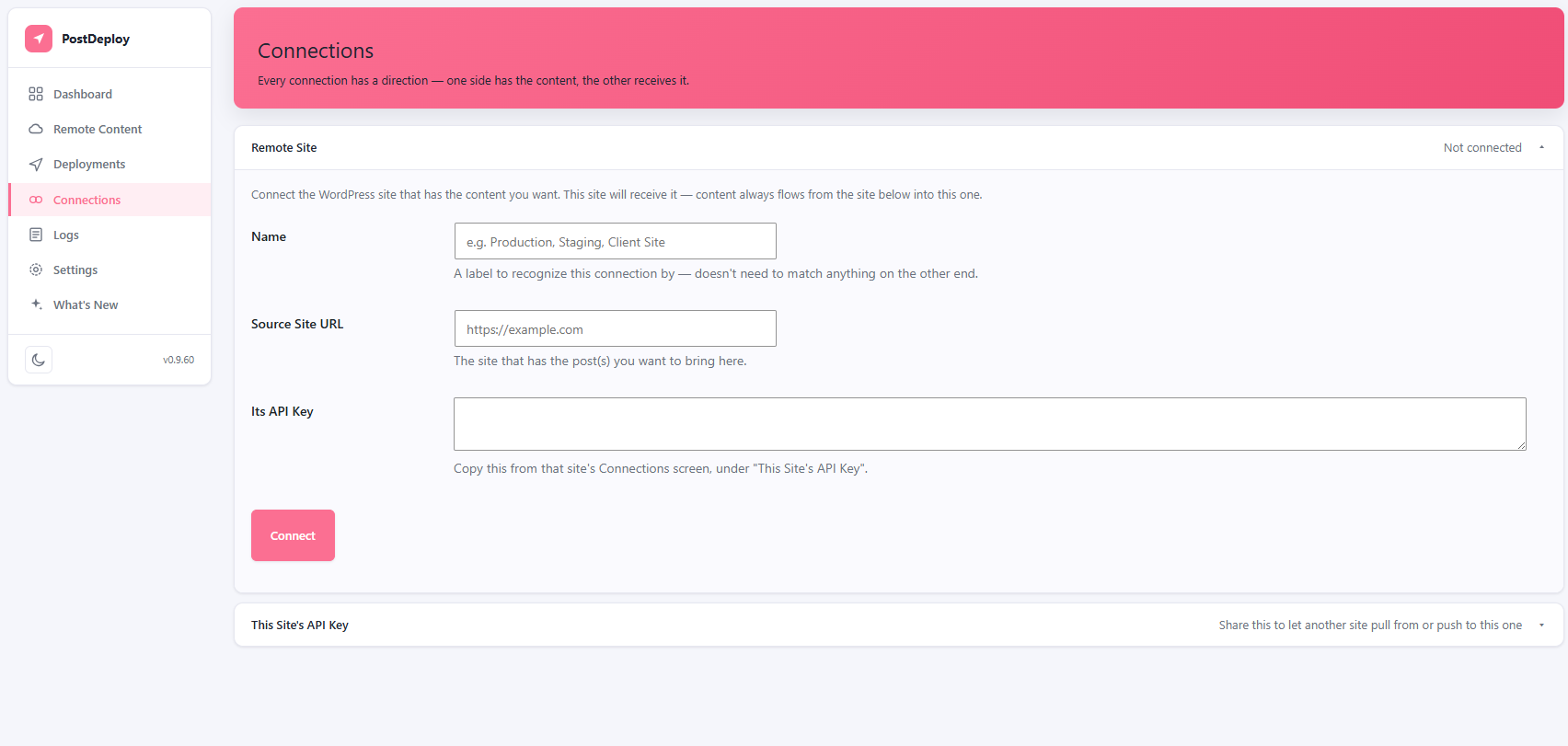
- Go to PostDeploy → Connections to connect a remote WordPress site.
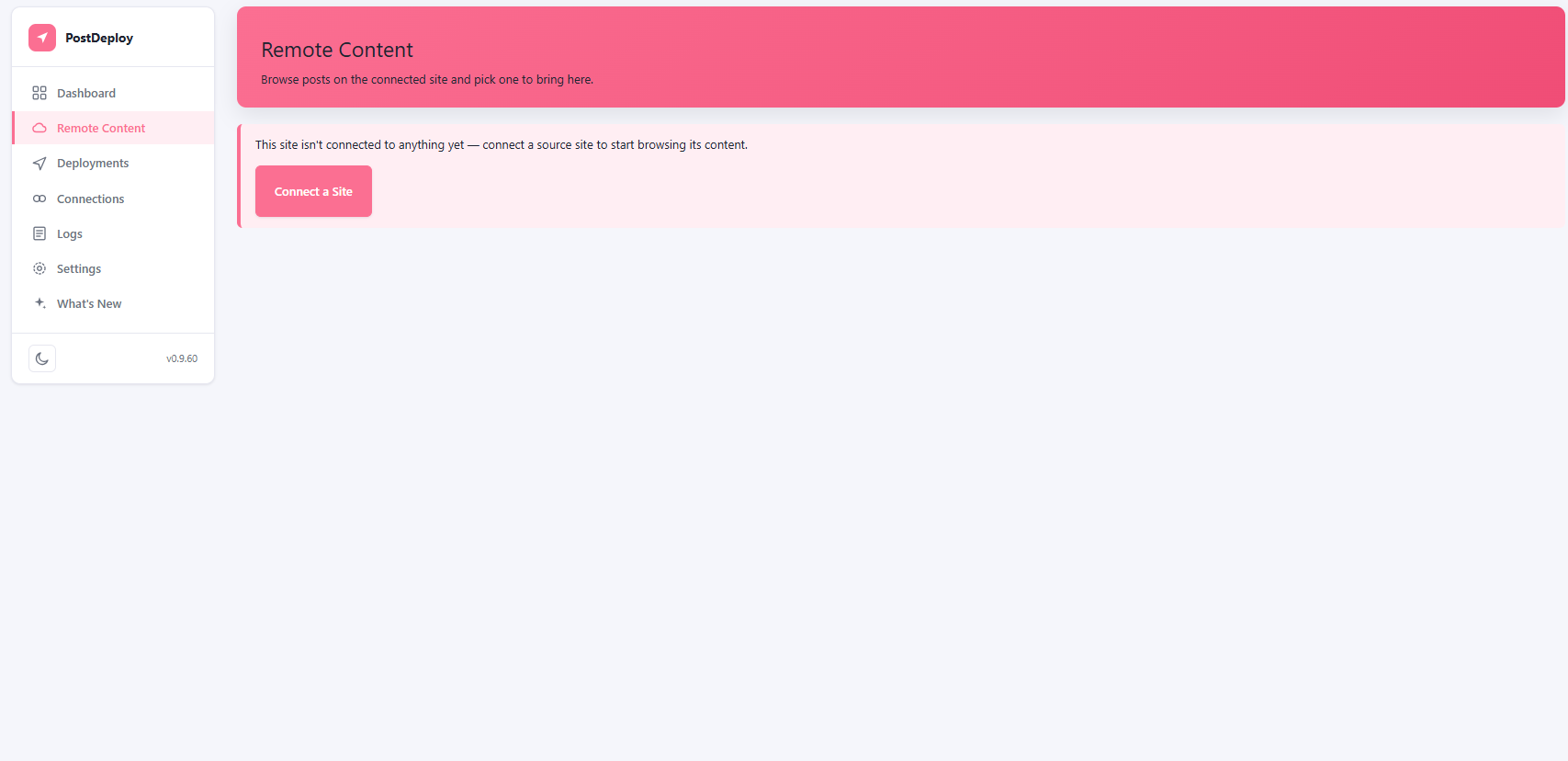
- Go to PostDeploy → Remote Content to browse and select a post to deploy.
屏幕截图:
常见问题:
Does this replace my whole database?
No. PostDeploy never performs a full database migration or replaces core WordPress tables. It transfers one selected object and its basic dependencies only.
Can I connect more than one remote site?
Yes — connect as many remote environments as you need.
Can I migrate custom post types?
Yes. Posts, Pages, and any other public custom post type (Products, Events, Portfolio items, and similar) all migrate the same way.
What happens to my data if I uninstall the plugin?
By default, uninstalling leaves your WordPress content and migration history untouched. An explicit cleanup option is available if you want migration records removed.
Can I migrate pages built with Elementor?
Yes. The design data migrates, and its image, gallery, and background-image references now resolve to the destination site's own media library automatically, the same as any other post.
Can I migrate content with Advanced Custom Fields (ACF) data?
Yes, ACF field values migrate along with the rest of the post. Fields that reference other content (relationship, gallery, post object) keep their source-site IDs unless something resolves them for the destination — that resolution is what PostDeploy Pro adds.
Can I migrate posts that are part of a WPML translation?
Yes, any post migrates regardless of its WPML language. The free version doesn't let you pick which translation to send or link it into the destination's translation group — it migrates the post itself, same as any other. PostDeploy Pro adds the ability to choose which language (or the whole translation group) to migrate and links it correctly on the destination.
更新日志:
- Added: pushing or pulling a post built with Elementor now resolves its image, gallery, and background-image references to the destination site's own media library, instead of leaving them pointing at the source site.
- Fixed Bugs: connecting to a remote site entered without a trailing path in its URL (the normal way — e.g. "https://example.com") failed authentication every time with "The remote site rejected the connection credentials.", even with a correct API key. Connections now succeed correctly.
- Security: a signed request between two connected sites could, in a specific scenario, be replayed against a different endpoint than it was originally sent to. Requests are now bound to the exact action they were signed for, closing that gap. Both sites on a connection need this update — until both are updated, a site on this version and one on an older version won't be able to connect to each other.
- Fixed Bugs: the plugin's own reported version number — used for browser cache-busting on script/style updates, shown in Settings, and used to tell when a connected site needs updating — had been stuck at 0.9.67 since the 0.9.68 release instead of tracking the actual plugin version. Reporting correctly again.
- Internal: added extension points used by PostDeploy Pro's WPML integration — no behavior change on their own.
- Fixed Bugs: Connecting to a remote site running Plain permalinks (no pretty permalinks enabled — a fresh WordPress install's default) failed completely with a 404. Connections now fall back to WordPress's own permalink-agnostic REST route, so Plain-permalink sites connect, push, pull, and browse correctly.
- Fixed Bugs: Pushing a post with an Image, Gallery, Cover, or Media & Text block could leave that block's own attachment reference pointing at the source site — the image displayed correctly, but reopening it in the destination site's block editor could show it as broken or, rarely, silently attached to the wrong image. The block's reference now resolves to the correct destination attachment, the same way the visible image already did.
- Added a Go Pro page: a new "Go Pro" menu item shows the full Free vs Pro feature comparison right in wp-admin, with a link to Pro pricing.
- Fixed Bugs: A custom field's value could occasionally arrive from the wrong post instead of the one actually being pushed, on a site running another plugin that intercepts how custom fields are read (for example a multilingual plugin's field-syncing setting). Reading a post's custom fields now always reads that exact post's own stored data, regardless of what else is active.
- Fixed Bugs: A push could occasionally fail with a message about the destination site returning an unexpected response, even though the destination was working correctly — usually the first of several pushes made in quick succession, on a site with a firewall or security plugin in front of it. A push that gets this kind of response now automatically retries once before reporting a failure.
- Internal: minor housekeeping to code shared with PostDeploy Pro — no other behavior change.
- Fixed Bugs: Backslashes in migrated content and custom fields were silently dropped — for example Windows-style paths, code samples, and regular expressions, plus special characters inside block content. For Elementor pages this could leave the design unreadable on the receiving site. Content and custom-field values now arrive exactly as they were on the source site.
- Fixed Bugs: Custom fields that hold a list of settings (for example a page builder's per-page settings) arrived on the receiving site as an unusable block of text instead of real settings. They now arrive as working settings.
- Fixed Bugs: A post already pushed to one site could incorrectly show as "already pushed" when you switched the push destination to a different site that had never actually received it.
- Custom post type migration is back — Posts, Pages, and any other public custom post type all migrate the same way, with no restriction.
- Removed
DryRunService, a fully-implemented validation feature that shipped in this plugin's code but had no way to actually reach it from this plugin's own screens, REST API, or anything else — nothing in the free version ever called it. It's now Pro-exclusive code, living only in that separate plugin.
- Fixed the previous fix: the ignore comment for the batch-query placeholder warning was on the wrong line (phpcs:ignore only suppresses the line immediately after it, not the whole statement), so the warning still showed. Moved it to the actual flagged line.
- Fixed the remaining Plugin Check warnings: an interpolated placeholder in a batch query wasn't recognized as covered by the
$wpdb->prepare()call it's actually part of, and fiveupdate()/delete()calls on this plugin's own tables were missing the "this is a write, not a cacheable read" justification for the no-caching sniff.
- Custom post type migration has been removed from this version — only Posts and Pages are supported.
- Updated the admin UI's accent color.
- Custom post types and Pages are fully included in the free version again — no restriction.
- Custom post types and Pages now require PostDeploy Pro — only Posts migrate in the free version.
- Fixed the remaining escaping warnings Plugin Check flagged (the admin screens now call the escaping function directly at the point of output, not through a wrapper).
- Two internal identifiers were still using the old short prefix and have been renamed, with existing sites migrated automatically. No visible change.
- Custom post types and multiple site connections are now fully included in the free version — no longer restricted. Content built with Elementor, ACF, or WPML now migrates too; PostDeploy Pro adds correct reference resolution for that content rather than unlocking it.
- Tightened output escaping across the admin screens.
- With more than one connection (PostDeploy Pro), the Dashboard now shows one push panel with a destination picker instead of a separate post list per connection — and any connection can now be a push destination, not just ones set up in the "push" direction.
- Internal hardening for the WordPress.org review: renamed internal identifiers to avoid clashing with other plugins, and tightened output escaping on the admin screens. No visible change for normal use.
- Some important fixes for push pull not working properly
- Custom post types (Products, Events, Portfolio items, and similar) now require PostDeploy Pro, the same way Elementor/ACF/WPML content already does — Posts and Pages always migrate in the free version. The Custom Post Types toggle in Settings still exists but is inactive until Pro is active.
- The Deployments list now shows the actual reason a deployment failed, not just a short error code.
- Fixed a fatal error viewing an Elementor page after a push or pull.
- Fixed some media files being rejected during migration.
- Clarified wording in the push confirmation popup so it correctly reads for Pages and custom post types, not just Posts.
- A blocked deployment (PostDeploy Pro's Conflict Detection) now shows a proper confirmation popup instead of a plain browser alert.
- "Media," "Floating Elements," and "Listing Items" no longer show up as custom post types you can migrate — they're plugin-internal storage, not real content.
- Added protection against repeated or abusive connection requests.
- The same media file is now reused instead of duplicated when migrated more than once.
- A failed deployment no longer leaves orphaned media files behind.
- Large media downloads get more time before timing out, and a clearer error if a file is too large for the destination site.
- Added conflict detection: pushing or pulling now warns you if the destination has changed since the last deployment, instead of silently overwriting it.
- Fixed the dark/light mode toggle button losing its icon after switching to light mode.
- Added a "Custom Post Types" section to Settings — turn specific post types on or off for migration.
- The Dashboard's push panel now shows every custom post type on your site, not just Posts and Pages.
- Added a "PHP Error Log" section to Settings, so an error can be diagnosed without needing FTP or a hosting file manager.
- Fixed wide tables overflowing the page on smaller screens.
- The firewall troubleshooting notice on Settings is now collapsed by default instead of an always-visible banner.
- Fixed the Settings page always showing PostDeploy Pro features as locked, even when Pro was active.
- The Review & Pull screen now tells you upfront whether a pull will create a new post or update an existing one.
- Settings' Debug Info panel now shows whether PostDeploy Pro is installed.
- Remote Content now shows a locked badge on posts that need PostDeploy Pro (Elementor/ACF/WPML), before you click into them.
- Lowered the minimum required PHP version for wider hosting compatibility.
- Posts in your site's default language now migrate normally, even if part of a WPML translation set.
- Pushing a post now shows a proper confirmation screen instead of a plain browser pop-up.
- The Dashboard now shows upfront which posts can't be pushed, instead of only telling you after you try.
- ACF and WPML content is now clearly marked as requiring Pro, the same way Elementor content already was.
- Pushing a post now asks for confirmation first.
- Pages built with Elementor now show a clear message that Elementor support requires PostDeploy Pro.
- Fixed the connection status occasionally showing an outdated version number for the other site.
- Fixed the version-mismatch warning not clearing up after a push or pull.
- Added a "What's New" page to the admin sidebar.
- Fixed the Connections page not refreshing its version-mismatch warning after testing a connection.
- Renamed "Push" to "Pull" on Remote Content's review screen, to match what the button actually does.
- Fixed the version-mismatch warning showing an old, incorrect version number.
- Fixed Remote Content occasionally showing posts already deleted on the other site.
- Added item counts, readable dates, and quick Edit/Disconnect actions to Remote Content.
- Added a warning when two connected sites run different plugin versions.
- Fixed pushing or pulling a post failing with "Invalid post ID" if that post had been manually deleted on the destination.
- Fixed Remote Content sometimes showing already-deleted posts, caused by the other site's own caching.
- PostDeploy's screens now use your full browser window and hide unrelated WordPress notices.
- Redesigned the whole admin area: sidebar navigation, dark mode, and faster search/pagination.
- Added search and pagination to the Dashboard's post lists.
- Connecting and testing a connection now happens instantly, without reloading the page.
- Fixed a failed deployment sometimes leaving a broken, half-created post behind.
- Fixed pushed or pulled posts sometimes losing almost all their content in the block editor.
- Fixed the Dashboard occasionally showing everything twice.
- Renamed the plugin from "Post Migration" to "PostDeploy".
- Fixed content images sometimes not updating to the new site's address after a push or pull.
- Added a guided setup wizard for connecting to another site.
- Fixed a progress popup that appeared on every Dashboard visit and wouldn't close.
- Redesigned the admin screens with a cleaner, card-based layout.
- Added the ability to push a post directly from the Dashboard, without logging into the other site first.
- Initial release.