PosterMyWall Events Calendar
| 开发者 | postermywalltools |
|---|---|
| 更新时间 | 2026年1月21日 13:11 |
| PHP版本: | 7.4 及以上 |
| WordPress版本: | 6.9 |
| 版权: | GPLv2 or later |
| 版权网址: | 版权信息 |
详情介绍:
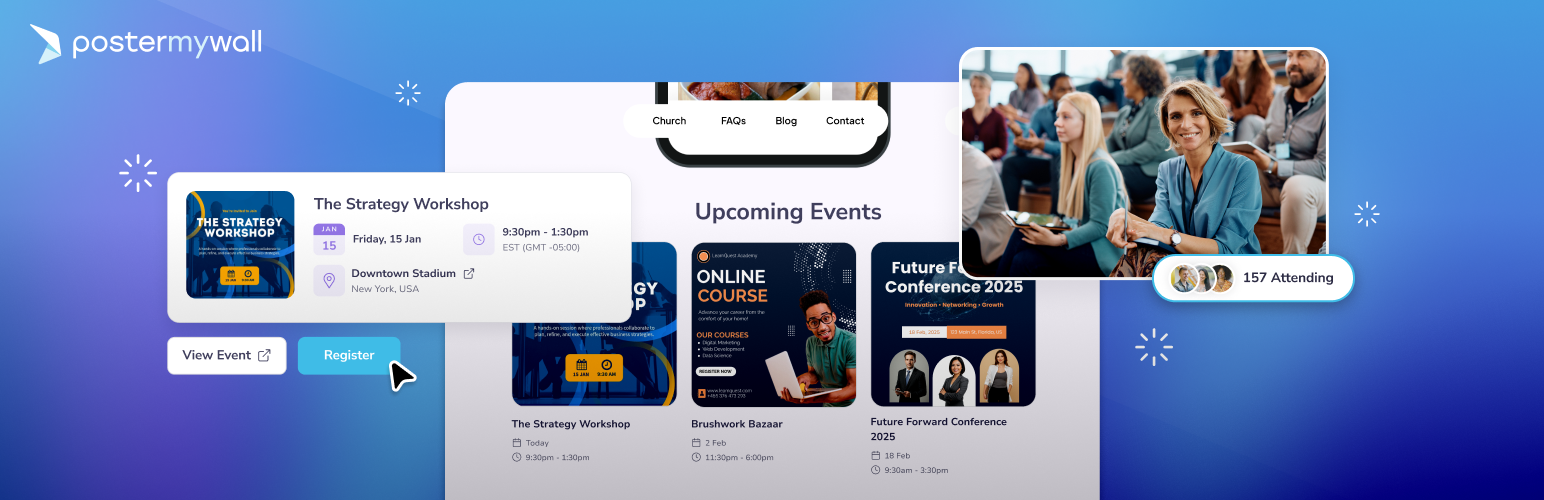
- 🍰 Effortless embedding: Simply paste your PosterMyWall Events Calendar link and use our widget to display your schedule instantly.
- 🔄 Real-time updates: Any changes you make to your PosterMyWall Events Calendar will reflect automatically on your WordPress site.
- 📱 Built for all screen sizes: Your calendar will look stunning on desktops, tablets, and smartphones.
- 🗓️ Customizable calendars: Use beautiful event graphics from PosterMyWall rather than boring, text-only lists. Choose between list, grid, and calendar views.
- 🔁 Recurring events: Manage both recurring and standalone events easily. Whether it’s weekly open mic nights, monthly networking mixers, or just a one-time grand opening, you’re all set with templates that fit every schedule.
- 🎟️ Link to event pages: Your calendar will link to custom AI-powered event pages for each event that collect RSVPs, allow easy promotion to social media and emails, and more.
- 📋 Easy registration: Collect RSVPs on event pages or link directly to your ticketing site without a hitch. Manage with clean, organized lists.
- Create: Add events to your calendar and set it up on PosterMyWall.
- Connect: Copy the unique embed code or calendar link from your PosterMyWall account.
- Display: Find our plugin under the ‘Widgets’ section on the WordPress site and paste your code or link.
- 🍸 Entertainment & Hospitality: Bars, cafes, and restaurants looking to promote live shows, open mics, trivia nights, and themed sets.
- ⛪ Churches & Non-Profits: Organizations managing celebrations, fundraisers, community outreach, and regular meetings.
- 🎙️ Artists & Performance Groups: Bands and musicians who need to spotlight live gigs, manage registrations, and send automated reminders.
- 🛍️ Retail & Small Businesses: Shop owners hosting seasonal sales, product launches, in-store parties, and open houses.
- 📚 Educational Institutions: Schools and universities keeping students and parents informed about sports fixtures, term dates, and extracurricular events.
- 👥 Social Events: Individuals organizing parties, weddings, or reunions who want a centralized, visual schedule for guests.
- Shareable Event Pages: Generate beautiful, branded event pages that can be shared anywhere via link or publishing across all your digital channels.
- AI-Powered Content: Use the AI Writer to craft perfect event descriptions and AI Designs to generate unique visuals in seconds.
- AI Image Tools: Need the perfect visual? Use AI Images to create unique graphics from scratch or the AI Background Remover to make your event photos more professional in one click.
- One-Click Promotion: Publish your event details and graphics directly to social media and email in a single click. Your posts and emails will be ready-to-go when you create your event!
- Automated Email Reminders: Send invites to your mailing lists and set up automated email reminders to boost attendance.
- RSVP & Registration Tracking: Manage your guest lists, collect registrations, and track event metrics like page views and reach from a single dashboard.
- Smart Mailing Lists: Use auto-generated mailing lists of frequent attendees to ensure the right message always reaches the right people.
- 1M+ Event Templates: Choose from over one million professionally designed templates for everything from live music and church services to business conferences and fundraisers.
- Documentation: For step-by-step guides and FAQs, visit the PosterMyWall Help Center.
- Direct Support: If you have specific questions or need to report an issue, feel free to reach out to our support team.
- Feedback: We’re constantly improving! If you have a feature request or an idea to make this plugin better, we’d love to hear from you. Create a request here.
安装:
- Install the PosterMyWall Events Calendar plugin on WordPress.
- On your WordPress site, add a new block.
- Find us under the ‘Widget’ section or search ‘PosterMyWall Events Calendar’.
- Drag and drop the widget onto your page.
- Create your events and set up your Events calendar on PosterMyWall.
- Copy your Events calendar link.
- Add a new URL in the settings tab (or from your WordPress dashboard).
常见问题:
What is PosterMyWall Events?
PosterMyWall Events is a feature that allows you to create, promote, and manage event landing pages for in-person and online events. Each event page includes event details, visuals, a registration or RSVP form, and a shareable link.
How do I create an event page?
Go to My Stuff → Events and click “New event”. Add your event name, date, time, and location or online meeting link. Customize the cover image, description, and registration form, then publish your event to get a shareable event page link.
Can I edit my event after publishing?
Yes. You can edit your event at any time by going to My Stuff → Events, selecting the event, and clicking Manage. This will allow you to manage reminders and registrations for the event. Clicking the Edit option will allow you to change event details.
Are there limits on how many events I can create?
Event creation limits depend on your plan. Basic accounts have a monthly limit of 1 event, while Premium and Premium Plus subscribers can create more events and access additional features.
How can I promote my event?
You can share your event page link on social media, send email campaigns through PosterMyWall, create social posts and flyers, or embed the event page on your website.
Can I promote my event after the event date has passed?
No. Promotion tools are only available before or on the event date. Once the event date has passed, promotion options are disabled.
How do I manage registrations and track performance?
From the Manage section of your event, you can view page views, reach, and total registrations. You can also see registrant details, edit the signup form, and send reminder emails.
What information is required for attendees to register?
By default, only an email address is required. You can optionally collect names and phone numbers and customize the registration button text (for example, Register or RSVP).
What is the Events Calendar?
The Events Calendar displays all your published events in a list or grid view. You can customize its appearance and share or embed it on your website.
Can I embed my event or events calendar on my website?
Yes. PosterMyWall provides embed code that can be added to websites, blogs, or CMS platforms such as WordPress.
Are there restrictions on links added to event pages?
Event pages are intended for event-related information only. Links to unrelated products or external sales pages may be removed.
What happens if I delete an event?
Deleting an event permanently removes it from your account, events calendar, and any embedded locations. Deleted events cannot be restored.
Are event pages mobile-friendly?
Yes. PosterMyWall event pages are optimized for mobile, tablet, and desktop viewing.
更新日志:
- Bug fixes in setting page
- Initial release.