
DynamiApps PostFee – Pay Per Post & Paid Listings
| 开发者 | shabti |
|---|---|
| 更新时间 | 2026年11月13日 17:10 |
| PHP版本: | 7.4 及以上 |
| WordPress版本: | 7.1 |
| 版权: | GPLv2 or later |
详情介绍:
- Pay per post - a fee for each submission.
- Post packages - sell a bundle of posts up front, optionally with an expiry.
- Listing duration - posts expire after a set time, and can be featured for a while.
- Any post type - charge for posts, pages and custom post types such as jobs, listings or events.
- Subscriptions - a number of posts (or unlimited) every month or year, through Stripe, PayPal or WooCommerce Subscriptions.
- Paid upgrades - users pay to feature a post or extend how long it stays listed.
- Plans per post type - limit a plan to certain post types, such as a plan that only covers jobs.
- WooCommerce checkout - sell plans through WooCommerce, with its payment methods, taxes and coupons.
- Advanced Custom Fields - add any ACF field group to the submission form. Its fields are validated and saved to the submitted post the way ACF saves them.
- Elementor widgets - the form, the dashboard and the pricing table as Elementor widgets, with style controls for fields, buttons, tables and plan cards.
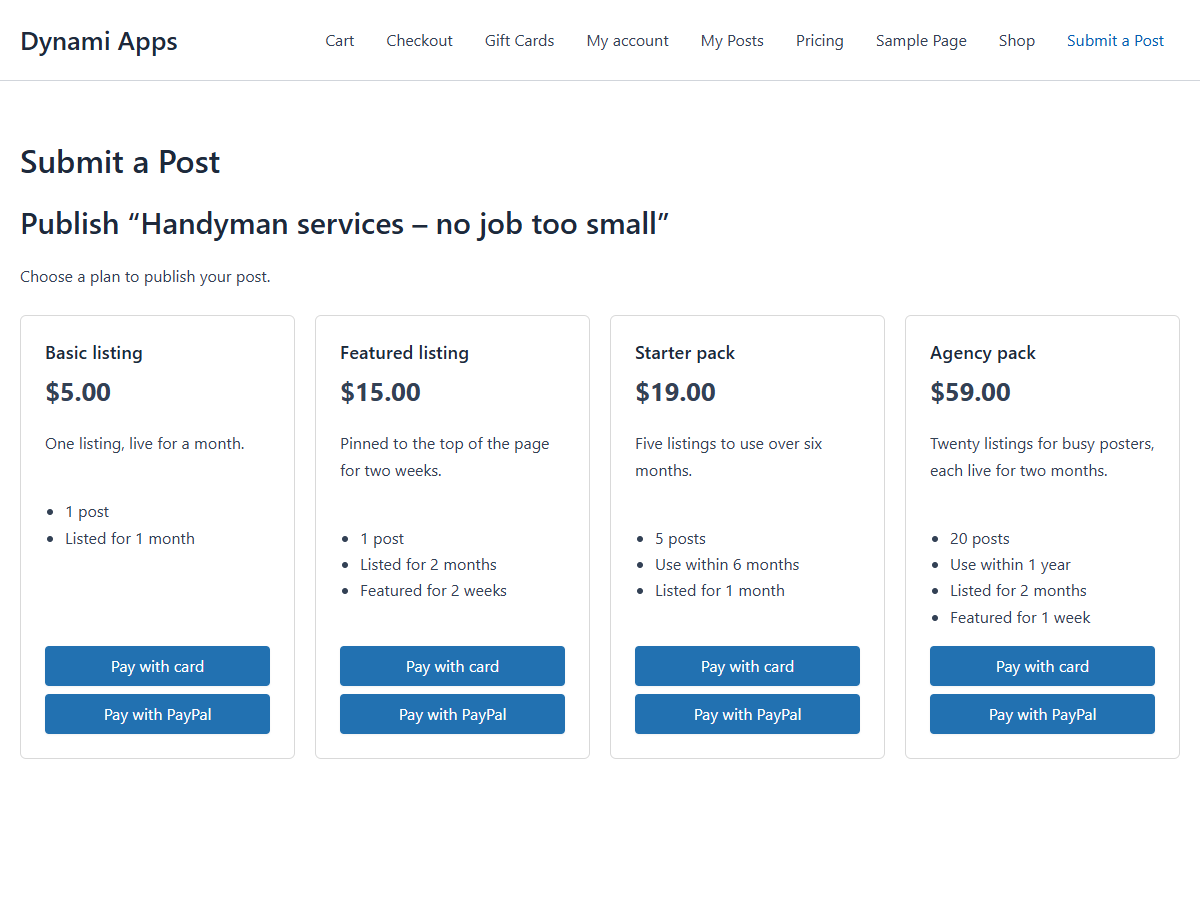
- Post Fee Form - the submission form, followed by the payment step. Inside it: title, content, excerpt, category, tags, featured image, custom fields, ACF field groups (Pro), the prepaid posts notice and the submit button.
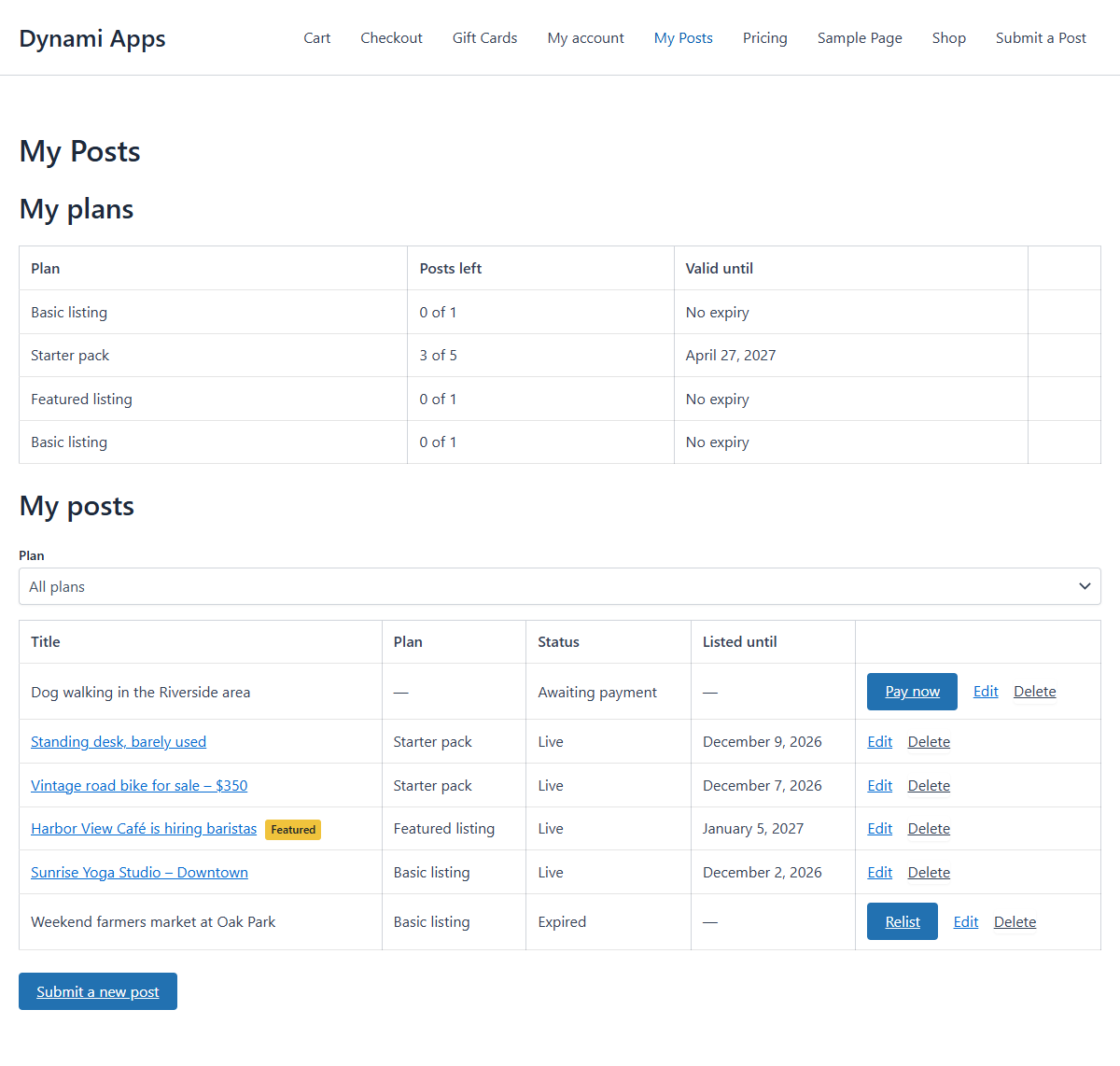
- Post Fee Dashboard - the user's plans and posts, with the upgrade options. Inside it: the plans table, the posts table and the new post button.
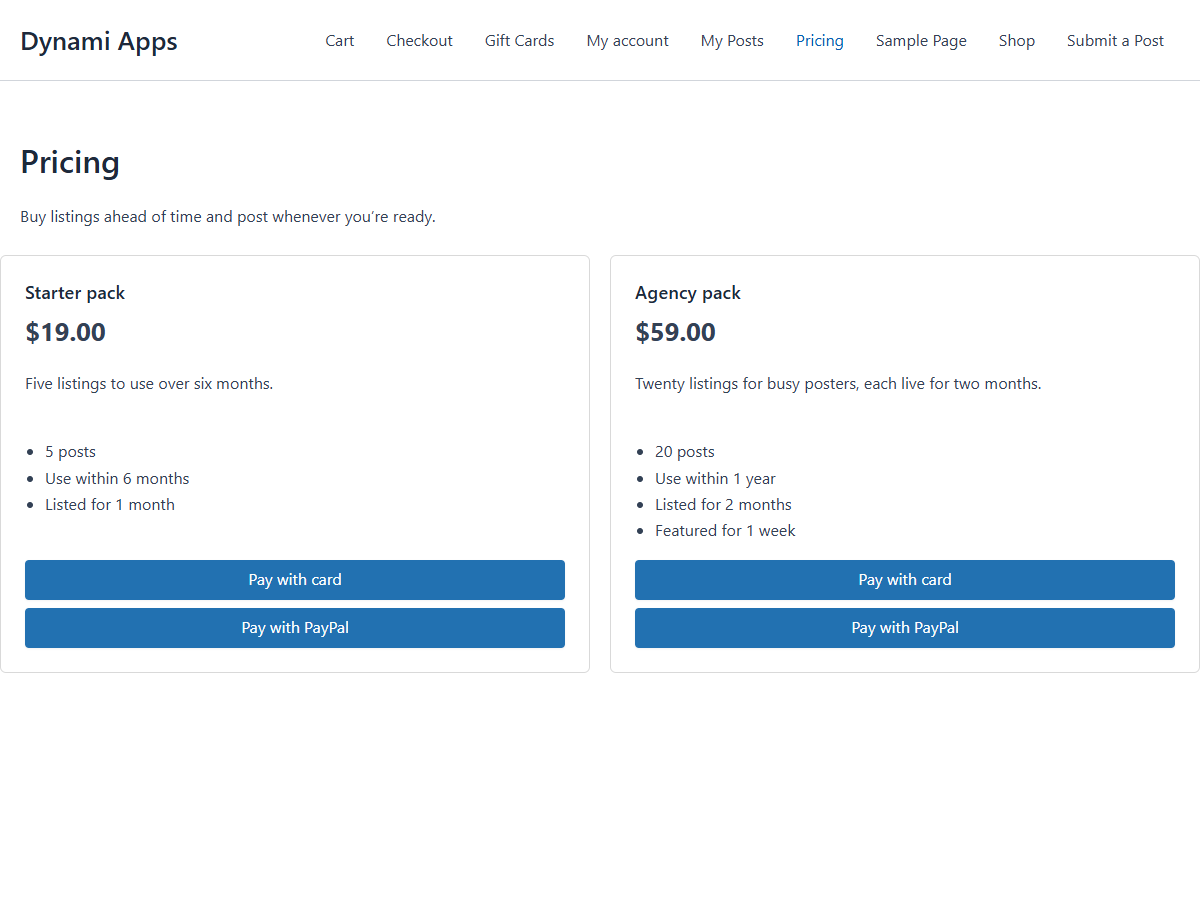
- Post Fee Plans - a pricing table for buying post packages and subscriptions ahead of time. The blocks inside it (name, price, description, features, buy button) are the layout of one plan, repeated for every plan.
- Activate the plugin. A "Submit a Post" and a "My Posts" page and a pay-per-post plan are created for you.
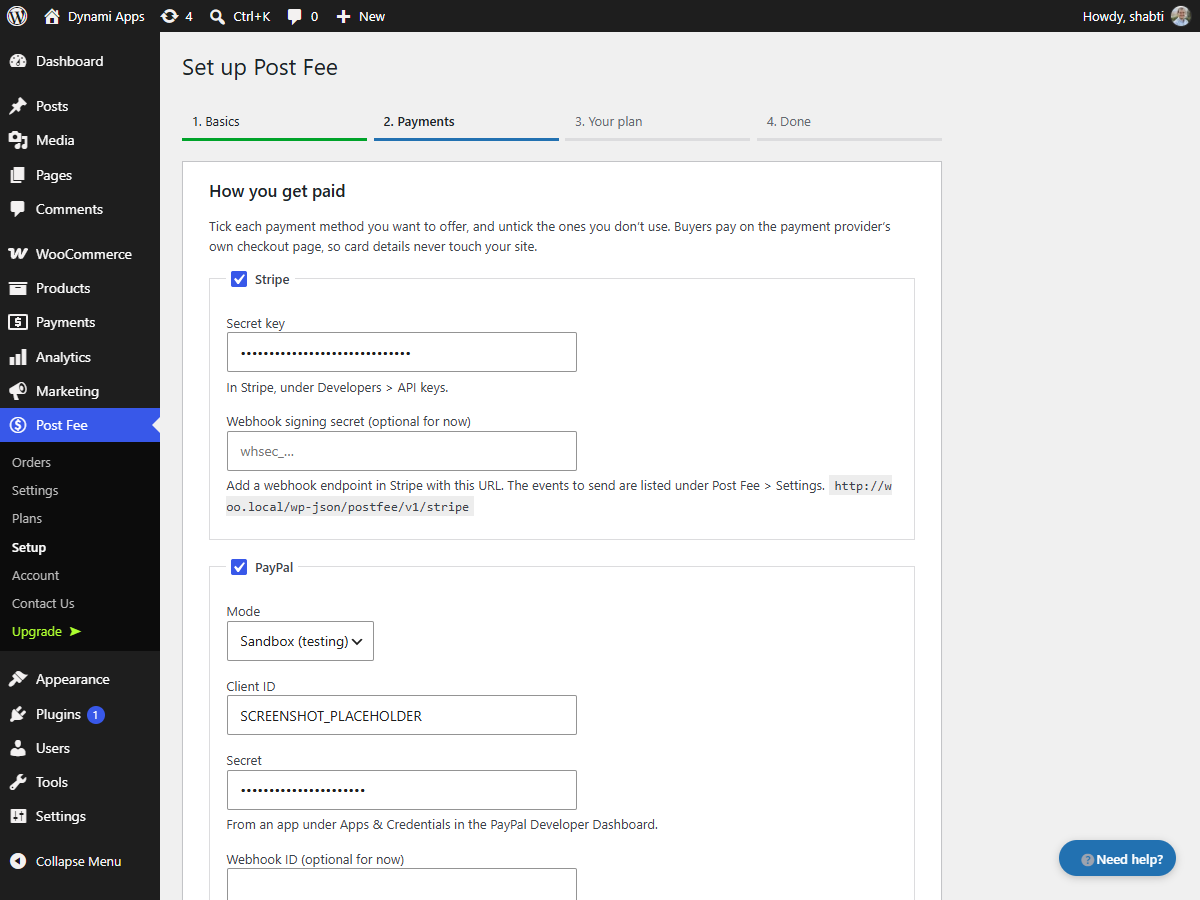
- The setup wizard opens: choose your currency, connect Stripe or PayPal and set your price. You can run it again any time from Post Fee > Setup or the "Need help?" button.
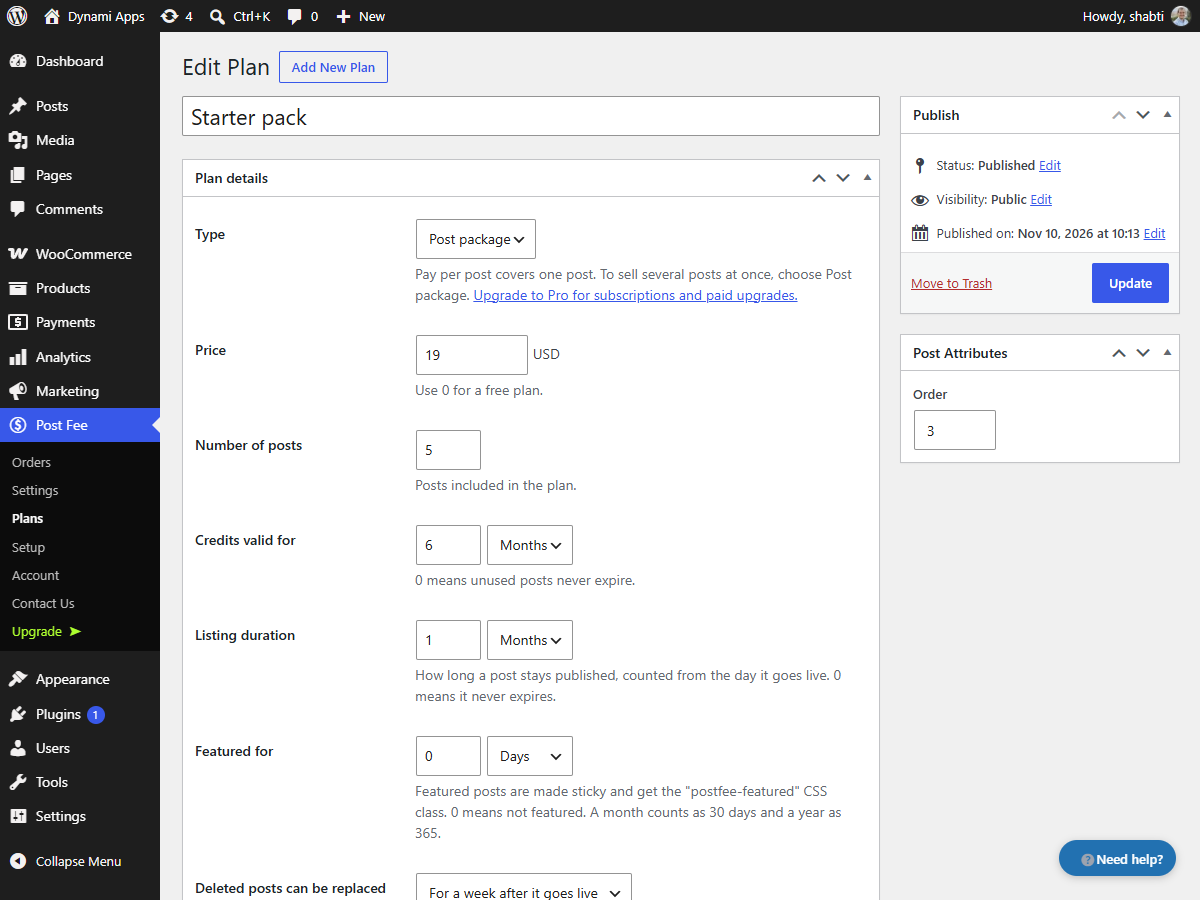
- Add more plans under Post Fee > Plans if you like.
postfee_post_submitted, postfee_order_paid, postfee_order_refunded, postfee_post_activated, postfee_post_upgraded, postfee_post_expired, postfee_credit_returned, postfee_post_suspended, postfee_post_resumed, postfee_subscription_ended, postfee_subscription_renewed.
Filters: postfee_gateways, postfee_post_types, postfee_paid_post_status, postfee_format_price.
Featured posts carry the _postfee_featured_until meta (a Unix timestamp) and the postfee-featured CSS class. Posts of the "post" type are also made sticky.
屏幕截图:
常见问题:
What can I use PostFee for?
Any site where people pay to publish: paid listings, business directories, job boards, classified ads, event listings, real estate listings, or sponsored and guest posts.
Do users need an account to submit a post?
Yes. Users log in before they submit, so each post has an author who can come back to pay, edit or relist it. To let visitors sign up themselves, turn on "Anyone can register" under Settings > General.
Can I review posts before they go live?
Yes. Choose "Hold the post for review" in the setup wizard or under Post Fee > Settings. Paid posts then wait in Pending until you publish them.
Can I sell several posts at once?
Yes. Create a post package plan with the number of posts it includes and, if you like, how long they can be used for. Buyers spend one post each time they submit.
What happens when a listing expires?
The post is taken off your site and marked Expired on the user's My Posts page, where they can pay again to relist it.
Can I offer free listings?
Yes. Give a plan a price of 0 and users can publish with it without paying.
Can I test payments before going live?
Yes. Use your Stripe test keys (they start with sk_test_) or PayPal sandbox mode, then switch to live keys when you're ready.
Does PostFee take a cut of my payments?
No. Money goes straight to your Stripe or PayPal account. Only their usual processing fees apply.
What happens when I refund a payment?
Refund it in Stripe or PayPal. Once the webhook is set up, PostFee takes the post off your site and back to awaiting payment, and removes any unused posts the order bought.
Can I take payments another way, such as a bank transfer?
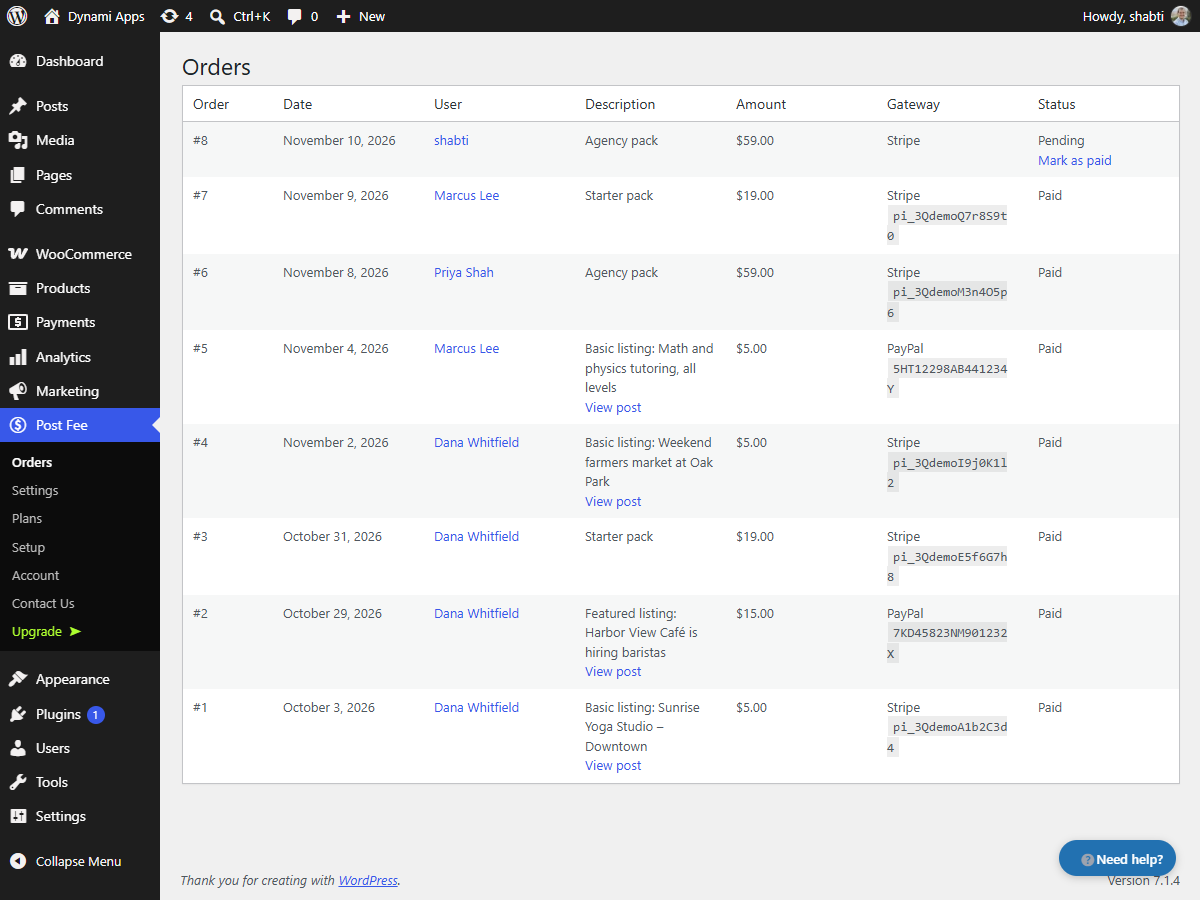
Yes. Leave the order pending, and when the money arrives use "Mark as paid" under Post Fee > Orders. The post goes live as if it had been paid online.
Does it work with my theme?
The submission form, the My Posts dashboard and the pricing table are blocks, so they work in any theme that shows page content. Each part can be moved, relabelled and styled in the block editor.
Can users pay for pages or custom post types?
Yes. Tick the post types users may pay to post under Post Fee > Settings: posts, pages or any public custom post type such as jobs, listings or events. PostFee does not create post types itself; register them with your theme or a post type plugin.
Can I collect extra details, such as a price or a phone number?
Yes. Add a Custom Field block to the form for each detail: text, paragraph, number, email, link, phone, date, dropdown, radio buttons or checkboxes, optionally required. Each value is saved as a custom field (post meta) of the submitted post under the key you choose. With PostFee Pro and Advanced Custom Fields, the ACF Field Group block shows all the fields of a field group and saves them as ACF would.
Where can I get help?
Click "Need help?" on any Post Fee screen in your dashboard to run the setup wizard again or send a message to our support team, or post in the support forum here.
更新日志:
- New: pages and custom post types such as jobs, listings or events can be charged for in the free version. Tick them under Post Fee > Settings.
- New: a Custom Field block for the submission form: text, paragraph, number, email, link, phone, date, dropdown, radio buttons or checkboxes, saved to the post as a custom field.
- New: an Excerpt block for the submission form.
- New in Pro: an ACF Field Group block that adds an Advanced Custom Fields group to the submission form.
- New in Pro: Elementor widgets for the form, the dashboard and the pricing table.
- Changed: limiting a plan to certain post types remains part of PostFee Pro.
- New: a setup wizard (Post Fee > Setup) for your currency, payment methods and first plan. It opens after activation and can be run again any time.
- New: a "Basic" pay-per-post plan is created when the plugin is first installed.
- New: a "Need help?" button on the plugin's screens, to rerun the setup wizard or send a message to support.
- Changed: subscriptions, paid upgrades, pages and custom post types, and the WooCommerce checkout are now part of PostFee Pro. Existing plans of these types are kept but no longer offered without Pro.
- Changed: the Plans block lists every plan type it can show by default.
- Changed: the settings page only lists the webhook events the free version uses.
- Initial version.