
Postlinkly
| 开发者 |
iamkingsleyf
kraftysproutsmedia |
|---|---|
| 更新时间 | 2026年9月28日 18:50 |
| PHP版本: | 8.0 及以上 |
| WordPress版本: | 7.1 |
| 版权: | GPLv2 or later |
| 版权网址: | 版权信息 |
详情介绍:
- Open any post or page in the block editor or the Classic Editor and load suggestions.
- Postlinkly reads your text sentence by sentence and compares it with the titles and focus keywords of your other posts. It suggests a link where a sentence genuinely talks about another post's subject, and picks the link text from the words already in that sentence.
- Review the list. Keep a suggestion, widen or narrow its link text, skip it, or tell Postlinkly never to suggest that page again.
- Insert one link, or tick several and insert them together.
- Link text from your own words. The link text is taken from your sentence as written; nothing is invented or reworded.
- Relevant, not random. Suggestions weigh how closely a sentence matches another post's title and focus keyword, and how distinctive the shared words are across your site, so a rare shared word counts for more than a common one.
- Fresh ideas each time. Posts you already link to are left out, so every run offers new destinations.
- Adjustable link text. Make the suggested link text longer or shorter before inserting it.
- Dismiss what doesn't fit. Hide a suggestion for this post only, or exclude a page from suggestions site-wide.
- Export the list. Download the suggestions for a post as a CSV file.
- Links are added only where the link text stands as a whole word — never in the middle of another word, inside a heading, or inside an existing link.
- Adding links does not change a post's "last modified" date, so your sitemaps and feeds don't treat old posts as newly updated.
- If you have unsaved changes in the editor, Postlinkly asks you to save first instead of overwriting your work.
- If WordPress would strip any of your post's content when saving (for example embeds, for users without the permission to add them), the insert is refused and explained, rather than going ahead and losing content.
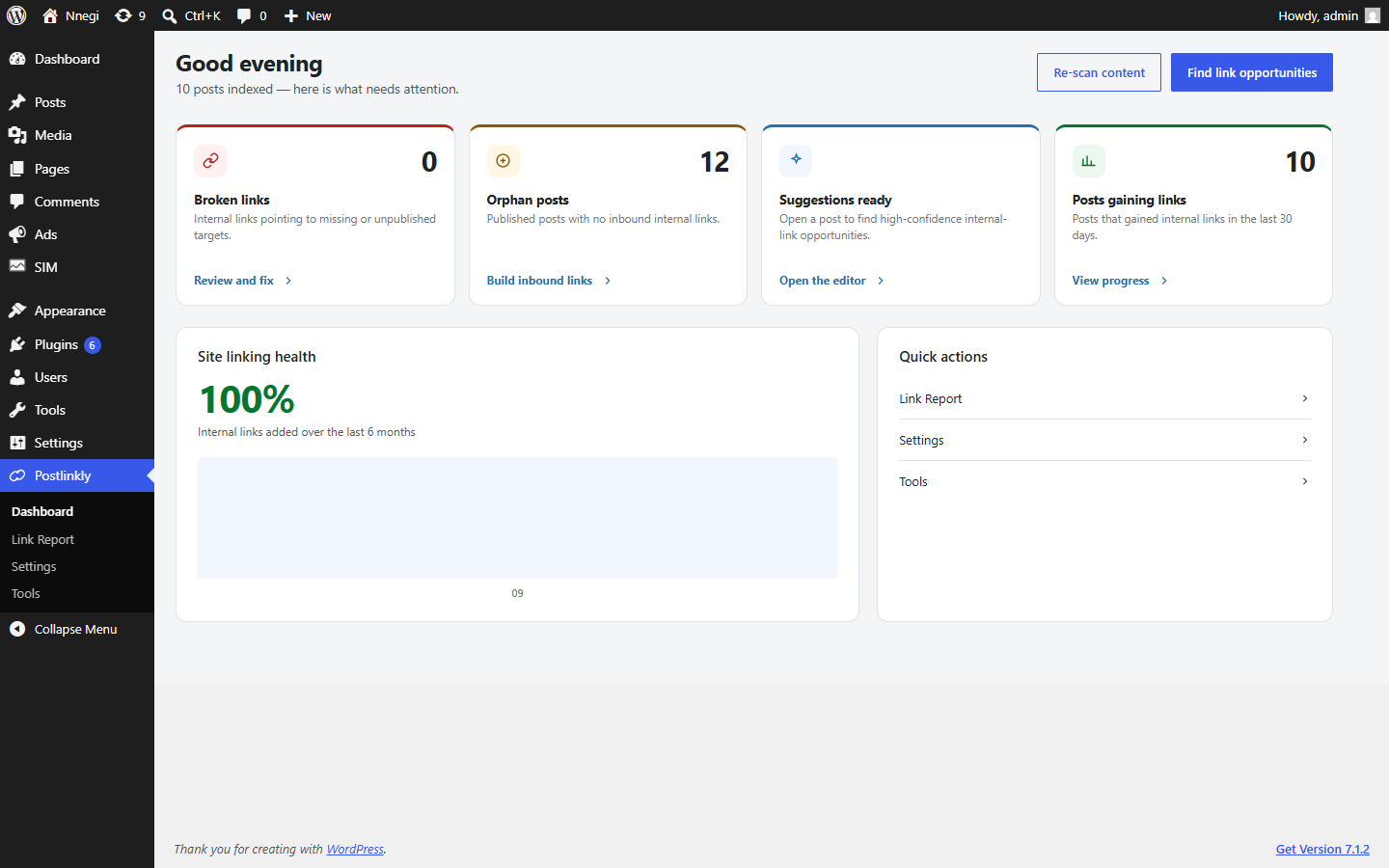
- Dashboard — broken internal links, posts nothing links to, and how your internal linking has grown over the last six months, at a glance.
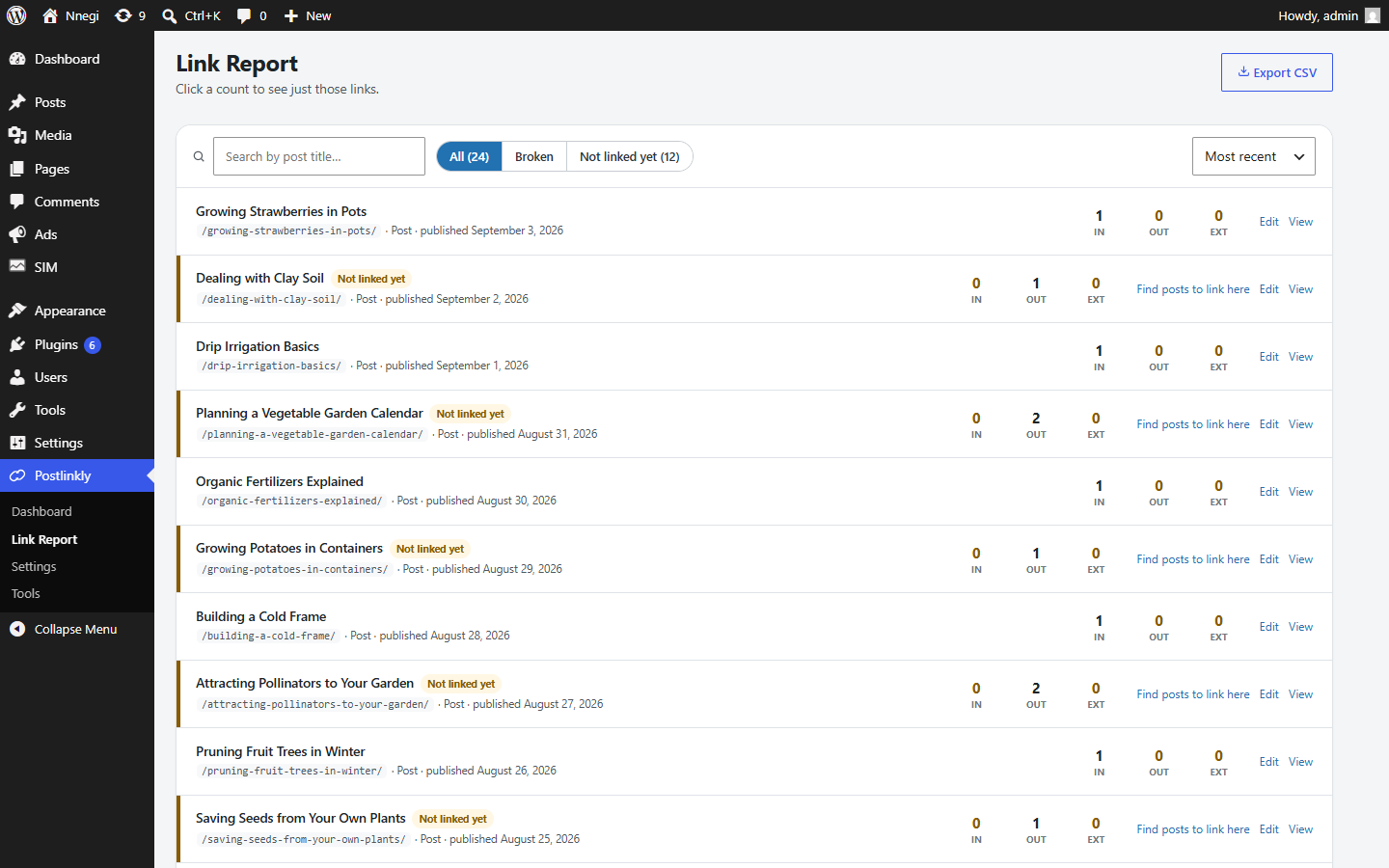
- Link Report — every post with the number of internal links in and out and external links out. Click a count to see exactly which links it means. Export it as CSV.
- Orphaned posts — published posts that no other post links to, ready for you to build links to.
- Broken internal links — links pointing to a post that was deleted, unpublished, scheduled, or made private, with the reason shown and a direct link to fix the post.
- Link Profile column — inbound and outbound link counts right in your Posts list, with a warning on posts nothing links to.
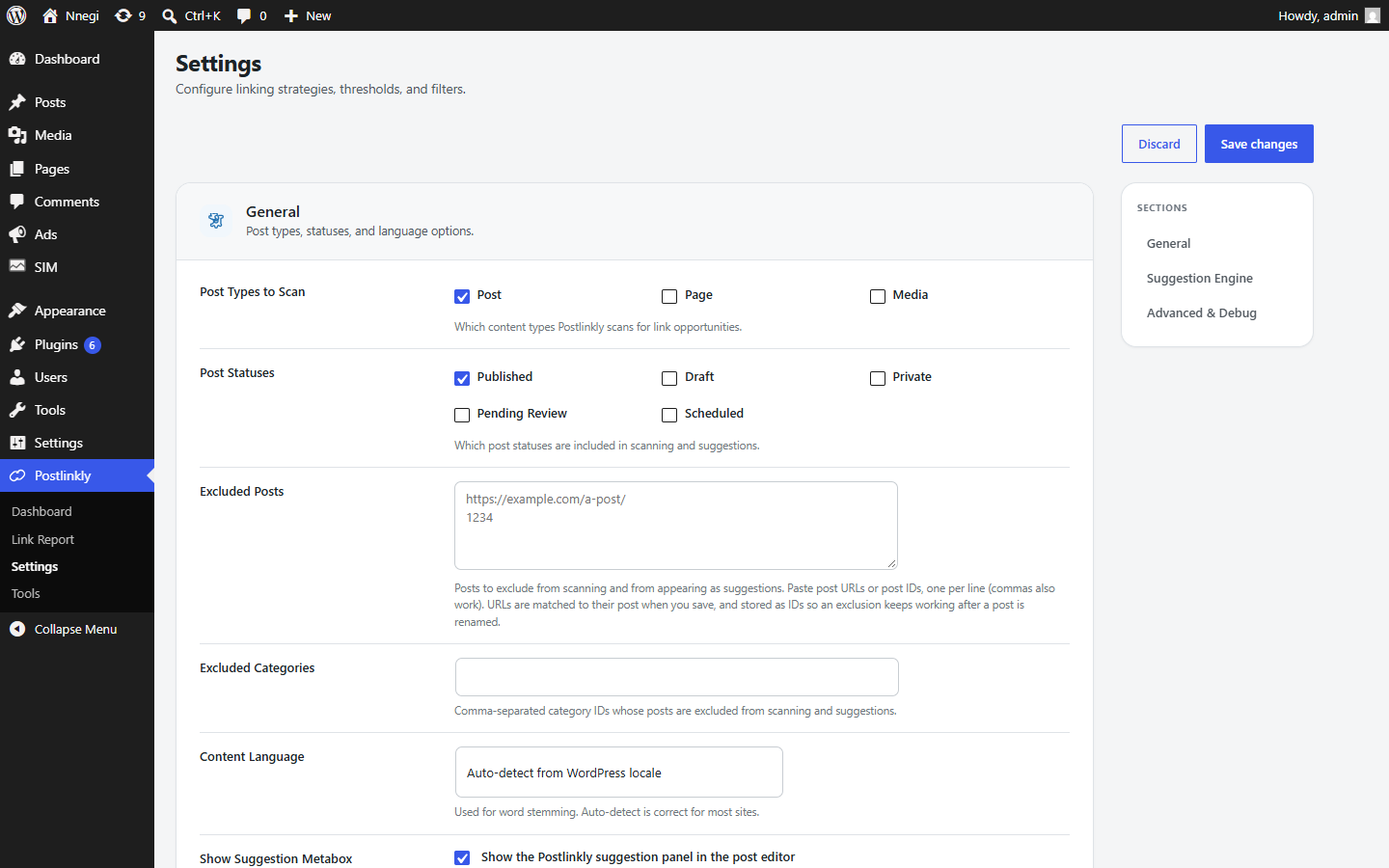
- Choose which post types and post statuses are scanned and suggested.
- Exclude individual posts (by ID or URL) and whole categories.
- Set how many suggestions to show, how many words link text may have, and how old a target post may be.
- Limit how many links go into one post, and how many links point at one post.
- Leave your introduction link-free by skipping the first paragraphs.
- Prevent the same words from linking to different posts (keyword cannibalization) and prevent two posts from linking to each other.
- List phrases that must never become links.
- Works in the block editor and the Classic Editor.
- Understands word forms ("link", "links", "linking") in Catalan, Danish, Dutch, English, Finnish, French, German, Italian, Norwegian, Portuguese, Romanian, Russian, Spanish, and Swedish. Other languages are matched by whole words.
- A background index keeps link data and word statistics up to date and carries on after interruptions, even on sites where WordPress's scheduled tasks don't run reliably.
- No account, no subscription, and no remote service. Everything runs inside your own WordPress site.
- Postlinkly makes no outside connections and does not track your visitors.
- AI link ranking — ranks suggestions by what your posts are about, not only the words they share.
- AI link text — picks the best link text from the words already in your sentence. You still approve every link.
- Auto-link rules — link a phrase to a page everywhere it appears.
- URL changer — change a link's address across every post in one step.
- External (outbound) links are listed in the report but not checked for being broken; broken-link detection covers links between your own posts.
- Content stored only inside a page builder's own data (for example some Elementor or Divi layouts) is not scanned yet. Postlinkly reads the standard post content.
安装:
- In your WordPress dashboard, go to Plugins → Add New Plugin, search for Postlinkly, then click Install Now and Activate.
- Go to Postlinkly → Tools and start the content index. It reads your posts in the background so Postlinkly knows what you have written; you can leave the page while it runs.
- Optionally, visit Postlinkly → Settings to choose which kinds of content to include and how suggestions behave.
- Open any post in the editor and load suggestions from the Postlinkly panel.
屏幕截图:
常见问题:
Is Postlinkly free?
Yes. Every feature described here is free to use on as many sites as you like, with no account, no trial period, and no usage limits.
Is there a paid version?
Postlinkly itself is complete and free. Postlinkly Pro is an optional paid add-on for AI-assisted suggestions, auto-link rules and a URL changer. It is installed separately and needs Postlinkly to run. Nothing in Postlinkly is locked or limited without it.
Does it work with my SEO plugin?
Yes. Postlinkly works alongside Yoast SEO, Rank Math, All in One SEO, SEOPress, Squirrly SEO, and other SEO plugins, and does not change anything they manage. With any of those five, it also uses the focus keyword you set on each post to find better link opportunities.
Does it work with page builders?
Postlinkly reads the standard post content that the block editor and Classic Editor save. Content stored only inside a page builder's own data (for example some Elementor or Divi layouts) is not scanned yet.
Can I use it alongside another internal-linking plugin?
Yes, they won't interfere with each other technically. Running two tools that both suggest or add links to the same posts can leave you with duplicate links, though, so most sites are better off using one.
Does it send data anywhere?
No. Everything Postlinkly does happens inside your own WordPress site. It doesn't connect to any outside service and sends nothing about your content, your visitors, or your users anywhere.
更新日志:
- The plugin's website link now points to its project page.
- The description now mentions Postlinkly Pro, an optional paid add-on. Nothing in Postlinkly has changed or become limited.
- Link counts in the posts list, the Link Report and the Dashboard now update as soon as a post is saved, published, scheduled to go live, unpublished or deleted. Before, they only changed when the index was rebuilt from Tools.
- Links you insert with Postlinkly show in the counts straight away.
- The Link Profile column no longer says "Not scanned" for posts that simply have no links, and shows "Not included" for drafts and scheduled posts, which your settings do not scan.
- "Posts indexed" on the Dashboard now counts every scanned post, including posts without links.
- On a new site, the first scan starts by itself.
- Inserting several suggestions at once no longer leaves one out. Two suggestions that share words in the same sentence are no longer offered together.
- Links now always go into the sentence shown with the suggestion. When that sentence already contained a link, the new link could land somewhere else in the post.
- The sentence shown with a suggestion now includes the words of any link already in it, instead of a gap.
- Link text now matches your post exactly, including curly apostrophes, and is never made from words split by punctuation or across two list items.
- The block editor no longer warns about unsaved changes after inserting links. The links are already saved.
- The content index now finishes on sites that use SQLite, such as WordPress Playground and WordPress Studio, and on hosts that do not allow renaming database tables.
- Suggestions whose sentence contains the linked post's focus keyword now show the "Focus keyword match" badge in the block editor, and the suggestions CSV export fills its Keyword Match column. Both had never appeared.
- Focus keywords from Yoast SEO, Rank Math, All in One SEO, SEOPress, and Squirrly SEO now count towards link suggestions. They are picked up by the content index and refreshed each time a post is saved.
- After an update adds something new to the content index, it now runs by itself on sites whose index had already finished, instead of waiting for a manual rebuild.
- The content index no longer reports a failure left over from a part of the index that no longer exists.
- First public release.
- Link suggestions while you edit, with link text from your own sentence.
- One-click and bulk link insertion; nothing is added without your approval.
- Link report with inbound/outbound counts and CSV export.
- Orphaned posts and internal link rot detection.