
PostNext
| 开发者 | postnext |
|---|---|
| 更新时间 | 2026年8月19日 20:51 |
| PHP版本: | 8.0 及以上 |
| WordPress版本: | 6.9 |
| 版权: | GPLv2 or later |
| 版权网址: | 版权信息 |
详情介绍:
PostNext turns your WordPress blog into a hands-off content engine.
You set up a content plan once in the PostNext app — start date, duration, posting cadence, language, and competitive intent — and the AI researches, writes, and ships articles to your WordPress site for the whole run. No copy-paste, no manual scheduling, no batch-generate-and-pray.
Plan it once, ship it daily
- Multi-day content plans — choose 7 days, 14 days, 30 days, or "Until I stop". Set a start date and PostNext keeps the pipeline flowing.
- Publish hour window (UTC) — pick the hour range when posts should go live (e.g. 08–19 UTC). Each article publishes at a random minute inside the window, so your blog cadence reads as human, not bot.
- Content language — write natively in your audience's language; not machine-translated from English.
- Auto-publish to WordPress — publish posts automatically when generated, or leave off to land them as drafts for review.
- Auto-promote on social media — create social posts to promote each blog post (managed in the PostNext app).
- Competitor domains (optional) — enter competitor websites to discover content gaps. One domain per line, max 10. PostNext finds keywords and topics they rank for and you don't, then writes content to close the gap.
- Receives articles from PostNext via a secure REST API
- Downloads and stores all images in your Media Library (deduplicated by source URL)
- Sets SEO metadata for Yoast, Rank Math, AIOSEO, and SEOPress
- Tracks every synced article on a built-in dashboard with status and date
- Supports draft-first or direct-publish workflows
- Works on single sites and WordPress Multisite networks (per-site tracking + settings)
安装:
- Install from Plugins > Add New or upload the zip to
/wp-content/plugins/. - Activate the plugin.
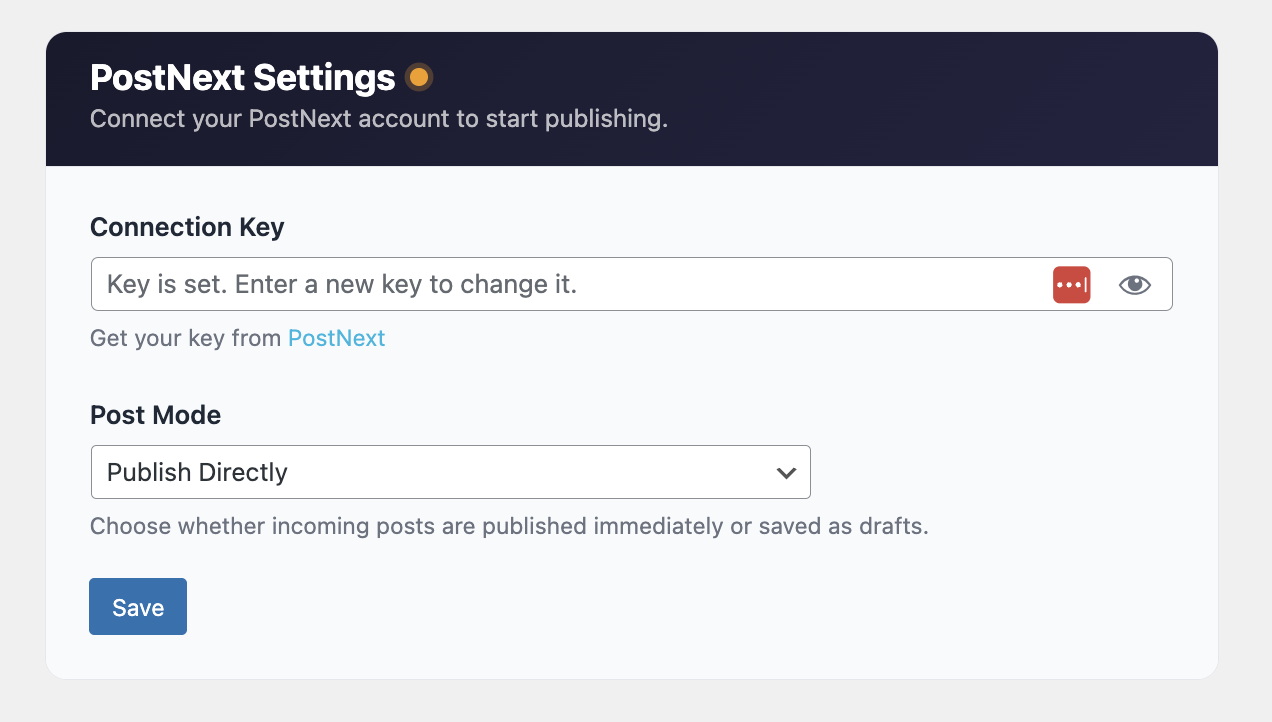
- Go to PostNext > Settings and paste your connection key.
- Choose draft or publish mode. Done.
屏幕截图:
常见问题:
Where do I get a connection key?
Create a WordPress integration in the PostNext app. The key is generated there.
Can I review articles before they go live?
Yes. Set the publish mode to "Save as Draft" and articles will land in your Drafts.
Does this work with Multisite?
Yes. Network-activate and each site gets its own tracking table and settings.
更新日志:
1.1.7
- Fixed: SEO title and meta description were discarded on sites using All in One SEO. The plugin wrote the
_aioseo_title/_aioseo_descriptionpost meta keys, which AIOSEO v4 does not read - it stores per-post SEO in its own table. Values now go through AIOSEO's own Post model. Yoast, Rank Math and SEOPress were unaffected and are unchanged.
- Security: harden JSON-LD preservation against a content-sanitization (wp_kses) bypass. Preserved blocks are now validated as JSON and re-encoded so a crafted
</script>variant in content cannot break out of the schema block. The attacker-controlled opening tag is discarded.
- Preserve
<script type="application/ld+json">blocks (FAQPage, Article schema) during content sanitization so structured-data rich-results work end-to-end - Other
<script>tags remain blocked
- Refreshed WordPress.org store banner artwork
- No plugin code changes
- Expanded plugin description with full feature coverage (planning cadence, publish hour window, auto-promote on social media, competitor content gaps, content language)
- Updated WordPress.org store banner artwork
- No plugin code changes
- Renamed internal PHP prefix from postnext_ to pnxt_ across constants, classes, options, hooks, transients, cache keys, table name, post meta, JS l10n, and admin menu slugs to avoid common-word collisions
- One-time migration on activation moves existing options, tracking table, and post meta to the new prefix; legacy values are also cleaned up on uninstall
- Text domain remains "postnext" to match the plugin slug
- Updated Terms of Use and Privacy Policy links to current URLs
- Removed redundant load_plugin_textdomain() call (WordPress.org auto-loads translations since WP 4.6)
- Redesigned admin dashboard and settings UI
- Refactored to class-based PHP architecture
- New brand icon
- Removed jQuery dependency from settings page
- Internal code quality improvements
- Initial release with article sync, SEO meta, image handling, and multisite support.