Press3D
| 开发者 | arieslab |
|---|---|
| 更新时间 | 2026年9月3日 04:42 |
| 捐献地址: | 去捐款 |
| PHP版本: | 7.4 及以上 |
| WordPress版本: | 7.1 |
| 版权: | GPLv2 or later |
| 版权网址: | 版权信息 |
详情介绍:
- STL - Popular for 3D printing and CAD models (binary and ASCII)
- OBJ - Universal 3D format compatible with most 3D software
- GLB - Binary glTF format (recommended for best web performance)
- GLTF - Text-based glTF format with separate asset files
- Gutenberg Block Integration - Native WordPress block editor support with live preview
- Shortcode Support - Use
[press3d id="123" version="1"]anywhere in your content with version control - Interactive 3D Viewer - Rotate, zoom, and pan with mouse or touch controls
- Camera State Persistence - Saves and restores exact camera position and orientation
- Auto-Rotate Mode - Automatic dual-axis model rotation (X/Y) with adjustable speed (-10 to +10)
- Material Customization - Control colors, shininess/metalness (0-1 scale)
- Lighting Control - Adjustable light intensity (0-10 range) with ambient + directional lighting
- Shadow Support - Enable realistic shadows for your 3D models
- Camera Controls - Option to enable or disable user camera interaction
- Multiple Loading Animations - Choose from Spinner, Progress Bar, 3D Cube, or None
- Responsive Design - Automatic canvas resizing for all screen sizes and devices
- Mobile-Friendly - Touch controls for rotation, zoom, and pan on tablets and phones
- Accessibility Ready - ARIA labels, alt text support, and keyboard navigation
- WordPress Media Library - Upload models directly through standard media uploader
- Dimension Controls - Set custom width/height with multiple units (px, %, em, rem, vw, vh)
- Translation Ready - Full internationalization support (text domain: press3d)
- Product showcases and e-commerce 3D product views
- Architectural visualization and real estate
- Educational content and scientific models
- Engineering and CAD model presentations
- 3D printing file previews
- Medical and anatomical models
- Art and sculpture portfolios
- Game assets and character models
src and assets/src directories.
安装:
- Log in to your WordPress admin panel
- Go to Plugins → Add New
- Search for "Press3D"
- Click "Install Now" and then "Activate"
- Download the plugin ZIP file
- Go to Plugins → Add New → Upload Plugin
- Choose the downloaded file and click "Install Now"
- Activate the plugin through the Plugins menu
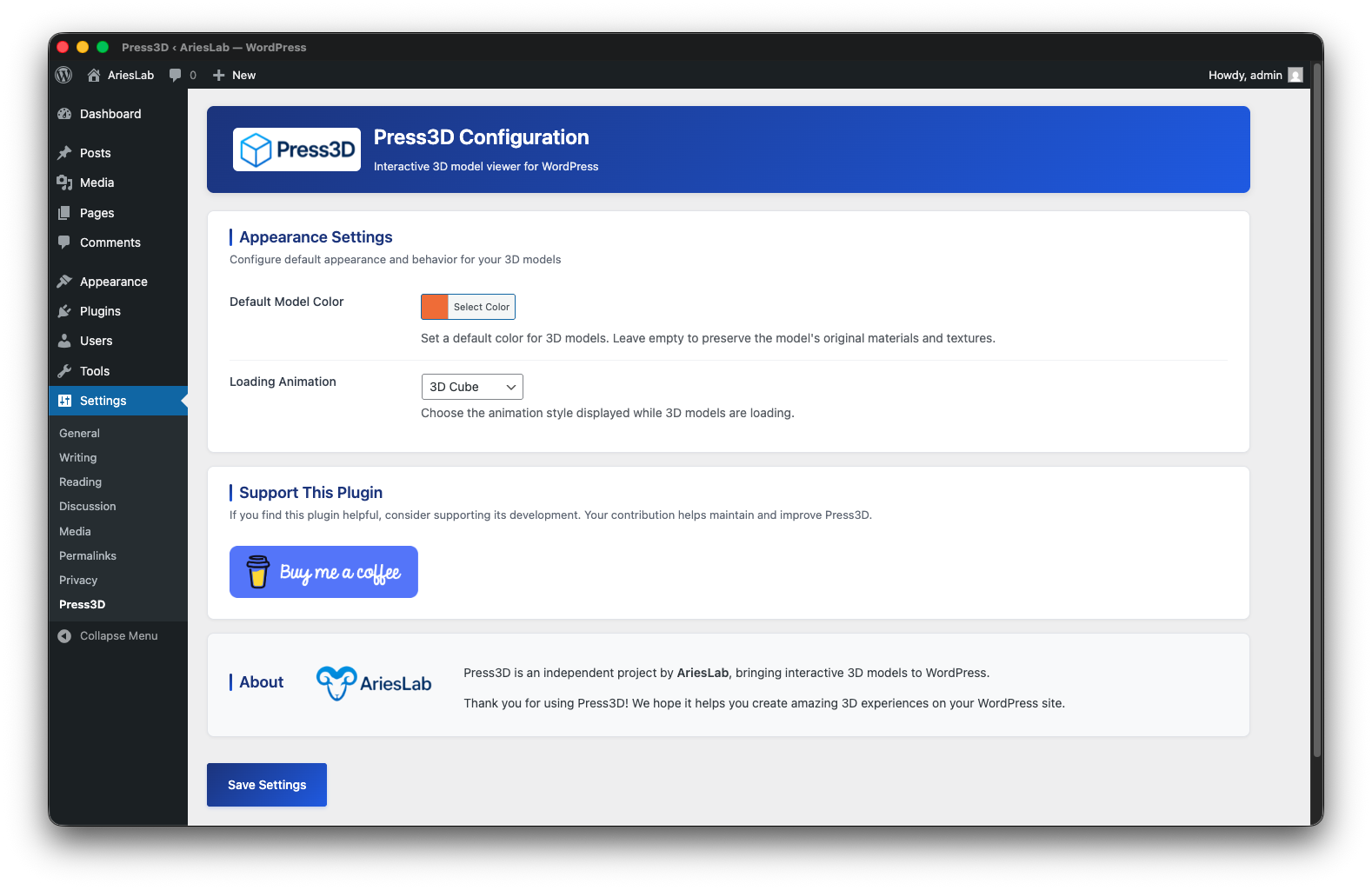
- Go to Settings → Press3D to configure default options
- In the block editor, add a "Press3D Model" block (find it in the Media category)
- Upload your 3D model file (STL, OBJ, GLB, or GLTF) via the media library
- Customize viewer settings in the block inspector panel
- Publish your page/post to display the interactive 3D model
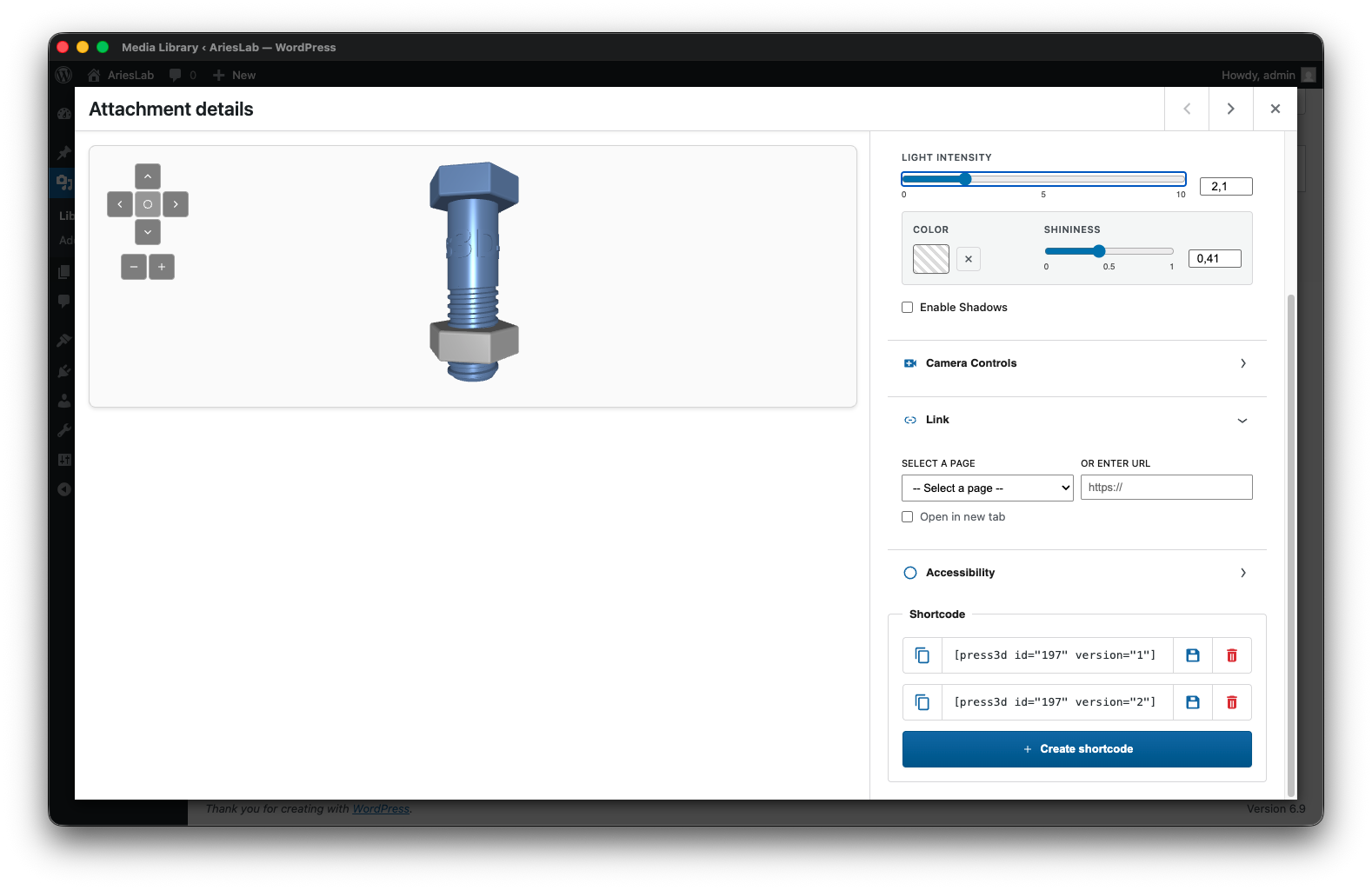
- Click on the model attachment to open Attachment Details
- Click the "3D model shortcode" button to configure viewer settings
- Copy the generated shortcode (e.g.,
[press3d id="123" version="2"]) -
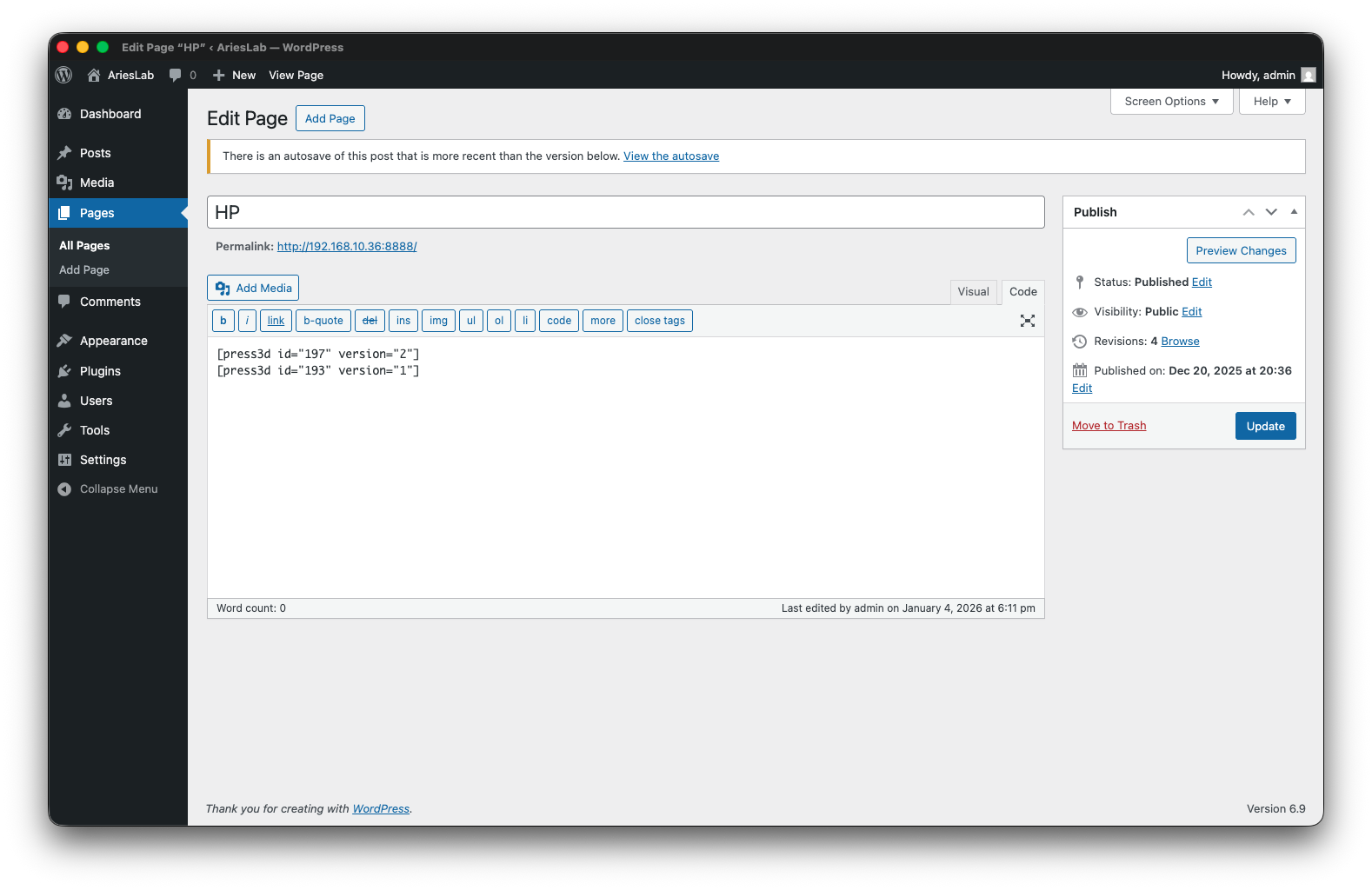
Paste the shortcode anywhere in your posts, pages, or widgets
The shortcode format is:
[press3d id="123" version="2"]where: -
idis the attachment ID versionis the model version number (supports multiple versions of the same model)
屏幕截图:
常见问题:
What 3D model formats are supported?
Press3D supports four major 3D formats: STL, OBJ, GLB, and GLTF. GLB (binary glTF) is recommended for best web performance and file size.
Is the plugin compatible with the Gutenberg block editor?
Yes! Press3D includes a native Gutenberg block with live preview, full inspector controls, and real-time 3D viewer in the editor.
Can I use shortcodes instead of blocks?
Absolutely! Use the shortcode [press3d id="123" version="2"] where 123 is your media attachment ID. Shortcodes also support versioning with the version parameter: [press3d id="123" version="2"].
Does it work with Classic Editor?
Yes, the shortcode works in both Gutenberg and Classic Editor.
What is the recommended file size for 3D models?
For optimal performance and page load times, we recommend keeping model files under 10MB. Consider using GLB format with compression for larger models.
Can I customize the appearance of the 3D viewer?
Yes! You can control:
- Model color
- Light intensity (0-10 scale)
- Shininess/metalness (0-1 scale, affects roughness and metalness)
- Auto-rotate speed (-10 to +10) and dual-axes (X, Y)
- Loading animation style (Spinner, Progress Bar, 3D Cube, or None)
- Viewer dimensions (width/height with multiple units)
Does the camera position save?
Yes! Press3D saves the exact camera state (position, target, up vector) so when you refresh the page, the 3D model appears exactly as you positioned it.
Is Three.js library included?
Yes, the Three.js library is bundled with the plugin and optimized for WordPress.
Are there any server requirements?
You need PHP 7.4 or higher and WordPress 6.6 or higher. The plugin uses standard WordPress APIs and doesn't require special server configurations.
Does it work on mobile devices?
Yes! Press3D is fully responsive with touch controls for rotation, zoom, and pan on tablets and smartphones.
Can I use this plugin commercially?
Yes, Press3D is licensed under GPLv2 or later, which allows commercial use.
Is the plugin accessible?
Yes, Press3D includes ARIA labels, alt text support for screen readers, keyboard navigation, and semantic HTML structure.
Why are my STL models rotated differently than in other viewers?
Press3D automatically rotates STL models -90° around the X-axis to match the Y-up orientation standard used by most 3D software.
Can I set default settings for all models?
Yes! Go to Settings → Press3D where you can configure:
- Default model color
- Default zoom level
- Default canvas width and height
- Loading animation style (Spinner, Progress Bar, 3D Cube, or None)
How do I access model metadata programmatically?
Press3D exposes model metadata via WordPress REST API.
更新日志:
- Confirmed compatibility with WordPress 7.1.
- Security update: Added server-side sanitization of linkUrl in Shortcode renderer as defense-in-depth against XSS (covers legacy data stored before 1.1.0).
- Added support for dual-axis auto-rotation (choose between X and Y axes or both).
- Improved 3D model rotation logic (fixed off-center pivoting for models with misaligned local origins).
- Fixed GLB model memory leaks, preventing model duplication during preset loading.
- Security update: Fixed Stored XSS vulnerability in 3D Model block (CVE-2026-1985).
- Added global default settings for Zoom, Width, and Height.
- Added Czech (cs_CZ) and German (de_DE) translations.
- Fixed remaining issues from the plugin review (escaping).
- Removed unused methods from Utils class.
- Fixed issues from the plugin review (remote assets, security).
- Initial release.