Preta
| 开发者 | pretasystems |
|---|---|
| 更新时间 | 2026年9月21日 13:49 |
| PHP版本: | 7.4 及以上 |
| WordPress版本: | 7.1 |
| 版权: | GPLv2 or later |
| 版权网址: | 版权信息 |
详情介绍:
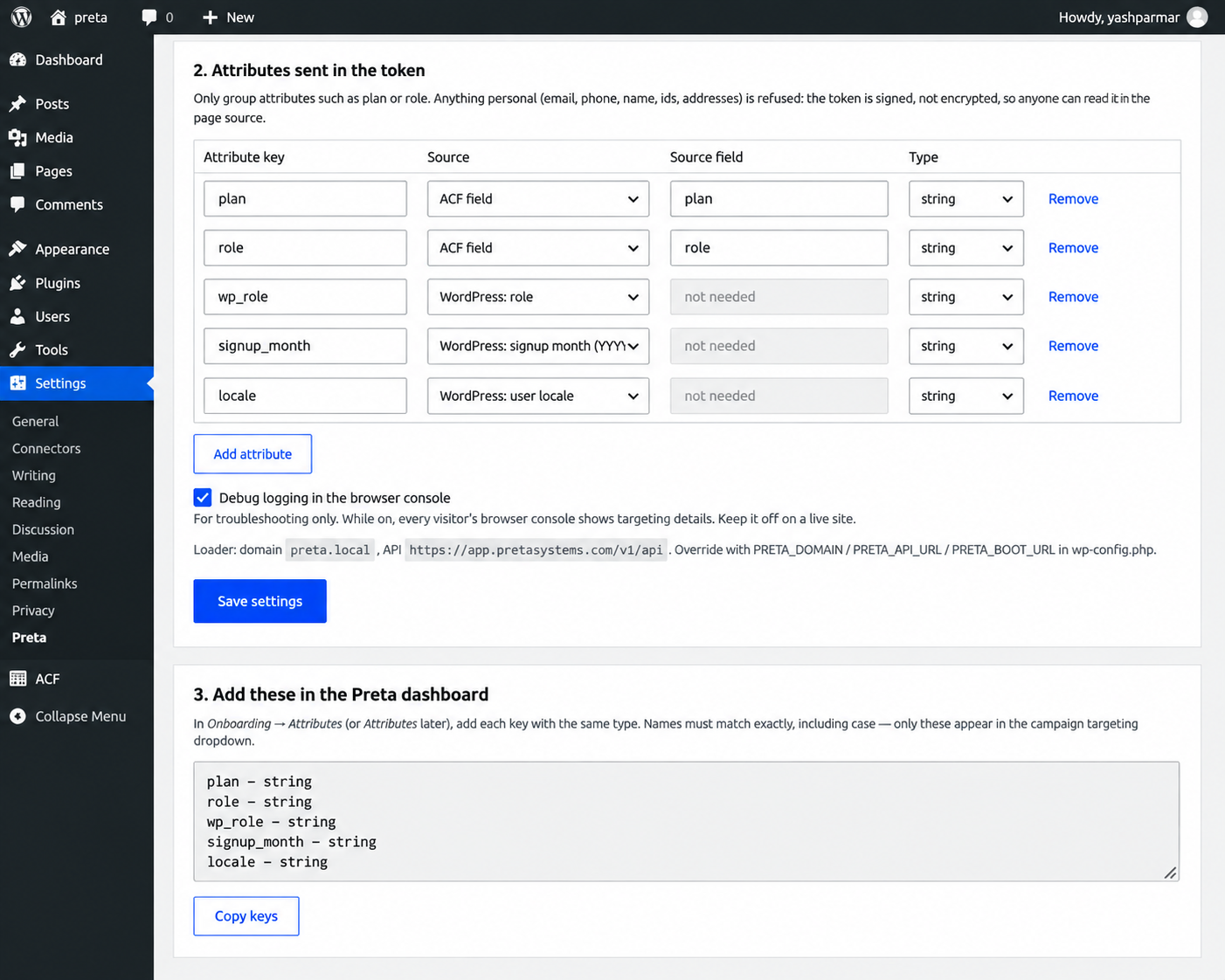
- WordPress role
- Signup month
- Locale
- Selected ACF user fields
- Selected safe user meta fields
安装:
- Install and activate the Preta plugin.
- Open the Preta settings page in WordPress administration.
- Generate or configure the signing key when prompted.
- Copy the displayed public key.
- Register the public key in your Preta account.
- Discover the available WordPress, ACF, and user-meta attributes.
- Select the attributes you want Preta to receive.
- Save the selected attributes.
- Configure your targeting campaigns in Preta.
屏幕截图:


常见问题:
Does the plugin send the private signing key to Preta?
No. The private signing key is generated and kept on the WordPress site (encrypted in the database, or in a file you manage yourself via PRETA_PRIVATE_KEY_PATH). Preta receives only the public key, for signature verification.
Can I choose which user attributes are sent?
Yes. The plugin provides attribute discovery and allows administrators to select which supported attributes are included in the signed context.
Does the plugin work with ACF?
Yes. When Advanced Custom Fields is active, supported ACF user fields can be discovered and selected.
Are all user meta fields automatically sent?
No. User meta values are filtered and only suitable attributes are made available for selection.
What happens when a user logs out?
The logged-in user's signed context is removed and Preta can evaluate the visitor without that authenticated user context.
Does the plugin require a Preta account?
Yes. A Preta account is required to configure targeting campaigns and use the Preta service.
Can I disable debug logging?
Yes. Debug logging can be configured from the Preta settings page.
What happens if I delete the plugin?
Deleting the plugin is permanent. It removes all Preta data, including the automatically-generated private signing key and the plugin settings. This cannot be undone and the private key cannot be recovered. After deletion you would need to reinstall, generate a new signing key, and register its new public key in Preta. A key you manage yourself via PRETA_PRIVATE_KEY_PATH is never touched. Deactivating the plugin (instead of deleting it) is non-destructive and keeps your key and settings.
更新日志:
- Changed automatically-generated signing keys to be stored authenticated-encrypted in the WordPress database instead of the filesystem.
- Removed the filesystem-based key storage used on some restrictive hosts in earlier versions.
- Fixed all inline scripts and styles to use the WordPress script/style APIs.
- Updated diagnostics for the new key-storage architecture.
- Added automatic user attribute discovery.
- Added support for discovering supported WordPress, ACF, and user-meta attributes.
- Added secure signing-key fallback storage for supported hosting environments.
- Added protected token refresh for logged-in users.
- Added security validation for user attributes.
- Improved administrator-only settings access.
- Improved key storage verification and security checks.
- Improved WordPress hosting compatibility.
- Added integration and security regression coverage.