
PreviewFlow
| 开发者 |
dvpatel
nakulchandra dallaswebagencyus |
|---|---|
| 更新时间 | 2026年8月14日 18:57 |
| 捐献地址: | 去捐款 |
| PHP版本: | 7.4 及以上 |
| WordPress版本: | 7.0 |
| 版权: | GPLv2 or later |
| 版权网址: | 版权信息 |
详情介绍:
- Write your post, page or product and save it as a draft.
- Open the Client Preview panel in the editor and create a link.
- Choose how long it should last, and add a password if you want one.
- Send the link. Your client opens it and sees the finished page.
- Revoke it in one click when the review is done.
- Expiry — one hour, six hours, 24 hours, three days, seven days, 30 days, a custom date and time, or never.
- Instant revoke — kill a link and the very next request is refused.
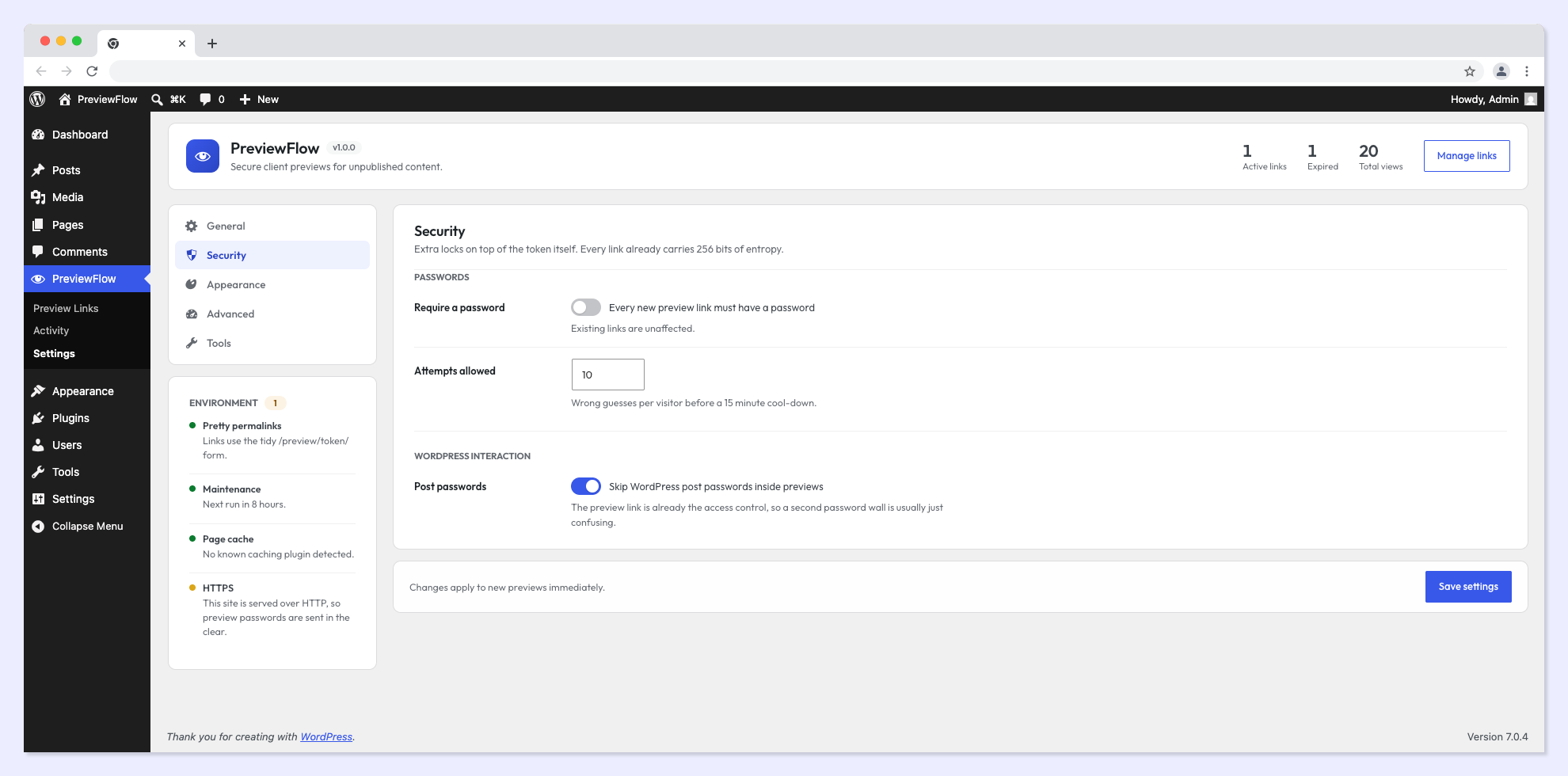
- Optional password — hashed with WordPress' own password hashing, with attempt rate limiting to stop brute forcing.
- Never indexed —
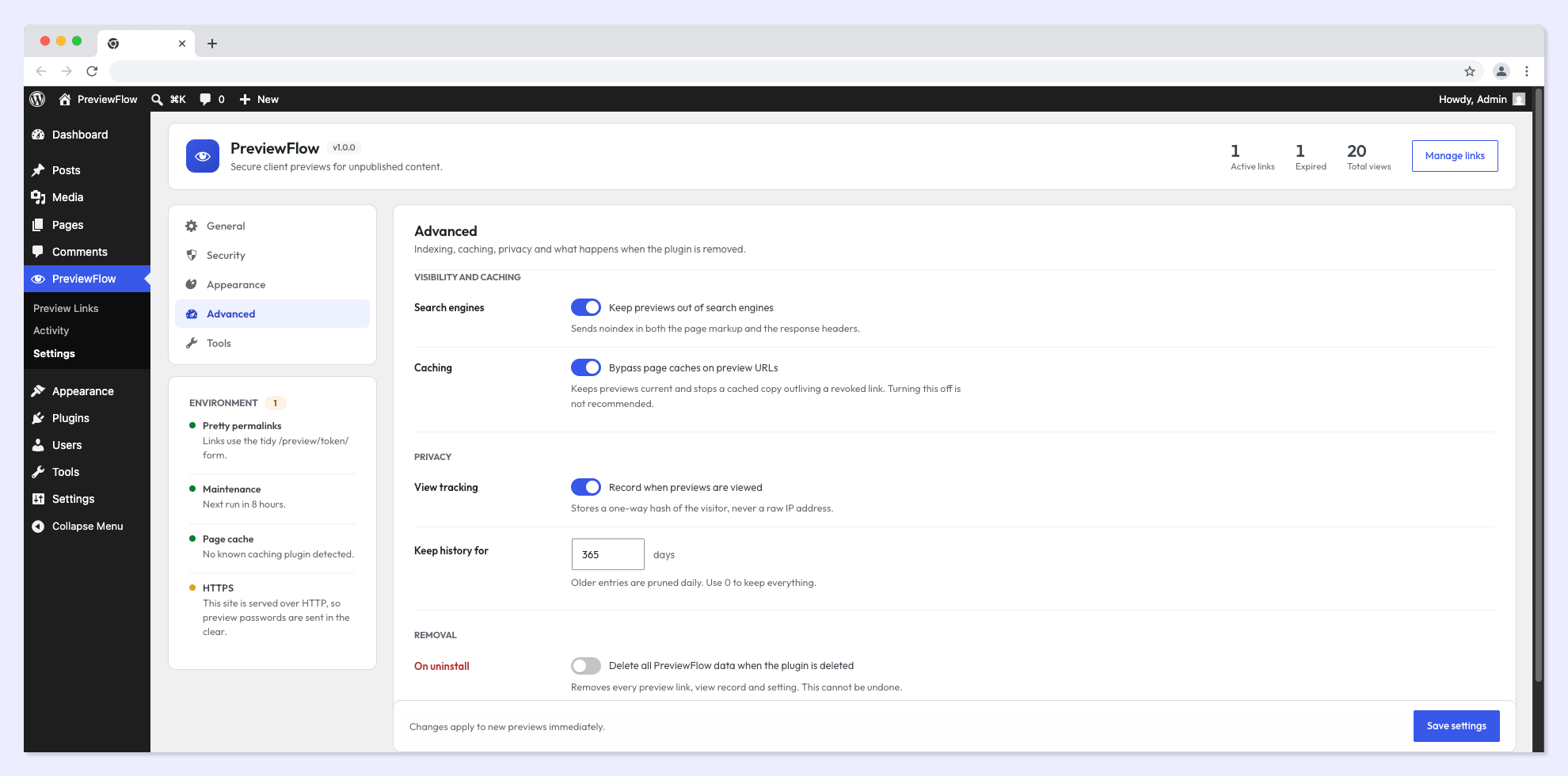
noindexis sent in both the page markup and the HTTP response headers, so a preview cannot leak into search results. - Never cached — preview responses are excluded from page caches, so a cached copy can never outlive a link you revoked.
- No login required — and no account is ever created for a reviewer.
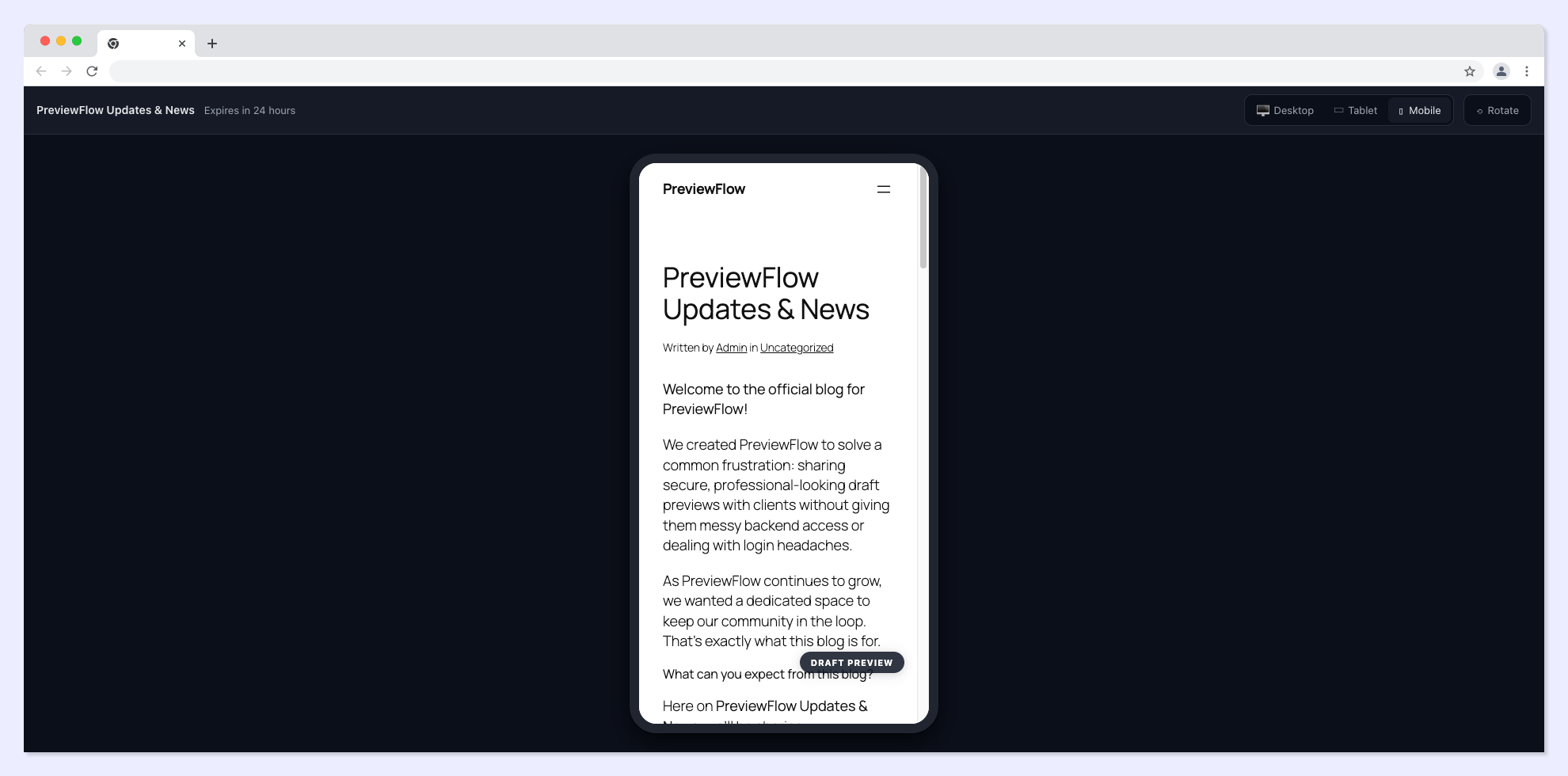
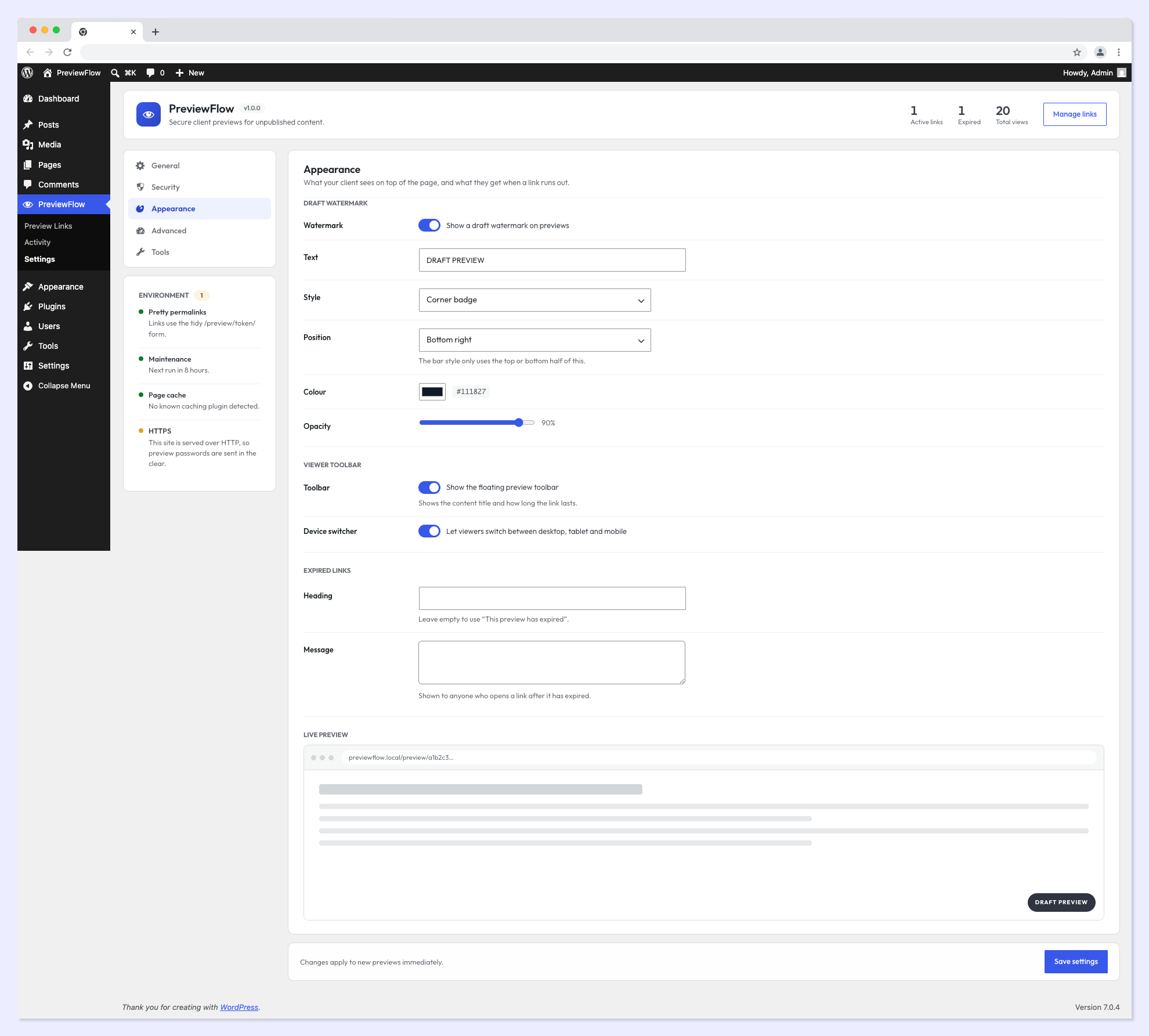
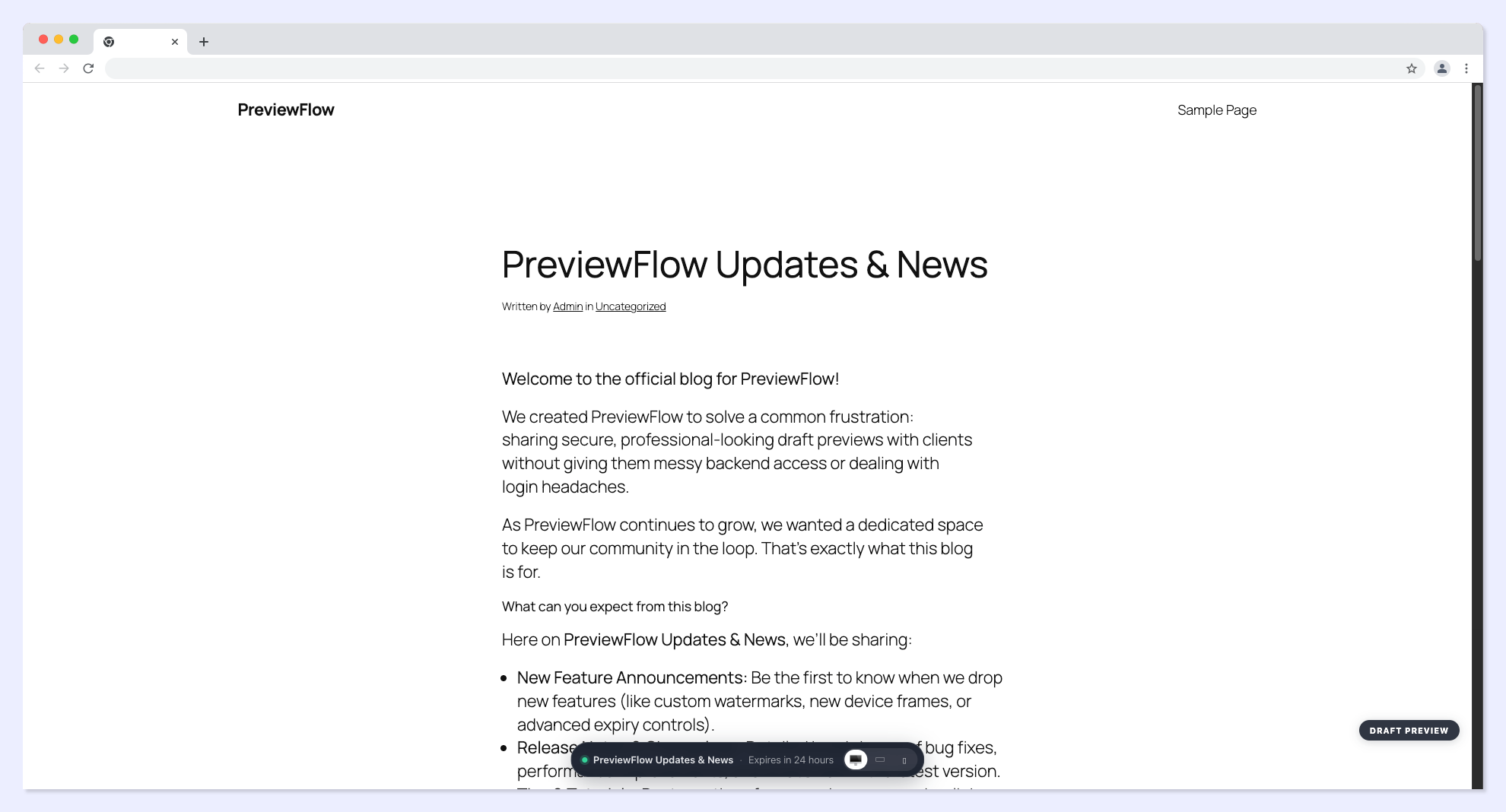
- A draft watermark so nobody mistakes work in progress for a live page. Choose a corner badge, a full width bar or a diagonal overlay, and set the text, colour, position and opacity.
- A device switcher so the reviewer can check desktop, tablet and mobile. The page loads at the real device width, so your responsive breakpoints fire properly instead of being scaled down.
- A small preview toolbar showing what they are looking at and how long the link lasts.
- Freelancers — share a design before it goes live, get sign-off faster.
- Agencies — one link per client, each with its own expiry and password. Revoke them all when the project ends.
- Marketing teams — circulate a campaign page internally before launch.
- Store owners — show a new product or landing page to a supplier or a partner before it hits the shop.
- Developers — hand a stakeholder a working page without giving them wp-admin.
- Any post type, including custom post types and WooCommerce products
- Any theme, classic or block
- Any builder — the block editor, Elementor, Bricks, Divi, Beaver Builder, Oxygen, Breakdance, Kadence, GenerateBlocks, Spectra and others
- Any caching setup — WP Rocket, LiteSpeed Cache, W3 Total Cache, WP Super Cache, NitroPack, Cache Enabler, WP Fastest Cache, Autoptimize and CDN edge caches are all told not to store preview responses
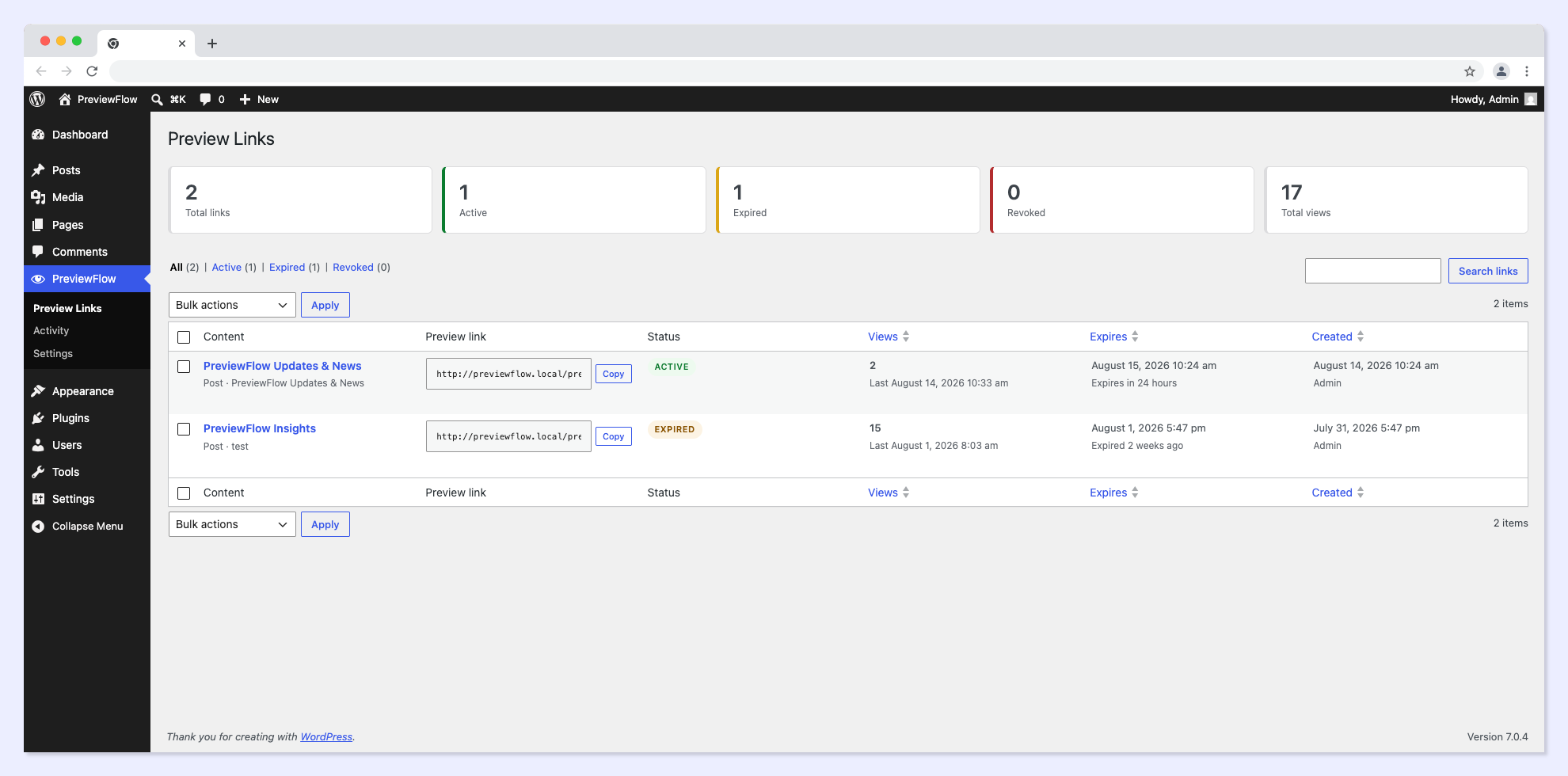
- A dashboard listing every link with its status, expiry, creator and view count, filterable by active, expired or revoked, with bulk revoke and delete.
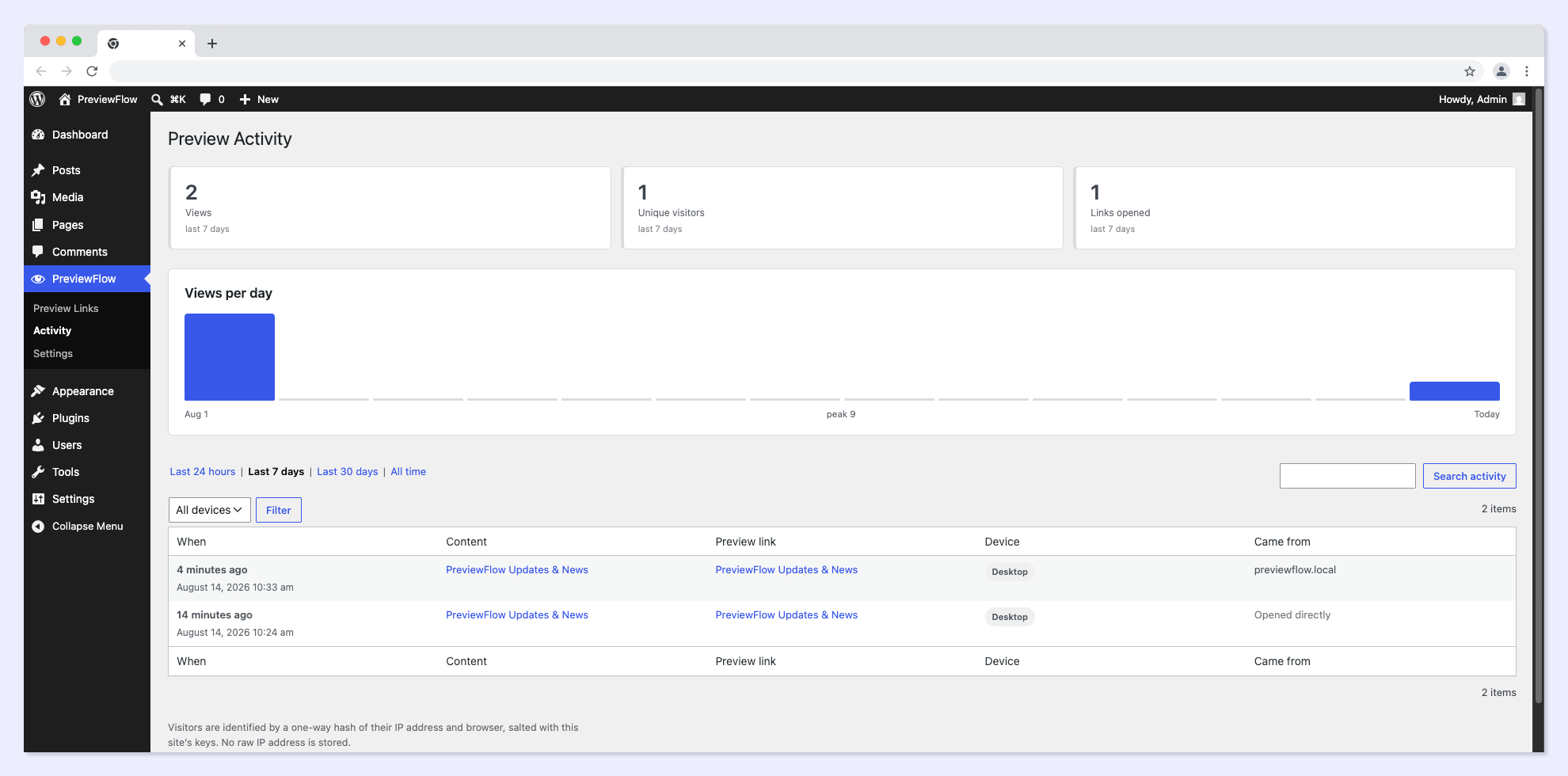
- An activity screen with a 14-day chart and the full view history, filterable by time window, device and link.
- Per link view counts and unique visitor numbers, so you know whether the client actually opened it before you chase them.
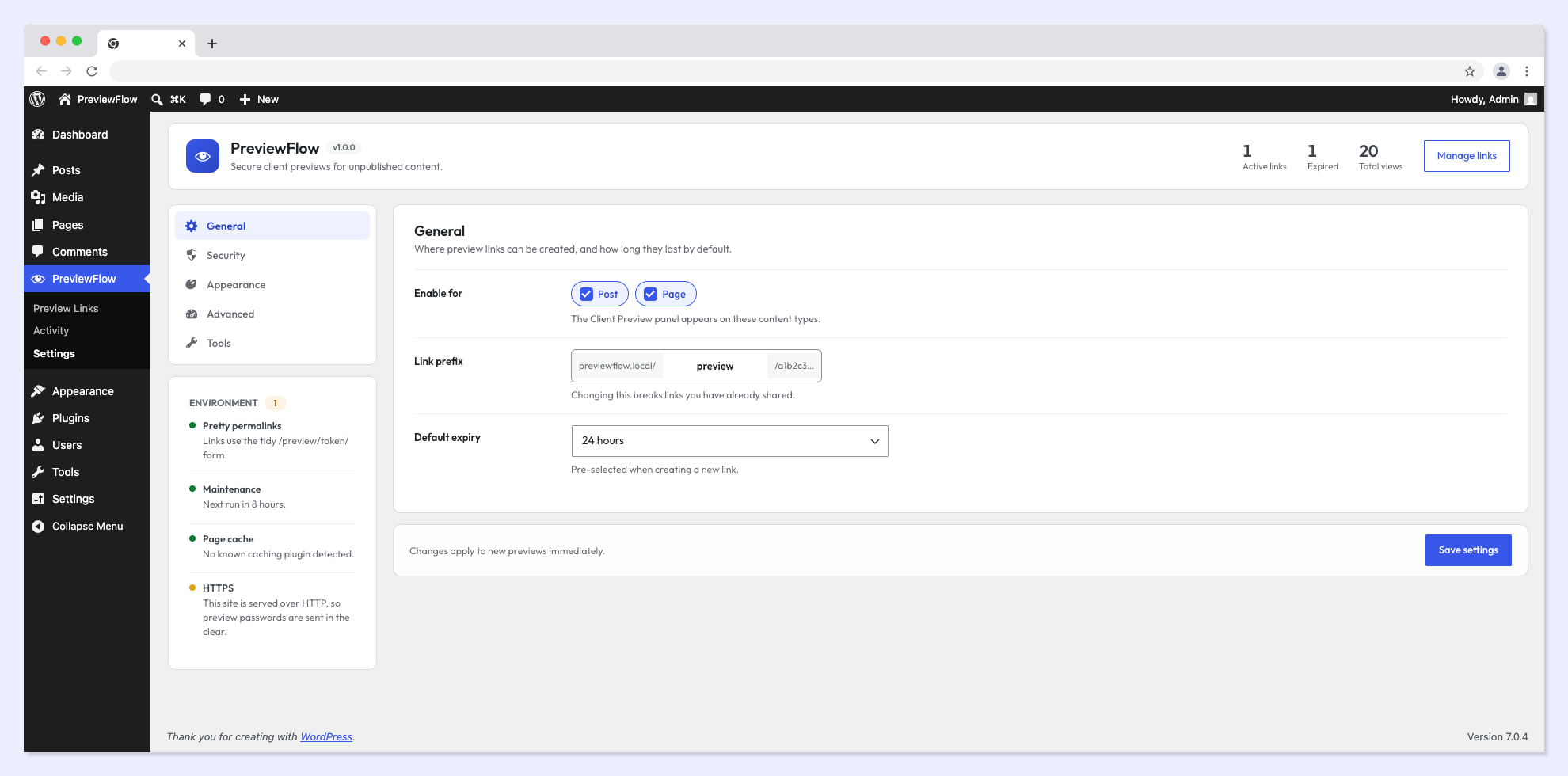
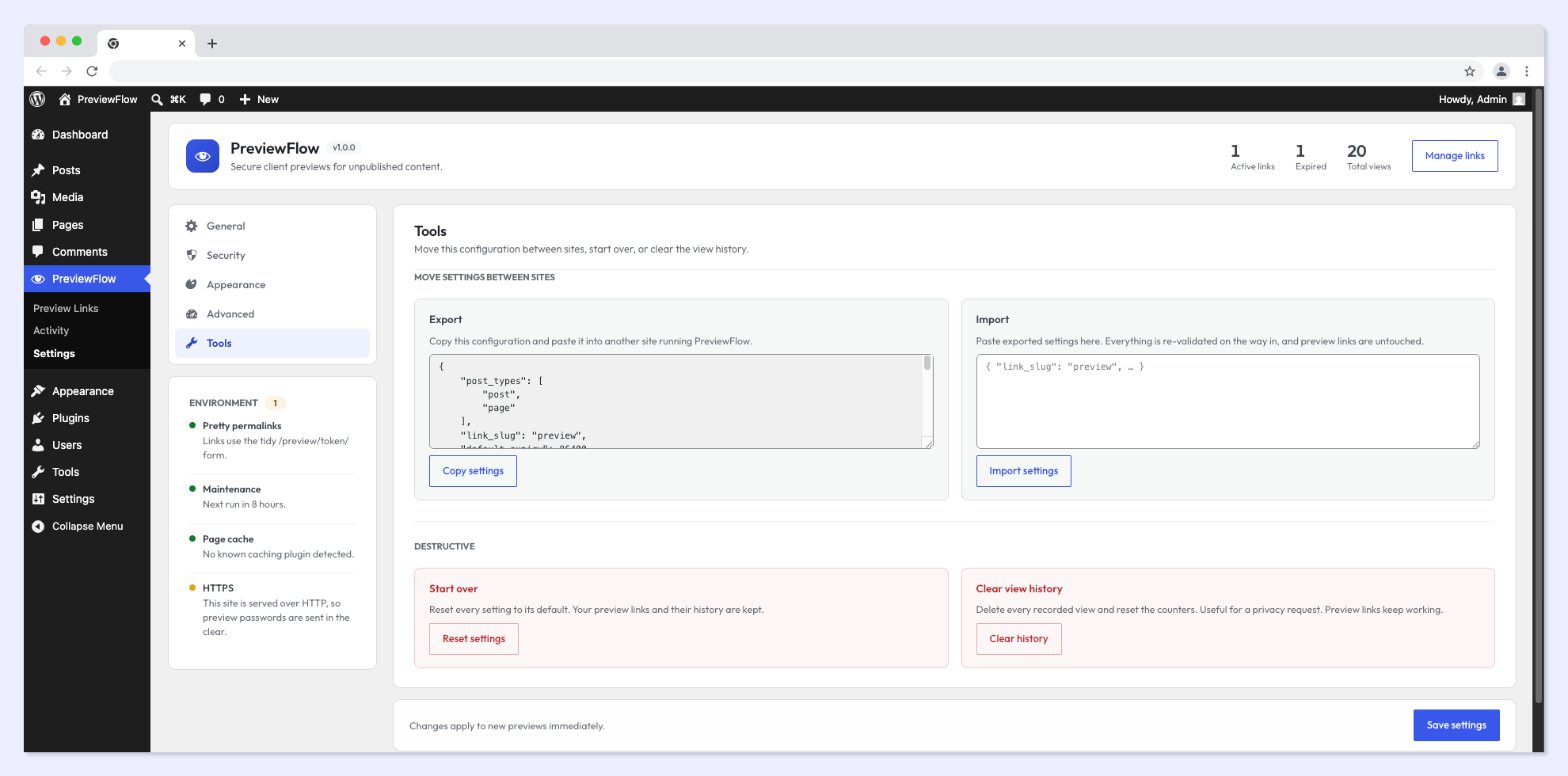
- Export and import settings as JSON, so a new client site can be configured in seconds instead of clicked through.
- Reset to defaults without touching your links.
- Clear view history in one click.
- A status panel that checks permalinks, WP-Cron, HTTPS and any detected caching plugin, and warns you when something would undermine previews.
安装:
- Go to Plugins → Add New.
- Search for PreviewFlow.
- Click Install Now, then Activate.
- Upload the
previewflowfolder to/wp-content/plugins/. - Activate the plugin through the Plugins screen.
- Open any post or page.
- Find the Client Preview panel in the editor sidebar.
- Click Create preview link, choose an expiry, and copy the link.
屏幕截图:
常见问题:
Does my client need a WordPress account?
No. The link itself is the credential. Anyone holding it can view the content until it expires or you revoke it. No account is created, and nothing is left behind to clean up.
Can someone guess a preview link?
Practically, no. Each token is 43 random base62 characters — around 256 bits of entropy — generated from the platform's cryptographic random source. It is not derived from the post ID, the title or the date.
What happens when a link expires?
The visitor sees a message you can write yourself, rather than a 404. The response uses HTTP 410 Gone, which is the accurate status for something that existed and was deliberately withdrawn.
If I revoke a link, is it really dead?
Yes, immediately. The next request is refused. Because PreviewFlow also stops preview pages ever being written to a page cache, there is no cached copy left behind to keep serving after you revoke.
Will a preview show up in Google?
No. PreviewFlow sends noindex, nofollow, noarchive, nosnippet in both the page markup and the X-Robots-Tag response header.
Does it work with page builders?
Yes. A preview is a normal front-end request for the post, so your theme, your builder and your block plugins render it exactly as they render anything else. Elementor, Bricks, Divi, Beaver Builder, Oxygen, Breakdance, Kadence, GenerateBlocks, Spectra and the block editor all work.
Does it work with WooCommerce?
Product previews do — enable the product post type in settings and you can share an unpublished product like any other content. Previewing the shop, cart and checkout pages is not included in this version.
Does it work with caching plugins?
Yes. PreviewFlow tells the cache not to store preview responses in the first place, using the standard opt-out that WP Rocket, LiteSpeed Cache, W3 Total Cache, WP Super Cache, NitroPack, Cache Enabler, WP Fastest Cache and others all honour. It also sends Cache-Control: private, no-store so CDNs and shared caches do not hold a copy.
Can I create more than one link for the same page?
Yes, as many as you like. Give each one a label such as the client's name, its own expiry and its own password. Revoke one without affecting the others, and see the view count for each separately.
Can I password protect a preview?
Yes, per link. Passwords are hashed with WordPress' own password hashing, and wrong guesses are rate limited per visitor — ten attempts by default, then a fifteen minute cool-down. You can require a password on every new link in settings.
What is the difference between this and the built-in WordPress preview?
The built-in preview only works for a logged-in user with permission to edit the post. PreviewFlow creates a link that works for anyone you send it to, with an expiry, an optional password and a revoke button.
Why not just use a password protected page?
A published password-protected page is still published: it can appear in feeds, sitemaps, search results and archives. A PreviewFlow link leaves the content unpublished and adds no public footprint at all.
Can I change the preview URL?
Yes. The prefix is configurable in settings, so links can read /preview/…, /review/… or anything else you like. Changing it invalidates links you have already shared, and the settings screen says so.
Does it work without pretty permalinks?
Yes. If your site uses plain permalinks, links fall back to a query string form. They are just as secure, only less tidy — the status panel will point this out.
Can I preview scheduled or private posts?
Yes. Drafts, pending review, scheduled and private content all work.
Will it show the latest version of my draft?
Always. Preview pages bypass every cache layer, so what your client sees is what you last saved.
Does it track my visitors?
Only if you leave view tracking on, and never with a raw IP address. Visitors are identified by a one-way salted hash of their IP and browser that cannot be reversed. You choose how long history is kept, and can delete all of it at any time. Switch the whole feature off in settings if you prefer.
Does the plugin call home or load anything external?
No. There is no external service, no analytics, no licence check and no third-party requests. Fonts and assets are bundled with the plugin.
Who can create and manage preview links?
Anyone who can edit the piece of content. Editors and administrators see every link on the dashboard; authors and contributors see the ones they created.
Can I move my settings to another site?
Yes. PreviewFlow → Settings → Tools exports your configuration as JSON and imports it on another site. Preview links themselves are not exported.
What happens to my data if I uninstall?
Nothing is deleted unless you ask for it. Tick Delete all PreviewFlow data in the Advanced settings before removing the plugin if you want the links, view history and settings removed too.
Is it translation ready?
Yes. Every string is translatable through the previewflow text domain.
更新日志:
- Initial release.
- Secure preview links using 256-bit random tokens.
- Expiry presets from one hour to 30 days, a custom date, or never.
- One-click revoke that takes effect immediately.
- Multiple links per piece of content, each with its own label, expiry and password.
- Optional password protection with per-visitor attempt rate limiting.
- Desktop, tablet and mobile preview at real device widths.
- Customisable draft watermark: badge, bar or diagonal.
- Automatic
noindexin both markup and response headers. - Cache bypass for WP Rocket, LiteSpeed, W3 Total Cache, WP Super Cache, NitroPack, Cache Enabler, WP Fastest Cache and Autoptimize.
- Friendly, customisable expired-link page instead of a 404.
- Dashboard with filtering, search, bulk revoke and bulk delete.
- Activity screen with a 14-day chart and filterable view history.
- Settings tools: export, import, reset and clear history.
- Environment status checks for permalinks, WP-Cron, HTTPS and caching.