
Price Calculator Block – give customers instant price estimates
| 开发者 |
abuhayat
charlescormier bplugins |
|---|---|
| 更新时间 | 2026年8月30日 10:59 |
| 捐献地址: | 去捐款 |
| PHP版本: | 6.5 及以上 |
| WordPress版本: | 7.1 |
| 版权: | GPLv3 or later |
| 版权网址: | 版权信息 |
详情介绍:
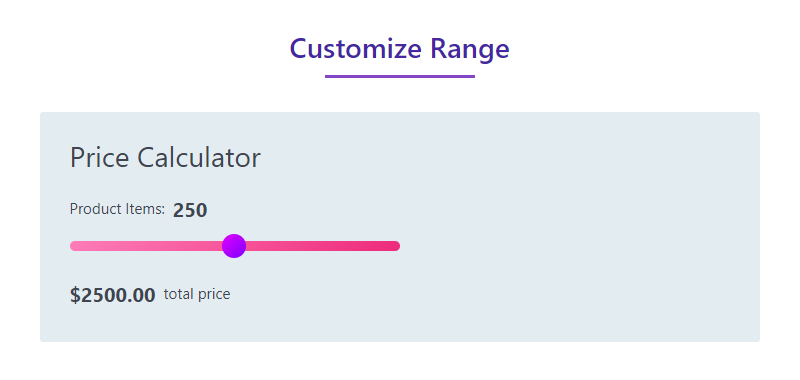
Let customers slide to a quantity and see their price instantly – including your bulk discounts – right on the page.
Demos
Why Price Calculator Block?
Nobody likes emailing back and forth just to learn a price. Price Calculator Block lets you create and display pricing calculator sliders on your website, so visitors get an instant estimate based on the quantity they choose.
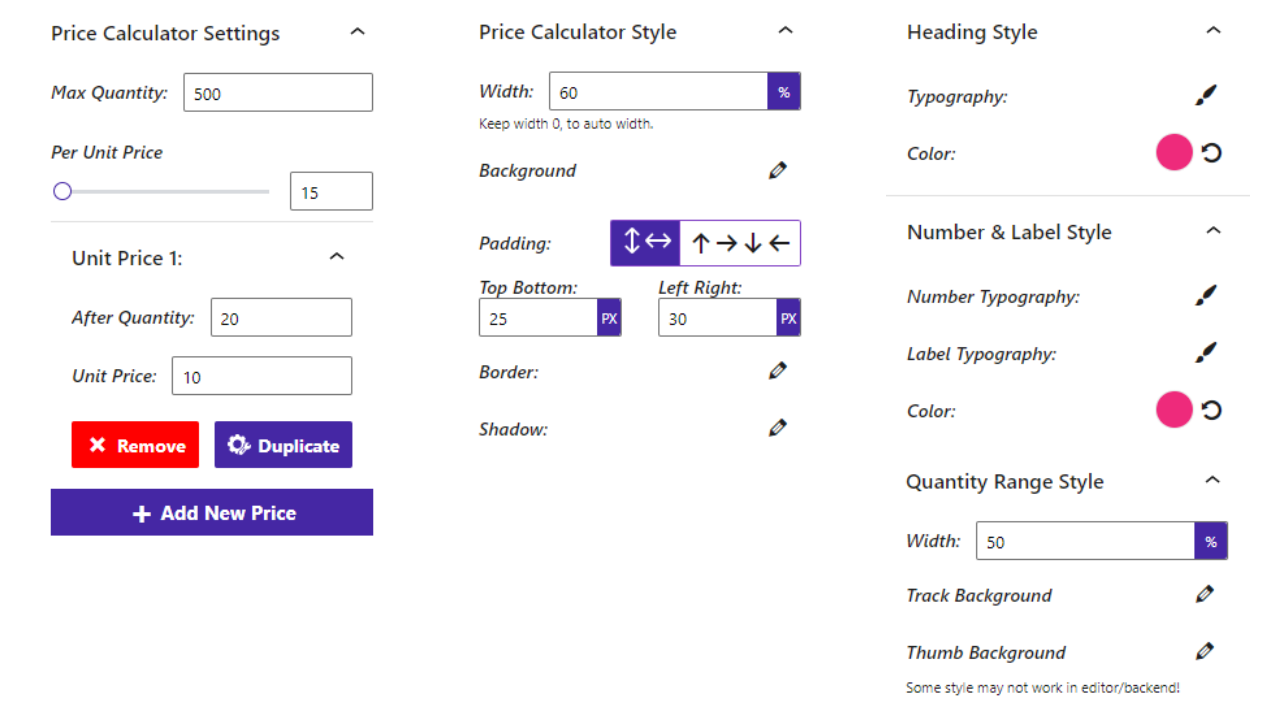
You can create different pricing rules for different quantities. For example, if you sell 1 unit for 10 and offer a discount when a customer buys 5, simply set a pricing rule based on quantity – the calculator applies it automatically. All the options related to a price calculator are supported, and everything is configured visually in the Gutenberg editor.
Free Features
- Quantity-Based Pricing Rules: Set different prices for different quantity ranges, including bulk discounts.
- Interactive Slider: Visitors drag a range slider to pick a quantity and see the price update.
- Currency Option: Choose the currency shown with the calculated price.
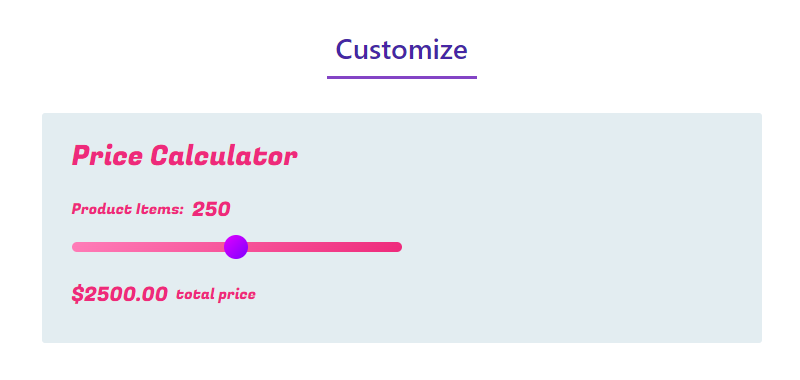
- Fully Customizable: All the options you need to arrange the showcase to your liking.
- Install and activate the Price Calculator block plugin.
- Open a post or page in the Gutenberg editor.
- Add the Price Calculator block from the "Widgets" block category.
- Set your pricing rules and adjust the design from the right-side settings sidebar.
- Publish – your calculator is live!
- Product Sellers: Show quantity discounts for bulk orders.
- Service Providers: Let clients estimate costs based on units, hours, or seats.
- Print & Manufacturing Shops: Give instant quotes for different order sizes.
安装:
From your WordPress dashboard (recommended):
- Go to Plugins → Add New.
- Search for "Price Calculator".
- Click Install Now, then Activate.
- Add the Price Calculator block to any post or page in the Gutenberg editor.
- Download the Price Calculator block plugin (.zip file).
- In your admin area, go to Plugins → Add New and click Upload Plugin.
- Choose the
price-calculator.zipfile and click Install Now. - Activate the plugin, then add the block from the Gutenberg editor.
/wp-content/plugins/ directory and activate it through the Plugins menu in WordPress.屏幕截图:
常见问题:
Is the Price Calculator block free?
Yes, the Price Calculator block is a free Gutenberg block plugin.
Does it work with any WordPress theme?
Yes, it works with any standard WordPress theme.
Can I create quantity-based discounts?
Yes. You can create different pricing rules for different quantities – for example, a lower unit price when a customer buys 5 instead of 1.
Can I change the currency?
Yes, the block includes an option to set the currency displayed with the price.
Can I change block settings?
Yes, you can change all block settings from the Gutenberg block editor's right sidebar.
How many times can I reuse the block?
You can use the block an unlimited number of times across your site.
Where can I get support?
You can post your questions on the support forum here.
更新日志:
1.1.1 - 14 Jun 26
- Update: Block API Version 3
- Fix: render issue
- Reduce assets loads
- Add translate feature
- Fix Width
- Fix HTML Render
- Reduce PHP Code
- Performance Improvement
- Reduce PHP Code.
- Add option for currency.
- Performance upgrade.
- Fix Range Style.
- Initial Release.