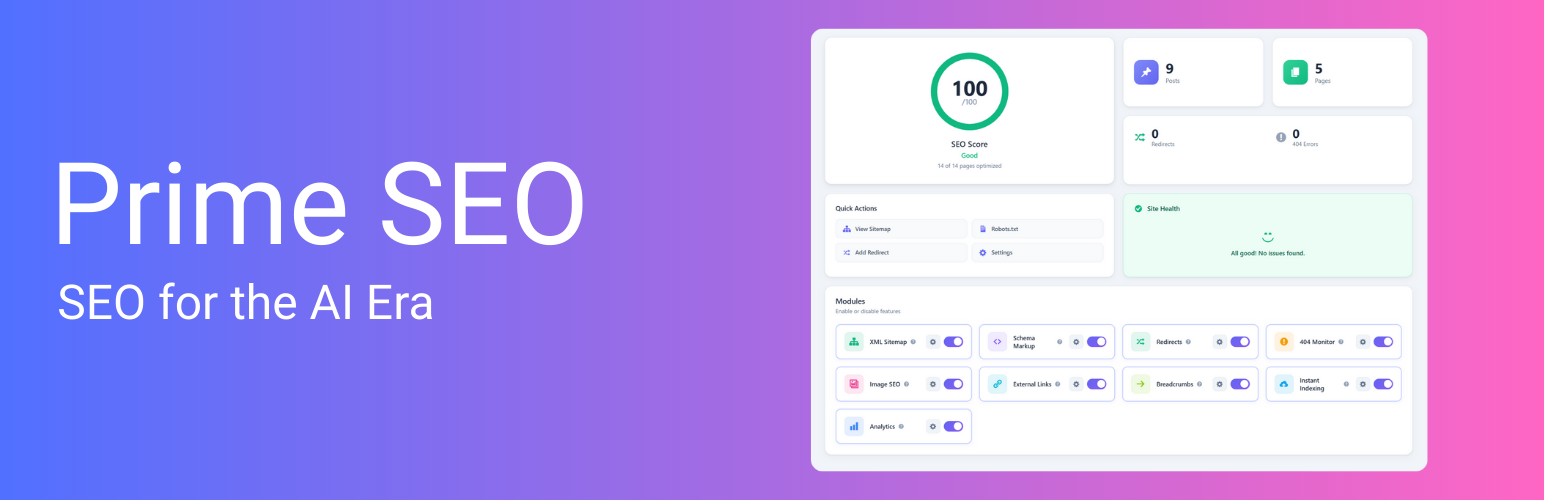
Prime SEO – AI SEO, LLMs.txt Generator, AI Bots Manager & AI Crawler Stats
| 开发者 | primeseo |
|---|---|
| 更新时间 | 2026年9月24日 00:32 |
| PHP版本: | 7.4 及以上 |
| WordPress版本: | 7.1 |
| 版权: | GPLv2 or later |
| 版权网址: | 版权信息 |
详情介绍:
- LLMs.txt Generator — Create an llms.txt file automatically and tell AI crawlers what your site is about
- LLMs-full.txt — Provide full content for deeper AI indexing
- AI Bots Manager — Allow or block 15 AI crawlers with robots.txt rules added for you: GPTBot, ChatGPT-User and OAI-SearchBot (OpenAI), ClaudeBot, Claude-User, Claude-SearchBot, Claude-Web and anthropic-ai (Anthropic), PerplexityBot and Perplexity-User (Perplexity), Google-Extended (Gemini training), Applebot-Extended (Apple), CCBot (Common Crawl), Bytespider (ByteDance) and Meta-ExternalAgent (Meta)
- Quick Presets — Allow All, Block Training, Block All, or Custom rules
- AI Crawler Stats — See which AI bots visit your site, how often, and which pages they read. Visits are logged for 15 crawler user agents, including cohere-ai and Amazonbot
- AI Visibility Score — See your AI search readiness at a glance
- AI Content Score — Detailed analysis of how AI engines view your content (Pro)
- Visual SEO Score (0-100) with circular progress indicator
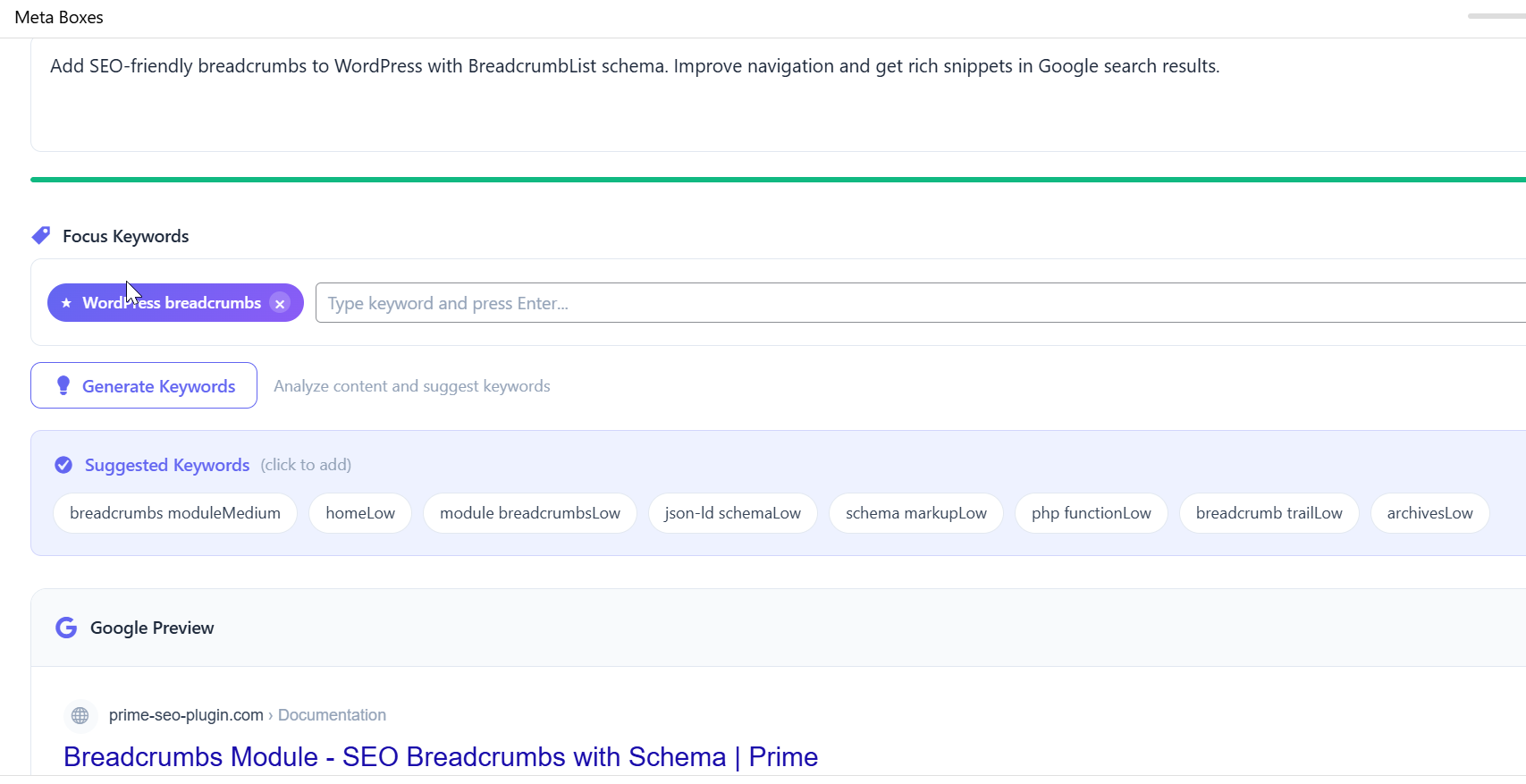
- Live Google Preview for desktop and mobile
- Character counters with color-coded progress bars
- Multiple focus keywords per post
- Content recommendations as you type
- Generate All with AI — One click fills SEO title, description, social meta, and keywords (Pro)
- SEO Title — Optimized for Google (60 chars)
- Meta Description — Click-worthy snippet (155 chars)
- Facebook Title & Description — Social-optimized OG tags
- Twitter Title & Description — Twitter-specific formatting
- Focus Keywords — Auto-extracted from your content (top 5)
- Works with any post type
- 500 generations a month are included with a Pro license (GPT-4o mini through the Prime SEO AI service, nothing to set up)
- Prefer no limit? Switch to your own OpenAI key and pick the model; you pay OpenAI directly
- Smart Detection — Finds posts missing title, description, or both
- Batch Processing — Generate SEO for hundreds of posts
- Progress Tracking — Real-time progress with pause/resume
- Undo Support — Restore previous values if needed
- AI Content Score — Detailed analysis for AI search optimization
- Video Sitemap — Auto-detect YouTube, Vimeo, Wistia, Bunny Stream
- Manual Video Fields — Complete control over video metadata
- Priority Support — Direct email support
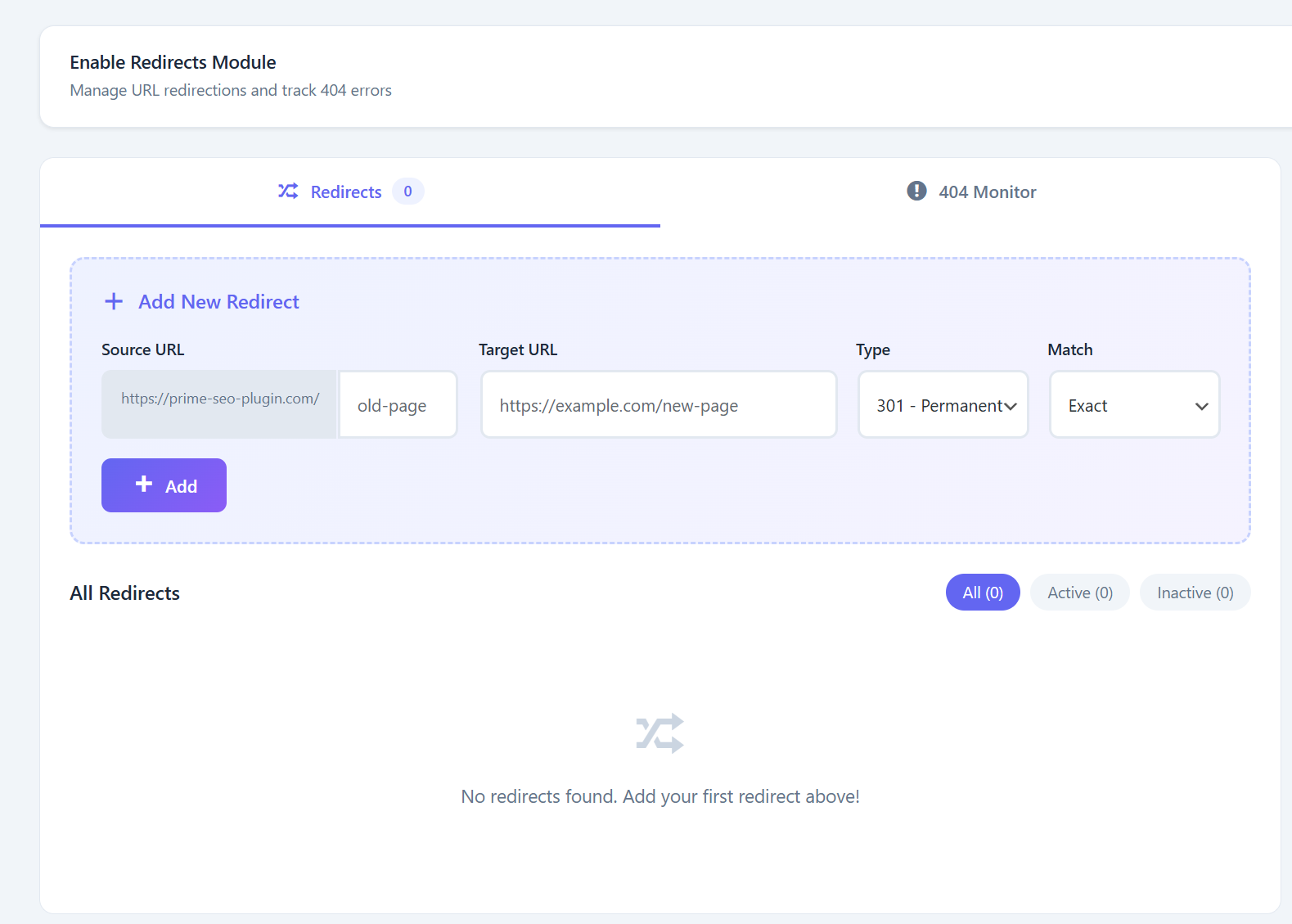
- 301 (Permanent), 302 (Temporary), 307 redirects
- 410 (Gone) and 451 (Unavailable for Legal Reasons) status codes
- Regex pattern matching with capture groups ($1, $2)
- Query string preservation for UTM parameters
- Hit counter for tracking redirect usage
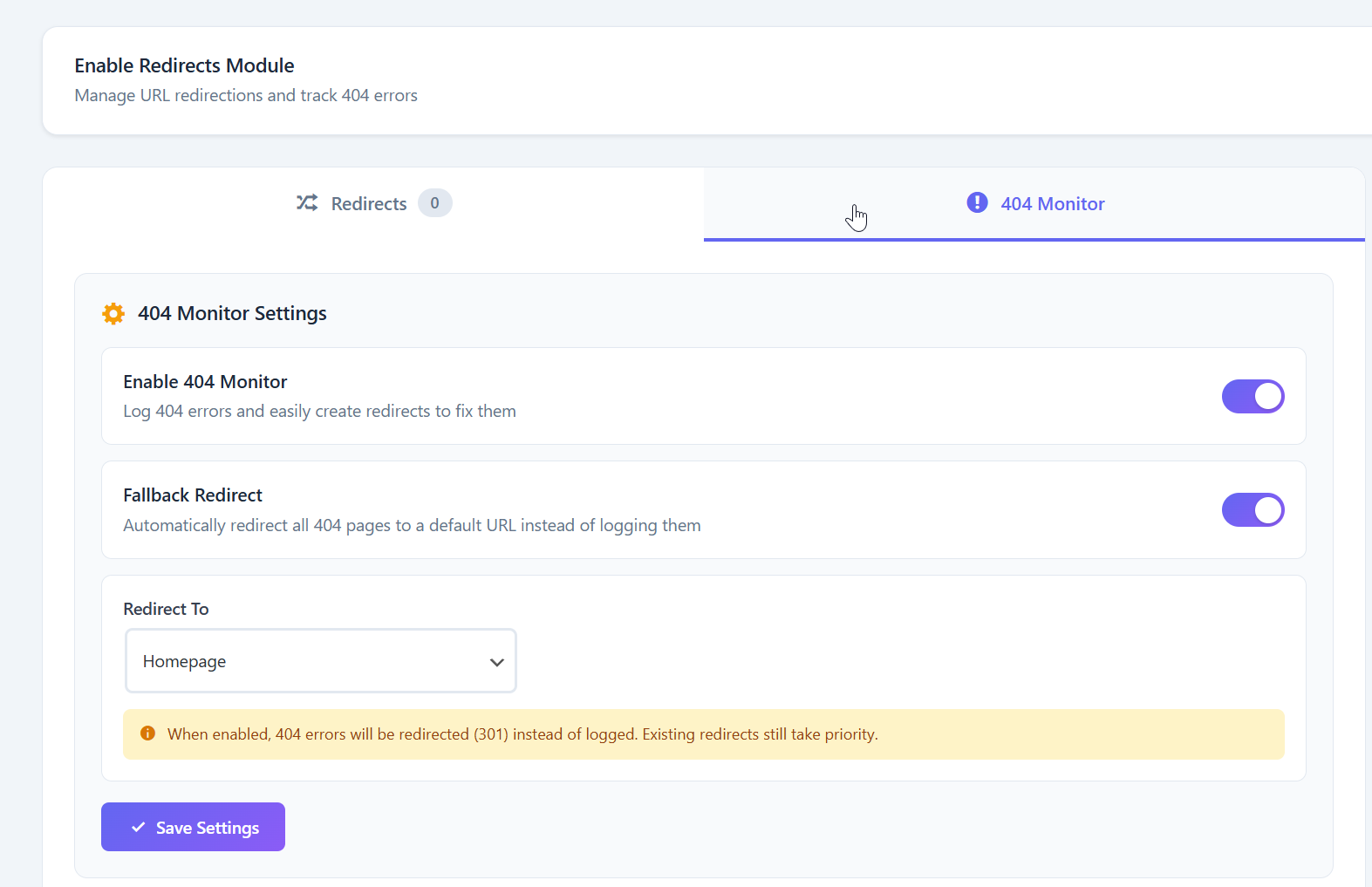
- Fallback redirect for all 404 errors
- Import and export functionality
- Automatic logging of all 404 errors
- Referer and User Agent tracking
- One-click conversion to redirect
- Bulk delete options
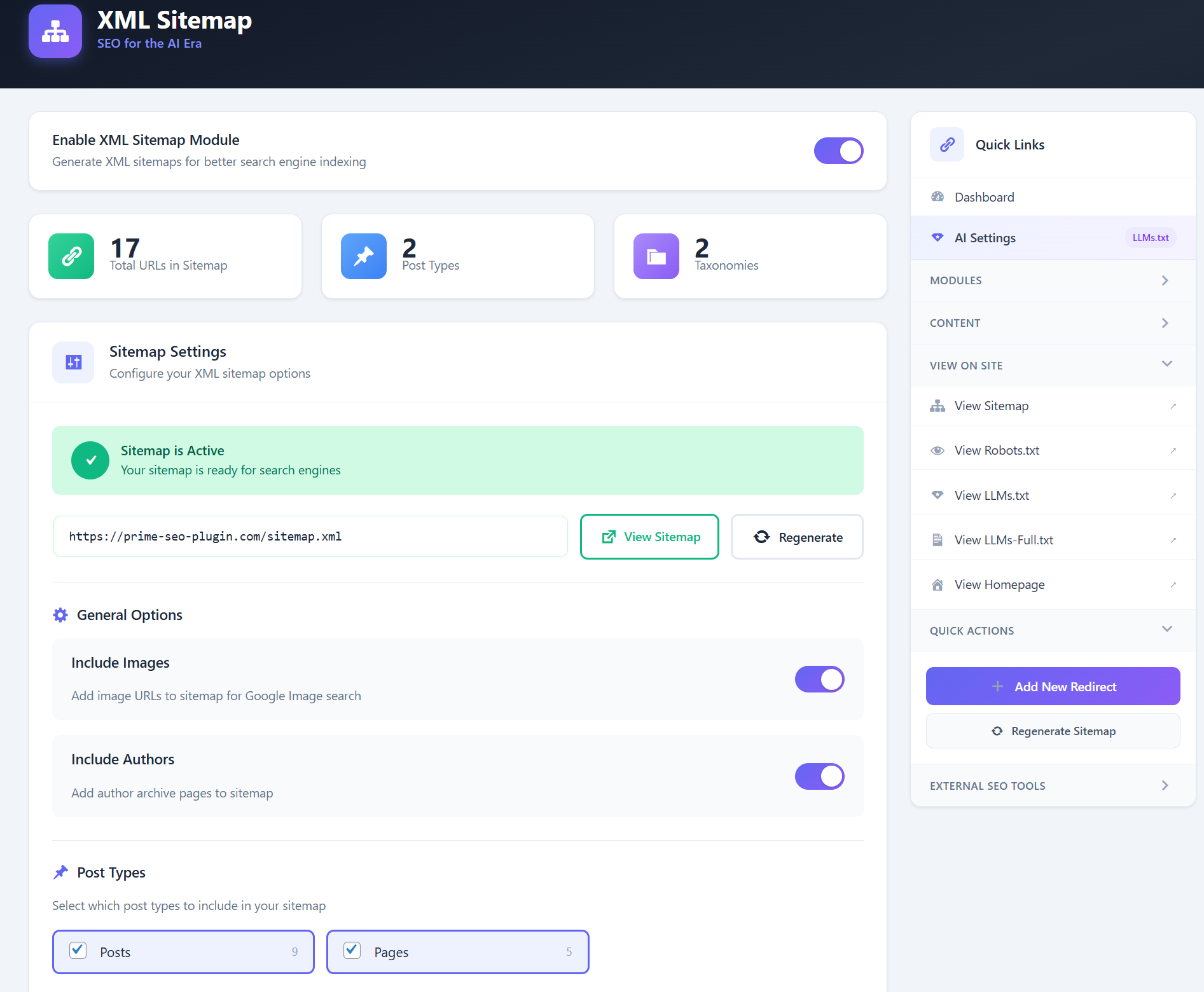
- Sitemap Index with separate post, page, category, and author sitemaps
- Image Sitemap for Google Image Search
- Video Sitemap — Auto-detect YouTube, Vimeo, Wistia, Bunny Stream (Pro)
- Custom Post Types and Taxonomies support
- Respects noindex settings automatically
- Beautiful XSL styling for human-readable sitemaps
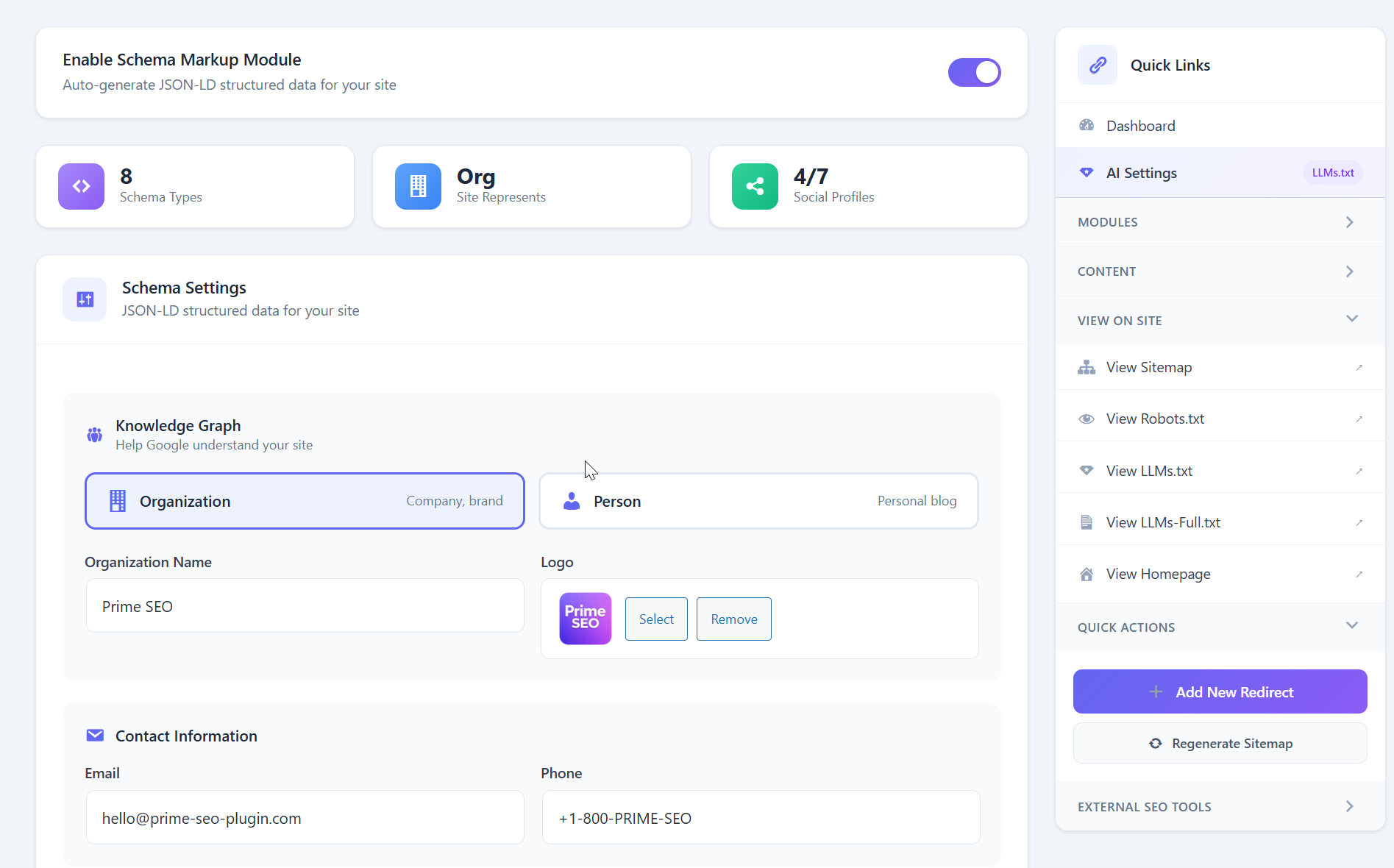
- Knowledge Graph — Organization or Person
- WebSite schema with SearchAction
- Social profiles (Facebook, Twitter, LinkedIn, YouTube, etc.)
- Article, BlogPosting, NewsArticle
- FAQ and HowTo (auto-detected from content)
- Recipe and Event schemas
- Product schema for WooCommerce
- LocalBusiness with 40+ subtypes (Restaurant, Hotel, Dentist, and more)
- Robots.txt Editor — Visual editor with 5 ready-made templates
- Image SEO — Auto-generate ALT and TITLE attributes
- External Links Manager — Auto-add nofollow and open in new tab
- Breadcrumbs — Shortcode and PHP function with Schema.org markup
- Instant Indexing — Submit URLs via IndexNow API to Bing, Yandex and other IndexNow search engines, by hand or automatically on publish
- Webmaster Verification — Google Search Console, Bing Webmaster Tools, Yandex, Pinterest, Baidu and Ahrefs verification codes in one place
- Import/Export — Full backup and restore with automatic backups
- Yoast SEO (Free and Pro)
- Rank Math (including redirects)
- All in One SEO
- SEOPress
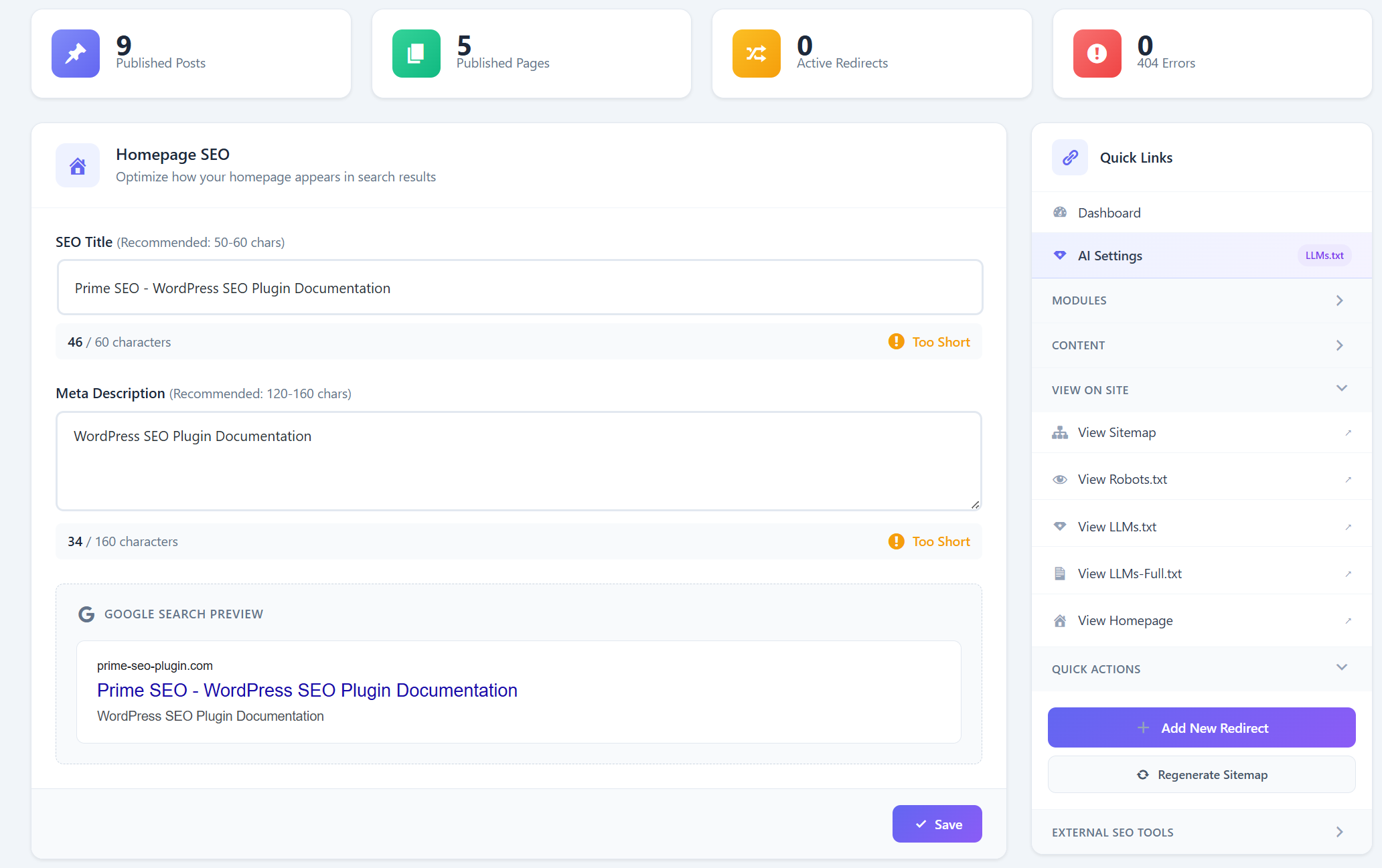
- Homepage SEO settings
- Feature toggles (Sitemap, Image SEO, External Links, 404 Monitor)
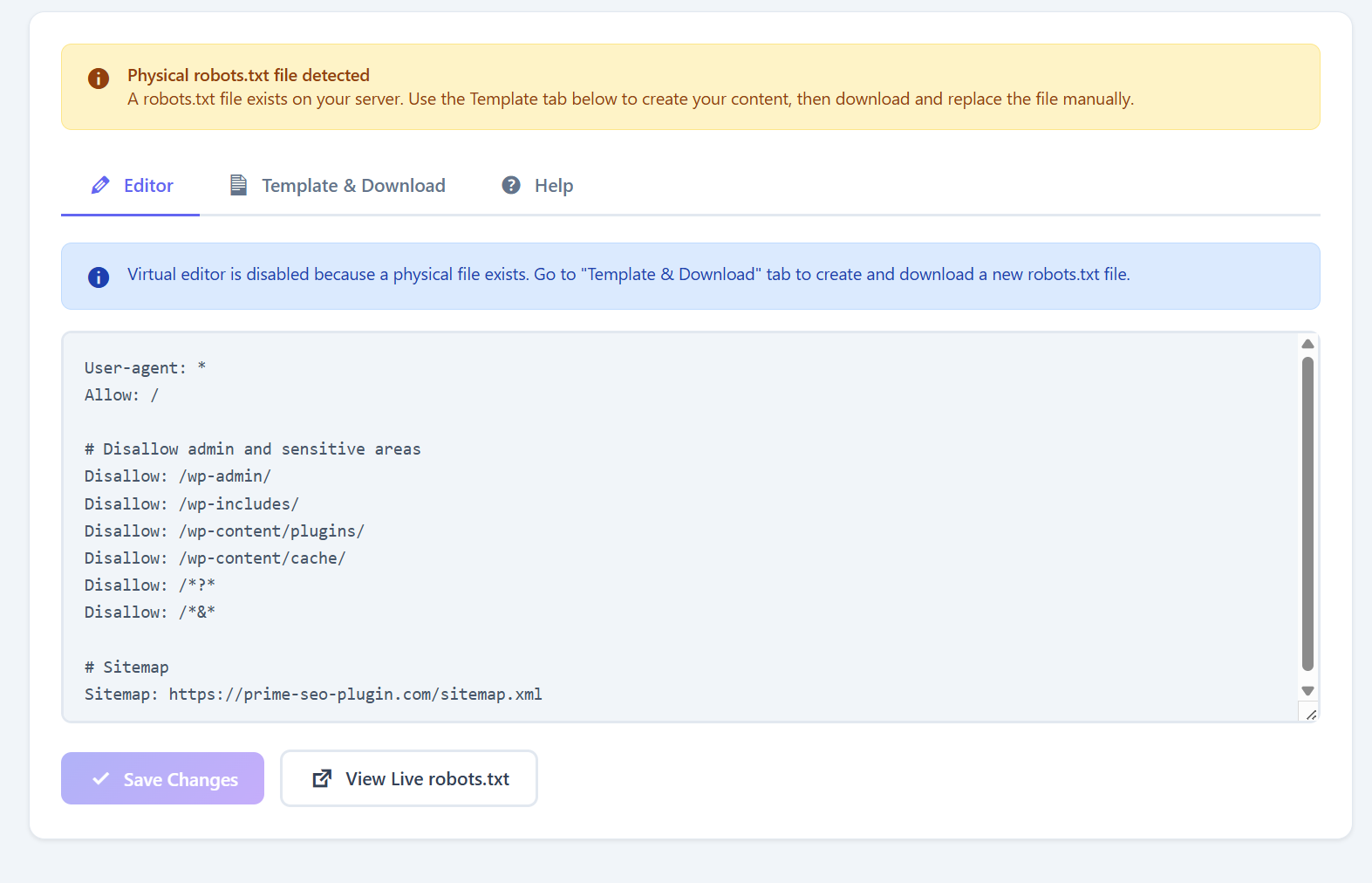
- Robots.txt configuration
- Ready to optimize
- Lightweight code following WordPress Coding Standards
- Assets load only on relevant pages
- No external API calls except optional IndexNow and the optional deactivation survey
- All data stored in your WordPress database
- Compatible with caching plugins
- Clean, well-documented codebase
- Hooks and filters for customization
- WordPress REST API compatible
- Translation ready
安装:
- Log in to your WordPress dashboard
- Go to Plugins → Add New
- Search for "Prime SEO"
- Click "Install Now" and then "Activate"
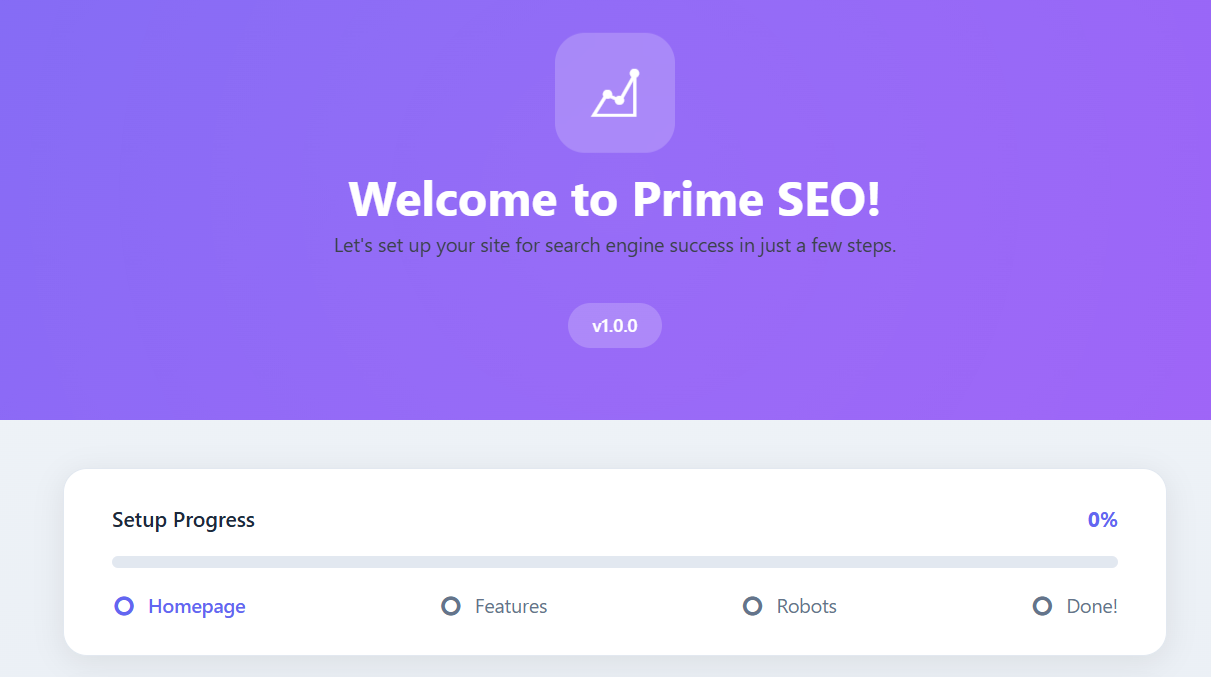
- Follow the Setup Wizard to configure your site
- Download the plugin zip file
- Go to Plugins → Add New → Upload Plugin
- Choose the zip file and click "Install Now"
- Click "Activate Plugin"
- Follow the Setup Wizard
- Setting up your homepage SEO
- Enabling features (Sitemap, Image SEO, etc.)
- Configuring robots.txt
- You're ready to optimize!
屏幕截图:
常见问题:
How do I create an llms.txt file in WordPress?
Install and activate Prime SEO — the llms.txt file is generated automatically and is available at yoursite.com/llms.txt right away, no file upload needed. Go to Prime SEO → AI Settings to edit the file, choose which sections it includes, and enable llms-full.txt with the full content of the post types you select.
How do I block GPTBot or other AI crawlers?
Go to Prime SEO → AI Settings → AI Bots Manager. Switch off GPTBot, ClaudeBot, PerplexityBot, Google-Extended or any of the 15 supported AI crawlers, or use a preset: Allow All, Block Training (blocks bots that collect training data but keeps AI search bots), or Block All. The matching rules are added to your robots.txt automatically.
How can I see if ChatGPT or other AI bots crawl my site?
The Dashboard shows AI Crawler Stats: visits from GPTBot, ClaudeBot, PerplexityBot and other AI crawlers for the last 7 days, the most visited URLs, and a feed of the latest visits — including requests for your llms.txt, sitemap and robots.txt.
What is AI SEO and why do I need it?
AI search engines like ChatGPT, Perplexity and Google Gemini answer questions directly and read websites with their own crawlers to do it. No plugin can make them cite a site. What Prime SEO gives you is control and visibility: an llms.txt file that tells AI tools what your site is about, the AI Bots Manager to decide which crawlers may read it, and AI Crawler Stats that show which ones actually visit.
Do I need SEO knowledge to use this plugin?
No! Prime SEO is designed for beginners. The Setup Wizard configures everything, and the metabox provides clear guidance with real-time feedback.
What is "Generate All with AI"?
Generate All with AI is a Pro feature that fills ALL your SEO fields with one click:
- SEO Title (Google)
- Meta Description (Google)
- Facebook Title & Description (Open Graph)
- Twitter Title & Description
- Focus Keywords (auto-extracted)
What's the difference between Free and Pro?
The free version includes everything you need for professional SEO: metabox, sitemaps, schema markup, redirects, 404 monitor, AI bots manager, and LLMs.txt. Pro adds AI-powered automation:
- Generate All with AI — One click generates SEO title, meta description, Facebook meta, Twitter meta, and focus keywords (6 fields + keywords!)
- AI Bulk Generator — Generate SEO for hundreds of posts at once
- AI Content Score — Detailed analysis for AI search optimization
- Video Sitemap — Auto-detect videos from YouTube, Vimeo, Wistia, Bunny Stream
- Priority Support — Direct email support
Will this slow down my website?
No. Prime SEO is optimized for performance. Assets load only where needed, and the code follows WordPress best practices.
Can I import from Yoast or Rank Math?
Yes! Prime SEO includes a migration tool. Go to Prime SEO → Migration and select the plugin you want to import from. We support:
- Yoast SEO (Free & Pro)
- Rank Math (including redirects)
- All in One SEO Pack
- SEOPress
Where is my sitemap?
Your sitemap is automatically available at: yoursite.com/sitemap.xml
How do I add breadcrumbs to my theme?
Use the shortcode [prime_seo_breadcrumbs] in any post/page, or add <?php prime_seo_breadcrumbs(); ?> to your theme template.
Can I use this with other SEO plugins?
We don't recommend it. Running multiple SEO plugins can cause conflicts and duplicate meta tags. Prime SEO includes everything you need.
How do redirects work?
Go to Prime SEO → Redirects, enter the old URL and new URL, select redirect type (301/302/307/410/451), and save. The redirect is instant.
What's the difference between redirect types?
- 301 — Permanent redirect (passes SEO value)
- 302 — Temporary redirect (for temporary moves)
- 307 — Temporary redirect (preserves request method)
- 410 — Gone (page permanently deleted)
- 451 — Unavailable for legal reasons
How do I fix 404 errors?
Go to Prime SEO → Redirects → 404 Log tab. You'll see all 404 errors with options to create redirects or delete entries.
Is the robots.txt virtual or physical?
Virtual. Prime SEO doesn't create a physical file, so there are no conflicts with existing files.
What is LLMs.txt and why do I need it?
LLMs.txt is a standard (like robots.txt) that helps AI search engines understand your site. It provides a structured overview of your content that AI crawlers like ChatGPT, Claude, and Perplexity can use to better index and reference your site in AI-powered search results.
How do I control which AI bots can access my site?
Go to Prime SEO → AI Settings. You'll find the AI Bots Manager where you can allow or block specific AI crawlers. Use Quick Presets for common configurations, or customize access for each bot individually.
Which OpenAI crawlers can I control?
All three: GPTBot (model training), ChatGPT-User (pages a ChatGPT user asks for) and OAI-SearchBot (ChatGPT search). Each has its own switch in the AI Bots Manager, and the robots.txt rule is written for you. The same applies to Anthropic (ClaudeBot, Claude-User, Claude-SearchBot, Claude-Web, anthropic-ai) and Perplexity (PerplexityBot, Perplexity-User).
Can I block Bytespider, CCBot or Meta-ExternalAgent?
Yes. Bytespider (ByteDance), CCBot (Common Crawl) and Meta-ExternalAgent (Meta) are in the AI Bots Manager next to the OpenAI, Anthropic and Perplexity crawlers. The "Block Training Only" preset blocks them in one click, or flip each switch by hand. Google-Extended and Applebot-Extended are robots.txt names rather than visiting bots, so they can be blocked but never show up in AI Crawler Stats.
Where are llms.txt and llms-full.txt?
They're automatically available at:
yoursite.com/llms.txt— Basic site overviewyoursite.com/llms-full.txt— Extended version with full content (when enabled)
更新日志:
- New: 500 AI generations a month are included with every Pro license. Pick "Included with Pro" in AI Settings and the plugin generates through the Prime SEO AI service; no OpenAI account needed. Your own key still works as the second option, without a limit on our side
- New: AI Settings and the Bulk Generator show how many generations are left this month and when the counter resets; the Bulk Generator warns before a run that would exceed it
- Changed: "Generate both" in the post editor and each post in the Bulk Generator now make one combined request instead of two
- Changed: "External Services" in this readme describes the Prime SEO AI service (what is sent, what is stored)
- Fixed: Pro could not be activated while the free version was still active (the Freemius SDK was looked for in the free plugin folder)
- Changed: the build is byte-for-byte reproducible regardless of line endings in the checkout; release files use LF
- New: Setup checklist on the Dashboard. It shows how many setup steps are done, lists the open ones by priority with the time each takes, and ticks them off by itself as you configure the plugin
- New: The setup wizard now ends with your checklist progress: what the wizard has just completed and the three steps to take next
- New: Edit a redirect. The pencil in each row opens the redirect in the form at the top; hits and status are kept
- New: Pagination for the redirects table. Sites with more than 20 redirects can now reach all of them, and the Active / Inactive filter is kept between pages
- New: AI Bots Manager covers 15 AI crawlers. Added Claude-User, Claude-SearchBot and Perplexity-User
- Improved: If you chose "Block All AI" or "Block Training Only", newly added bots follow that choice automatically
- Improved: AI Crawler Stats no longer list Google-Extended and Applebot-Extended. They are robots.txt names that never appear in a visit, so their counters could only show zero. Both stay in the AI Bots Manager, where they work
- Improved: Empty screens now explain what will appear there and link to the next step: redirects, 404 Monitor, AI crawler visits, IndexNow
- Fixed: A regex redirect target such as /archive/$1 could not be saved because the field accepted full URLs only
- Fixed: Updating a regex redirect no longer trims the slashes of its pattern
- Fixed: Saving robots.txt without changes no longer rewrites its line endings
- New: One SEO score for every post. The editor, the posts list and the Dashboard now show the same number, calculated the same way
- New: The score no longer stays at 0 until you add a focus keyword. Titles, descriptions, content length, images and links earn points on their own; the focus keyword checks add the rest
- New: The score is always in view in the block editor: a score badge in the editor toolbar, a Prime SEO sidebar with your three biggest wins and the points each one adds, and the same summary in the pre-publish panel
- New: Score breakdown in the Analysis tab is grouped into "What to improve" and "Done", shows the points every check adds, and takes you to the right field with one click
- New: A small celebration the first time a post reaches the green zone
- New: A short notice after saving tells you how the score changed, for example "SEO score: 38 → 48"
- New: Filter posts and pages by score: Good, OK, Needs improvement
- New: The Dashboard score is now the average of your post scores, with a breakdown that links straight to the posts in each group and a bar showing how your content is split between them
- Improved: Focus keyword matching ignores punctuation, so "llms txt" matches "llms.txt"
- Improved: The per-keyword analysis now follows the same matching rules as the score, including keywords in subheadings
- Improved: Consistent button sizes and text sizes across all plugin pages
- Improved: Scores saved by earlier versions are recalculated automatically in the background
- New: Optional one-question survey when you deactivate the plugin. Nothing is sent unless you press "Submit & Deactivate" (see External Services)
- Improved: The review request now appears after a success, such as a post reaching a good score, instead of only after a week
- Fixed: The plugin description mentioned 16+ AI crawlers. The AI Bots Manager controls 12, listed in the documentation
- New: "Generate all descriptions with AI" shortcut under Needs Attention on the Dashboard
- Fixed: "Get Pro" link on the Plugins page pointed to a missing page
- Changed: Removed the third-party licensing SDK that was added to the free version in 1.1.7. Version 1.1.7 was never delivered as an update. The free plugin does not collect or send any usage data
- Tested with WordPress 7.1 and PHP 8.3
- New: Prime SEO panel in the block editor sidebar — one click opens the SEO meta box, which WordPress now keeps in a collapsed area
- Fixed: PHP 8.1+ deprecation notice on the setup wizard page
- Hardened JSON-LD output so content containing a closing script tag cannot break out of the schema block
- Settings export files no longer contain the OpenAI API key (Pro). If you shared an export file made with an earlier version, consider rotating the key
- Fixed: Saving the Settings page switched off the XML Sitemap and Schema modules and cleared sitemap post types — if your sitemap became empty, re-enable them on the XML Sitemap page once
- Fixed: Import and backup restore now keep AI Bots, LLMs.txt and sitemap options, and no longer turn disabled checkboxes on
- Fixed: Settings import failed on Windows servers
- Fixed: Quick Index on the Dashboard always answered "Security check failed"
- Fixed: AI Crawler Stats now counts AI bot visits to sitemap.xml, llms.txt and llms-full.txt
- Fixed: Sitemap index is now displayed with the styled view, same as the other sitemaps
- Fixed: Sitemap is refreshed immediately after sitemap settings are saved
- Fixed: The setup wizard no longer reappears after re-activation or after upgrading to Pro
- Fixed: Empty meta description tag is no longer printed
- Fixed: Horizontal scrollbar on plugin pages; Dashboard and Redirects layout on wide screens
- Safer default robots.txt in the setup wizard: CSS, JS and URLs with parameters are no longer blocked. An unmodified old default is replaced automatically on update; customised robots.txt files are left untouched
- Posts with a canonical URL pointing to another page are left out of the sitemap
- IndexNow no longer submits URLs from local, development or non-public sites
- Pro: a notice is shown when the license is not activated
- New: Webmaster Verification Tags — support for 6 services (Google, Bing, Yandex, Pinterest, Baidu, Ahrefs)
- New: Review Nudge — non-intrusive card-style notice asking for a review after 7 days of use
- Smart verification code extraction — paste full meta tag or just the code
- Verification tags output only on the homepage for optimal performance
- Review Nudge shows only on Prime SEO pages for admin users
- Three response options: Rate, Remind Later (30 days snooze), Already Rated
- Fixed: Analytics module now properly saves GA4 Measurement ID
- Fixed: False "unsaved changes" notification on Analytics page load
- Fixed: Export now correctly includes all selected options when "Post SEO Data" is checked
- New: Full Post Meta export — all 48 SEO meta keys per post
- New: Batched export for large sites (up to 1000 posts)
- New: Three import modes — Overwrite, Skip Existing, Merge
- New: Cross-site post matching — matches by ID first, falls back to slug
- New: Maximum 5 automatic backups limit with oldest auto-deletion
- Improved: Import now properly handles post meta restoration
- Improved: Backup file includes post meta section for complete site transfer
- Fixed: PRO license validation now properly checks before rendering Bulk Generator page
- Fixed: AI Content Score AJAX handlers now validate license before processing
- Fixed: Metabox PRO UI shows "Activate License" prompt when license is not active
- Improved: Consistent license checking pattern across all PRO features
- New: Video Sitemap — automatic video detection for YouTube, Vimeo, Wistia, Bunny Stream (PRO)
- New: Manual Video Fields — add videos not in content, override auto-detected metadata (PRO)
- New: Video Sitemap XSL Stylesheet — human-readable display (PRO)
- New: Generate All with AI — One click generates SEO title, meta description, OG meta, Twitter meta, and focus keywords (PRO)
- New: AI Bulk Generator — batch generate SEO for hundreds of posts at once (PRO)
- New: AI Content Score — 15 optimization checks for AI search engines (PRO)
- Improved: Dashboard with PRO features integration
- Improved: Metabox with AI generation buttons
- Fixed: Manual videos now correctly appear in video sitemap
- Added: Toast notification system — modern slide-in notifications replace inline alerts
- Added: Sticky Save Bar — unsaved changes warning with one-click save across all settings pages
- Added: beforeunload warning prevents accidental data loss when navigating away
- Added: AI Activity Feed — shows last 5 AI bot visits with URLs and timestamps
- Added: Quick Index — submit URLs to IndexNow directly from Dashboard
- Added: IndexNow Stats widget with submission history
- Improved: New 6-column grid layout with dedicated sidebar for AI and IndexNow widgets
- Improved: Responsive design for 1400px, 1200px, and mobile breakpoints
- Improved: Rank Math migration now imports Knowledge Graph settings (Site type, Organization/Person name)
- Improved: Rank Math migration now imports Breadcrumbs settings (Separator, Home label)
- Improved: Proper conversion of Rank Math "company" type to "organization"
- Fixed: SQL error when migrating from Rank Math without Redirections module enabled
- Improved: Yoast SEO migration now imports Knowledge Graph settings (Site represents, Company name, Email, Phone, Person name)
- Improved: Yoast SEO migration now imports Social Profiles (Facebook, Twitter, Instagram, LinkedIn, YouTube, Pinterest)
- Improved: Yoast SEO migration now imports Breadcrumbs settings (Separator, Home label, Prefix)
- Improved: Breadcrumbs module auto-enables if Yoast had breadcrumbs enabled
- Fixed: Setup Wizard now correctly saves all module settings (Image SEO, External Links, 404 Monitor)
- Fixed: All modules now enabled by default on fresh installation
- Fixed: dbDelta duplicate key warning on plugin reactivation
- Fixed: Plugin Check warnings resolved
- Added: uninstall.php for proper cleanup when plugin is deleted (removes all options, meta, tables, transients)
- Added: AI Crawler Analytics — Dashboard widget showing visits from AI bots (GPTBot, ClaudeBot, PerplexityBot, etc.)
- Added: Batched logging for performance (minimizes database writes)
- Added: Track top visited URLs by AI crawlers
- Added: 7-day visit statistics
- Improved: Sitemap and LLMs.txt now use dynamic rewrite rules — work instantly after activation without requiring permalink flush
- Improved: No more "sitemap.xml not found" issues on fresh installations
- Improved: Admin assets (CSS/JS) now load only on Prime SEO pages
- Improved: Post columns CSS loads only on post list screens (edit.php)
- Improved: All scripts now use modern defer loading strategy (WP 6.3+)
- Reduced: Admin page load time on non-SEO pages
- Fixed: Sitemap and LLMs.txt rewrite rules now properly flush on plugin activation/update
- Added: Cornerstone Content support — mark important pages for higher sitemap priority (1.0)
- Added: Cornerstone column in posts/pages list with star icon
- Added: Filter posts by cornerstone status in admin list
- Fixed: Product Schema now correctly shows BackOrder status instead of InStock for backorder items
- Added: OnlineBusiness schema type for digital businesses without physical location
- Added: OnlineStore schema type for e-commerce sites without physical stores
- Added: Recipe schema fields in metabox (prep time, cook time, servings, cuisine, category)
- Added: Event schema fields in metabox (start/end date, venue, address, attendance mode, URL)
- Added: Book schema type with full metabox support (author, ISBN, publication date, format, pages, edition, publisher, language)
- Initial release
- AI Bots Manager — Control access for ChatGPT, Claude, Perplexity, Google Gemini, and 12 more AI crawlers
- LLMs.txt Generator — Auto-generate AI-friendly site description
- LLMs-full.txt — Extended content for AI indexing
- Quick Presets — Allow All, Block Training, Block All, Custom
- AI Visibility Score — Real-time AI readiness indicator
- Configurable content sections for llms.txt generation
- Tabbed interface (General, Advanced, Analysis)
- Circular SEO score (0-100)
- Multiple focus keywords support
- Live Google Preview with character counters
- Real-time content analysis
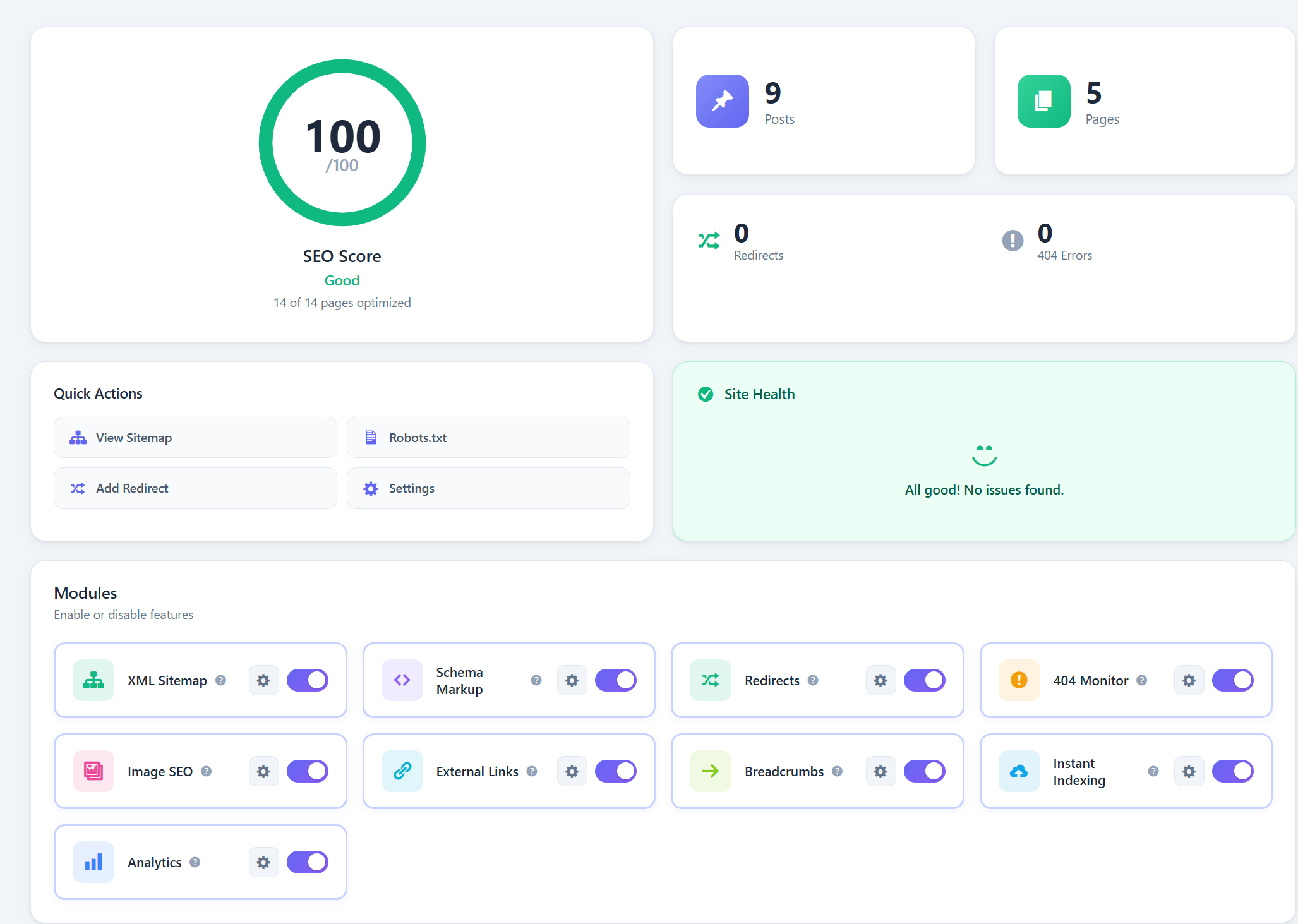
- Modern Bento Grid design
- Homepage SEO with live preview
- Module toggles with instant save
- Quick Links sidebar
- 301/302/307/410/451 redirect types
- Regex support with capture groups
- Query string preservation
- Hit tracking and statistics
- Bulk actions (activate, deactivate, delete)
- Fallback redirect for all 404s
- Import/Export redirects
- Automatic logging
- Referer and User Agent tracking
- One-click convert to redirect
- Bulk delete
- Sitemap index architecture
- Image sitemap support
- Author sitemap
- Custom Post Types and Taxonomies
- Beautiful XSL styling
- Knowledge Graph (Organization/Person)
- WebSite schema with SearchAction
- Social profiles (sameAs)
- Article, FAQ, HowTo, Recipe, Event schemas
- LocalBusiness with 40+ subtypes
- Product schema (WooCommerce ready)
- Robots.txt Editor with 5 templates
- Image SEO (auto ALT/TITLE)
- External Links Manager (nofollow, new tab)
- Breadcrumbs with BreadcrumbList schema
- Instant Indexing via IndexNow API
- Migration from Yoast, Rank Math, AIOSEO, SEOPress
- Import/Export with backup management
- Setup Wizard
- SEO Score column in posts list