
PrinterFlo Image Optimizer
| 开发者 | printerflo |
|---|---|
| 更新时间 | 2026年9月29日 18:11 |
| PHP版本: | 7.4 及以上 |
| WordPress版本: | 7.1 |
| 版权: | GPLv2 or later |
| 版权网址: | 版权信息 |
详情介绍:
- Truly unlimited — 50 images or 50,000. There is nothing to meter.
- No account, no API key, no signup — install, click Optimize, done.
- AVIF on any hosting — shared hosts usually can't encode AVIF server-side. Your browser can. Get the most modern format on the cheapest hosting.
- Zero server load — your host does no conversion work at all.
- Private — images never leave your site. Nothing is sent to any third party.
- Originals untouched — converted files are saved alongside your originals; one click removes them all.
- Automatic delivery — front-end images are wrapped in
<picture>tags so every visitor's browser picks the best format it supports. Works on any host — no .htaccess or nginx changes.
安装:
- Install and activate the plugin.
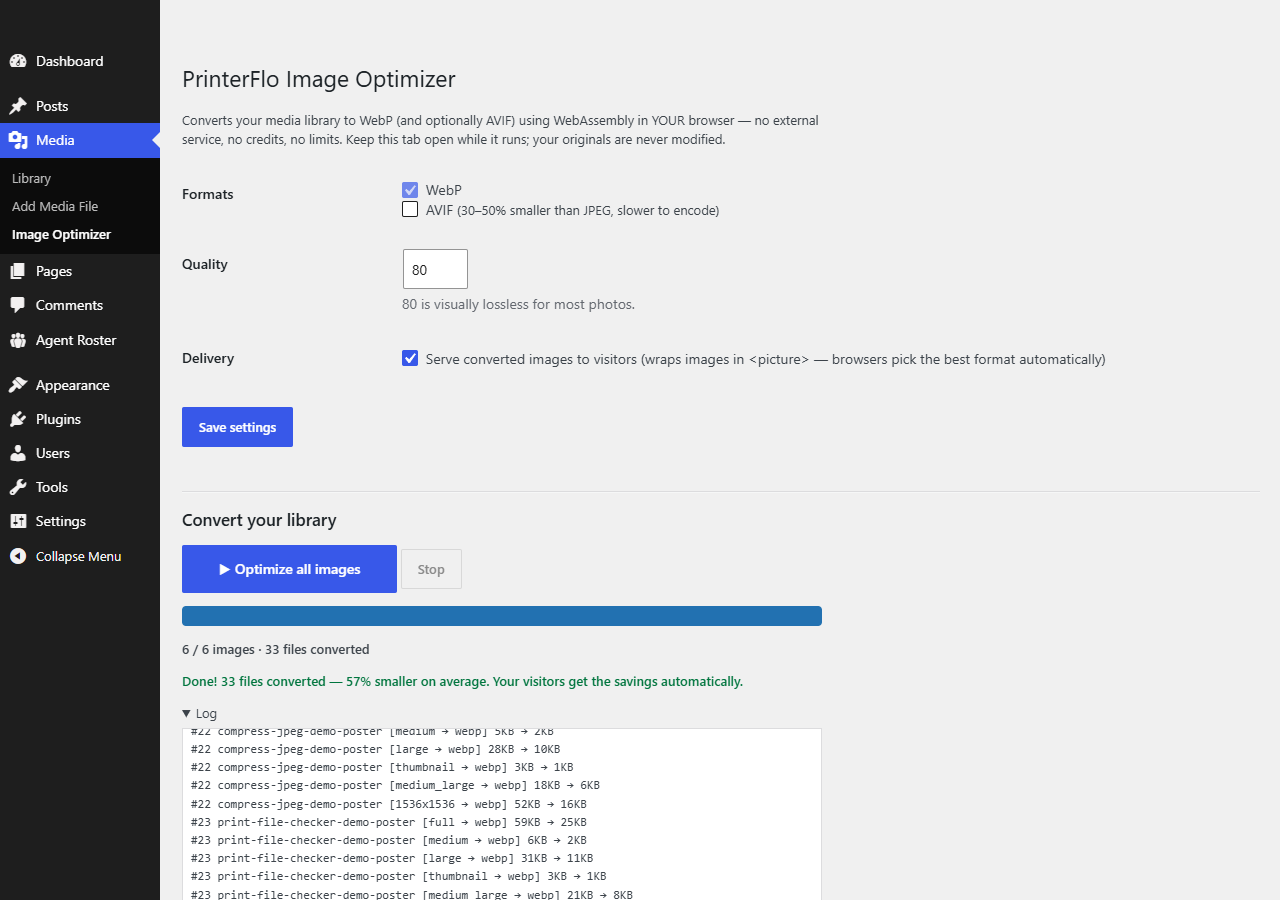
- Go to Media → Image Optimizer.
- (Optional) Enable AVIF and adjust quality.
- Click Optimize all images and keep the tab open until it finishes.
屏幕截图:
常见问题:
Is it really unlimited? What's the catch?
The conversion runs on your computer, in your browser — so there are no server costs and nothing to meter. The one trade-off: you have to open the optimizer page and keep it open while it works. For most sites that's a few minutes, once.
Are my images sent anywhere?
No. The plugin makes no external requests at all. Images go from your media library to your browser and back — encoder included in the plugin, running locally via WebAssembly.
Does it modify my original images?
Never. Converted files are saved as separate .webp/.avif files next to the originals. The "Remove all converted files" button deletes everything the plugin created, and your site is exactly as before.
How are the images served to visitors?
Front-end <img> tags whose files have a converted version get wrapped in a <picture> element with AVIF/WebP sources. Browsers automatically pick the best format they support and older browsers fall back to the original — no server configuration, works with page caching.
WebP or AVIF?
WebP is fast to encode and universally supported — it's always on. AVIF is 30–50% smaller than JPEG but slower to encode; enable it if you want maximum savings and don't mind the run taking longer.
What about new uploads?
They're converted the next time you open Media → Image Optimizer and click the button — already-done files are skipped. Background auto-conversion needs a server-side encoder, which is exactly the thing this plugin deliberately doesn't depend on.
Which files are converted?
JPEG and PNG attachments, including every registered thumbnail size. Transparency is preserved.
更新日志:
- Fixed: on sites using plain permalinks the conversion queue never loaded, so "Optimize all images" appeared to do nothing. The REST URL was built by appending a second "?" to a URL that already had a query string.
- Added screenshots and a plugin banner.
- Documentation: the Source code section now fully documents the bundled WebAssembly codec binaries (what they are, why they're required, and links to their complete source and build instructions).
- Faster AVIF encoding on multi-core machines (multithreaded encoder used when the browser supports it).
- Renamed to PrinterFlo Image Optimizer (distinct, brand-prefixed name per directory guidelines).
- All internals re-prefixed from uio_ to pfio_.
- Fix: WebAssembly codecs failed to load on some sites (asset URLs are now relative to the plugin directory).
- Fix: browser cache-busting for the conversion worker on plugin updates.
- New: "Open optimizer" link on the Plugins screen and a first-run pointer notice.
- First release: unlimited in-browser WebP/AVIF conversion for the whole media library,
<picture>delivery, one-click removal.