Probono Form Basic
| 开发者 | probonodesign |
|---|---|
| 更新时间 | 2026年6月3日 18:11 |
| PHP版本: | 7.4 及以上 |
| WordPress版本: | 7.0 |
| 版权: | GPLv2 or later |
| 版权网址: | 版权信息 |
详情介绍:
- No built-in furigana field or postal-code-to-address auto-fill, so you fill the gap with add-ons or by hand
- Just showing a confirmation screen before sending means adding another plugin or more configuration
- You have to look up mail-merge syntax or HTML to get the notification and auto-reply you actually want
- Every new field means learning a custom syntax, and the setup gets fiddly
- Confirmation screens, advanced features, and add-ons sit behind monthly or yearly charges, and costs keep piling up
- Install the plugin and click "Activate"
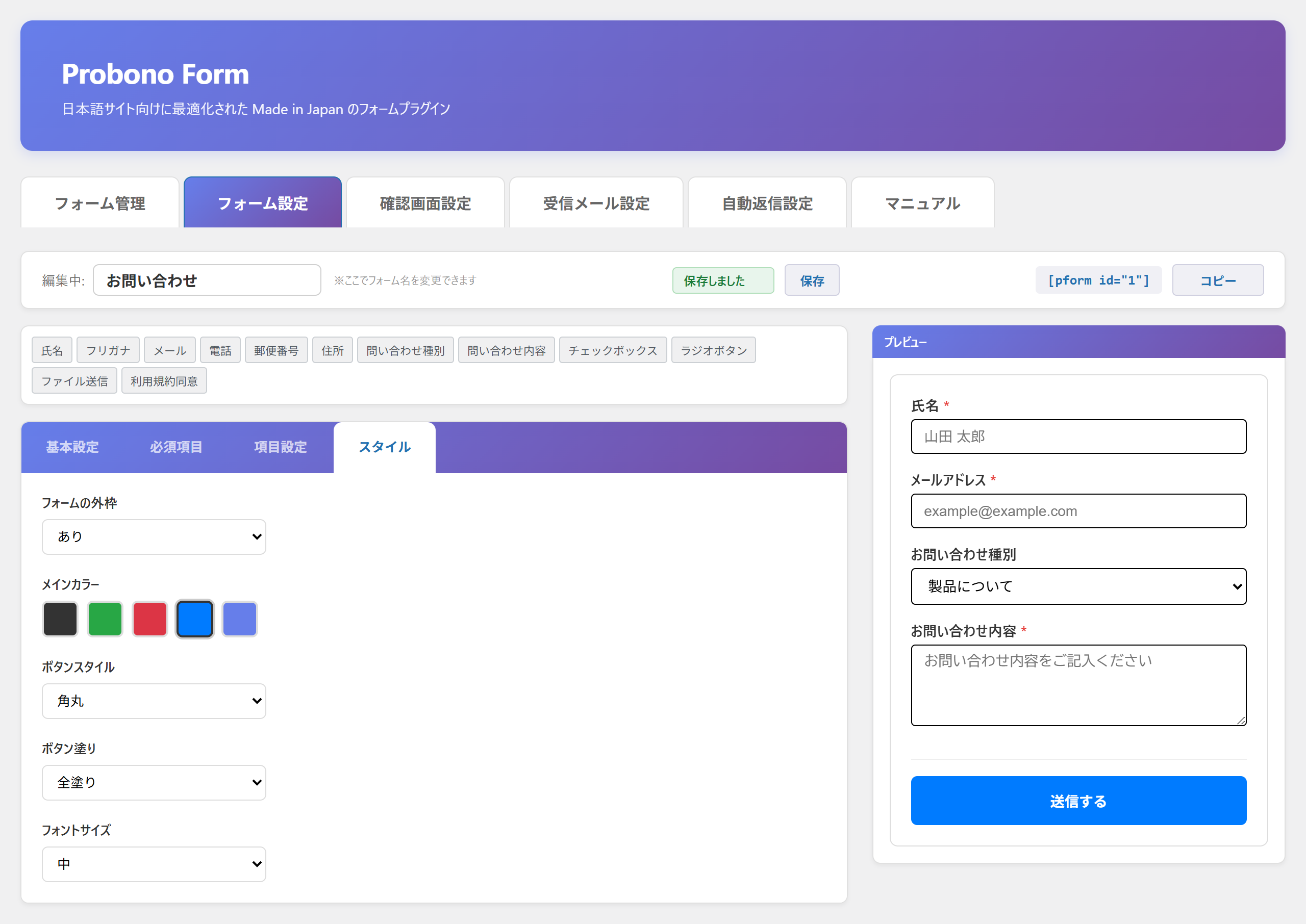
- Click the field buttons to build your form
- Paste the generated shortcode into a page
- Setup effort — Typical plugins often expect you to learn mail-merge syntax, HTML, or a custom notation to get the form you want. Probono Form Basic is built to be assembled by clicking buttons, with no code.
- Fit for Japanese-language sites — Whether the essentials a Japanese site obviously needs are built in, with no add-ons: a furigana field, postal-code-to-address auto-fill, automatic honorific (san), a confirmation screen. Probono Form Basic was designed from scratch for Japanese-language sites.
- Cost — Many plugins lock the confirmation screen, auto-reply, spam protection, or add-ons behind a higher monthly or yearly plan. Probono Form Basic is free, with a one-time (buy-once) philosophy. Costs don't grow with every renewal.
- Data handling — Probono Form Basic does not send what visitors submit to external servers, and it does not track usage. Everything stays inside your site (except the postal-code lookup for address auto-fill — see "External services").
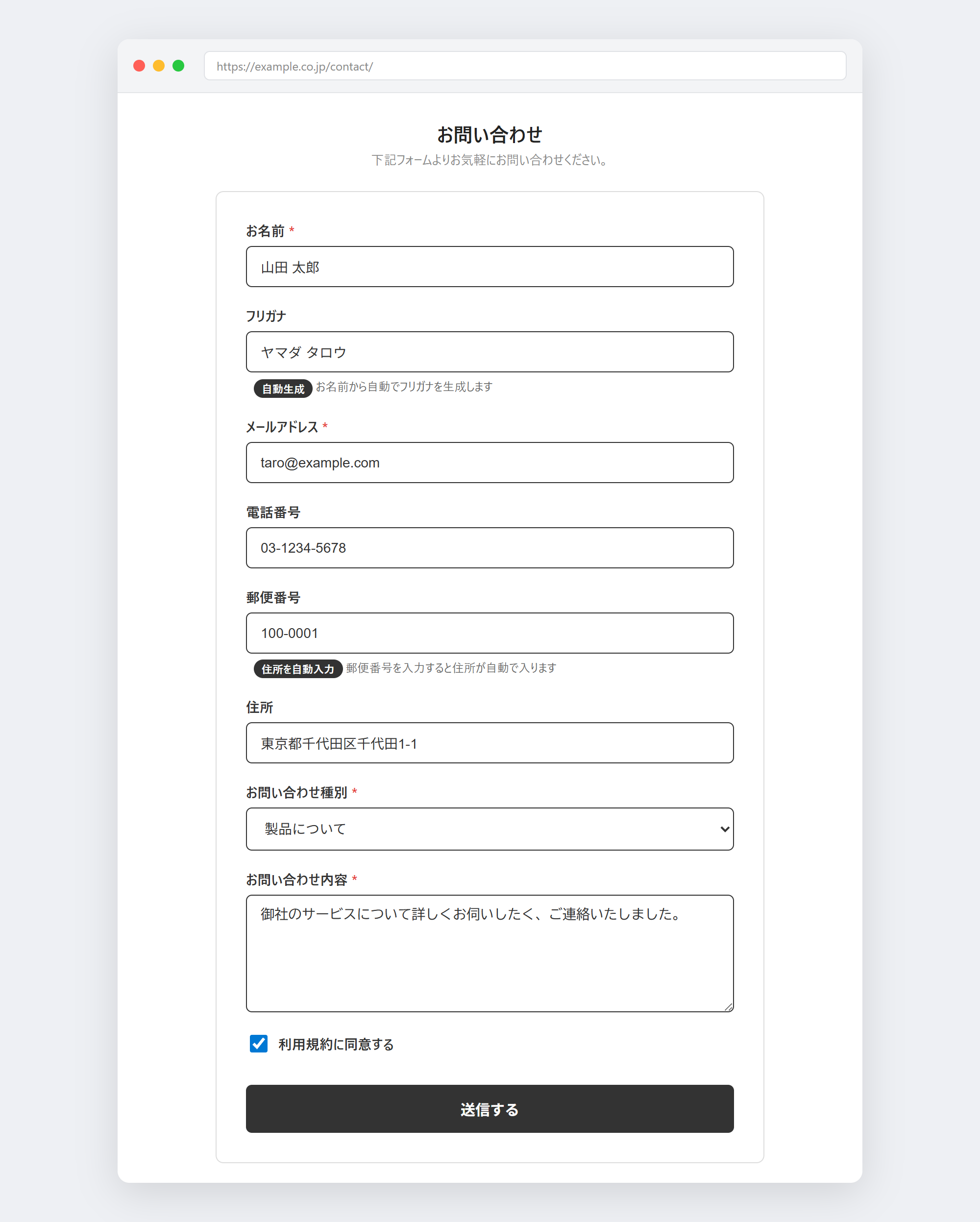
- Postal-code-to-address auto-fill — When a visitor types a postal code, the prefecture and city are filled in automatically. No more making people type out a long address by hand — and fewer drop-offs.
- Automatic furigana generation — As the visitor types their name, the furigana (reading) field is filled in for them, removing the stress of entering readings manually.
- Automatic honorific — In auto-reply emails and on the form, the honorific "san" is appended to the name automatically, keeping things polite by Japanese business norms.
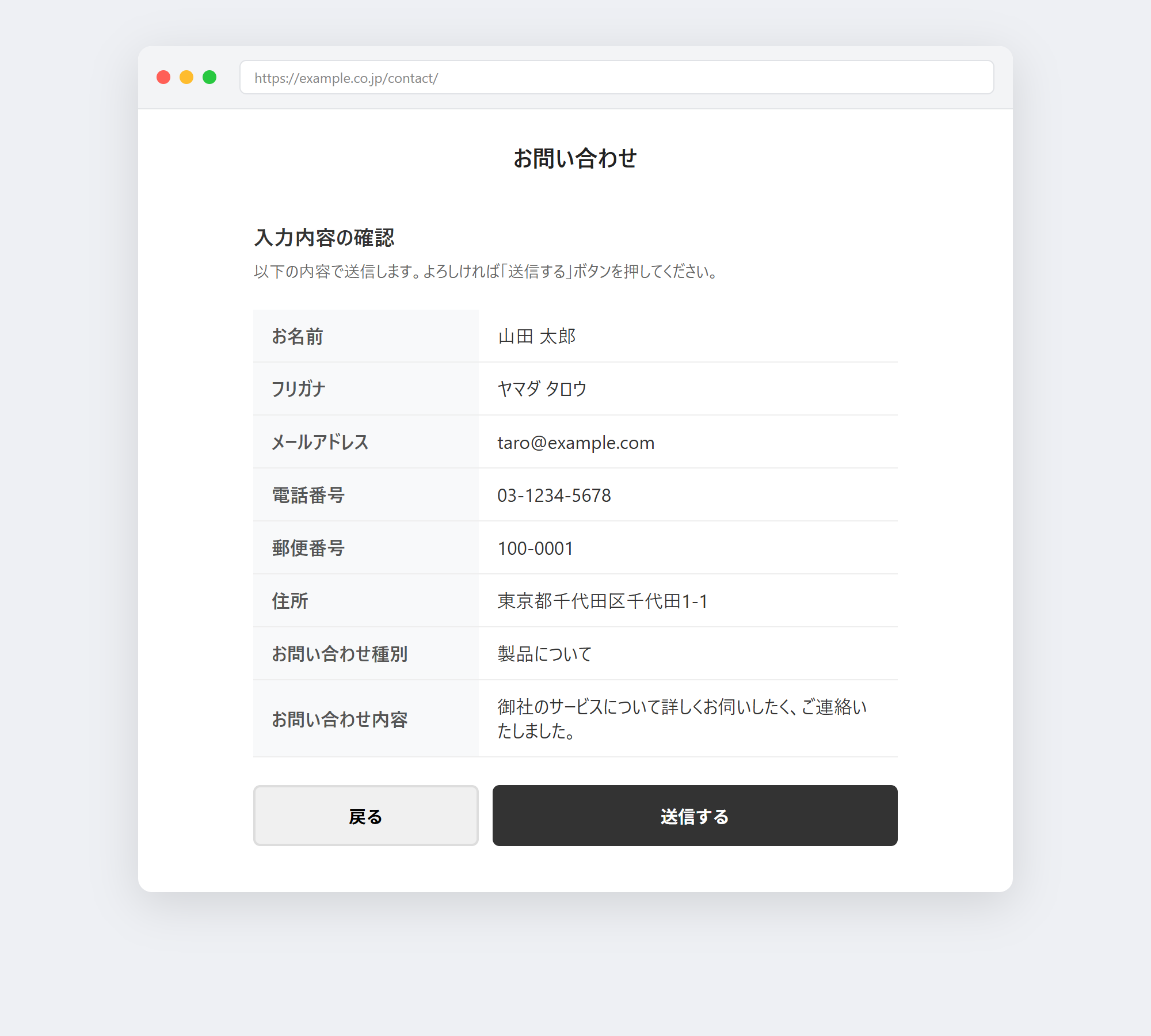
- Clicking field buttons gives you a complete form, confirmation screen included
- Visitors just type a postal code to fill in their address, reducing mid-form drop-off
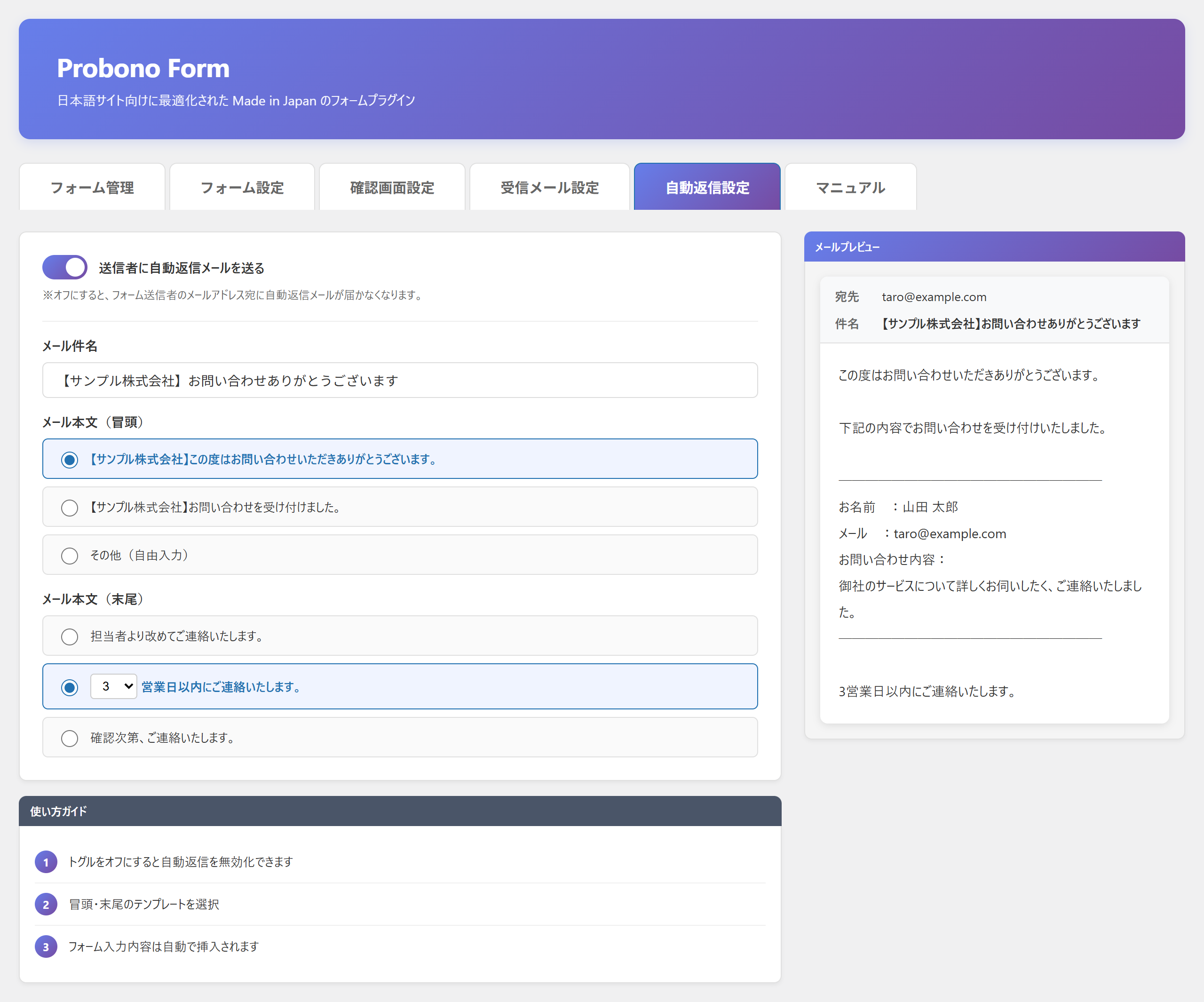
- The moment an inquiry arrives, the sender receives a polite auto-reply
- Honeypot and submission-time checks suppress bot spam
- One plugin lets you create unlimited forms for different purposes (contact, document request, recruiting, and more)
- It doesn't collect submissions — What visitors enter is not sent to external servers or tracked as usage. Submissions stay within your site and your email (except the postal-code lookup for address auto-fill).
- No conflicts with other plugins — Probono Form Basic works independently and does not clash with other form plugins, avoiding trouble when switching or running side by side.
- Continuous development by Japanese developers — Built and maintained by developers who understand Japanese-language sites, keeping pace with WordPress core updates.
安装:
- Go to Plugins > Add New > Upload Plugin and upload the ZIP file (or search for "Probono Form" under Add New).
- Click "Activate" from the Plugins list.
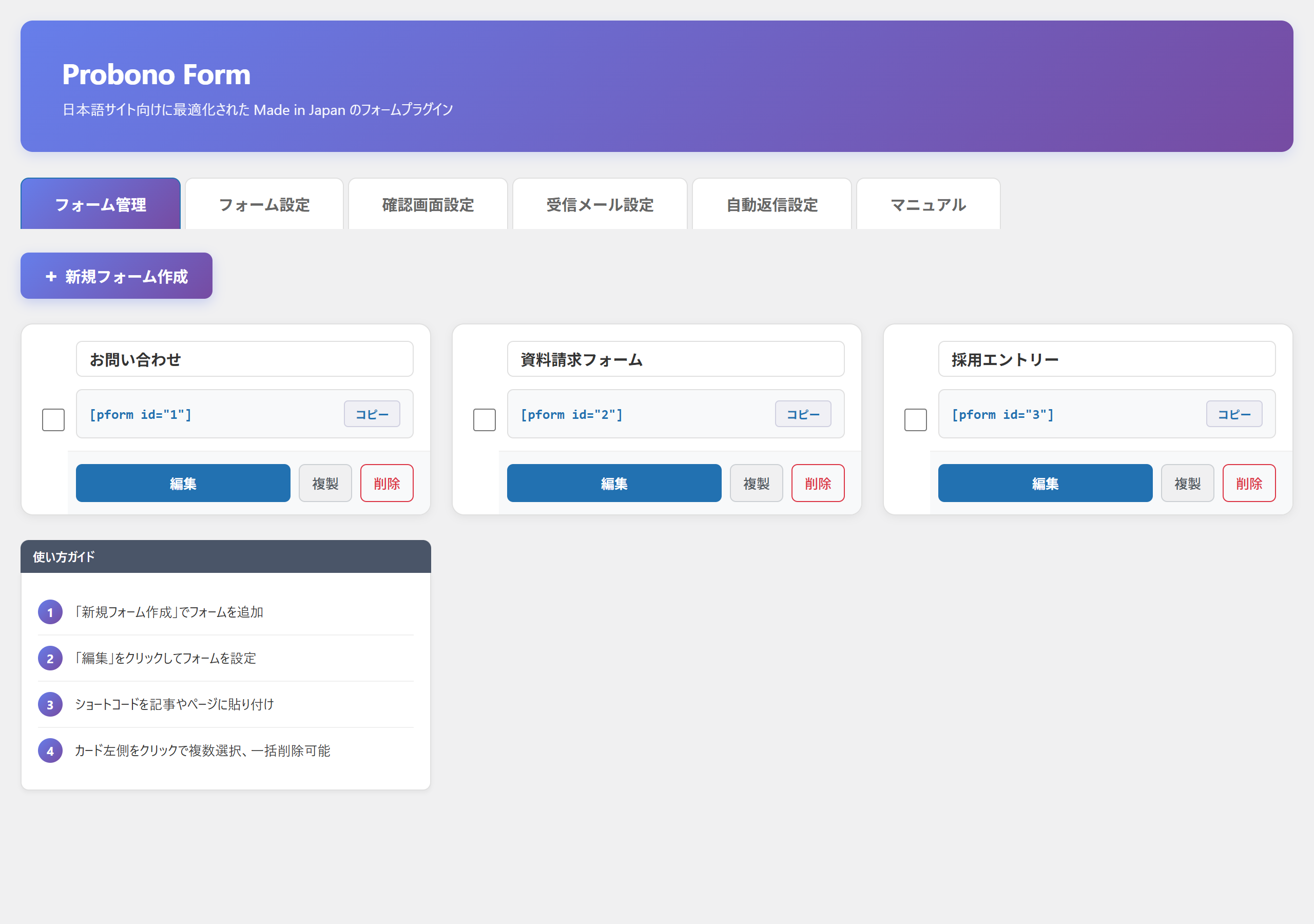
- Open the "Probono Form" menu in the admin dashboard, click "New Form," and build your form by clicking the field buttons.
- Paste the generated shortcode (e.g. [pform id="1"]) into a page or post to publish it.
屏幕截图:
常见问题:
Can I use it without any coding knowledge?
Yes. You build the form by clicking field buttons and paste the generated shortcode. No HTML or programming knowledge is required.
Is this for Japanese websites?
Yes. Probono Form Basic is designed and optimized from scratch for Japanese-language sites. It includes postal-code-to-address auto-fill, automatic furigana generation, and automatic honorific as standard.
Can I use a confirmation screen and auto-reply email?
Yes. Both are included in the Basic version. The confirmation screen can be shown or hidden to prevent misdelivery, and the auto-reply sends a thank-you email to the sender just by selecting a template.
How many forms can I create?
Unlimited. You can create separate forms for contact, document requests, recruiting, and any other purpose.
Does it cost anything?
The Basic version is free and one-time. No monthly subscription, no yearly renewal fee.
Does the plugin collect form senders' data?
No. It does not send what visitors submit to external servers or collect usage. Only when a postal code is entered for address auto-fill is that postal code queried against the zipcloud API (see "External services").
Can I use it alongside other form plugins?
Yes. Probono Form Basic works independently and does not conflict with other form plugins.
Does it work with any WordPress theme?
Yes. It works with any standard WordPress theme.
Is it Made in Japan?
Yes. It is developed and continuously maintained in Japan by Japanese developers.
更新日志:
- Minor fixes
- WordPress 7.0 compatibility. Admin accent colors now follow the admin color scheme (default appearance unchanged).
- Bug fix: the custom label for the inquiry content field configured in admin settings is now correctly reflected in the frontend form output
- Bug fix: inquiry category choices configured in admin settings are now correctly reflected in the frontend form output
- Security improvement: suppressed static analysis warnings
- Redesigned admin interface with new 5-tab layout and form management screen
- Added global autosave bar with form name editing and shortcode display
- Improved field selection UI with tag-based interface
- Security improvement: added input whitelist validation
- Security improvement: added nonce validation
- Published on WordPress.org
- Initial release
- Contact form features for Japanese websites