
Product Badges For Woocommerce
| 开发者 | plugin999 |
|---|---|
| 更新时间 | 2026年4月8日 17:18 |
| PHP版本: | 7.4 及以上 |
| WordPress版本: | 6.9 |
| 版权: | GPLv2 or later |
| 版权网址: | 版权信息 |
详情介绍:
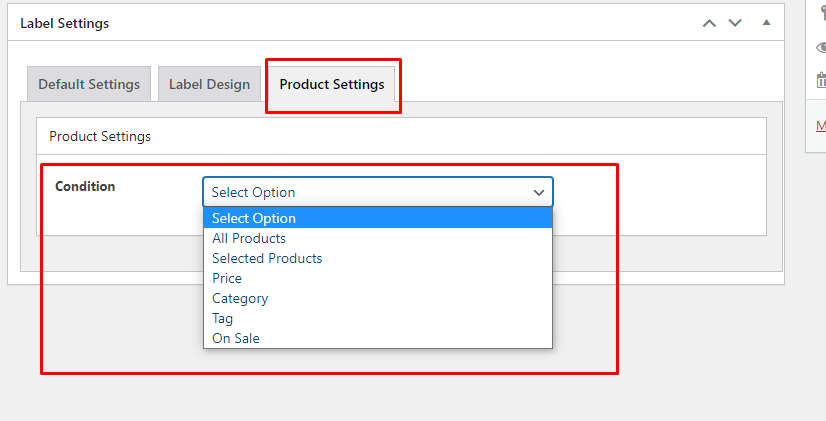
- All Products — apply the badge site-wide
- Selected Products — choose individual products
- Category — target one or more product categories
- Tag — target products by tag
- Price — show when price is greater than, less than, or between two values
- On Sale — show only on sale (or only on non-sale) products
- Out of Stock — highlight unavailable items automatically Scheduled Badges with Start & End Date/Time Set an exact start date, end date, start time, and end time for every badge. Badges appear and disappear automatically — perfect for flash sales, seasonal promotions, and limited-time offers.
- Highlighting sale and clearance products
- Marking new arrivals, bestsellers, or featured items
- Displaying "Out of Stock" or "Low Stock" warnings
- Running time-limited promotional campaigns
- Distinguishing product categories visually
- Any store that wants to increase product page engagement
- Install and activate the plugin (WooCommerce must be active).
- Go to WooCommerce → Product Badges in your WordPress admin.
- Click Add New Badge and configure your badge using the form.
- Watch the Live Preview update in real time as you make changes.
- Set your display conditions, schedule (optional), and position.
- Save — your badge is live on your store immediately.
安装:
- Upload the
product-badges-for-woocommercefolder to the/wp-content/plugins/directory, or install directly via the WordPress Plugins screen. - Activate the plugin through the Plugins screen in WordPress.
- Ensure WooCommerce is installed and activated.
- Navigate to WooCommerce → Product Badges to create your first badge.
屏幕截图:
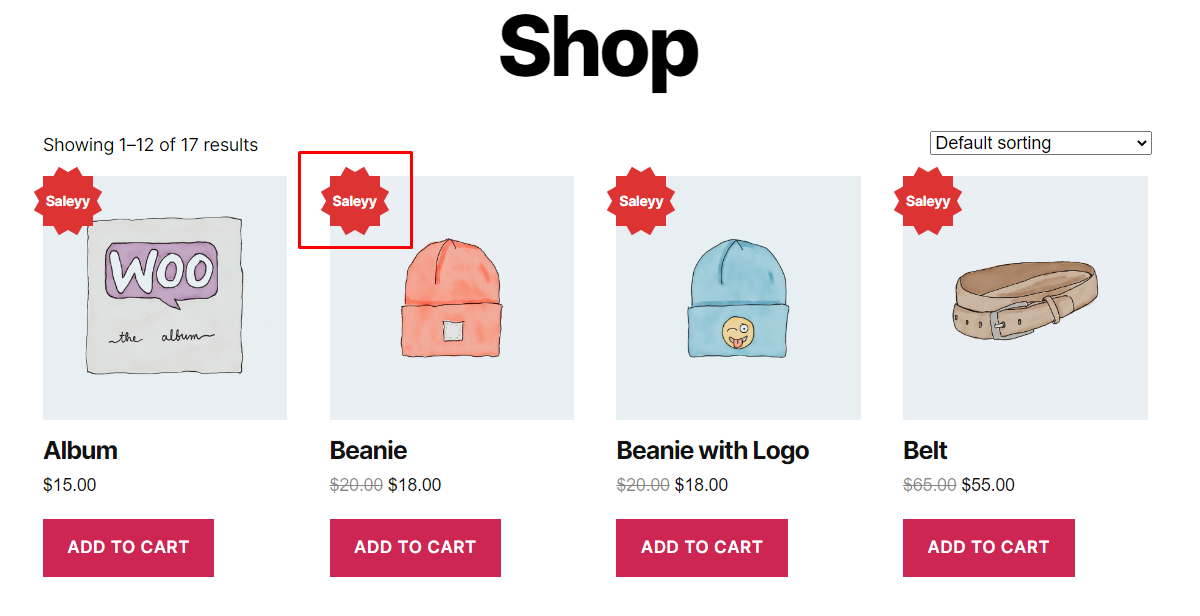
常见问题:
Do I need to know how to code to use this plugin?
No. Everything is managed through a visual admin interface with a real-time Live Preview. No CSS or PHP knowledge required.
Can I show different badges on different products?
Yes. Each badge has its own conditional display rules. You can target specific products, categories, tags, price ranges, or sale/stock status independently for each badge.
Can I schedule a badge to appear only during a sale period?
Yes. Every badge supports a start date, end date, start time, and end time. The badge will appear and disappear automatically based on your schedule.
Will the badge look the same as in the Live Preview?
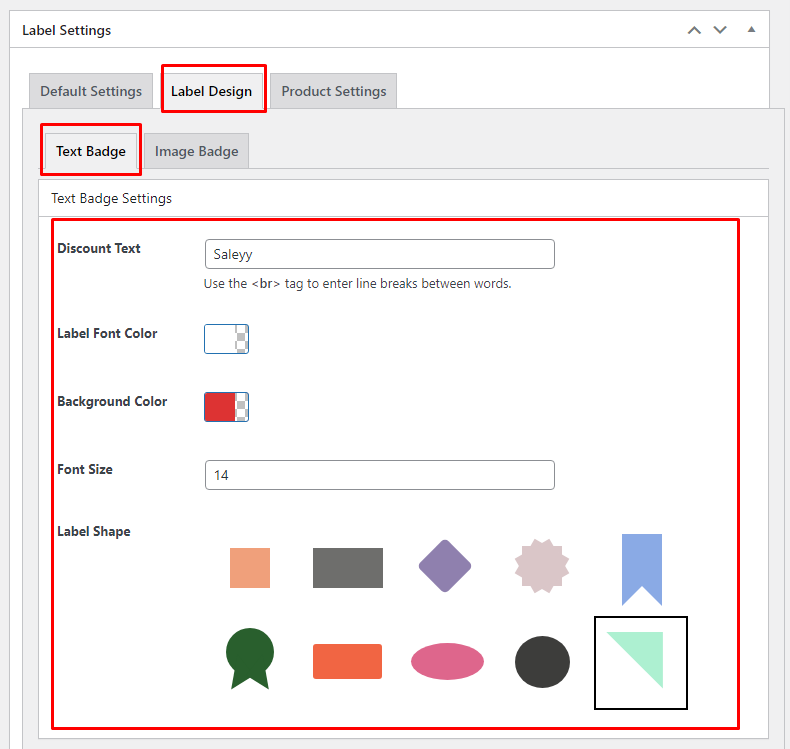
Yes. The frontend renderer uses the exact same shape dimensions, clip-path values, and CSS properties as the Live Preview, so what you see in the admin is what your customers see.
Can I use my own badge image instead of a text badge?
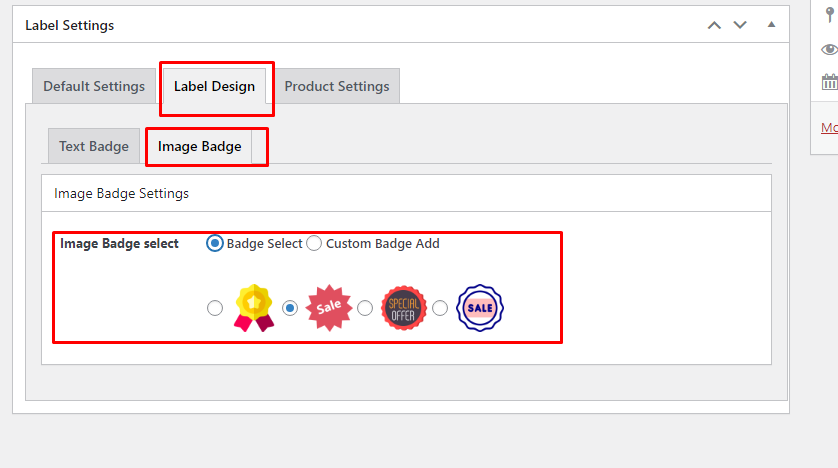
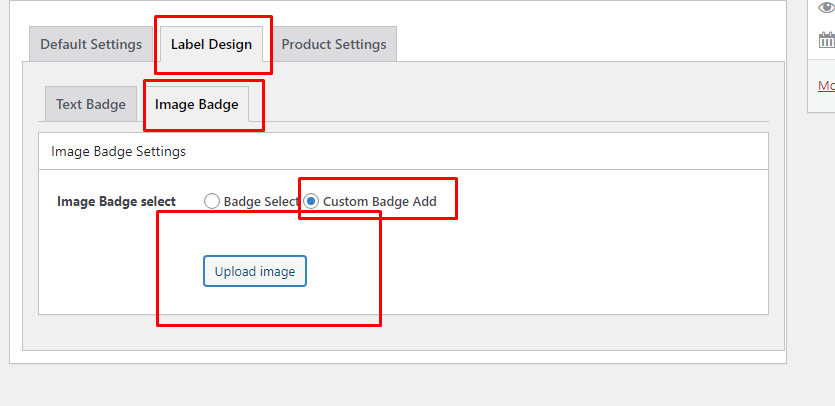
Yes. Switch the badge type to "Image Badge", then either select one of the built-in badge images or upload your own custom image via the media library.
Does this plugin work with all WooCommerce themes?
The plugin hooks into standard WooCommerce actions and filters and is compatible with the vast majority of WooCommerce-compatible themes. If you experience a layout issue, please open a support ticket.
Will the plugin slow down my store?
No. Assets are enqueued only on pages that display badges, and badge markup is generated server-side, keeping frontend overhead minimal.
更新日志:
- Added real-time Live Preview for text and image badges.
- Added scheduled badge visibility with start/end date and time fields.
- Fixed badge shape rendering on the frontend to match Live Preview output exactly (clip-path for Star Burst and Tag shapes; inline-flex centering for all shapes; counter-rotation fix for Diamond shape text).
- Improved conditional display logic for price, category, tag, on-sale, and out-of-stock rules.
- Initial release.