
ReviQuo
| 开发者 | devshakhawat |
|---|---|
| 更新时间 | 2026年10月17日 15:20 |
| PHP版本: | 7.4 及以上 |
| WordPress版本: | 7.1.2 |
| 版权: | GPLv2 or later |
| 版权网址: | 版权信息 |
详情介绍:
安装:
- Install and activate WooCommerce.
- Upload the plugin to
/wp-content/plugins/, or install it from Plugins > Add New. - Activate ReviQuo.
- Make sure product reviews are enabled under WooCommerce > Settings > Products.
- Open ReviQuo in WordPress admin and configure General, Appearance, Storefront, and Email Reminders.
- Visit a product page and submit a test review before opening review collection to customers.
屏幕截图:

常见问题:
Does this replace WooCommerce reviews?
No. It enhances the standard WooCommerce product-review system, and reviews continue to use WordPress comments and WooCommerce moderation.
Do customers need an app to record video?
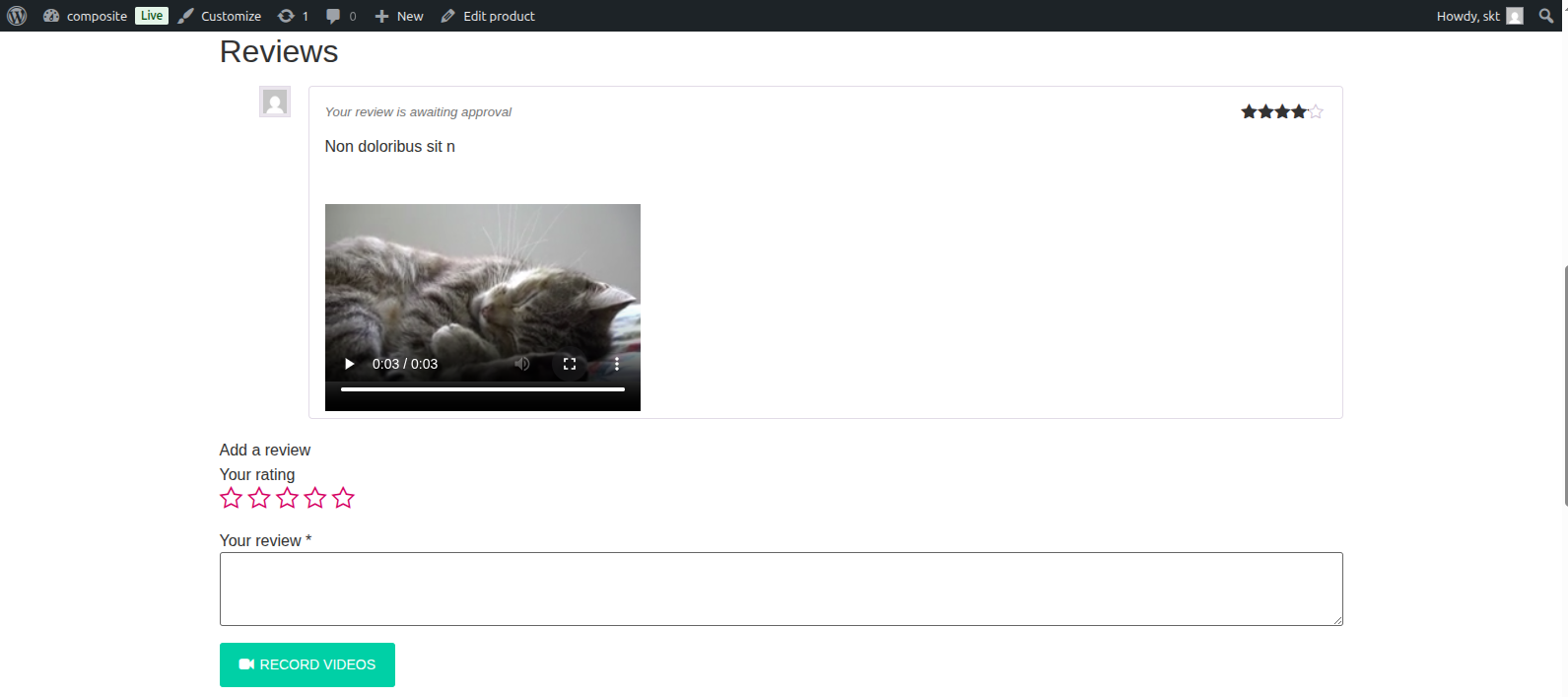
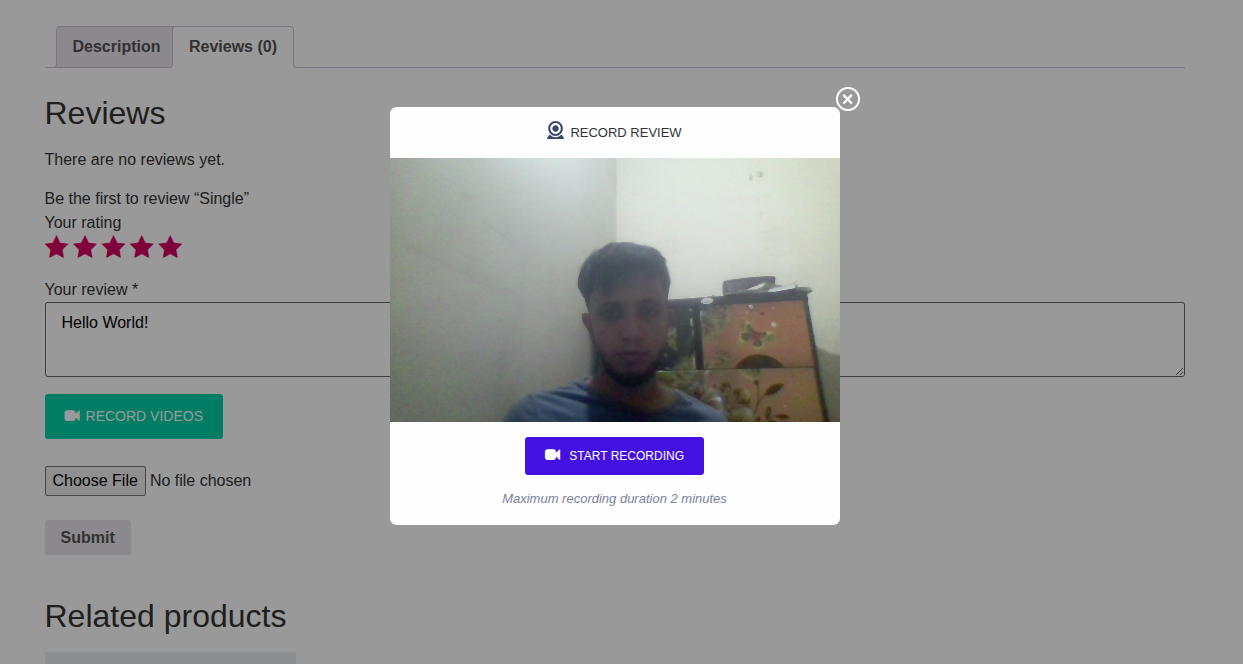
No. On supported browsers, customers can grant camera and microphone access and record from the product page. They can use the upload option when browser recording is unavailable.
Which video files can customers upload?
The upload field accepts MP4, WebM, and MKV video files. Browser-recorded video uses the format supported by the customer's browser.
Can video or photo uploads be optional?
Yes. Webcam recording, video upload, and photo upload can be enabled independently. Any of these capture methods can also be required before submission.
How long can a webcam recording be?
The maximum recording duration can be set from 1 to 10 minutes.
How are verified customers identified?
The badge uses WooCommerce's verified-owner check for the review and associated purchase.
Can I change the review buttons and verified badge?
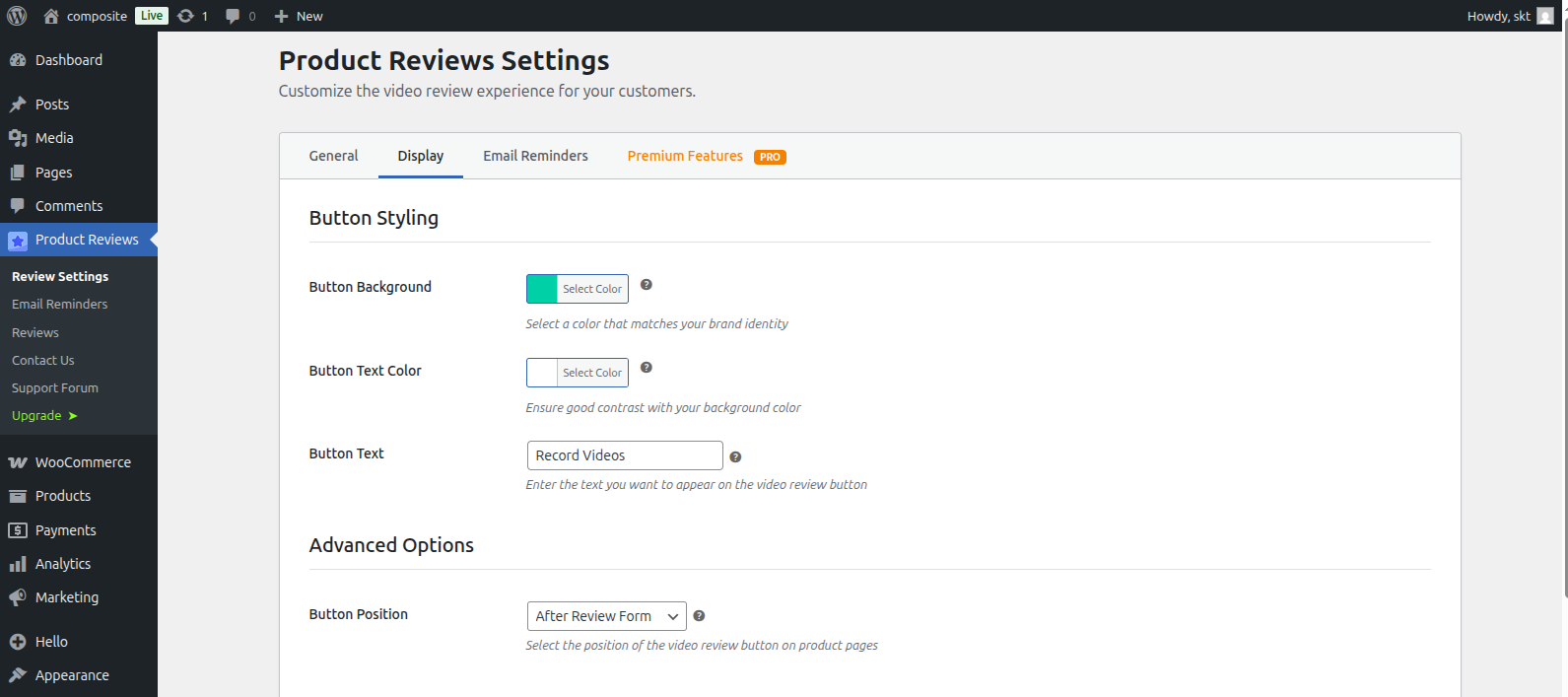
Yes. The Appearance tab provides controls and live previews for the review buttons. It also controls the verified badge's size, background colour, and text/icon colour.
How do automated reminders work?
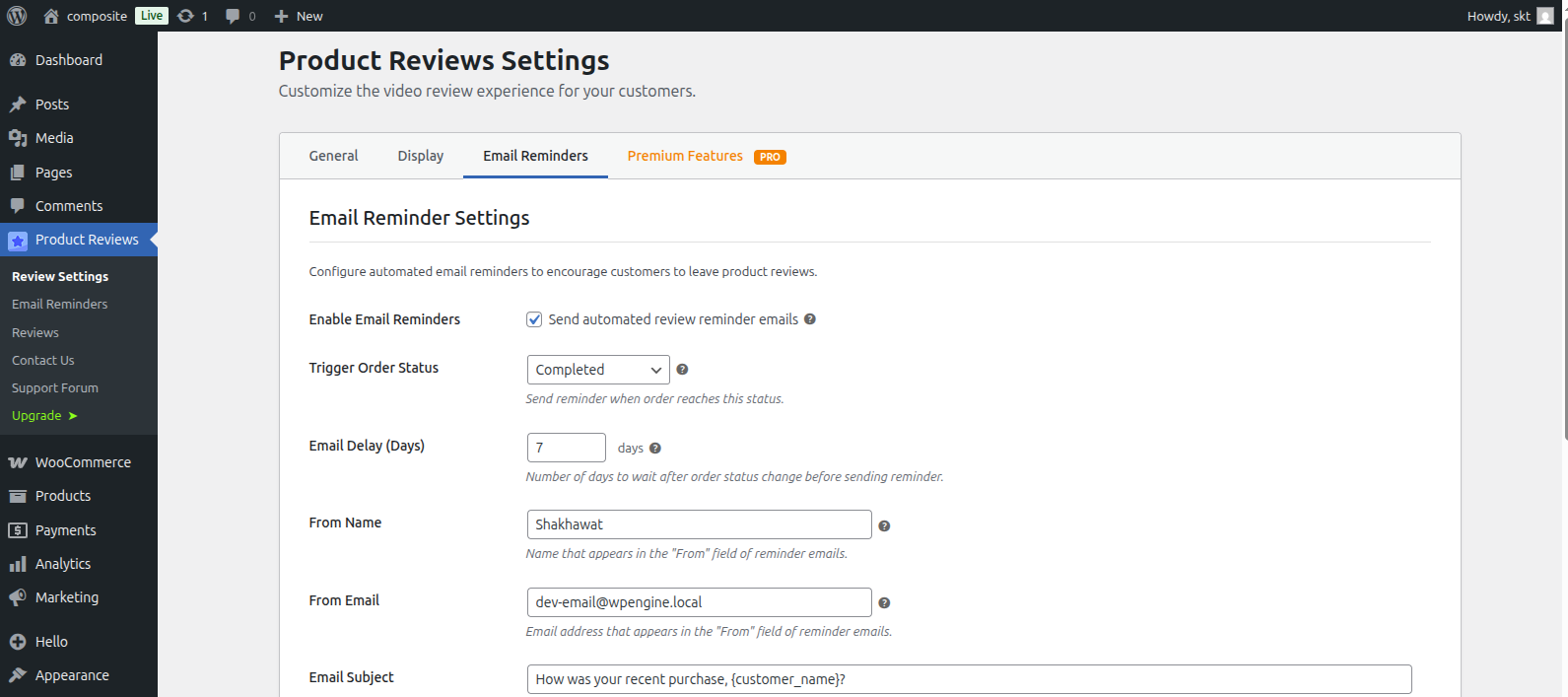
Add a rule for each email you want to send. When an eligible order reaches a rule's status, the plugin sends immediately or waits for that rule's configured delay. Each rule sends at most once per order, so Processing and Delivered can use different messages without creating duplicates when a status is re-entered.
Where can I manage reviews with media?
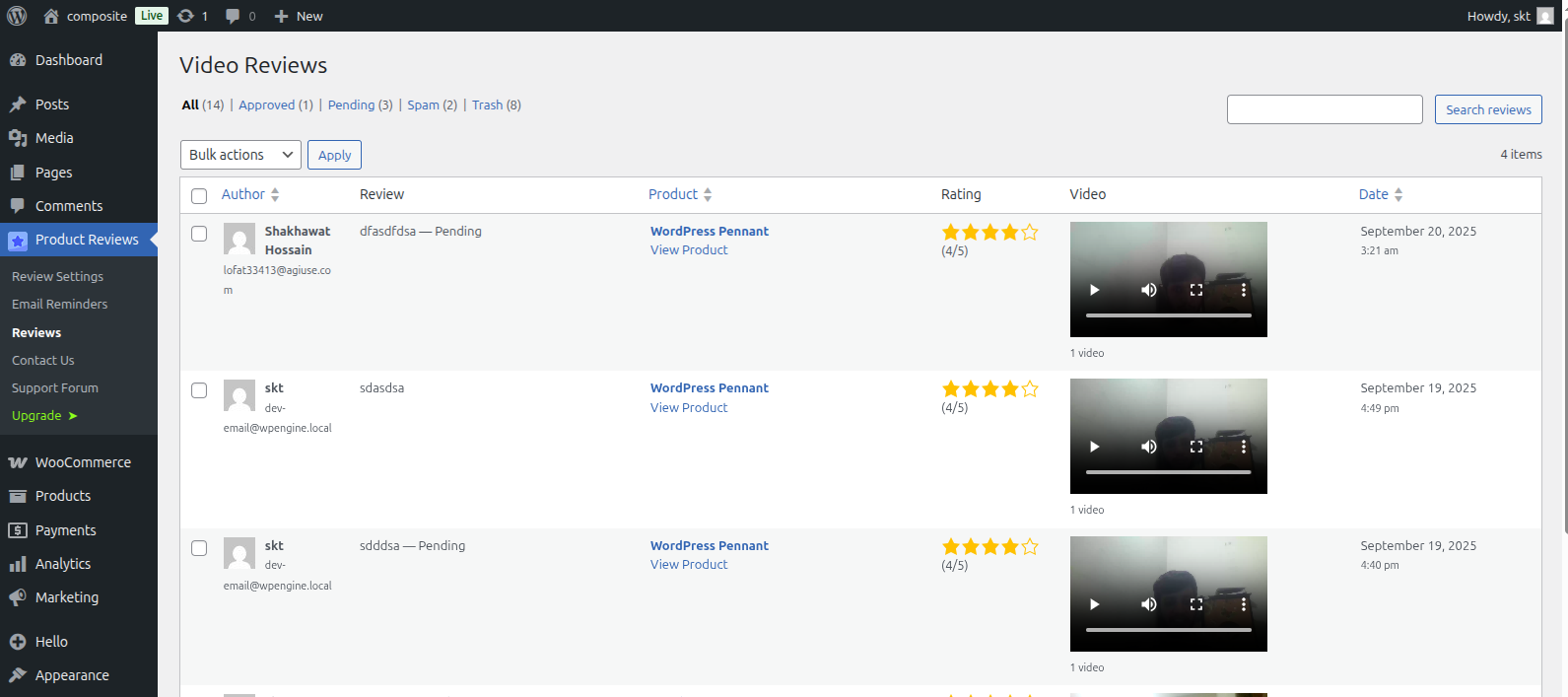
Use the Video Reviews screen in WordPress admin to search, filter, moderate, or remove reviews containing uploaded media.
How do I display reviews on another page?
Open ReviQuo > Review Shortcode and create a saved review display. In the block editor, insert the Product Reviews block; in Elementor, add the Product Reviews widget; or in Divi (4 or 5), add the Product Reviews module. Choose the display from the Shortcode setting dropdown. For other builders, copy its generated [reviquo id="123"] shortcode.
Where can I request help?
Please open a topic in the WordPress.org support forum and include the relevant settings, browser details, and steps to reproduce the issue.
更新日志:
- Added: Slider layout for saved review displays, with responsive columns, optional autoplay, arrows, pagination dots, swipe and keyboard navigation, and automatic loading of more reviews
- Added: Slider previews in the shortcode builder, block editor, Elementor, and Divi 4/5 Visual Builders
- Changed: Grid and masonry layouts for review shortcodes are now available in the free version
- Removed: The redundant fullscreen button in the shortcode builder's live preview (use the builder's main Fullscreen button)
- Fixed: The Load More button never appeared for saved review displays with more reviews than one page
- Fixed: Rating and media filters were hidden in saved review displays
- Fixed: The rating summary overflowed the shortcode builder's mobile preview
- Added: Review Rewards (Pro) – send reviewers a single-use WooCommerce coupon when their review is approved, with reward tiers, coupon rules, eligibility settings and a customizable reward email
- Added: Review reward coupons are included in the WordPress personal data exporter and eraser
- Changed: The plugin is now named ReviQuo
- Changed: The review display shortcode is now [reviquo]; the old [sktpr_reviews] shortcode has been removed, so update any pages that still use it
- Changed: New admin page address; update any bookmarks to the old settings page
- Added: WooCommerce High-Performance Order Storage (HPOS) compatibility
- Added: Option to hide the review text in saved review displays
- Added: Separate photo and video visibility controls for saved review displays
- Added: Suggested privacy-policy text in the WordPress Privacy Policy Guide
- Added: Deleting a review permanently now also deletes the media uploaded with it
- Added: Divi 4 module icon
- Improved: Legacy reminder migration now uses WooCommerce order APIs and works on HPOS stores
- Improved: Redesigned Video Reviews admin list with a combined Media column, lightbox thumbnails and status badges
- Improved: ReviewFlow admin styling and notice suppression on the Email Reminders screen
- Improved: Review uploads are limited to MP4, WebM, MKV, JPEG, PNG, GIF and WebP files within the site's upload size limit
- Improved: Security hardening with a plugin-specific review form nonce, prepared database queries, sanitized nonce checks, safe redirects and escaped output
- Improved: Store admins are now notified about photo-only reviews awaiting approval, not just video reviews
- Improved: Storefront messages, default button labels, the default reminder email, rating labels and admin notices are now translatable, and a translation template is included
- Improved: Clearer corner-radius and backdrop-opacity controls in Recording Modal settings
- Fixed: The WooCommerce-required notice no longer appears on plugin install and update screens
- Fixed: A required video, file or photo rule no longer blocks submission while its uploader is turned off
- Fixed: A JavaScript error in required-media checks when the field is not on the page
- Fixed: Review reminder emails skip order items that are not products
- Fixed: Review media is now attached to the reviewed product in the Media Library
- Changed: Admin menu, headings and builder help text use the ReviewFlow name
- Changed: New review displays default to All products
- Added: A WooCommerce dependency notice with install and activation actions
- Improved: Styled the dependency notice with ReviewFlow brand colours and responsive alignment
- Improved: Prevented ReviewFlow from initializing until WooCommerce is active
- Changed: Set the default Start Recording and Record Video button text and hover colours to white
- Added: Required photo-upload rules for review submissions
- Added: Multiple status-based review reminder rules with independent timing, subjects, and messages
- Added: Live email reminder preview with representative customer, order, store, and product data
- Added: Freemius Free, Pro, and trial licensing with license, upgrade, and feature states in the dashboard
- Added: Responsive masonry layout for Pro review shortcodes
- Added: Native Gutenberg Product Reviews block with a persistent saved-shortcode dropdown and live editor preview
- Added: Block toolbar actions, shortcode conversion, copy controls, and direct links for managing saved review displays
- Added: Dedicated Elementor Product Reviews widget with a searchable saved-shortcode dropdown and live builder output
- Added: Native Divi 5 Product Reviews module with a saved-shortcode dropdown and live Visual Builder preview
- Added: Legacy Divi 4 Product Reviews module with the same saved-shortcode dropdown and Visual Builder preview
- Added: Public read-only REST API endpoints for approved reviews and saved review displays
- Improved: Applied license limits on the server for Pro settings, shortcode layouts, verified badges, and reminder-rule counts
- Improved: Refreshed the dashboard, reminder editor, and storefront review displays with the updated brand palette
- Improved: Made license-management links more reliable across supported Freemius account states
- Improved: Loaded storefront assets for pages containing the Product Reviews block and matched its iframe preview to the frontend display
- Improved: Updated the WordPress.org banner and plugin icons
- Changed: Renamed the plugin display name to ReviewFlow
- Improved: Load storefront JavaScript and CSS only on product pages and pages using the reviews shortcode
- Improved: Removed the unused WordPress media-library assets from storefront requests
- Improved: Suppressed unrelated WordPress and third-party notices on ReviewFlow admin pages
- Fixed: Namespaced the review modal text-alignment class to prevent theme layout conflicts
- Added: Changed Icon and Screenshots
- Added: Appearance controls for the verified-customer badge size, background colour and text/icon colour
- Improved: Placed the verified-customer badge beside the review author and date so uploaded media remains in the review content
- Improved: Added collapsible sections to General, Storefront and Email Reminder settings
- Fixed: Prevented themes from stretching the verified-customer badge
- Added: Photo uploads — customers can attach images to a review alongside video
- Added: Rating summary block with average score and star-by-star breakdown
- Added: Review filters — filter reviews by star rating or by reviews with media
- Added: Verified buyer badge on reviews from confirmed purchasers
- Added: Lightbox gallery for customer videos and photos
- Added: Rich snippets (schema.org) for aggregate rating and individual reviews
- Added: GDPR consent checkbox with editable consent text
- Added: Media requirement options — require a video or an upload before a review can be submitted
- Added: Storefront settings page for the review display options
- Added: Recording modal settings — custom title, title icon and button labels/icons
- Added: Button typography controls (font family, weight, style, size, text transform)
- Added: Button border style, width, colour, hover colours and border radius for all three storefront buttons
- Added: Reset settings to defaults with a confirmation dialog
- Added: Video and image columns in the Video Reviews admin table
- Changed: Admin settings rebuilt as a React application with a tabbed dashboard and toast notifications
- Changed: Build tooling migrated from Laravel Mix/Webpack to Vite with Tailwind CSS
- Changed: Redesigned General, Appearance, Storefront and Email Reminder settings screens
- Improved: Webcam recording error handling and camera-unavailable messaging
- Improved: Review textarea accessibility and required-field enforcement
- Fixed: Video upload element visibility in the review form
- Tested up to WordPress 7.0.2
- Fix: Exclude development files from WordPress.org distribution
- Fix: Update .gitignore to prevent tracking of build/dev files
- Removed: Freemius SDK integration
- Removed: Premium/pro version gating — all features are now free
- Added: Custom video duration up to 10 minutes for all users
- Fix: Cleaned up admin menu
- Fix: Update Readme.
- Fix: Remove Advance Settings.
- Fix: Remove Preview Tab.
- Fix: Update Readme.
- Fix: Update Readme.
- Fix: Fix url for free trial.
- Updated: Add submenu for free trial.
- Updated: Documentation and feature descriptions
- Added: Video Reviews for WooCommerce admin management page with WooCommerce-style interface
- Added: Search and filter functionality for WooCommerce video reviews
- Added: Bulk actions for video review management
- Added: Video preview thumbnails in admin table
- Added: Star rating display in admin interface
- Improved: CSS optimization and unused code removal
- Improved: Admin interface styling and responsiveness
- Improved: Customer video feedback feature
- Updated: Documentation and feature descriptions
- Updated: Documentation and feature descriptions
- Updated: Plugin documentation and readme
- Updated: Freemius SDK to latest version
- Fixed: Compatibility issues with newer WordPress versions
- Added: Freemius SDK integration for premium features
- Added: Premium feature framework
- Improved: Plugin architecture and code organization
- Added: Email reminder system for automated review requests
- Added: Customizable email templates with dynamic placeholders
- Added: Admin interface for managing email reminders
- Added: Order status-based email triggers
- Added: Database migration system for existing data
- Improved: Plugin settings with tabbed interface
- Improved: Code structure and performance optimization
- Initial public release
- Added: Video recording via webcam functionality
- Added: Video file upload support
- Added: WooCommerce integration
- Added: Real Video Review Feature
- Added: Basic admin settings
- Added: Customizable video button styling