
ProductLinker for Amazon
| 开发者 | philtorre |
|---|---|
| 更新时间 | 2026年6月26日 19:30 |
| PHP版本: | 7.2 及以上 |
| WordPress版本: | 6.9 |
| 版权: | GPLv2 or later |
| 版权网址: | 版权信息 |
详情介绍:
- No API Required - Works for everyone, no sales requirements or API keys needed
- Product List Management - Organize products into logical groups (kitchen tools, hiking gear, etc.)
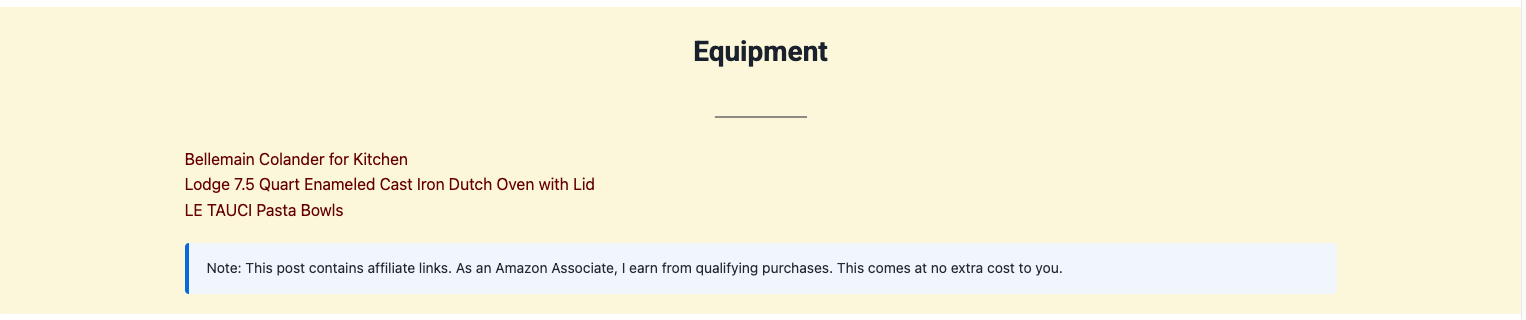
- Professional Display - Clean text links or styled product cards
- Amazon Policy Compliant - No image hosting issues, links directly to Amazon
- Fast Loading - Lightweight plugin with no external API calls
- Easy Setup - Create product lists in minutes, not hours
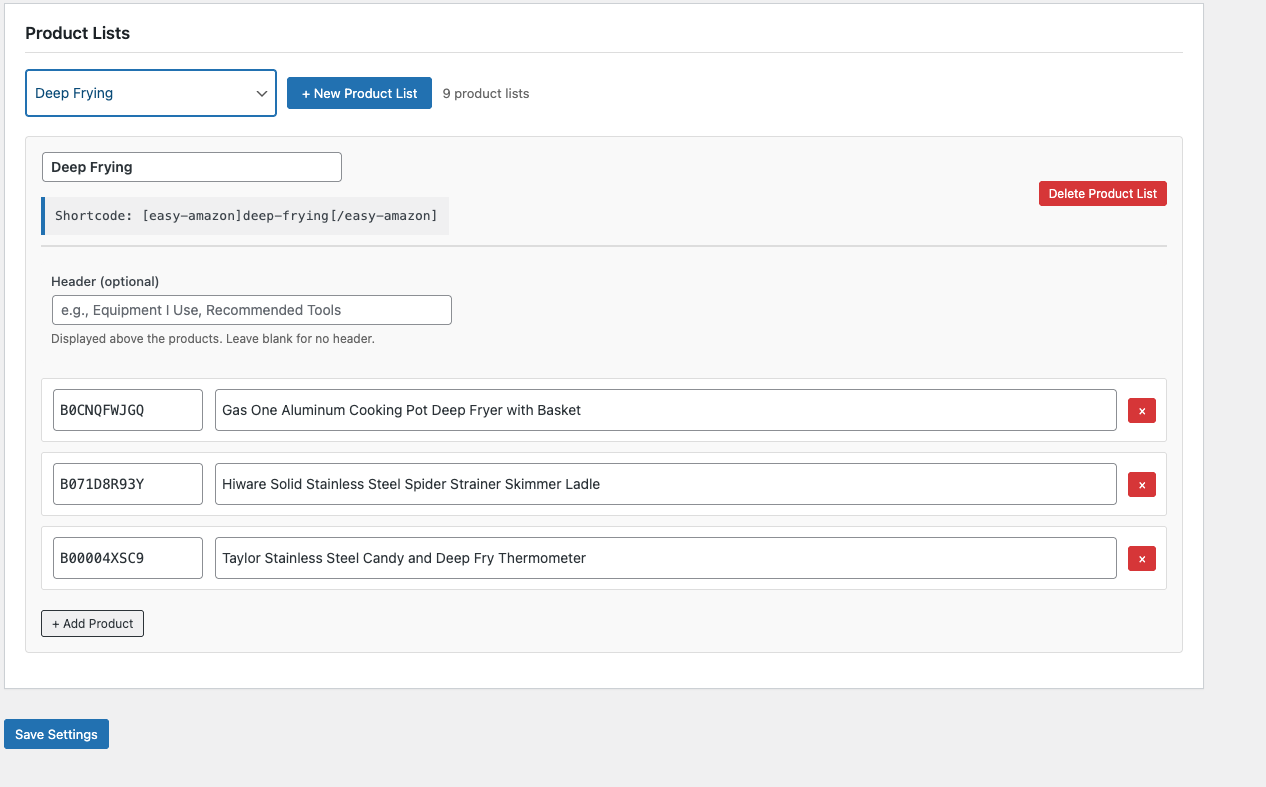
- Create unlimited product lists
- Auto-generate slugs from list names
- Add optional headers (e.g., "Equipment I Use")
- Add products with ASIN and title
-
Display with simple shortcode:
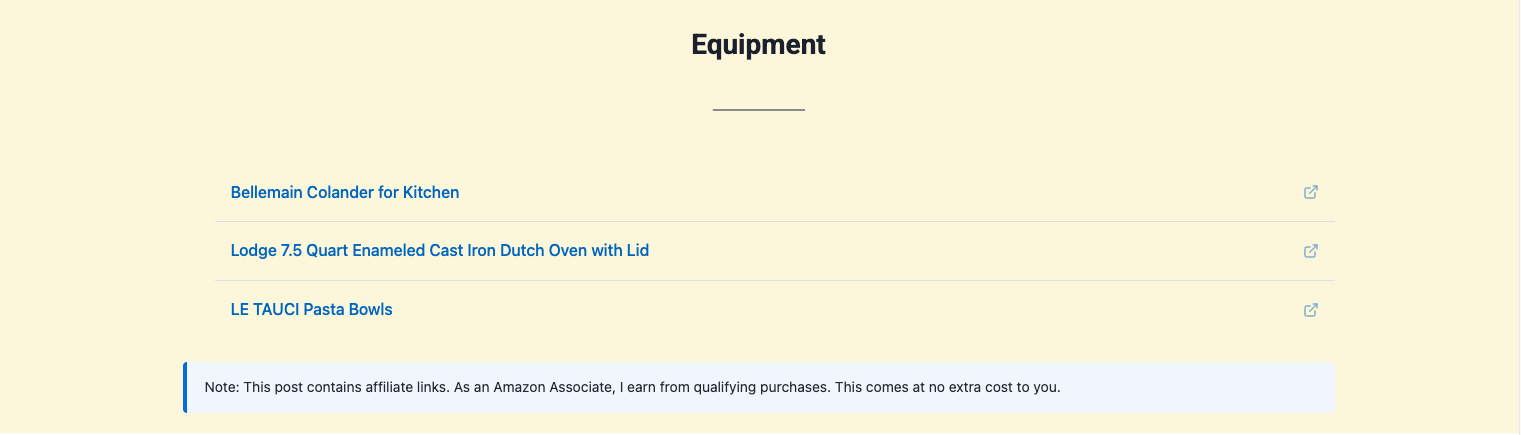
[productlinker]list-name[/productlinker]Multiple Display Styles - Text - Clean text links that inherit your theme colors (default)
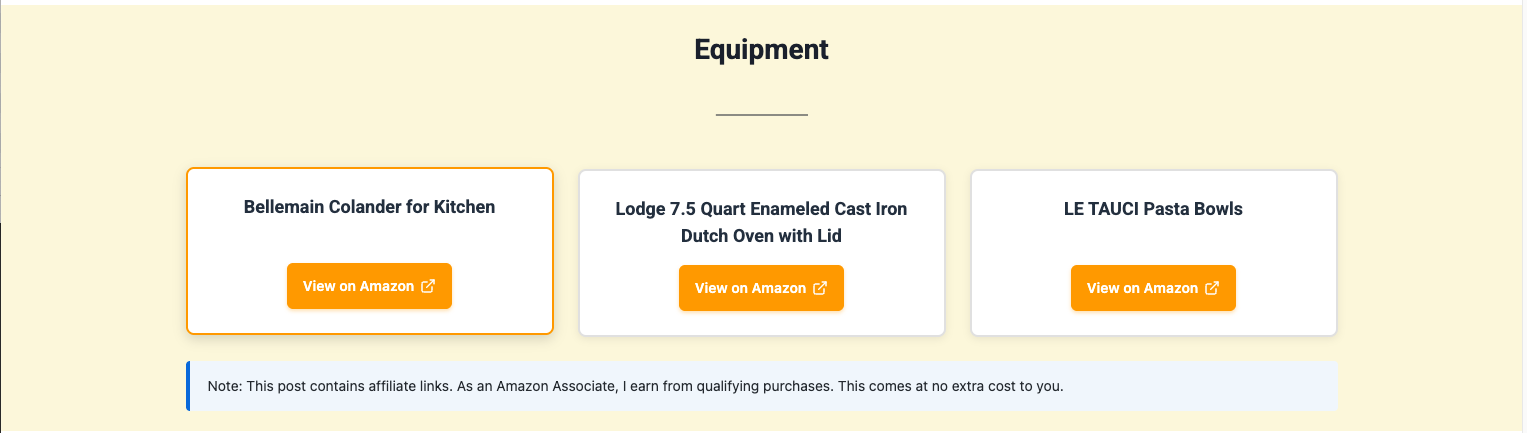
- Cards - Beautiful product cards with buttons
- List - Clean bulleted list format
- Simple - Inline text links Optional Headers
- Add a header to each product list (e.g., "Equipment", "Recommended Tools")
- Override headers per shortcode:
[productlinker header="My Tools"]list-name[/productlinker] -
Hide headers when needed:
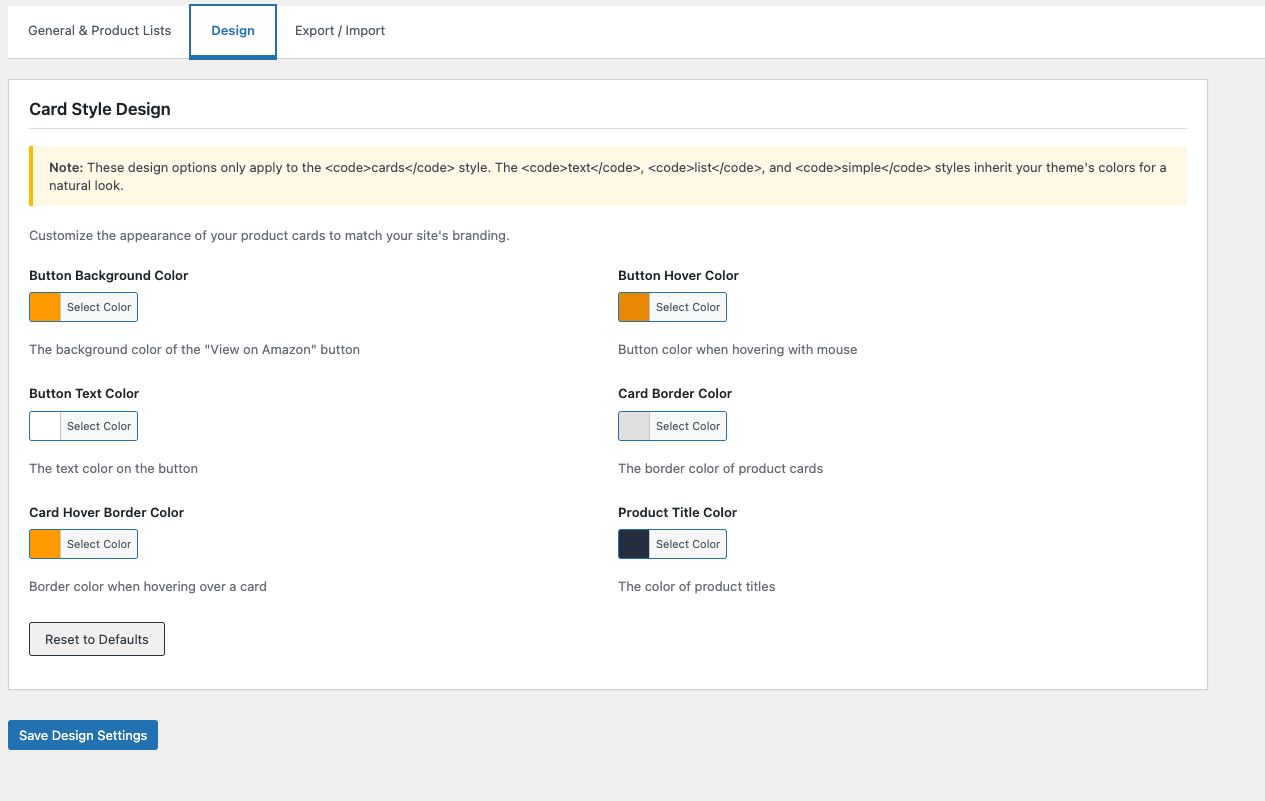
[productlinker header="false"]list-name[/productlinker]Design Customization (Cards Style) - Customize button colors to match your brand
- Adjust card borders and styling
- Change product title colors
- Built-in WordPress color picker
- Reset to defaults option Affiliate Disclosure
- Built-in FTC-compliant disclosure
- Customizable disclosure text
- Display above or below products
- Toggle per shortcode Export/Import
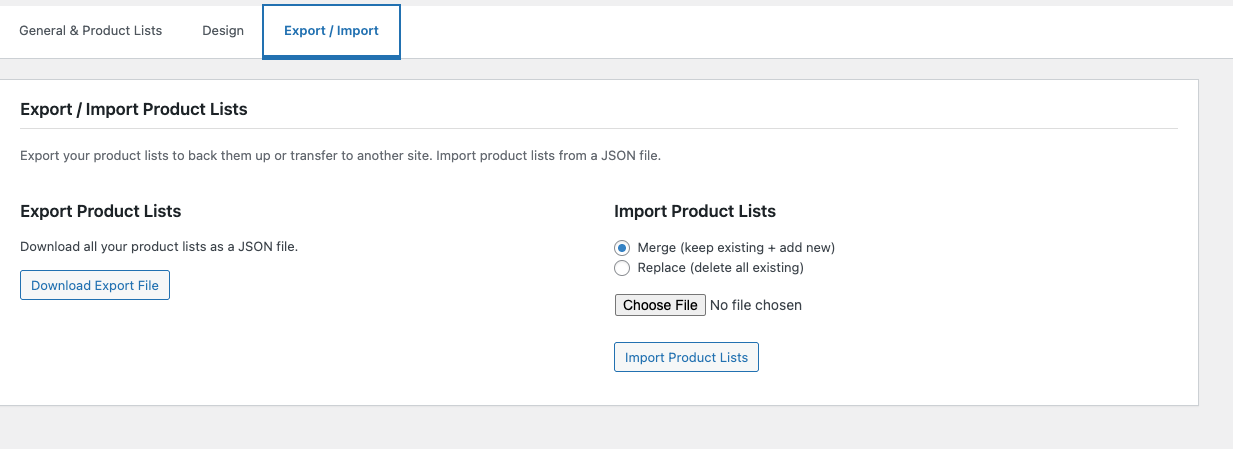
- Export product lists as JSON for backup
- Import product lists from another site
- Merge or replace on import
- Perfect for managing multiple sites Shortcode Options
-
[productlinker]list-name[/productlinker]- Basic usage (text style) [productlinker style="cards"]list-name[/productlinker]- Card format[productlinker style="list"]list-name[/productlinker]- List format[productlinker header="Equipment"]list-name[/productlinker]- With header[productlinker style="cards" columns="2"]list-name[/productlinker]- 2 column cards[productlinker disclosure="false"]list-name[/productlinker]- Hide disclosure
- Food bloggers (ingredient/equipment lists)
- Travel bloggers (packing lists, gear recommendations)
- Lifestyle bloggers (product roundups)
- DIY/craft bloggers (supply lists)
- New bloggers (can't qualify for API yet)
- Anyone who wants simple affiliate links
- Add Your Amazon Associates ID - Enter your affiliate tracking ID
- Create Product Lists - Group related products together
- Add Products - Enter ASIN codes and product titles
- Optionally Add Header - e.g., "Equipment I Use"
- Use Shortcode - Add
[productlinker]list-name[/productlinker]to any post or page - Earn Commissions - All links include your Associates ID
- Amazon Product Advertising API credentials
- 10 sales in 30 days requirement
- API quota management
- Complex API configuration
- Dealing with API errors or rate limits Just add your Associates ID and start creating product lists!
- No external API calls = faster page loads
- Optimized CSS and JavaScript
- No bloated features you don't need
- Works with any WordPress theme
- Mobile responsive out of the box
- No data collection
- No external tracking
- No cookies set by the plugin
- GDPR compliant
安装:
- Log in to your WordPress admin panel
- Go to Plugins > Add New
- Search for "ProductLinker for Amazon"
- Click "Install Now" and then "Activate"
- Download the plugin ZIP file
- Log in to your WordPress admin panel
- Go to Plugins > Add New > Upload Plugin
- Choose the ZIP file and click "Install Now"
- Activate the plugin
- Go to Settings > ProductLinker for Amazon
- Enter your Amazon Associates ID
- Create your first product list
- Optionally add a header (e.g., "Equipment I Use")
- Add products with ASINs and titles
- Click Save Settings
- Use shortcode
[productlinker]list-name[/productlinker]in your posts
屏幕截图:

常见问题:
Do I need an Amazon API key?
No. ProductLinker for Amazon requires no API key and no Amazon Product Advertising API (PA-API) access. You only need an Amazon Associates account and your tracking ID.
Do I need Amazon Product Advertising API access?
No! That's the whole point. This plugin works without any API access. You only need an Amazon Associates account and your tracking ID.
What if I haven't reached the 10-sale requirement for Amazon API access?
This plugin works without any API access at all, so the 10-sale requirement does not apply. You can start creating product lists from day one.
Does this work if Amazon revoked my API access?
Yes. Since ProductLinker uses only your Associates ID and ASIN codes — not the PA-API — it continues to work regardless of your API status.
Can food bloggers and recipe bloggers use this?
Absolutely. ProductLinker is built for niche bloggers — food, travel, DIY, lifestyle — who want to add Amazon affiliate product lists to their posts without API complexity.
Is this plugin compliant with Amazon Associates policies?
Yes. The plugin includes a built-in affiliate disclosure and does not scrape Amazon data, host product images, or cache prices — all common policy violations with other plugins.
How do I find product ASINs?
The ASIN is Amazon's product identifier. You can find it:
- In the product URL: amazon.com/dp/B08N5WRWNW
- In the product details section on Amazon
- Usually 10 alphanumeric characters
Will this work if I don't have 10 sales yet?
Yes! You only need an Amazon Associates account and tracking ID. No sales requirement.
What's the difference between the display styles?
- Text (default): Clean text links that inherit your theme colors. Best for natural content.
- Cards: Styled boxes with "View on Amazon" buttons. Customizable colors in Design tab.
- List: Bulleted list with hover effects and external link icons.
- Simple: Inline links separated by | pipes. Good for within paragraphs.
How do I add a header above my products?
Two ways:
- In admin, add a header when creating your product list
- In shortcode:
[productlinker header="Equipment I Use"]list-name[/productlinker]
Can I hide the header on specific pages?
Yes! Use: [productlinker header="false"]list-name[/productlinker]
Can I customize the button colors?
Yes! Go to Settings > ProductLinker for Amazon > Design tab. You can customize:
- Button background color
- Button hover color
- Button text color
- Card border colors
- Product title color Note: Design options only apply to the "cards" style. Other styles inherit your theme colors.
Does this work with Gutenberg?
Yes! Add a Shortcode block and paste your [productlinker] shortcode into it.
Can I use this on multiple sites?
Yes! Use the Export/Import feature to transfer product lists between sites. Each site needs its own Amazon Associates ID.
Are the product images displayed?
No. Amazon's policy doesn't allow hosting their images without API access. The plugin shows product titles and "View on Amazon" buttons instead. This actually loads faster and avoids policy violations.
How do I add an affiliate disclosure?
Go to Settings > ProductLinker for Amazon > Affiliate Disclosure section. Enable it, add your disclosure text, and choose the position (above or below products).
Can I disable disclosure for specific shortcodes?
Yes! Add disclosure="false" to the shortcode: [productlinker disclosure="false"]list-name[/productlinker]
Is this plugin GDPR compliant?
Yes. The plugin doesn't collect any user data, set cookies, or track visitors. It only generates affiliate links to Amazon.
Can I use different Amazon regions (UK, Canada, etc.)?
Currently the plugin uses Amazon.com (US). International support may be added in future updates.
Does this work with caching plugins?
Yes! The plugin is fully compatible with caching plugins like WP Super Cache, W3 Total Cache, and WP Rocket.
更新日志:
- New: Product fields now accept Amazon URLs (amazon.com or amzn.to SiteStripe links) in addition to plain ASINs
- Improvement: Validation added for invalid ASIN or URL entries
- Initial release
- Product list management with unlimited lists
- Four display styles: text (default), cards, list, simple
- Optional headers for product lists
- Design customization for cards style
- Built-in affiliate disclosure with positioning options
- Export/Import product lists as JSON
- Shortcode documentation in admin settings
- Responsive design for all devices
- GDPR compliant - no user tracking
- WordPress coding standards compliant