
ProEventsWP
| 开发者 | accomplicehq |
|---|---|
| 更新时间 | 2026年10月21日 04:43 |
| PHP版本: | 8.1 及以上 |
| WordPress版本: | 7.1 |
| 版权: | GPLv2 or later |
| 版权网址: | 版权信息 |
详情介绍:
ProEventsWP brings event management and calendar layouts into the WordPress block editor. Create events, venues, and organizers, then design event feeds with the native Query Loop and individual event-detail blocks.
ProEventsWP and proeventswp.com are owned and maintained by Accomplice (https://accomplice.se/).
Free features include:
- One-time, all-day, multi-day, and daily-schedule events with event timezones.
- Event venues, organizers, categories, tags, status, cost, and website links.
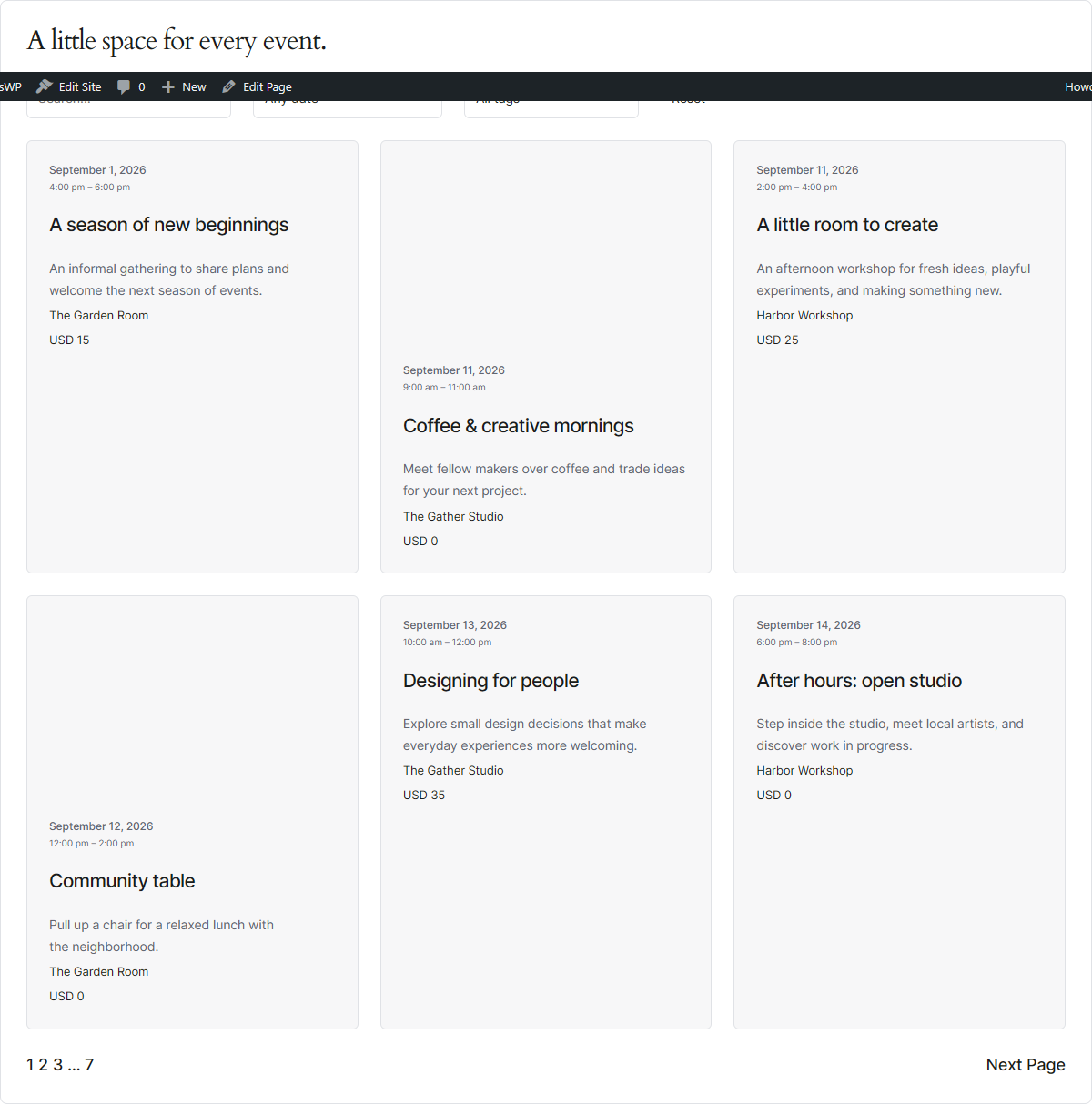
- Native Event Query patterns with pagination and editable event cards.
- Six separate Month, Week, Day, List, Photo and Map blocks; editable native Query Loops in List/Photo.
- Keyword, date, category, tag, venue and organizer filters.
- Daily/weekly/monthly/yearly recurrence, ordinal dates, exceptions, DST handling and scoped series edits.
- Optional one-person RSVP registration with capacity, confirmations, cancellation and private attendees.
- Individual event maps, manual address entry, and optional address lookup.
- CSV and ICS imports that create drafts for review.
- Calendar downloads, add-to-calendar links, structured event data, and a public read-only REST API.
安装:
- Install ProEventsWP from Plugins > Add New Plugin, or upload the plugin ZIP and activate it.
- Create a venue or organizer if needed, then create an event under Events.
- Insert a Month, Week, Day, List, Photo or Map block, or add an existing Event Query pattern.
- Place Event Date & Time, Event Venue, Event Cost, Event Schedule, or Add to Calendar blocks inside the event content, a Single Events template, or an Event Query's Post Template.
屏幕截图:


常见问题:
Can I use my existing theme?
Yes. Use the blocks and shortcodes with your theme. A block theme also lets you design the Single Events template in the Site Editor.
Can one multi-day event have different hours each day?
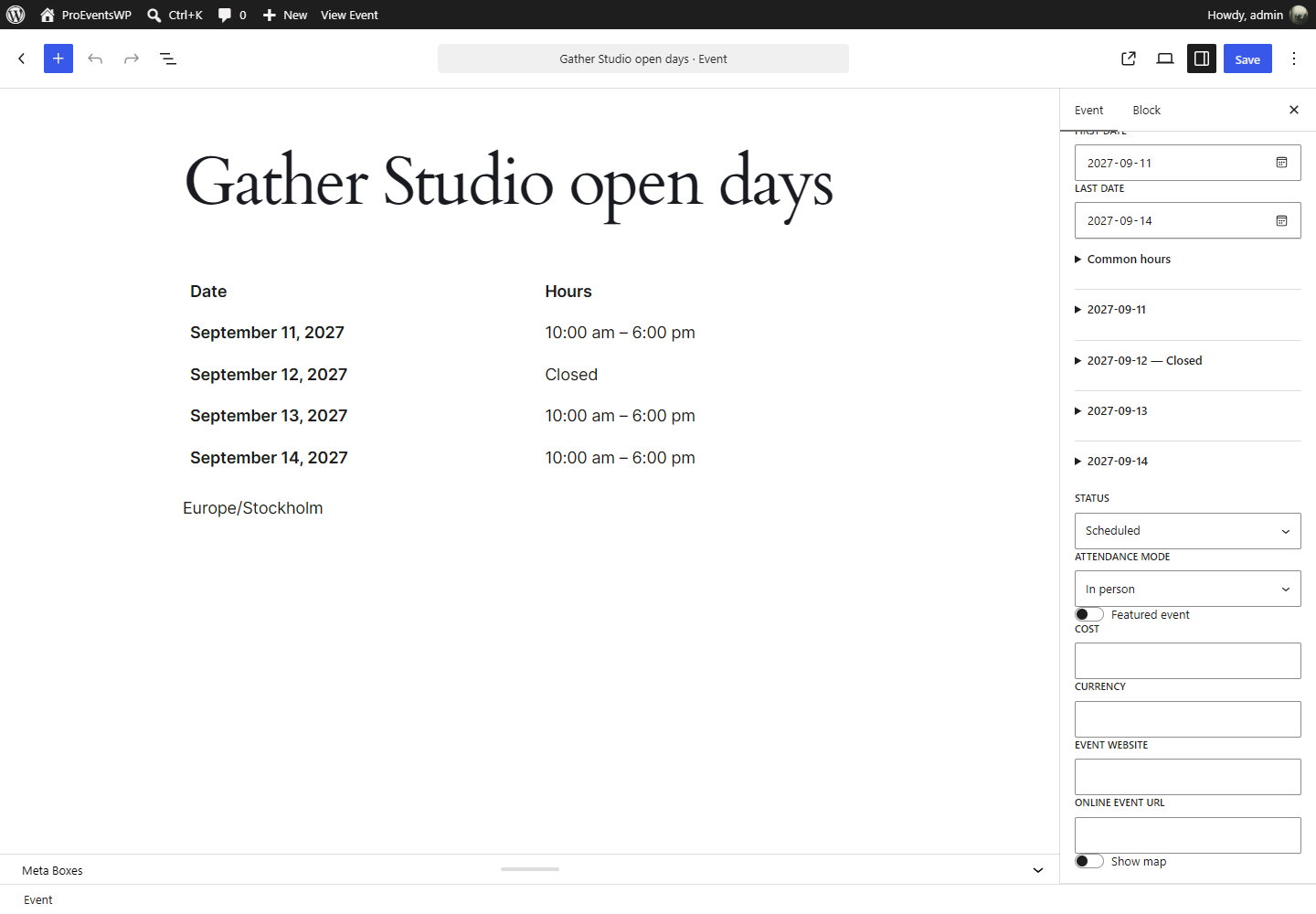
Yes. Choose Daily schedule in Event details, enter hours for each date, and mark closed dates. Event Schedule displays the detailed hours. Daily schedules are available for standalone events.
Do I need an external service for basic event management?
No. Events, schedules, feeds, filters, imports, and calendar downloads work locally. Map tiles and optional address lookup use the external services described below.
Does uninstalling delete my events?
No. Event records, settings, and plugin tables are retained to prevent accidental data loss.
How do I get support?
Use the WordPress.org support forum for Free support. Product inquiries and paid support can be sent to par@accomplice.se.
更新日志:
1.1.1
- Secured JSON-LD script output and required mapped creation permissions for user-initiated content creation.
- Removed unnecessary manual translation loading and clarified Accomplice ownership.
- Consolidated configuration under Events → Settings with Calendar, Maps, and License & AI tabs.
- Preserved Freemius connection/account flows and redirected ordinary old settings bookmarks.
- Added asynchronous AI allowance status, clear service states and accessible responsive settings panels.
- Free recurrence with daily/weekly/monthly/yearly rules, exceptions, DST handling, readable date previews and scoped series edits.
- Six separate Free Month, Week, Day, List, Photo and Map blocks, with editable native Query Loops in List/Photo.
- Free venue/organizer filters, templates, clustered maps, calendar sharing, subscriptions and builder/SEO improvements.
- Simple one-person RSVPs with capacity, confirmations, cancellation and private attendee management.
- Clear event settings and included hosted Pro AI. Pro also includes extra advanced filters, countdown and custom-field blocks.
- Event payments, group bookings and complete TEC migration remain outside this release.
- Clear Schedule, Event details, RSVP, Cost and Links & map panels with matching Classic Editor grouping and preserved hidden values.
- Included hosted Pro AI: 50 drafts and 5 images per UTC month per active license, shared across sites; no customer key or automatic overage charge.
- Signed installation verification, atomic allowance, persisted request identities and recovery without duplicate generation. Existing drafts and artwork remain usable after expiry.
- Updated marketing, privacy and expiry documentation. Production service and actual generated-package acceptance remain separate release gates.
- Prerelease: recurrence, Week/Map, core entity filters and series details move into Free.
- Bundled isolated php-rrule 3.0.0; calendar recurrence editor, date previews, stable IDs and legacy interpretation review.
- Separate List/Photo blocks, editable templates, searchable entities, clustered maps, calendar sharing and builder/SEO improvements.
- Optional simple RSVPs with atomic capacity, private attendees and WordPress privacy integration.
- Payments and complete TEC migration remain outside this release. Publication requires the recorded functional/visual/package gates.
- First public release of ProEventsWP.
- Native event feeds, composable detail/filter blocks, Month and Day calendars, and daily schedules.
- Venue and organizer relationships, individual event maps, CSV/ICS imports, calendar downloads, and structured data.
- PHP 8.1 compatibility and a bundled MapLibre module worker.