
ProofKit
| 开发者 | proofkit |
|---|---|
| 更新时间 | 2026年11月13日 06:33 |
| PHP版本: | 8.1 及以上 |
| WordPress版本: | 7.1 |
| 版权: | GPLv2 or later |
| 版权网址: | 版权信息 |
详情介绍:
- Artwork upload on the product page, enabled per product
- File type and size validation on upload, enforced per product
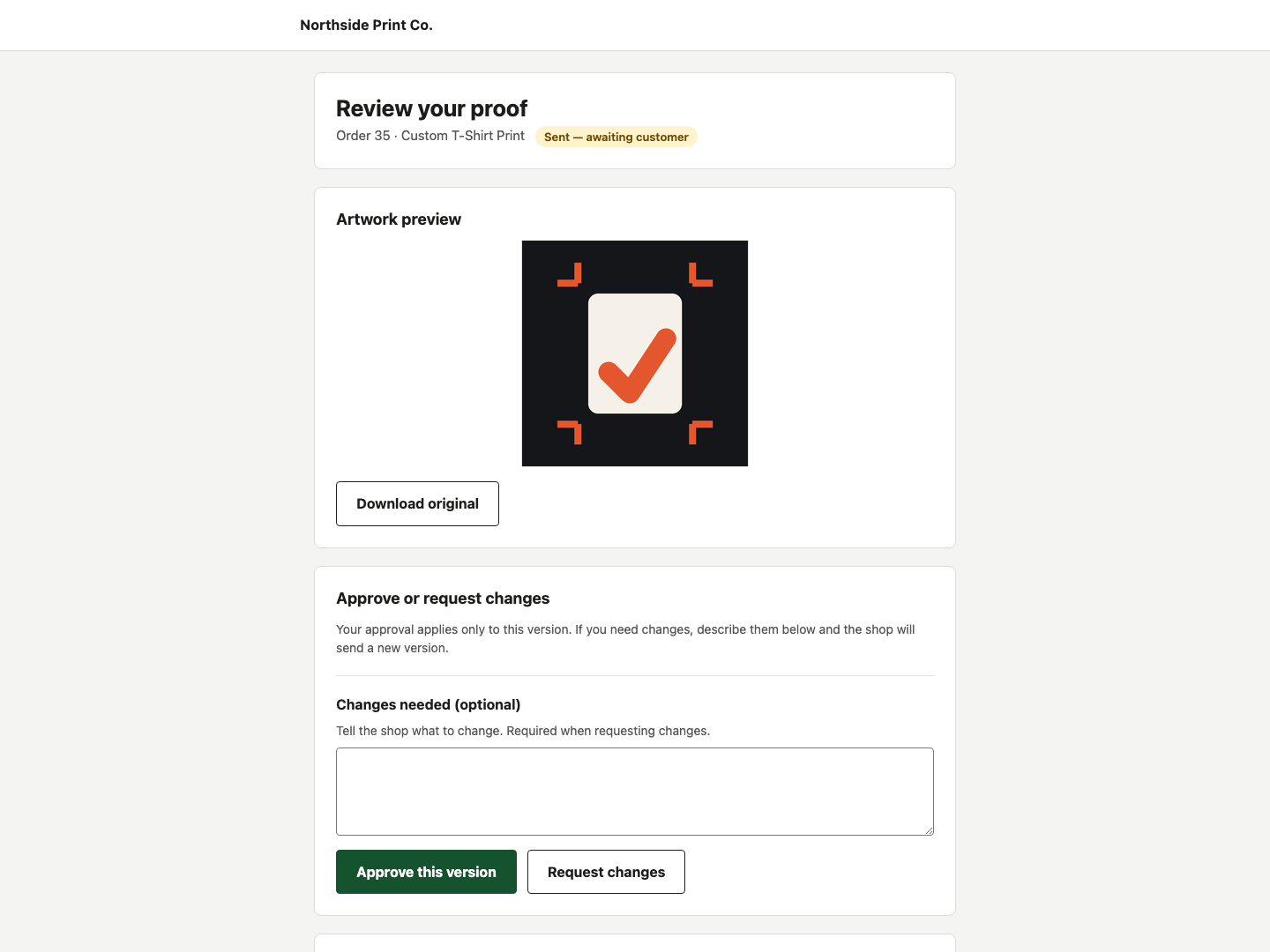
- Browser preview for PDF and raster images; SVG is never previewed
- Approve or request changes through a single email link, no account needed
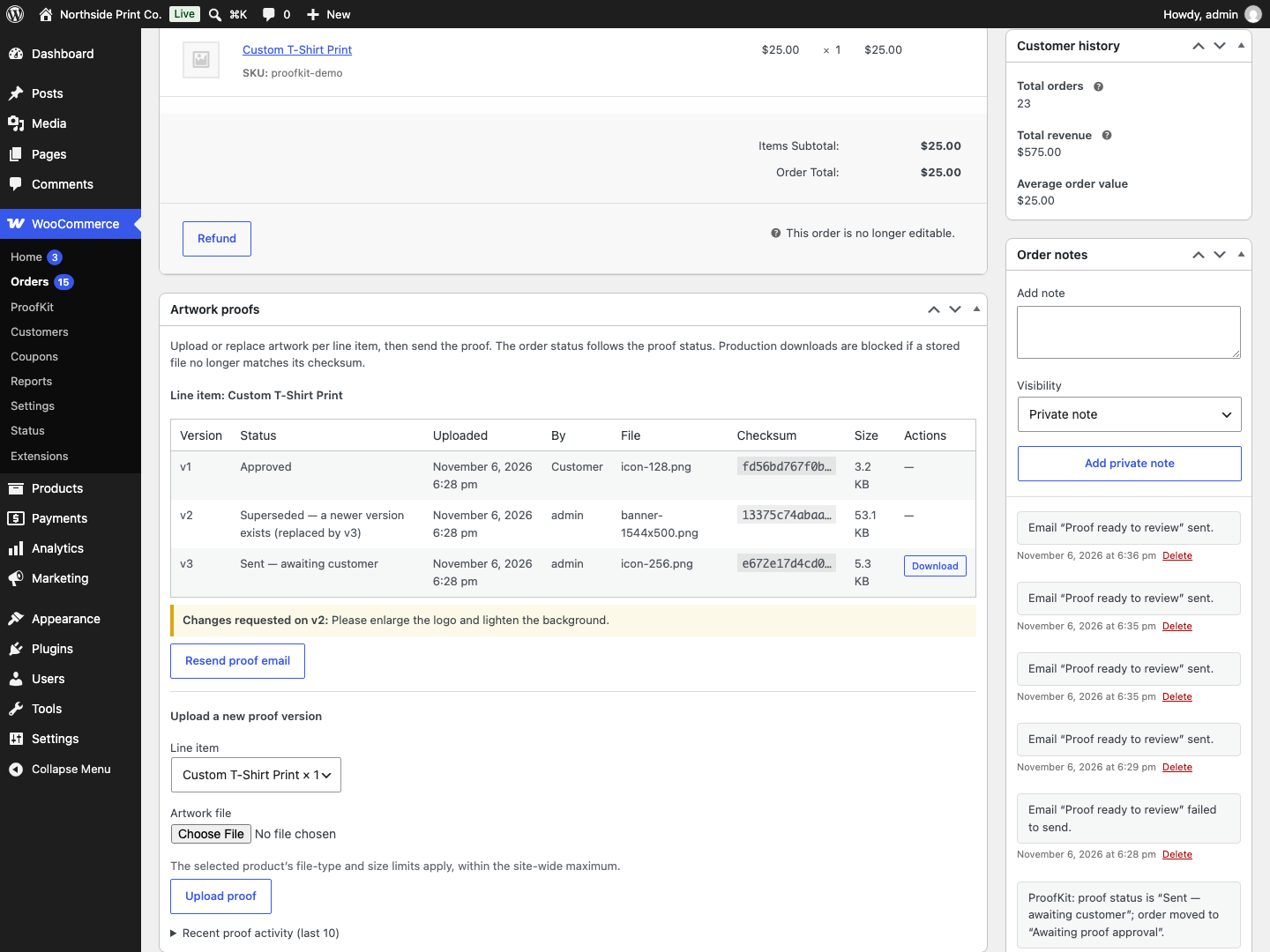
- Proof attached to the order line item with version, status, timestamp and comment
- Order statuses for artwork review and proof approval, plus an orders-list filter
- An event log for uploads, sends, views, approvals and change requests
- Download of the original file, blocked when its hash no longer matches
- No color-accurate soft proofing. A browser shows sRGB; print is CMYK and depends on the substrate. On-screen color is a guide, not a match.
- No automatic print check. The plugin does not judge resolution, bleeds, fonts or trapping, and it does not inspect the artwork for errors.
- No production scheduling, estimating, job tracking or shipping. That is shop management software's job.
- No telemetry, no remote assets and no external services. Nothing about the shop or its customers leaves the server.
安装:
- Upload the proofkit folder to /wp-content/plugins/, or install the plugin through Plugins → Add New.
- Activate the plugin through the Plugins screen.
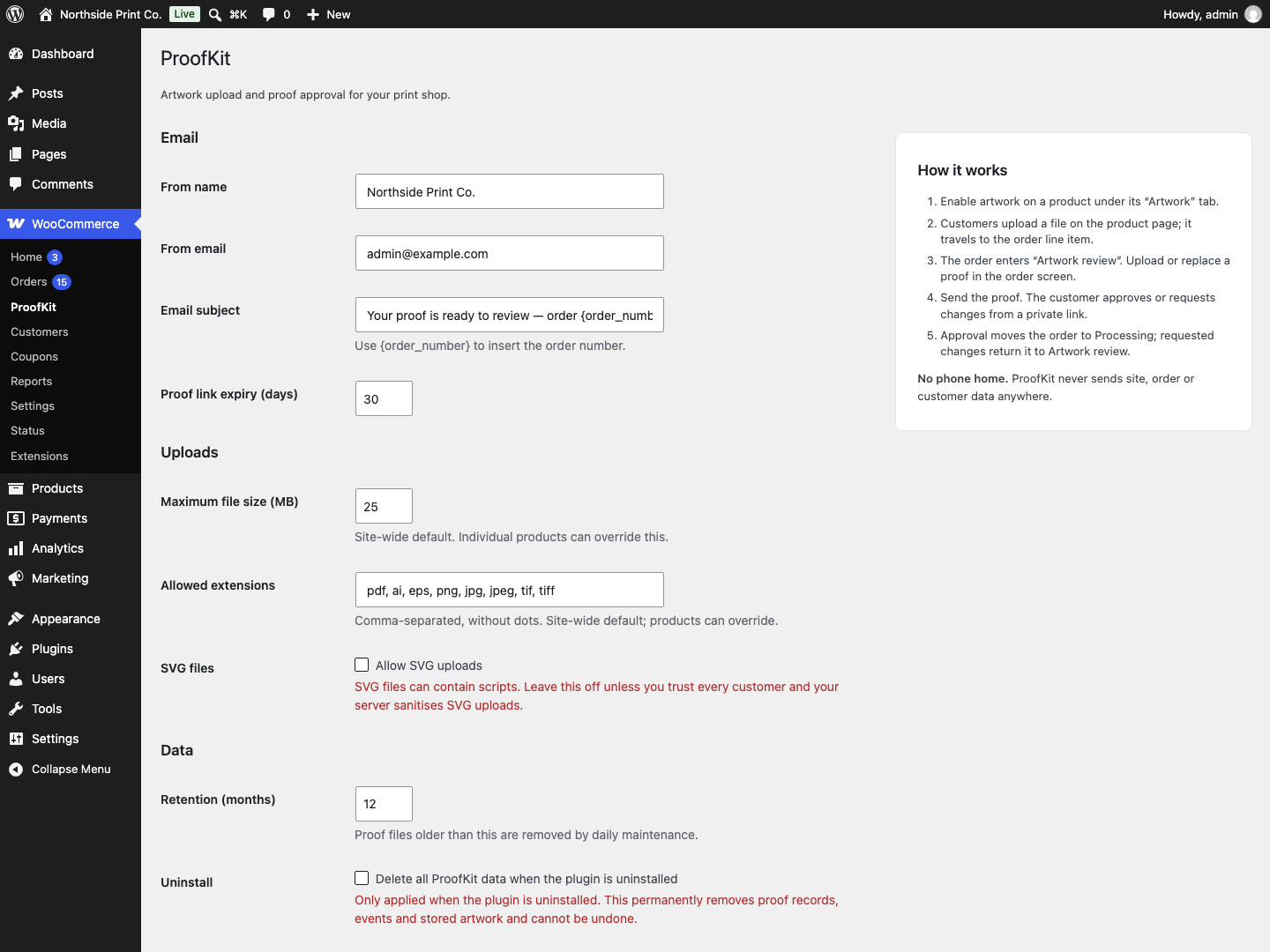
- Open WooCommerce → ProofKit and set the from name, from email and link expiry.
屏幕截图:
常见问题:
Does it work with HPOS?
Yes. ProofKit declares compatibility with WooCommerce custom order tables and reads and writes orders through the WooCommerce CRUD API. It also works with legacy post-based order storage.
Does it work with the block checkout?
Yes. Classic checkout and Store API (block) checkout both validate required artwork before the order is placed. On the product page, the upload control is rendered by the classic add-to-cart hook or by the [proofkit_upload] shortcode. A block product template does not fire the classic hook, so add the shortcode to that template until a native block ships. Both paths upload and attach the file the same way.
Where do uploaded files live?
In wp-content/uploads/proofkit-private/, stored by SHA-256 and served through WordPress after a capability or token check. The directory is inside the uploads folder, so it sits under the web root. Apache and LiteSpeed use the .htaccess ProofKit writes there, and IIS uses web.config. Nginx ignores both: add a deny rule for that path, or the files can be fetched by direct URL. The exact rule is in docs/security.md and docs/install.md inside the plugin folder.
What happens when the customer approves an old version?
An approval is bound to one proof record: one version and one SHA-256 hash. Uploading a new version supersedes the previous one, so its pending link stops working and cannot be approved. The customer must approve the latest version that was sent.
Does the plugin send data anywhere?
No. There is no telemetry, no analytics, no external service and no remote asset. All validation, storage, hashing and email sending happen on the shop's server. The only outbound email is the proof email the shop sends to its own customer.
What file types and sizes are supported?
The defaults are PDF, AI, EPS, PNG, JPG, JPEG, TIF and TIFF, up to 25 MB per file. The shop can change the size cap and the extension list in the settings, and override both per product. SVG is off by default because it can carry scripts; when it is enabled, it is download-only and never previewed in the browser.
Does it stop misprints?
No. It records who approved which file, and it blocks the production download if a stored file's hash no longer matches its record. The shop still does the final check before printing.
Is there a Pro version?
A Pro version is planned with a price matrix, auto-rendered proofs with bleed marks, version comments and a production ZIP per order; the approval loop in this free version is not limited or time-restricted.
更新日志:
- Styles for the proof page, the standalone status pages and the order meta box are now loaded with wp_enqueue_style().
- The settings option is registered with a named sanitize callback.
- Removed the pre-launch admin notice.
- First release.
- Artwork upload on product pages, enabled per product, through the classic add-to-cart hook or the [proofkit_upload] shortcode.
- File type, extension and size validation, enforced server-side per product. SVG is off by default and download-only when enabled.
- Private, content-addressed storage under wp-content/uploads/proofkit-private/, streamed through WordPress after a token or capability check.
- Proof records with version, SHA-256 hash and status. A newer version supersedes the old one and revokes its links.
- Tokenized customer proof page with approve and request changes. Approval links are single-use and expire according to the link expiry setting.
- Proof email, a resend action when the mailer fails, and order status sync.
- Event log for proof transitions; no admin edit or delete, with retention as the only routine purge.
- Optional data removal on uninstall. No telemetry.