
ProofShield
| 开发者 | softwaregarten |
|---|---|
| 更新时间 | 2026年6月17日 13:39 |
| PHP版本: | 8.0 及以上 |
| WordPress版本: | 7.0 |
| 版权: | GPL-2.0-or-later |
| 版权网址: | 版权信息 |
详情介绍:
- Protect the entry points bots actually hit: WordPress login, comments, and selected forms.
- Keep core protection local: no external API key is required for the proof-of-work challenge.
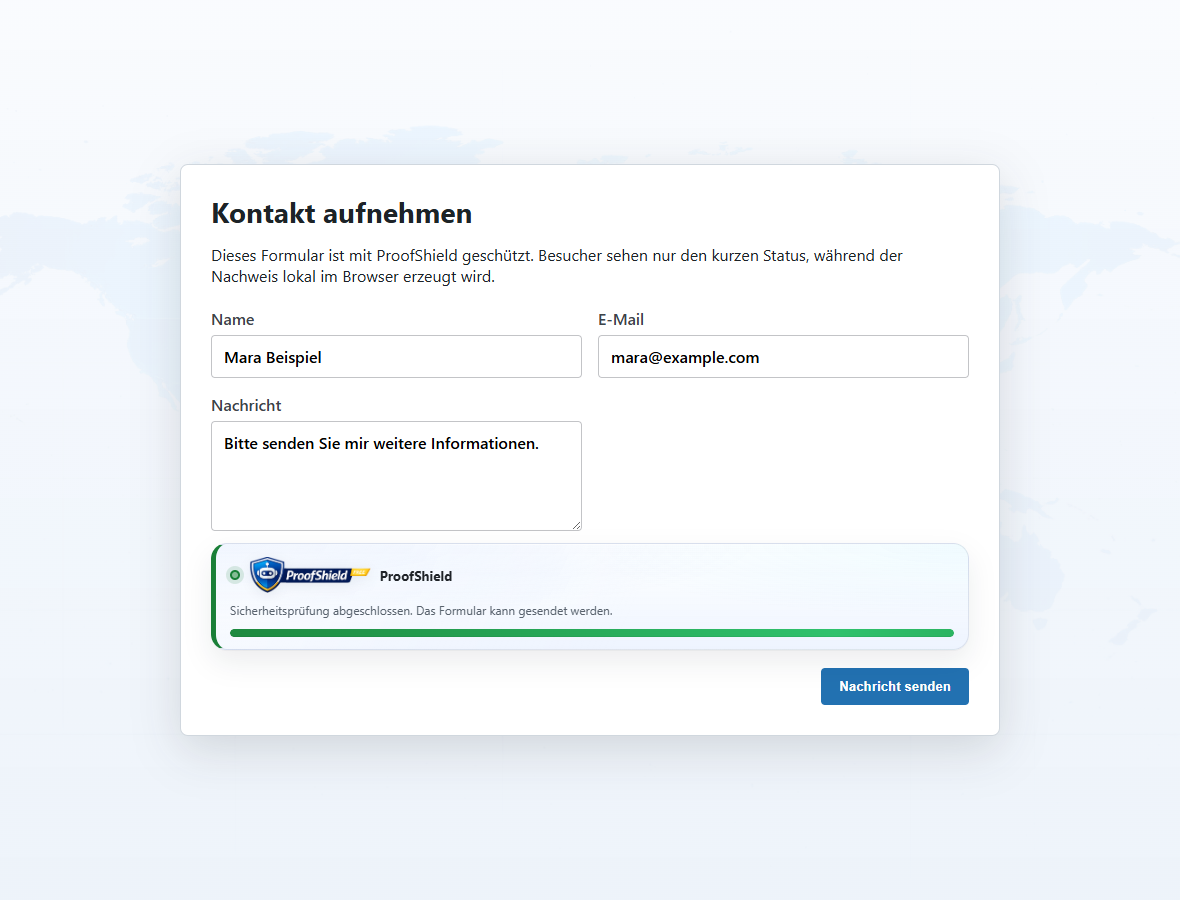
- Stay usable for real visitors: the browser creates the proof quietly in the background.
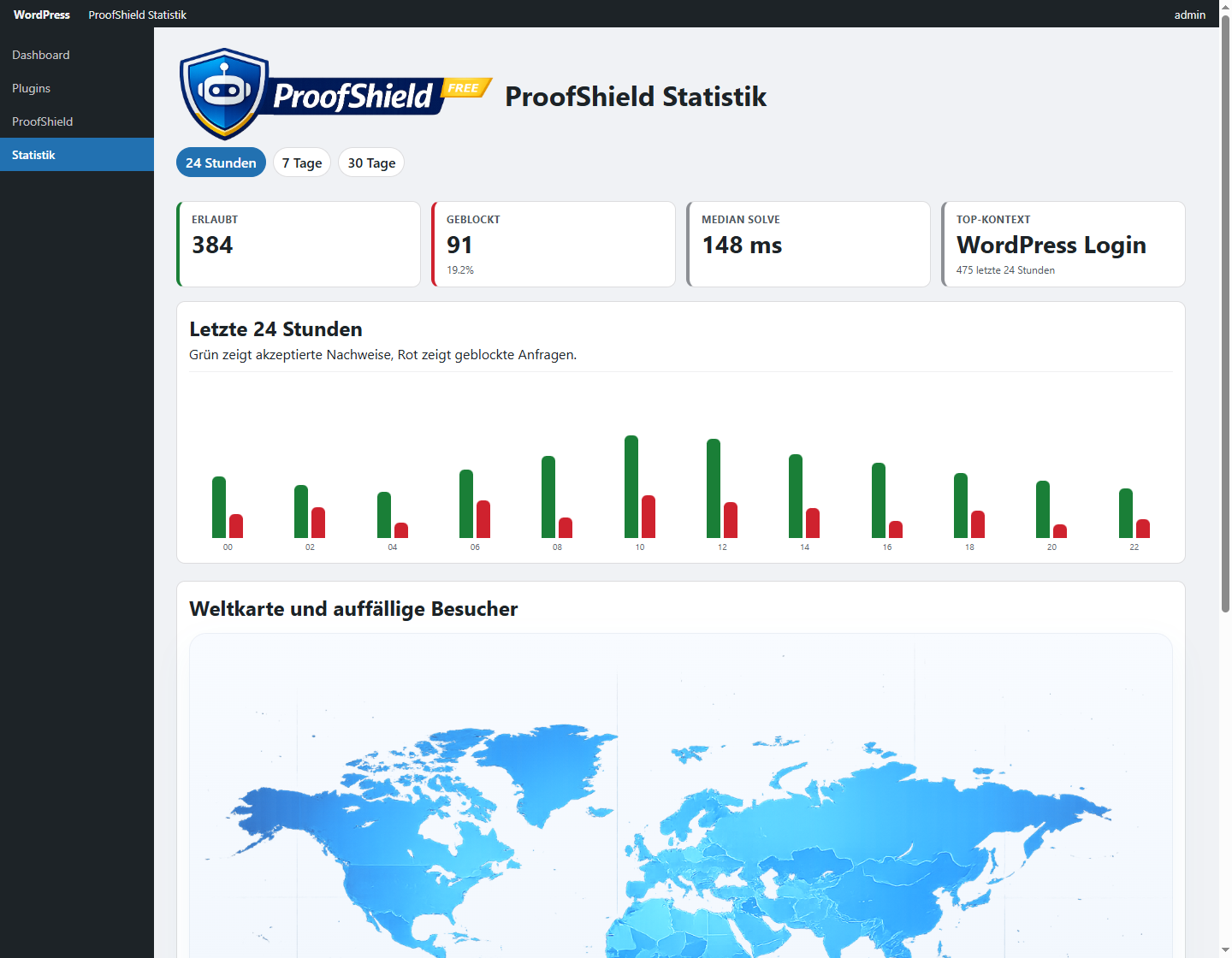
- See what happened: the statistics view shows allowed and blocked events by context.
- Tune the level: choose relaxed, balanced, or strict behavior for your site.
- Keep privacy decisions visible: optional location statistics can be disabled.
- WordPress login forms.
- WordPress comment forms.
- Generic HTML forms selected by CSS selector.
- Frontend forms that can carry normal hidden fields.
- Basic security statistics and recent event context.
- Optional anonymized location statistics for blocked activity.
- Core protection works locally and does not require an external API key.
- The WordPress.org free plugin does not require account registration to run core features.
- Location statistics are optional and can be disabled.
- For location statistics, only anonymized IP ranges are stored.
- Security/statistics events are retained for up to 30 days and deleted automatically.
- WordPress personal data tools are supported for relevant ProofShield settings workflows.
- Optional world map view can be disabled and is rendered locally in wp-admin.
安装:
- Upload the plugin to
/wp-content/plugins/proofshield/or install it via the WordPress plugin installer. - Activate the plugin through the "Plugins" menu in WordPress.
- Open
ProofShieldin the admin menu and configure the protected areas. - Enable the protection areas you want (login, comments, forms) and save.
屏幕截图:
常见问题:
Who is ProofShield for?
ProofShield is for WordPress site owners who want fewer bot logins, junk comments, and automated form submissions without depending on a third-party CAPTCHA service for core protection.
Is setup complicated?
No. Enable the areas you want to protect, choose a difficulty mode, and save. Login and comments work out of the box. Generic forms can be protected with CSS selectors.
Does ProofShield slow down my site?
ProofShield is designed for high-risk actions such as login and form submissions, not for every page view. The browser creates a small proof only where protection is enabled.
Can legitimate users get blocked?
Protection is designed to be quiet for normal visitors. If needed, you can lower the difficulty, use trusted IP rules, or disable protection for a specific area.
Does ProofShield require an external API key?
No for core protection. Core login/comment/form protection works locally. Optional location statistics can use the external Geo-IP services listed above, but no separate API key or account is required.
Can I use ProofShield without account registration?
Yes. Free core features are usable without account registration.
Is user data sent to third parties?
Core protection runs locally. Optional location statistics can use the external Geo-IP services described above when that feature is enabled.
Is ProofShield compatible with caching and common plugins?
For most standard setups, yes. Since ProofShield protects the submission itself, it can work alongside normal page caching. If your site has custom forms, add their CSS selectors in the generic form settings.
Where can I see what was blocked?
Open ProofShield -> Stats in wp-admin to view blocked/allowed trends, reasons, and contexts.
Why not just use a CAPTCHA?
CAPTCHAs can add friction for real visitors and often depend on third-party services. ProofShield focuses on a local browser proof for core protection, so most visitors only see a short status card instead of solving a visual puzzle.
Is there a Pro version?
Yes. An optional separate Pro plugin is available outside WordPress.org for deeper integrations and advanced controls. The WordPress.org plugin does not require Pro to protect login, comments, and generic forms.
更新日志:
- Added an admin maintenance action to reset temporary ProofShield blocks and cooldowns.
- Rate-limit keys now include a reset generation so old cooldowns are ignored immediately after reset.
- Refreshed all release packages for version 1.0.28.
- Allows a valid protected form proof to pass through and clear a previous form cooldown after earlier failed attempts.
- Added a regression test for valid form proof recovery while a form context is already rate-limited.
- Refreshed all release packages for version 1.0.27.
- Fixed Elementor mobile AJAX verification when ProofShield fields are submitted only inside
form_fields[...]. - Added a regression test for nested Elementor ProofShield fields reaching the server verifier.
- Refreshed all release packages for version 1.0.26.
- Improved mobile form submission reliability on iOS and Android by completing ProofShield proof synchronization before replaying the protected submit.
- Added more specific form verification failure reasons to AJAX responses and security instrumentation.
- Refreshed all release packages for version 1.0.25.
- Added the official WordPress Plugin Check to the WP.org submission test flow and verified the generated package in new-plugin mode.
- Hardened the WP.org artifact build so upgrade, paid-code, and direct request-superglobal markers fail before submission.
- Refreshed the WP.org release packages for version 1.0.24.
- Replaced unsafe request input reads with sanitized request helpers, removed the license-gate implementation from the WP.org code path, and refreshed all release packages for version 1.0.23.
- Updated tested compatibility for WordPress 7.0 and made the optional Pro path easier to discover from the settings page.
- Tightened the admin settings query fallback used for CLI/PHPUnit so the WP.org checker no longer flags direct request handling, and refreshed the WP.org package for version 1.0.22.
- Added compatibility fixes for CLI/PHPUnit request handling, restored the legacy settings email accessor for tests, and refreshed the WP.org package for version 1.0.21.
- Cleaned the WP.org package further by removing remaining account-connection and premium-oriented wording from the free artifact and tightening the release preflight checks.
- Improved the statistics view for unresolved locations by reducing blocking geo lookups, retrying unknown ranges faster, and grouping
Unknownentries into a single summary row at the end of the table.
- Improved stats performance by preparing geo lookups in a background queue, keeping successful geo matches in a longer-lived local cache, and showing anonymized IP ranges with visible
xmasking in the admin table.
- Moved world-map markers to local country centroids, hid unknown/private markers on the map, and refreshed the WP.org release package for version 1.0.17.
- Calibrated the local world map overlay and refreshed the WP.org release package for version 1.0.16.
- Improved WordPress.org metadata compatibility.
- Improved generic form frontend styling stability.
- Strengthened free-build boot safety for premium-only registration paths.
- Maintenance release with quality and stability improvements.
- Improved WooCommerce login UI behavior.
- Improved honeypot validation reliability in bot simulation flows.
- Improved protected-form refresh behavior.
- Hardened honeypot logic to reduce false positives.
- Improved Elementor error messaging for temporary rate limits.
- Improved operational logging clarity.
- Improved localization and encoding robustness.
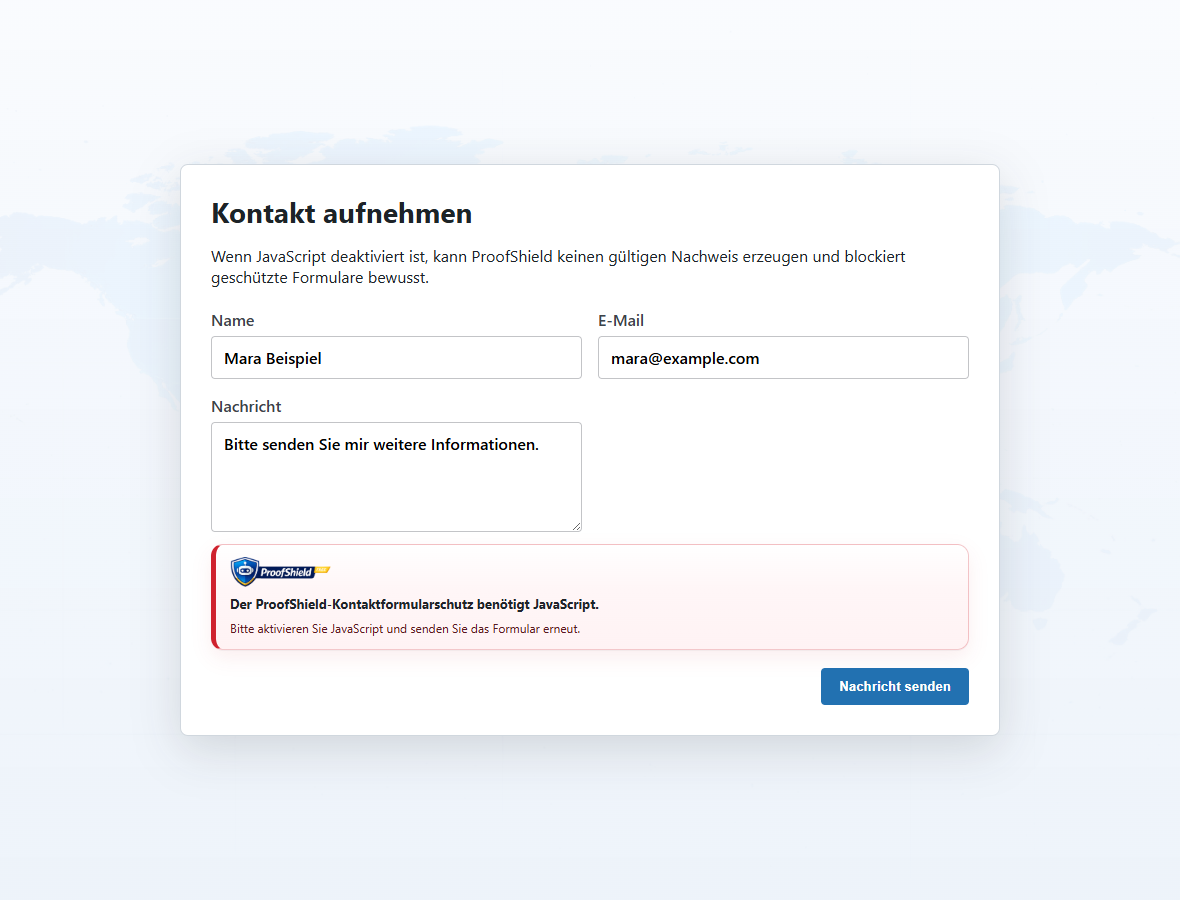
- Stabilized no-JS event tracking in statistics.
- Improved no-JS context visibility in security reporting.
- Improved no-JS handling for protected form flows.
- Improved warning consistency and placement in supported form integrations.
- Improved frontend status card branding behavior.
- Expanded active UI language support.
- Improved admin language switching behavior.
- Improved Secure+ toggle synchronization behavior.
- Improved localized statistics wording and weekly report coverage.
- Improved statistics readability and context labels.
- Added contact-form summary counters in context reports.
- Reduced internal code noise in admin-facing views.
- Initial public release with Free/Pro-ready architecture.