
Provedly – Verified Sales Popup & Social Proof for WooCommerce
| 开发者 | elminson |
|---|---|
| 更新时间 | 2026年10月31日 01:46 |
| PHP版本: | 8.0 及以上 |
| WordPress版本: | 7.1 |
| 版权: | GPLv2 or later |
| 版权网址: | 版权信息 |
详情介绍:
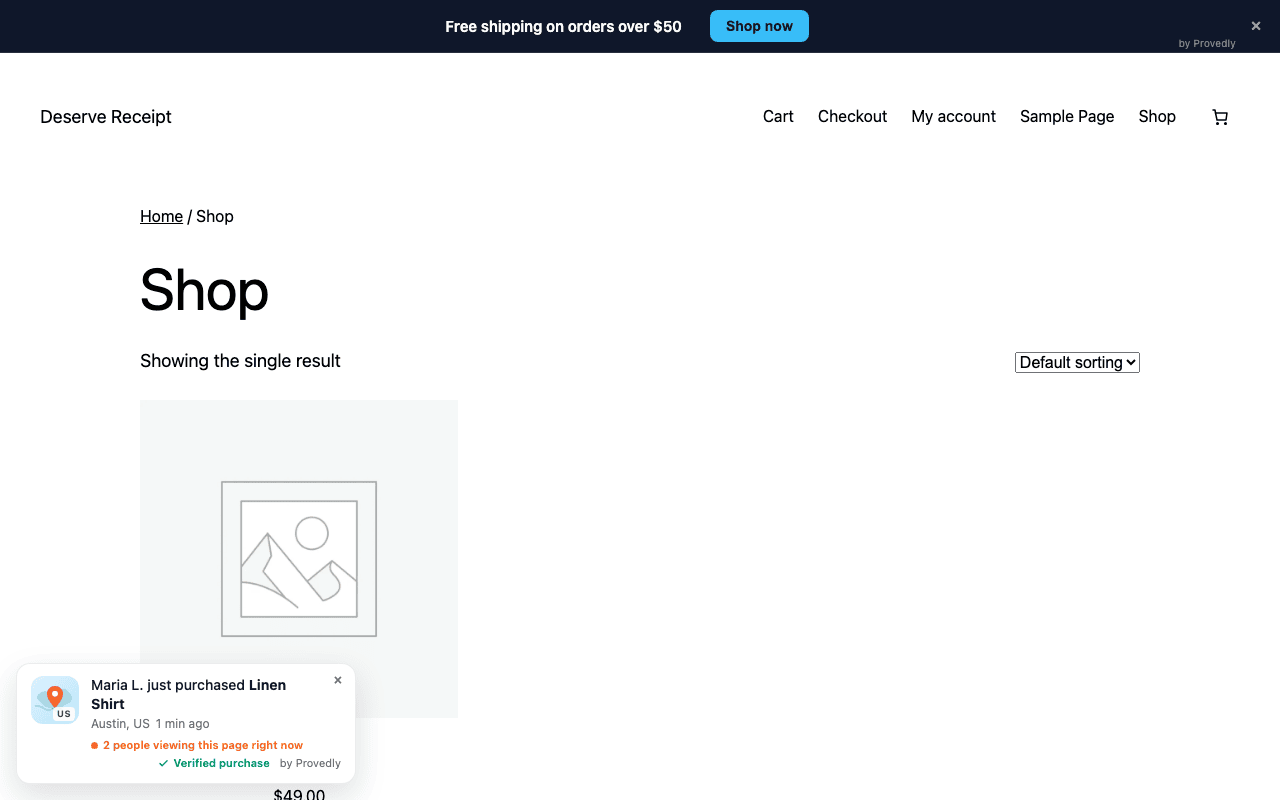
- Recent sales notifications from your WooCommerce orders, with the buyer's first name and last initial (you choose the name format), city, product and time.
- Verified purchase mark on every order that reached Provedly over a webhook signed with your secret.
- Live visitor counter: a real count of visitors on the page in the last 90 seconds. No setting can raise it.
- Real orders bar: how many verified orders your store took in the last 24 hours, 7 days or 30 days, hidden below a minimum you set.
- Countdown timer and announcement bars: countdowns to a date, evergreen timers and plain announcement bars with a button.
- Verification page: every badge links to a public page your shoppers can check.
- Attribution: see which orders followed a notification the buyer saw.
- Lightweight: one small async script, rendered in a Shadow DOM so it does not clash with your theme.
- Preview before connecting: the plugin page shows an example notification and bar, and how many of your recent orders could appear.
- Orders arrive from WooCommerce over a webhook signed with your secret, and only those get the "Verified purchase" mark.
- The live counter cannot be set or inflated.
- Countdown bars end when they say they end. Evergreen timers are disclosed as per-visitor on the public verification page.
安装:
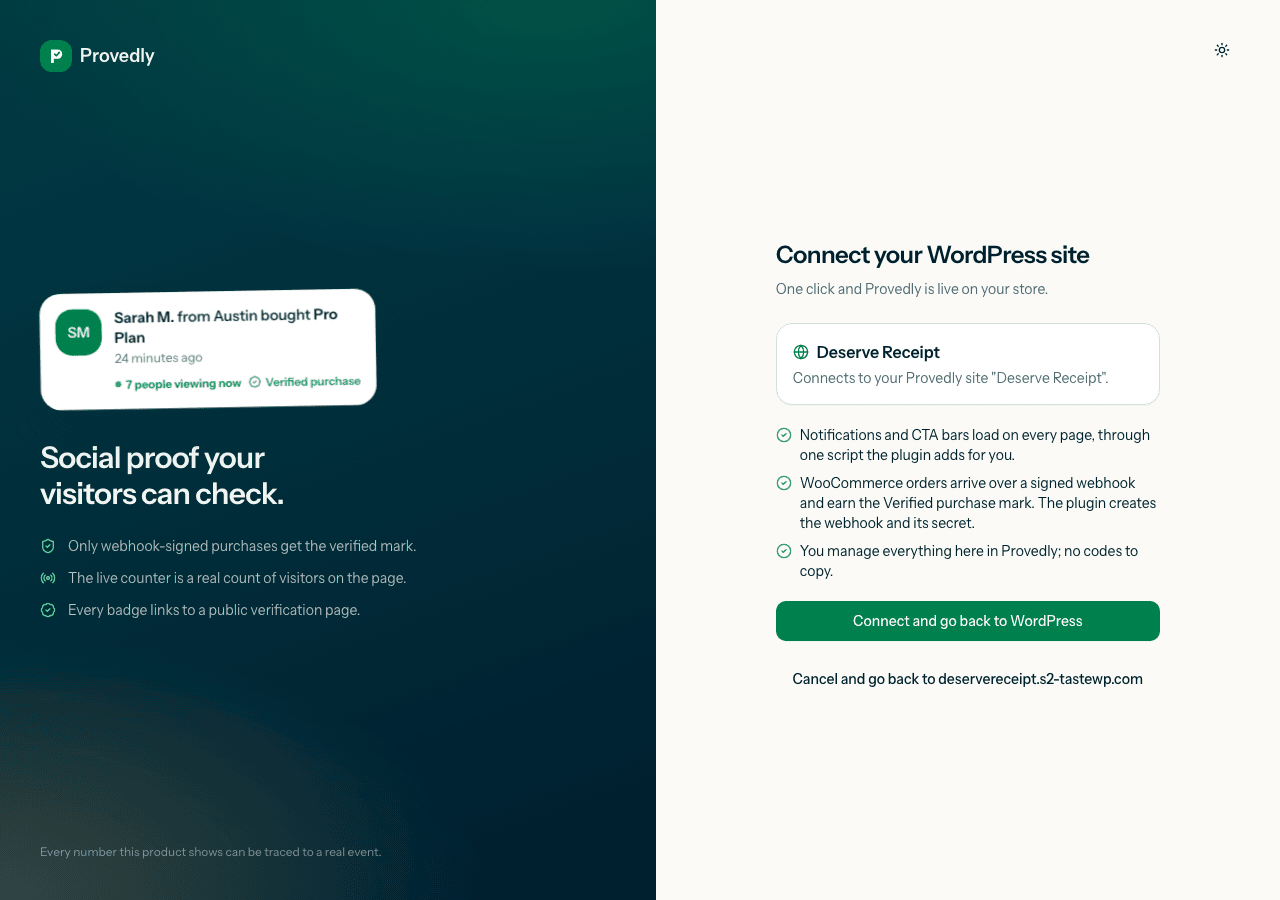
- Install and activate the plugin. The Provedly page opens with a preview of what shoppers will see.
- Click "Connect to Provedly".
- Sign in or create a free Provedly account and confirm this site.
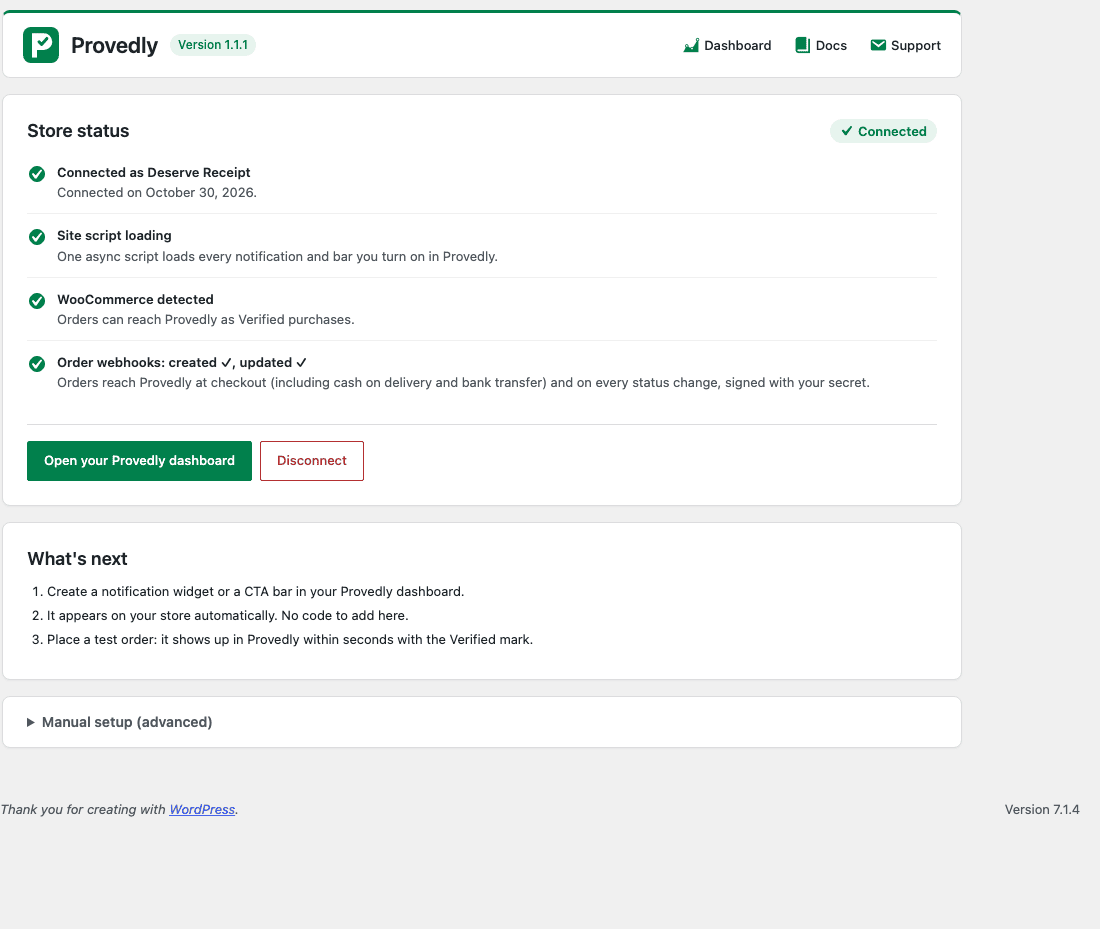
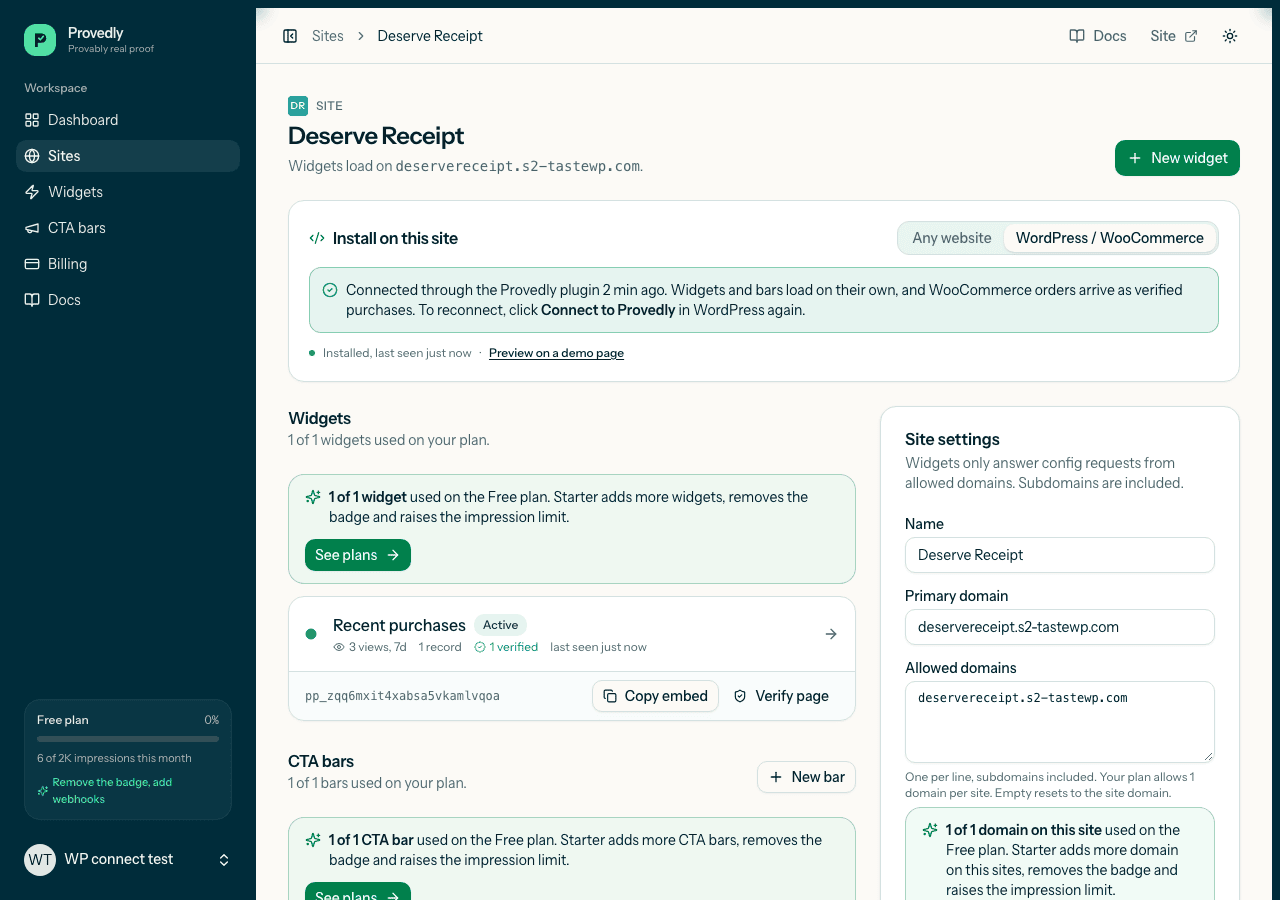
- You're back in WordPress, connected: notifications and bars load on your store, and the WooCommerce webhooks and their secret are set up for you, so orders arrive as Verified purchases.
屏幕截图:
常见问题:
Is this a fake sales popup?
No. Notifications come from real orders, and only orders delivered over your signed WooCommerce webhook show the "Verified purchase" mark. Records you add by hand or import are labelled as such. The preview on the plugin page is marked as an example and is never shown on your store.
Is there a free plan?
Yes. The free plan includes 2,000 impressions a month, with verified purchases included. No card is needed to start.
Does it work in my language?
The plugin's admin page is translated into Spanish, Portuguese (Brazil), French and German, and you can add more on translate.wordpress.org.
How do I disconnect?
Open Provedly in the admin menu and click Disconnect. The plugin stops loading Provedly on your store and removes the WooCommerce webhooks it created. Deleting the plugin does the same and removes its settings.
Does the plugin slow my store down?
It prints one script tag (the site loader). The widget bundle is about 6 KB gzipped, loads async and renders in a Shadow DOM.
What data is sent to Provedly?
Order webhooks as WooCommerce sends them (customer name, city, country, items, total) and the widget's anonymous visitor id. Provedly stores a hash of the visitor id. See https://provedly.app/privacy.
Do I need WooCommerce?
The widget and bars work on any WordPress site. Order sync needs WooCommerce 7 or newer.
更新日志:
- Preview before connecting: an example sales notification and bar, clearly labelled, and how many of your paid WooCommerce orders from the last 30 days can appear as Verified purchases.
- Translations: Spanish, Portuguese (Brazil), French and German bundled, plus a .pot file for other languages.
- Clearer plugin name and description.
- Redesigned settings page: clear connect flow, health checks, version shown in the header.
- Cash on delivery, bank transfer and cheque orders now reach Provedly at checkout: the plugin adds an order.created webhook next to order.updated (existing sites get it automatically after the update).
- Docs and Support links on the Plugins screen.
- One-click Connect to Provedly: no tokens to copy.
- Loads everything through the site loader.
- WooCommerce webhook and secret set up automatically.
- Uninstall cleans up the webhook.
- Provedly now has its own admin menu item with the Provedly icon, and the settings page shows the logo and a link to your dashboard. The old Settings, Provedly address redirects there.
- Fix: read the widget's visitor cookie so orders are attributed to the notifications the buyer saw.
- Readme: clearer description, real orders bar.
- First release: storefront scripts, webhook setup, visitor attribution.