Provimedia GEO Widget
| 开发者 | provimedia |
|---|---|
| 更新时间 | 2026年2月9日 16:17 |
| PHP版本: | 7.4 及以上 |
| WordPress版本: | 6.9 |
| 版权: | GPL-2.0-or-later |
| 版权网址: | 版权信息 |
详情介绍:
Geo Widget creates structured, citable answer blocks (Answer Cards) directly in the WordPress Gutenberg Editor. This optimizes your content specifically for AI-powered search engines like Google AI Overviews, Bing Copilot, or Perplexity.
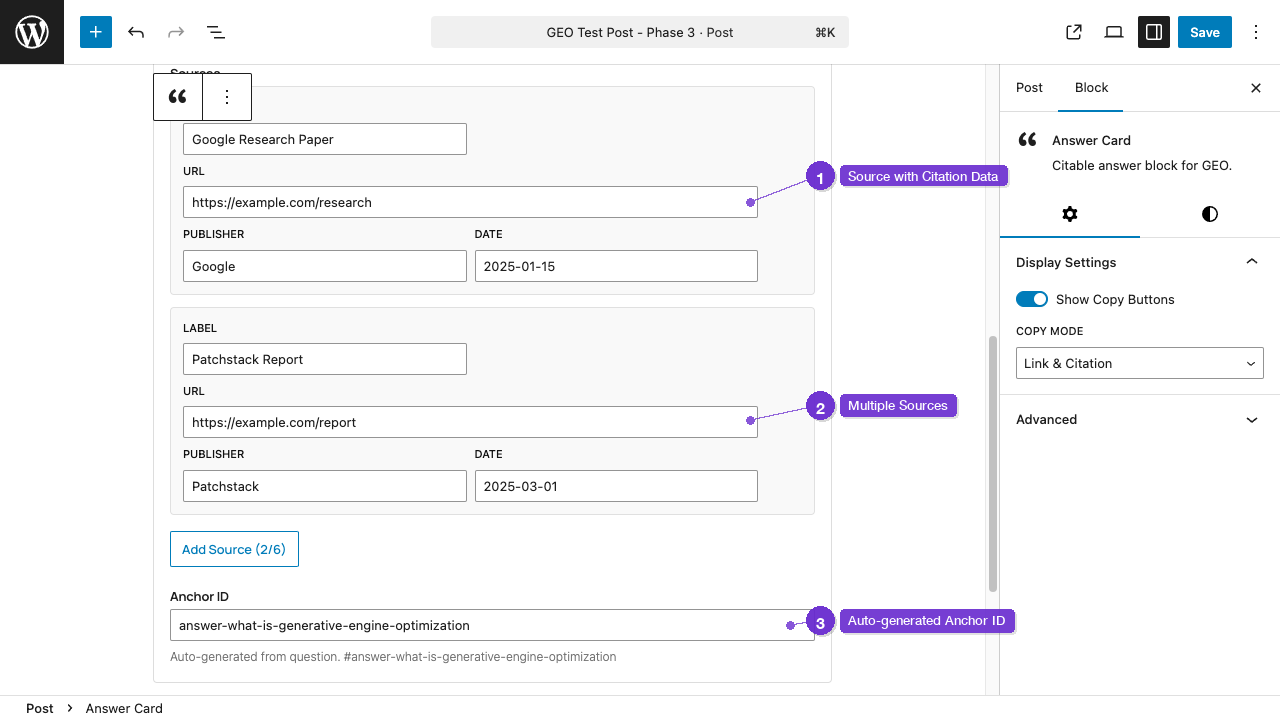
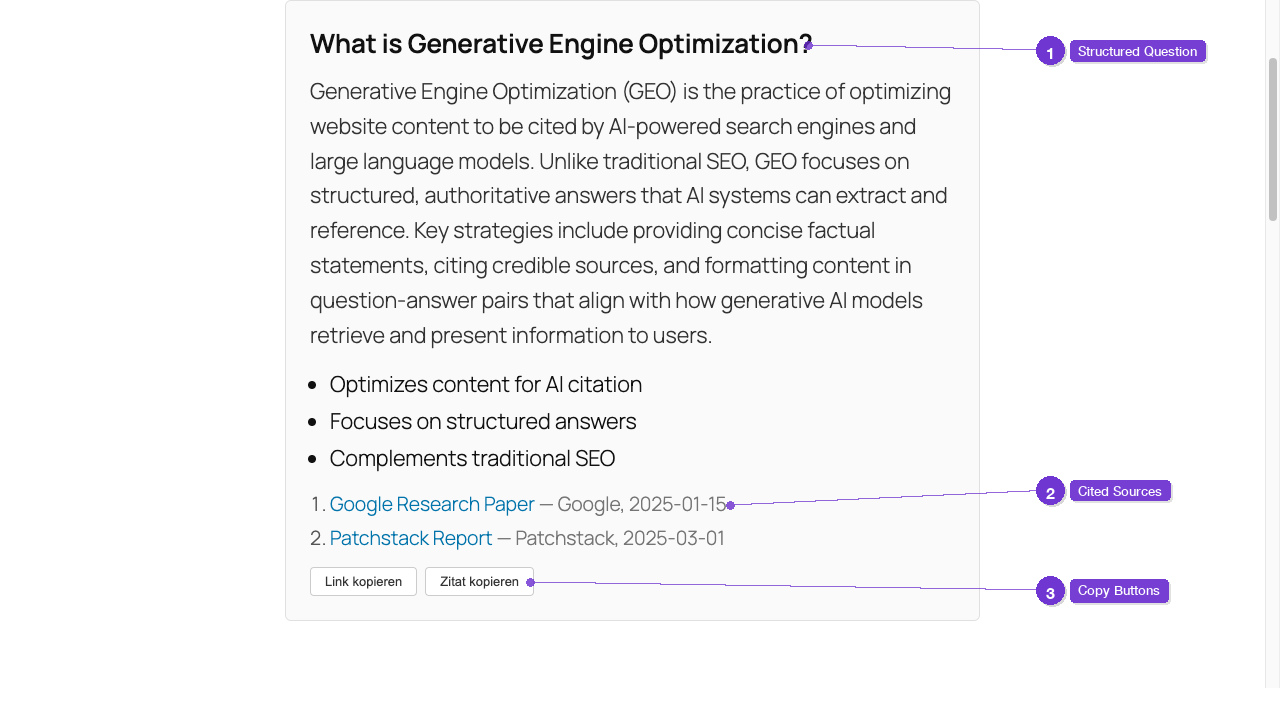
Each block consists of a question, answer, bullet points, and sources — including copy buttons so readers and AI systems can correctly cite your content.
Who is this plugin for?
- Content creators who want to be cited in AI answers
- SEO teams focusing on Generative Engine Optimization
- Editorial teams needing structured fact blocks in articles
- Developers integrating Answer Cards into external systems via REST API
安装:
- Upload the ZIP file via Plugins → Add New → Upload Plugin
- Activate the plugin under Plugins → Installed Plugins
- Add the "Answer Card" block via the Gutenberg Editor to a post
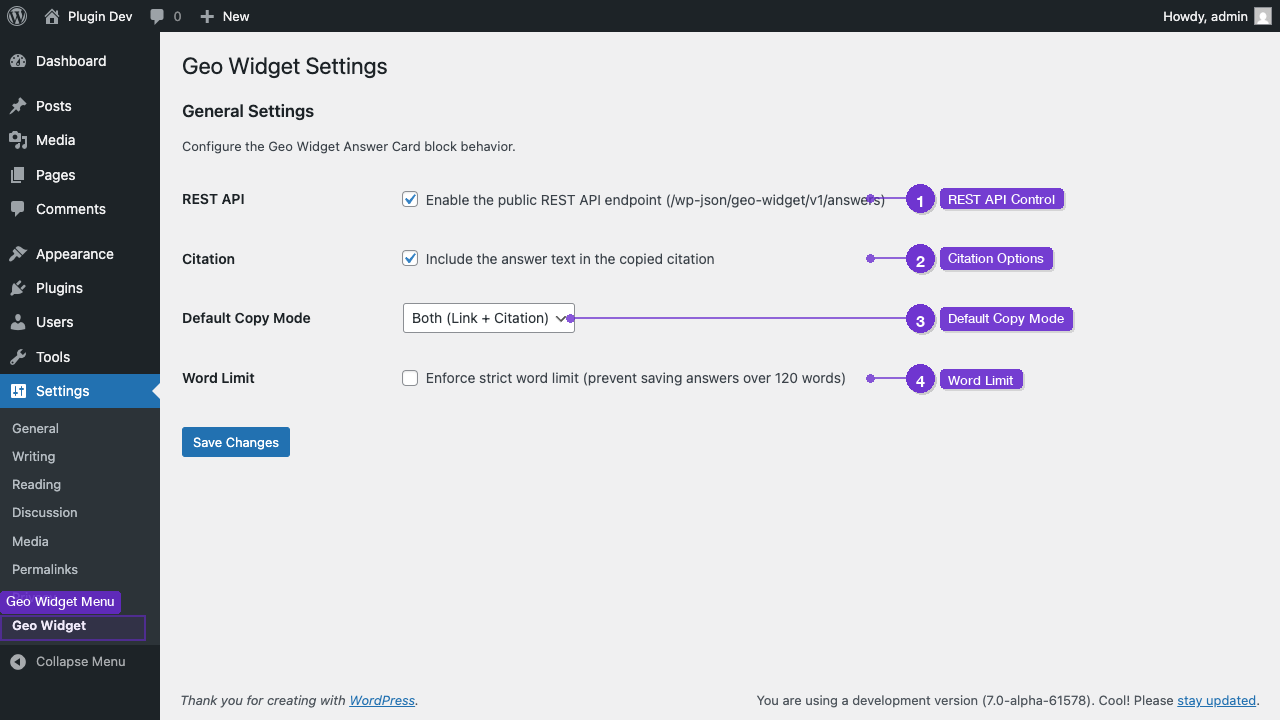
- Configure global settings under Settings → Geo Widget
屏幕截图:

常见问题:
What is Generative Engine Optimization (GEO)?
GEO refers to optimizing web content for AI-powered search engines. Unlike traditional SEO, it focuses on having content correctly cited and referenced as a source by AI systems.
Which AI search engines benefit from this?
Structured answer blocks improve citability in Google AI Overviews, Bing Copilot, Perplexity, ChatGPT Search, and similar systems.
How long should an answer be?
The ideal length is 40-80 words. The integrated word counter with traffic light indicator helps maintain the optimal length.
Can I disable the REST API?
Yes, under Settings → Geo Widget you can completely disable the API endpoint.
What happens on uninstallation?
All plugin data (options and transients) are completely removed from the database. Block content in your posts remains as HTML.
Does the plugin work with page builders?
The plugin uses the native Gutenberg Block Editor. Page builders that support Gutenberg blocks are compatible.
更新日志:
1.0.0
- Initial release
- Gutenberg Block "Answer Card" with question, answer, bullet points, and sources
- Copy buttons (Link and Citation) with Clipboard API and fallback
- REST API endpoint with filtering and pagination
- Settings page with 4 configurable options
- Full security hardening (escaping, sanitization, whitelist validation)
- Clean uninstallation