Proxima – Content Sync for Notion
| 开发者 | shubhamgate |
|---|---|
| 更新时间 | 2026年4月18日 13:06 |
| PHP版本: | 5.8 及以上 |
| WordPress版本: | 6.9 |
| 版权: | GPLv2 or later |
| 版权网址: | 版权信息 |
详情介绍:
Proxima – Content Sync for Notion is a powerful, lightweight bridge between Notion and WordPress. It allows you to use Notion as your drafting environment and sync content to WordPress with a single click.
Key Features:
- ✅ Multi-database support: Connect and manage multiple Notion databases.
- ✅ Unlimited pages: No restrictions on the number of pages you can sync.
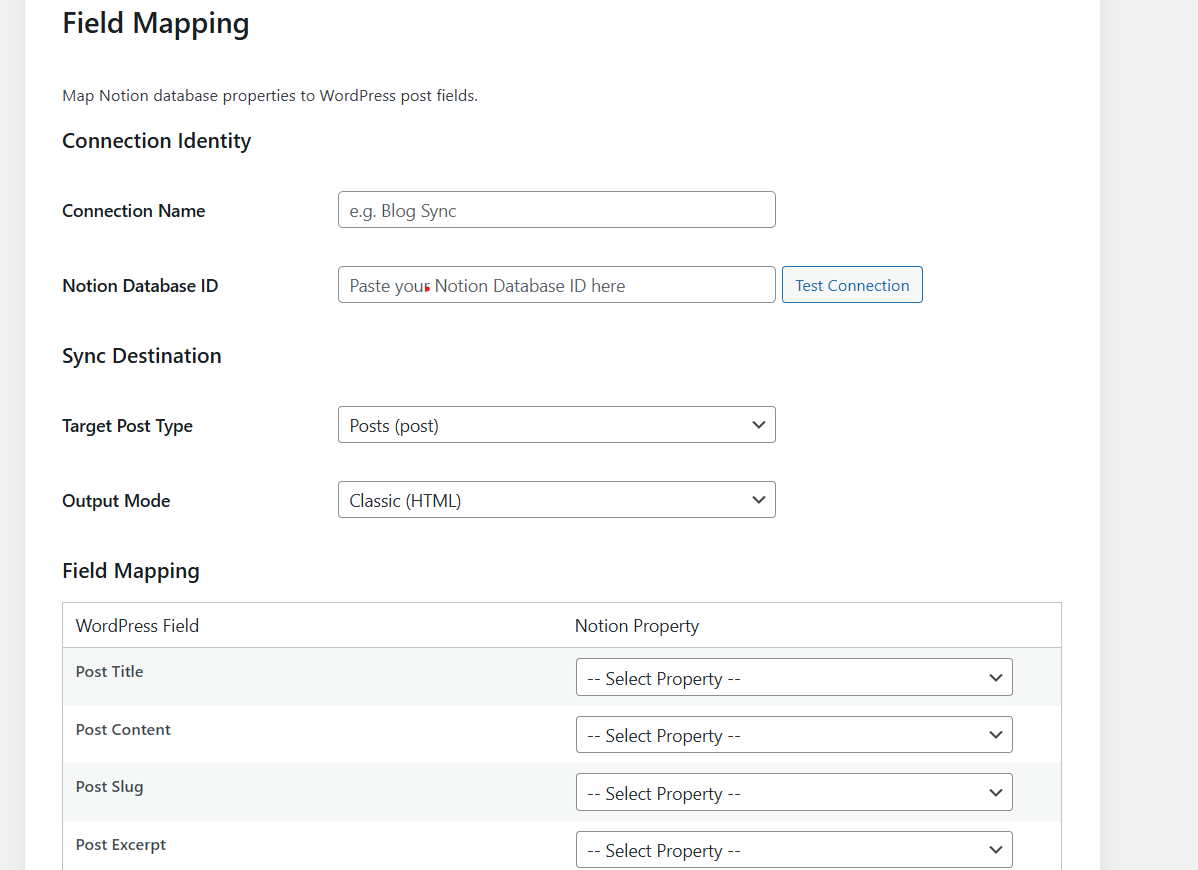
- ✅ CPT support: Sync content to standard posts, pages, or any Custom Post Type.
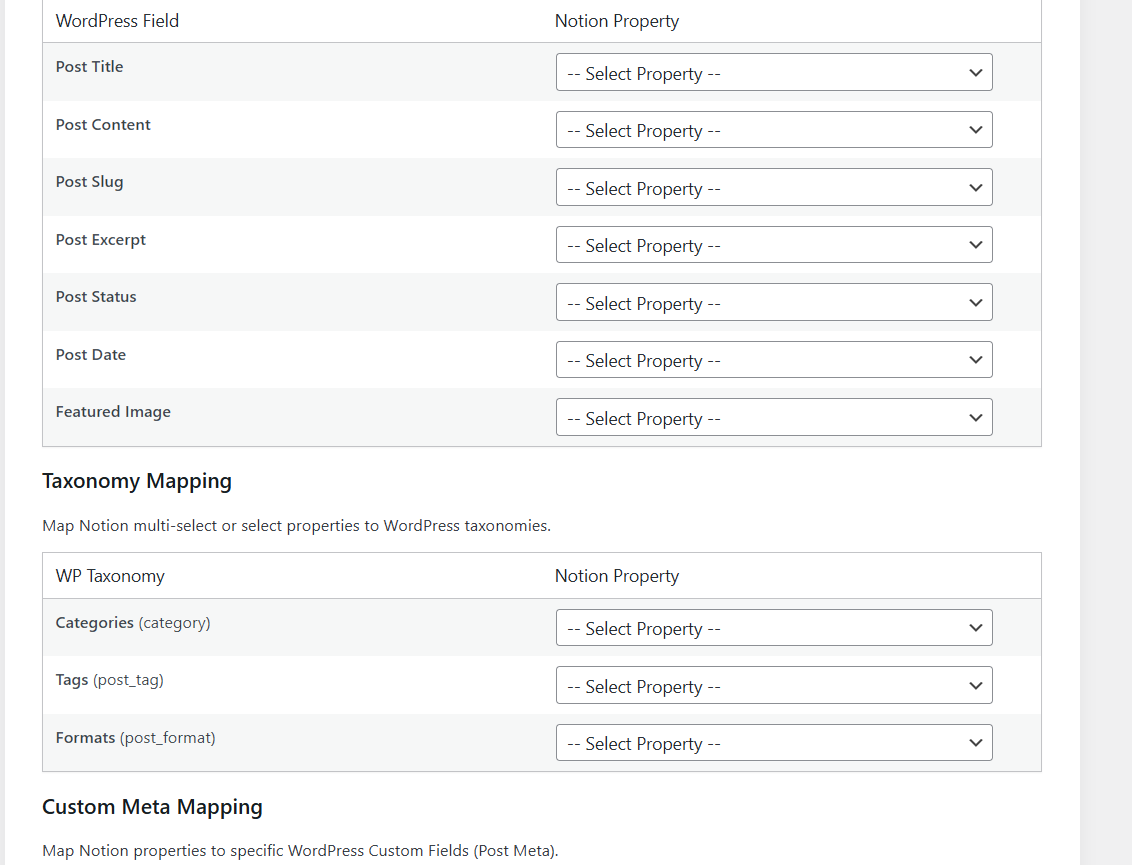
- ✅ SEO meta mapping: Map Notion properties to WordPress custom fields for SEO or any other purposes.
- ✅ Custom Meta Field Support: Add unlimited custom meta rows to map any Notion property directly to WordPress metadata.
- Dynamic Schema Detection: Automatically detects your Notion database properties.
- Semantic HTML Engine: Converts Notion blocks to clean, SEO-friendly HTML.
- Media Ownership: Downloads Notion images to your local Media Library.
- Manual Sync: Currently, the plugin utilizes high-performance manual sync. (Webhook/Automatic sync is planned for a future update).
- Status-Based Posting: To ensure only finalized content is synced, the plugin only processes pages where the Notion property Status (Select type) is set to Ready.
- Notion API (https://api.notion.com): Used to fetch your database properties and page content.
- Notion Privacy Policy: https://www.notion.so/about/privacy-policy
- Notion Terms of Service: https://www.notion.so/about/terms-and-conditions
安装:
- Upload the plugin folder to the
/wp-content/plugins/directory. - Activate the plugin through the 'Plugins' menu in WordPress.
- Go to NotionFlow > Settings and enter your Notion API Key.
- Go to Connections to add your Notion databases and map properties to WordPress fields.
屏幕截图:
常见问题:
Does this plugin store my Notion data?
The plugin only stores your connection token and mapping settings. Content is fetched from Notion and stored in your WordPress database as standard posts.
Is there a limit to how many posts I can sync?
No. The plugin uses chunked processing to safely handle databases of any size.
更新日志:
1.0.0
- Initial release.
- Block-to-HTML engine with SEO heading shifts.
- Media sideloading and taxonomy mapping.
- AJAX chunked sync worker.