
Request a Quote for WooCommerce
| 开发者 | psmplugins |
|---|---|
| 更新时间 | 2026年10月15日 13:51 |
| PHP版本: | 7.4 及以上 |
| WordPress版本: | 7.1 |
| 版权: | GPLv3 or later |
| 版权网址: | 版权信息 |
详情介绍:
- Accept pricing inquiries and quote requests before checkout
- Handle bulk, wholesale, and negotiated pricing
- Convert price-sensitive visitors into B2B leads
- Offer a professional "Request for Quote" experience
- Shop page and Category pages
- Single product page
- Inline with the Add to Cart button
- Underneath the Add to Cart button
- Allow guest and logged-in users to submit Quote Requests
- Add custom form fields such as text, email, dropdowns, checkboxes, and file uploads (Pro)
- Mark fields as required or optional to improve lead quality
- Prevent spam using Google reCAPTCHA or Cloudflare Turnstile
- Review request for quote submissions
- Adjust prices, taxes, and quantities
- Set expiry dates for quotations (quotes expire automatically once the date passes)
- Update quote statuses (New, Pending, Expired, Rejected)
- Communicate with customers directly
- A quote request is submitted
- A quotation is sent to the customer
- A quotation is accepted or rejected
- Reminder emails for pending or expiring quotes (Pro) All emails use WooCommerce’s native email system for delivery.
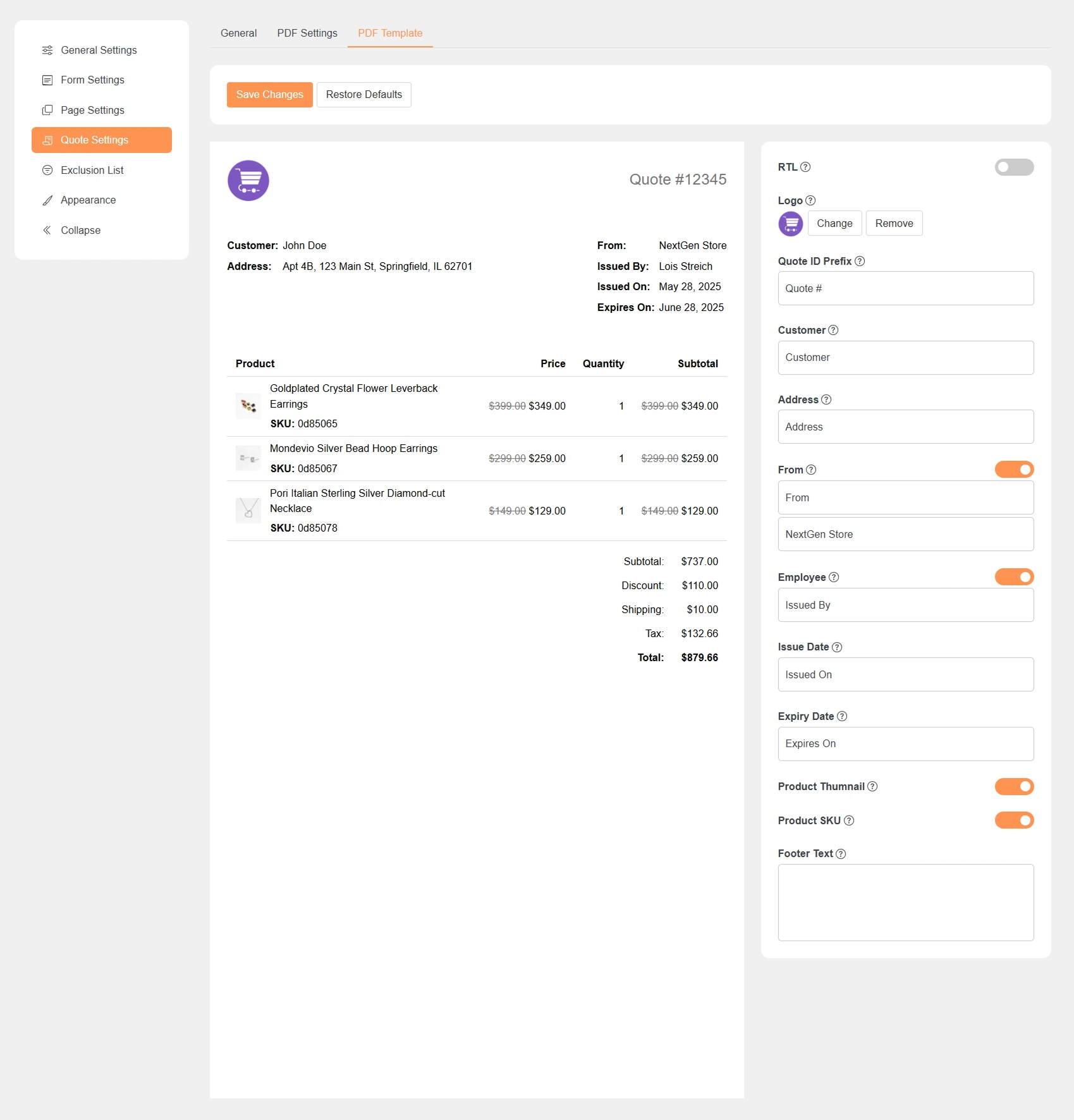
- Include store logo, products, pricing, and terms
- Preview PDFs before sending
- PDFs are automatically attached to quotation emails
- Customers can download and review their quotation anytime
安装:
- Navigate to the 'Add New' in the plugins dashboard
- Search for Request a Quote for WooCommerce
- Click 'Install Now'
- Activate the plugin in the plugin dashboard
- Download
psm-request-a-quote.zipfrom this page - Navigate to the 'Add New' in the plugins dashboard
- Navigate to the 'Upload' area
- Select
psm-request-a-quote.zipfrom your computer - Click 'Install Now'
- Activate the plugin in the plugin dashboard
- Download
psm-request-a-quote.zipfrom this page - Extract the
psm-request-a-quotedirectory to your computer - Upload the
psm-request-a-quotedirectory to the/wp-content/plugins/directory - Activate the plugin in the plugin dashboard
屏幕截图:


常见问题:
Does this plugin support Quote Request workflows?
Yes, the plugin is built specifically for Quote Request and quotation-based pricing.
Can I hide product prices?
Yes, you can hide product prices globally when using the request for quote functionality.
Can guests submit a quote request?
Yes, both guest users and logged-in users can submit quote requests.
Are PDF quotations included in the free version?
Customers can print or save their quotation as PDF from the quote page in the free version. Branded PDF templates and PDF email attachments are available in the Pro version.
Where are quote requests stored?
All quote requests are stored as WooCommerce orders, allowing you to manage them directly from the Orders page.
Can I choose where the Add to Quote button appears?
Yes, you can control the Add to Quote button placement on shop pages and single product pages.
Does the plugin work with WooCommerce emails?
Yes, all quote-related notifications use WooCommerce’s built-in email system.
Can I convert the cart into a quote request?
Yes, in the Pro version you can enable request for quote on the Cart and Checkout pages.
Can I customize the quote request form?
Basic form fields are available in the free version. Advanced custom fields and file uploads are available in Pro.
Is this plugin suitable for B2B or wholesale stores?
Yes, the plugin is ideal for B2B, wholesale, bulk ordering, and custom-priced products.