
PublishDeck
| 开发者 | frictionsort |
|---|---|
| 更新时间 | 2026年11月3日 02:58 |
| PHP版本: | 7.4 及以上 |
| WordPress版本: | 7.1 |
| 版权: | GPLv2 or later |
| 版权网址: | 版权信息 |
详情介绍:
- Publishers running several niche or brand sites from one editorial team.
- Agencies writing and approving client posts in one place, each published to the client's site.
- Organisations with regional or department sites.
- Blocks stay blocks - posts travel as block markup, never flattened to HTML.
- One site per post - connect as many sites as you need and send each post to the one it belongs on.
- Two-way sync - pull edits made on a site back into the hub, one post or all at once, with a conflict warning.
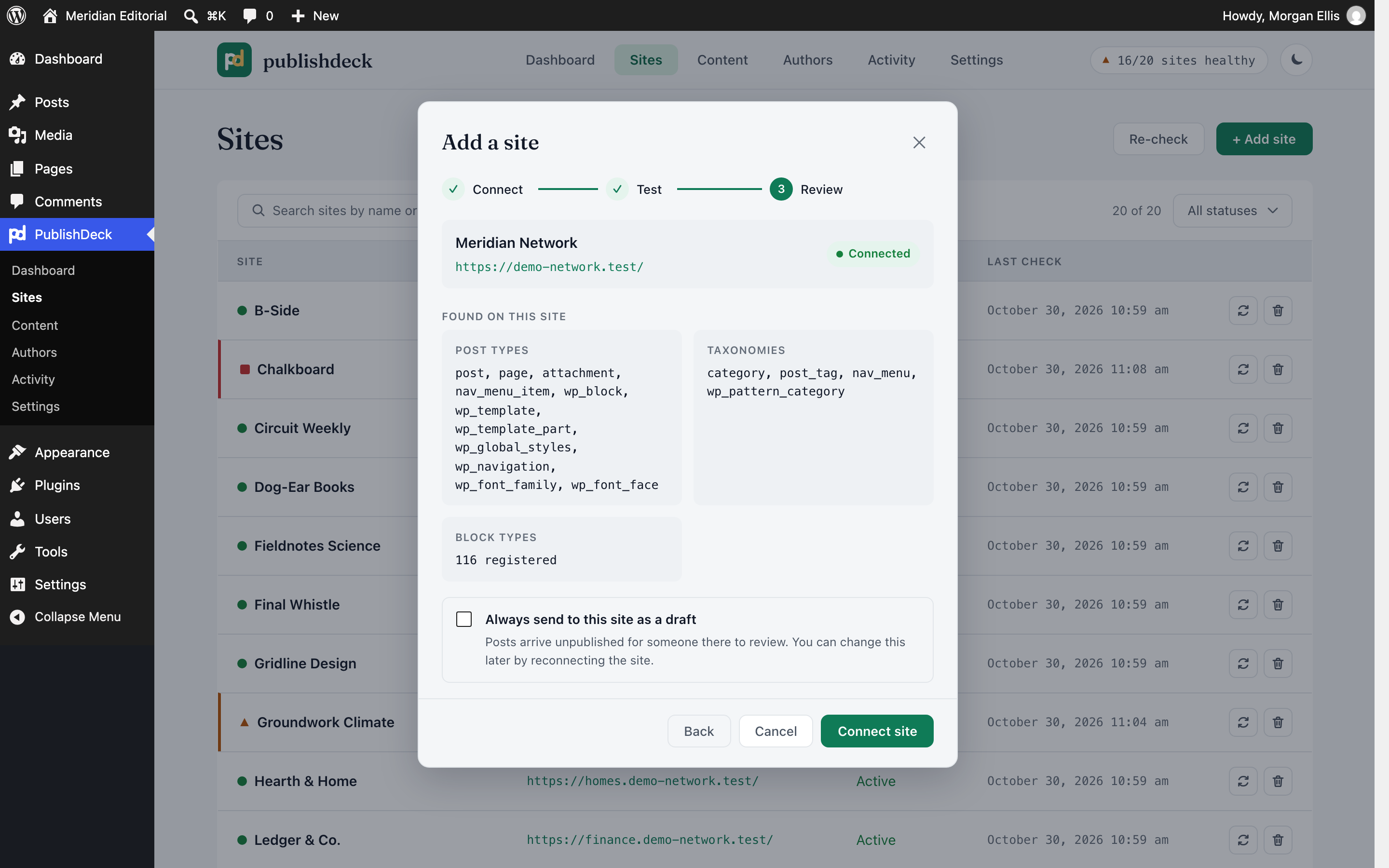
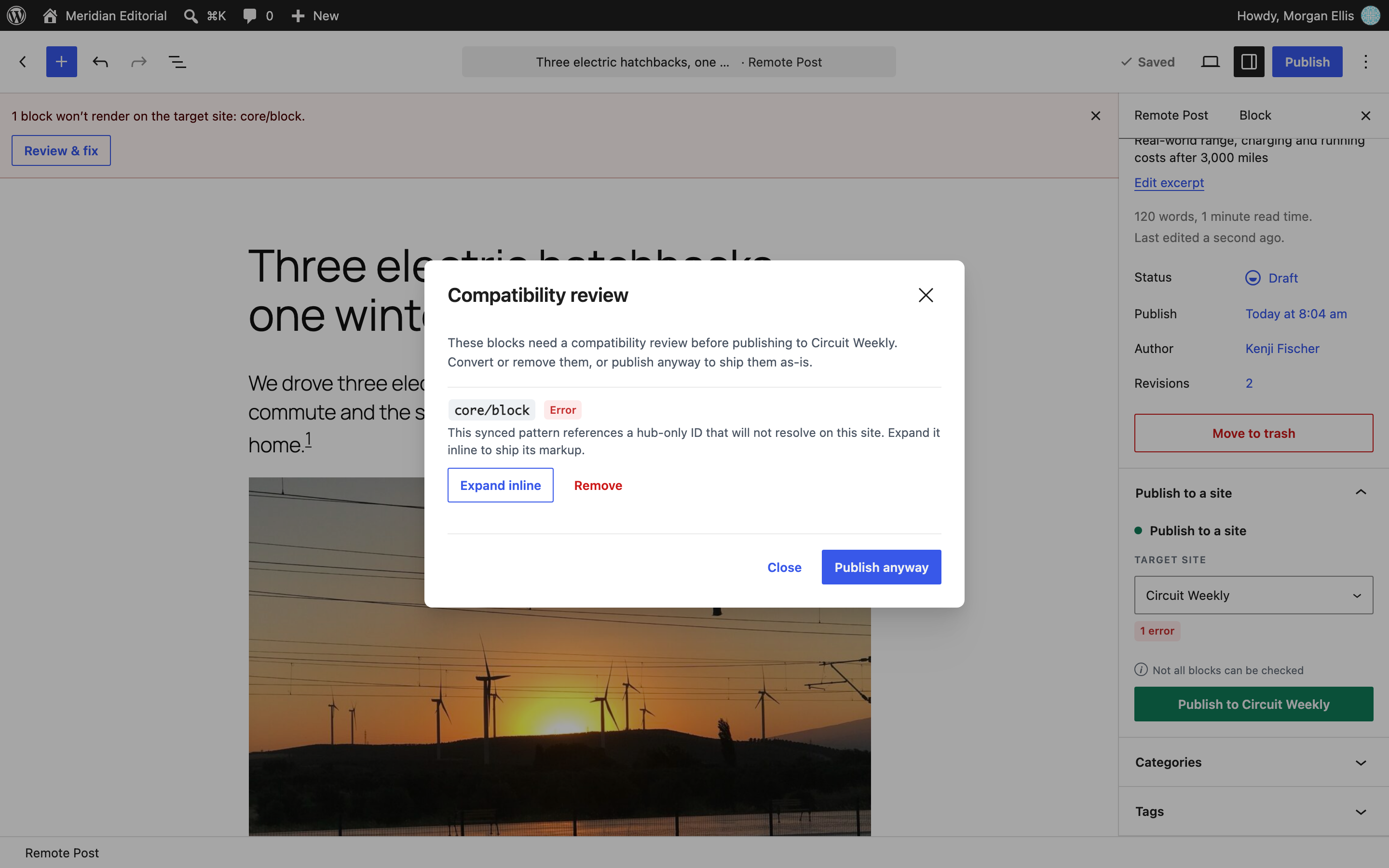
- Block compatibility check - each block is compared with the blocks the site has registered, so you are warned before one would not display there.
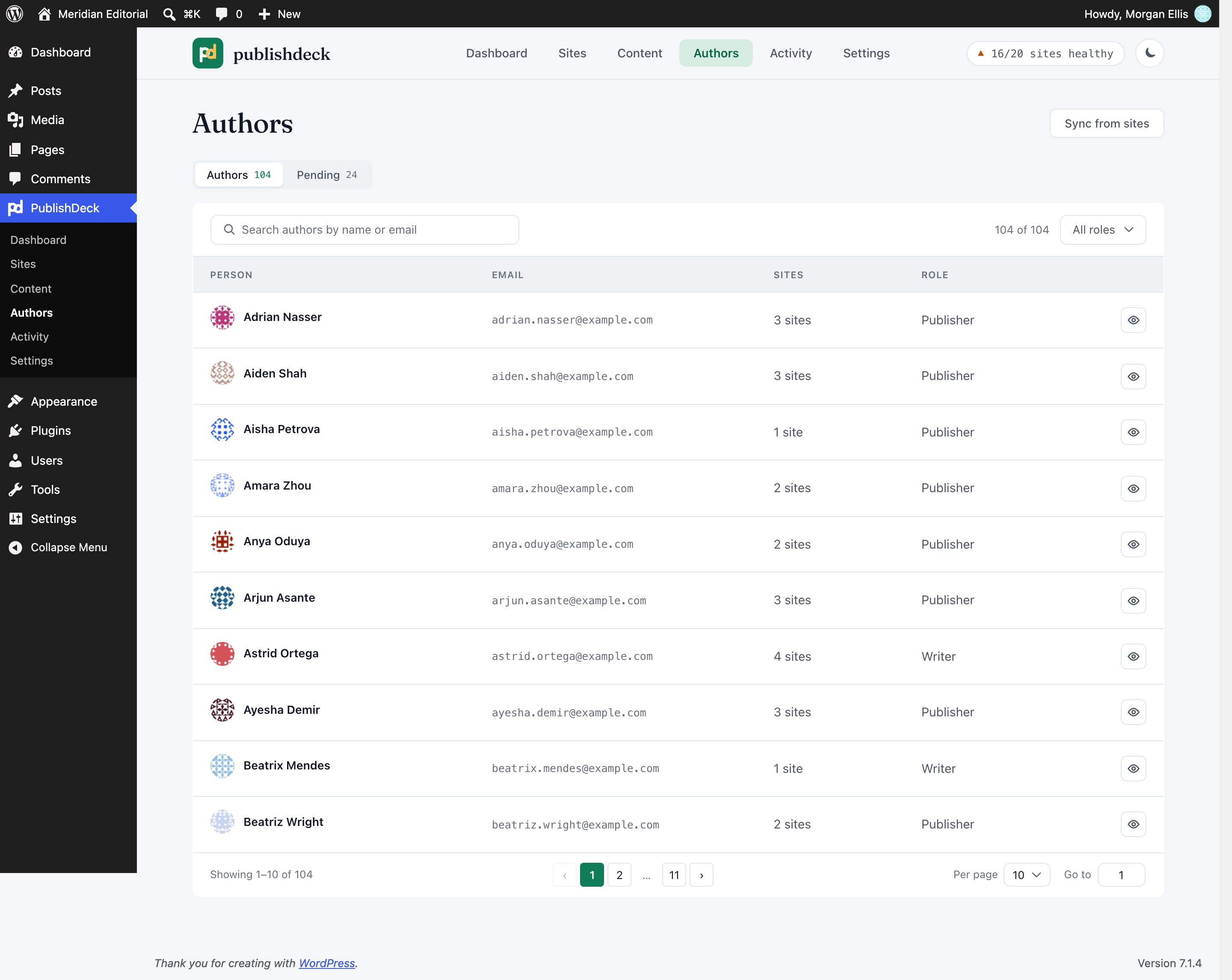
- People and access - find each site's users, match them to hub accounts by email, and set each person's level per site: Write (drafts for that site to approve), Publish or Editor.
- Deleted copies are noticed - the editor offers Re-publish or Remove link, and your hub post is never changed because of it.
- Media - images and files upload with the post, and are removed only when no other post sent from the hub uses them.
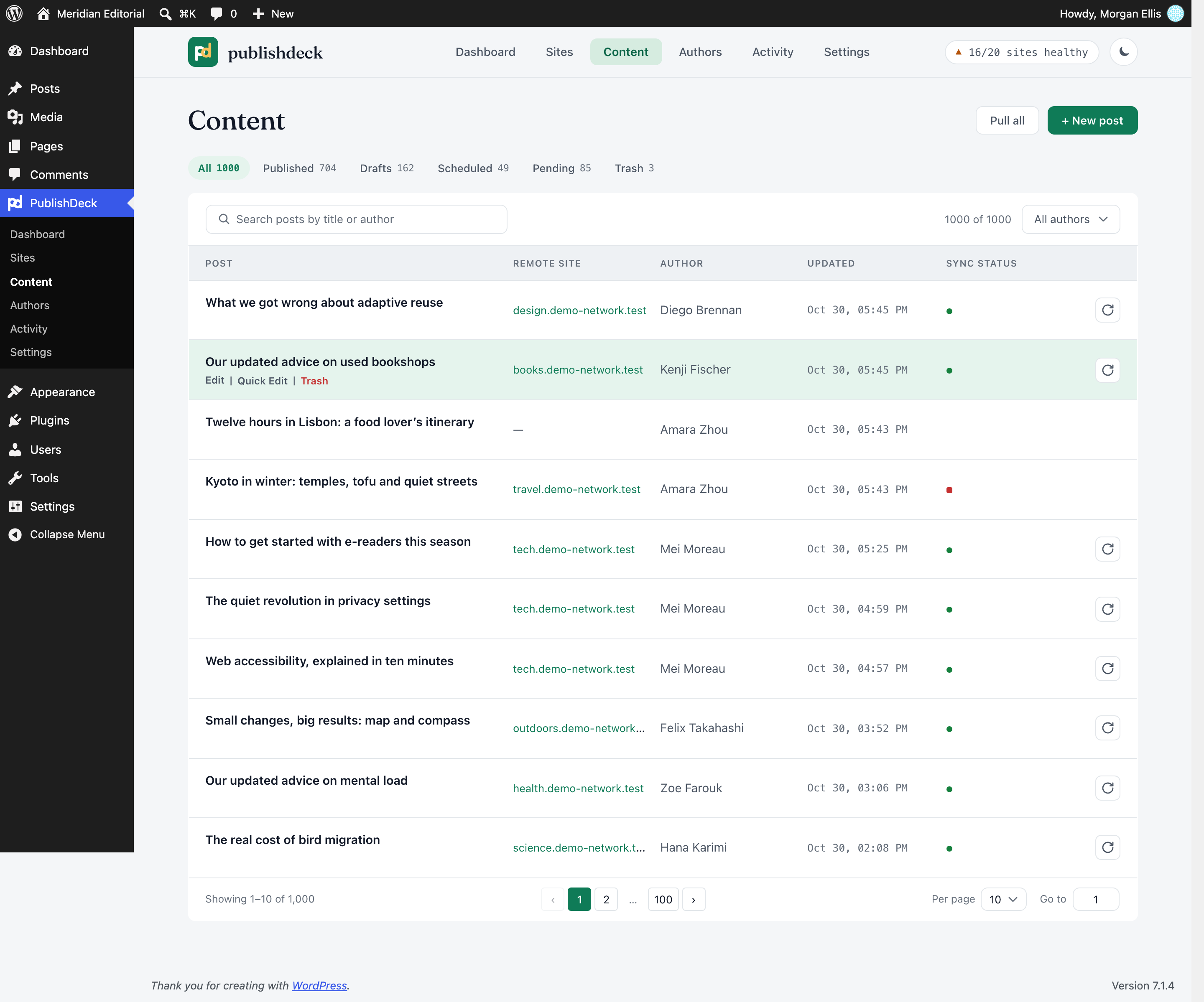
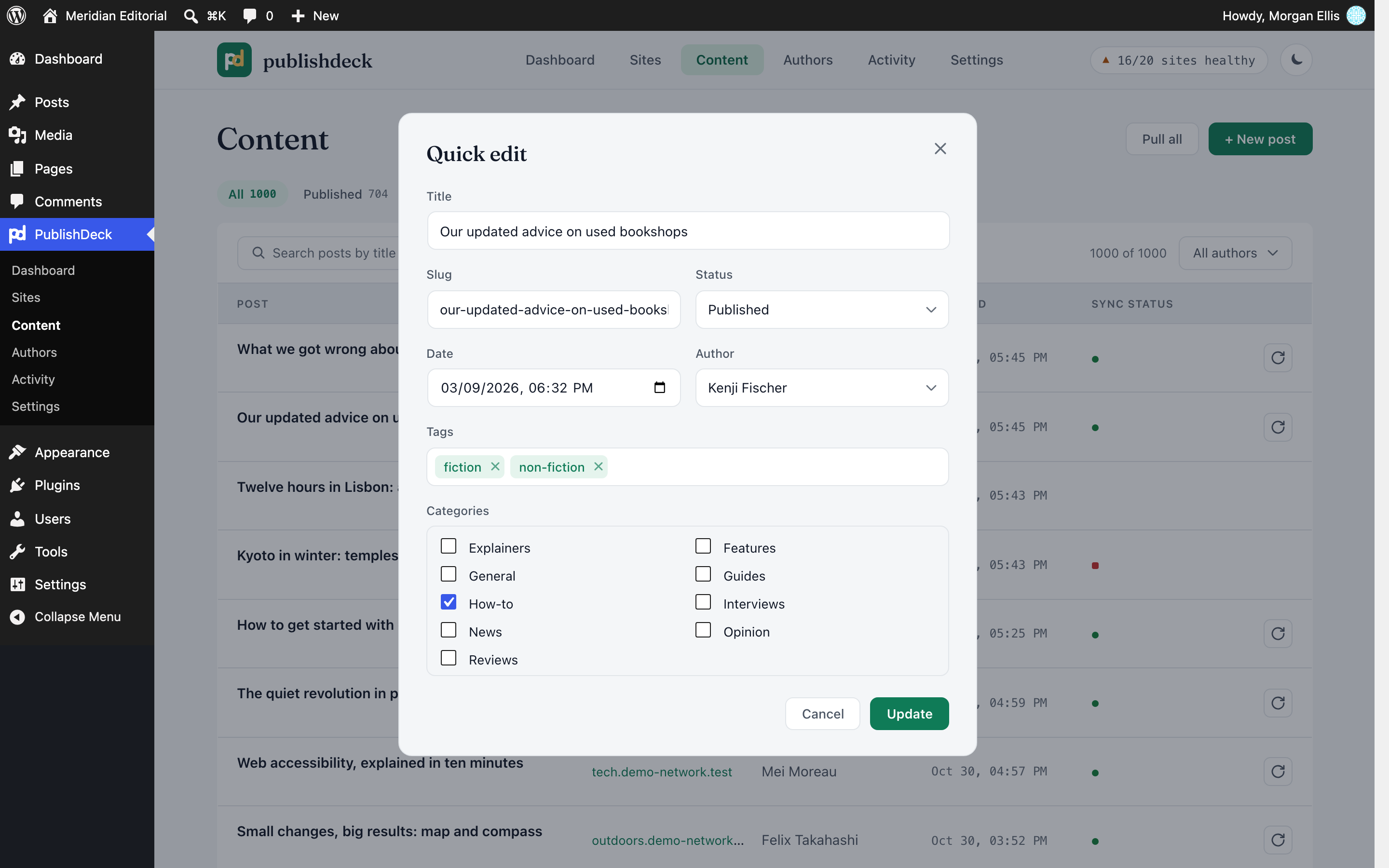
- Dashboard, Content and Activity - statistics, site health, every hub post with its state, quick edit, and a log of every push and pull with Retry.
- Built to be safe - pushes run in the background, a retried job never makes a second copy, and the hub post stays the source.
- On the receiving site, create an Application Password for an account that can publish there.
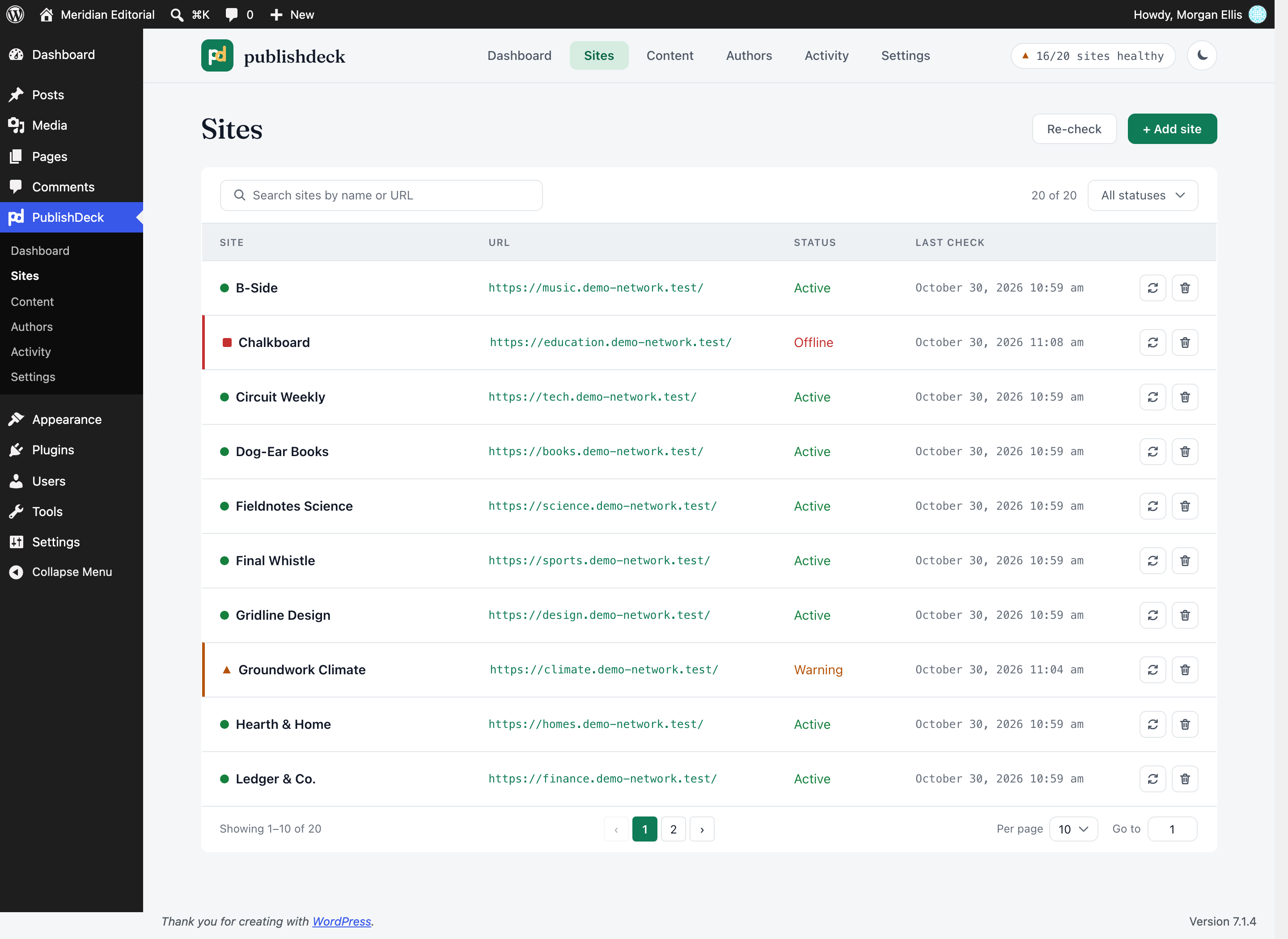
- On the hub, open PublishDeck > Sites, add the site's address with that account and password, and test the connection.
- Write a post on the hub and choose the site in the editor sidebar.
- Save or publish. A background job sends the post and records the result in Activity.
/wp-json/, over HTTPS, signed in with the Application Password you entered.
- Sent: the post's title, content, excerpt, slug, status, date, categories, tags, featured image and media; its sticky, format, comment, ping and password settings; footnotes and any post meta keys you allow in Settings. To credit the right author, the hub author's email address is sent as a search on the site's user list.
- Read: the copies of your posts, the site's registered blocks, and its users' names, email addresses and roles, to match them to hub accounts.
assets/. PHP dependencies: composer install --no-dev.
- Action Scheduler by Automattic, GPL-3.0-or-later, in
vendor/woocommerce/action-scheduler/, runs background jobs. https://actionscheduler.org/ - Vue and Vue Router, MIT, compiled into
assets/admin/. https://vuejs.org/ - Fraunces typeface, Copyright 2018 The Fraunces Project Authors, SIL Open Font License 1.1; the licence is in
assets/admin/assets/Fraunces-OFL.txt. https://github.com/undercasetype/Fraunces
安装:
- Hub site: WordPress 6.9+ and PHP 7.4 to 8.4.
- Receiving sites: WordPress 5.6 or later with the REST API and Application Passwords enabled, served over HTTPS, and any permalink setting except Plain.
- Multisite: each site in a network is its own hub. Network activation sets up every existing site and each new one.
- In wp-admin, go to Plugins > Add Plugin, search for PublishDeck, then install and activate it.
- Follow How it works above to connect your first site and publish.
FSPD_ENCRYPTION_KEY- a fixed key for encrypting stored Application Passwords: a random string of at least 32 characters, such as one line from the WordPress salt generator. Recommended in production, so changing your WordPress salts does not make saved passwords unreadable. Changing the key later means reconnecting every site.- For local development and WordPress Playground only, each set to
true:FSPD_ALLOW_LOCALturns off the HTTPS, private-address and certificate checks;FSPD_ALLOW_PRIVATE_HOSTSallows private addresses, still over HTTPS;FSPD_ALLOW_INSECURE_TLSaccepts self-signed certificates. Never set them on a live site.
屏幕截图:




常见问题:
Do I have to install anything on the receiving sites?
No. PublishDeck uses the WordPress core REST API and an Application Password.
Does it convert my blocks to HTML?
No. Posts are sent as block markup and stay fully editable in the receiving site's block editor.
Does it send pages or custom post types?
No, only posts. They are written in PublishDeck's own post type, which is not shown on the hub's front end.
Can writers send posts for review instead of publishing them?
Yes. Give a person Write access to a site and their posts arrive there as drafts for an editor on that site to publish. To send every post as a draft, turn on Always push as draft in Settings.
Does Sync from sites work on a multisite network?
Yes, if the connecting account can see the site's users. WordPress shows a subsite's other users only to a Super Admin, so with a regular subsite administrator Sync from sites on the Authors screen finds nobody else. Connecting as a Super Admin gives PublishDeck access to the whole network; you can instead add those people to the hub yourself and set their access on the Authors screen.
What happens if the post is deleted on the receiving site?
The editor sidebar shows that the copy is gone and offers Re-publish or Remove link. Your hub post is never deleted or unpublished because of it.
What does pulling change on the hub post?
A pull brings back the title, content, excerpt, status, categories, tags and featured image. It keeps the hub post's own date, sticky setting, format and password. The hub takes the site's date only when the site scheduled the post, published it while the hub date was still in the future, or published, scheduled or made private a post the hub had never dated. To pull those fields too, return true from the fspd_pull_presentation_fields filter.
Are the stored Application Passwords secure?
They are encrypted with libsodium and tied to the site and account they belong to. In production, also set FSPD_ENCRYPTION_KEY (see Installation).
What happens when I uninstall the plugin?
Uninstalling deletes PublishDeck's own data on the hub: its tables, settings, post meta, queued jobs, capabilities and member role (people who had it keep their accounts, with no role). Hub posts stay in the database, and the copies on your sites are not touched.
更新日志:
- Fix: A post the block check stops is no longer left on its old site when its target changes.
- Fix: A post is never moved to another site unless its old copy's removal can be queued.
- Fix: The site wizard keeps a site its Test connected, and its draft choice, when it closes.
- Fix: Deleting a site on a multisite network drops its PublishDeck tables.
- Fix: Network deactivation stops the scheduled jobs on every site of that network.
- Fix: Uninstall removes PublishDeck's job history when Action Scheduler is shared with another plugin.
- Fix: A failed push no longer turns an offline site into a warning.
- Fix: Tools > Export lists PublishDeck posts apart from Posts, and the editor says "Post".
- Fix: Each site's connecting account no longer appears under Authors > Pending.
- New: Retry a failed push from its Activity detail.
- New: Activity says when a push arrived as a draft, for review or scheduled.
- New: Activity shows which counts a status filter leaves out.
- New: The Authors screen says when a site shows only some of its users to People sync.
- Change: The readme says FSPD_ENCRYPTION_KEY must be at least 32 random characters.
- Initial release.