
Publora
| 开发者 | publora1 |
|---|---|
| 更新时间 | 2026年10月14日 16:57 |
| PHP版本: | 7.4 及以上 |
| WordPress版本: | 7.1 |
| 版权: | GPLv2 or later |
| 版权网址: | 版权信息 |
详情介绍:
Publora publishes your WordPress posts to social media. When a post goes live, an announcement is sent to the social accounts you choose — with the title, an excerpt, the link and the featured image.
What you can do
- Connect a Publora account with one click and pick which social accounts to post to.
- Write the announcement once as a template with placeholders, so every post reads the way you want.
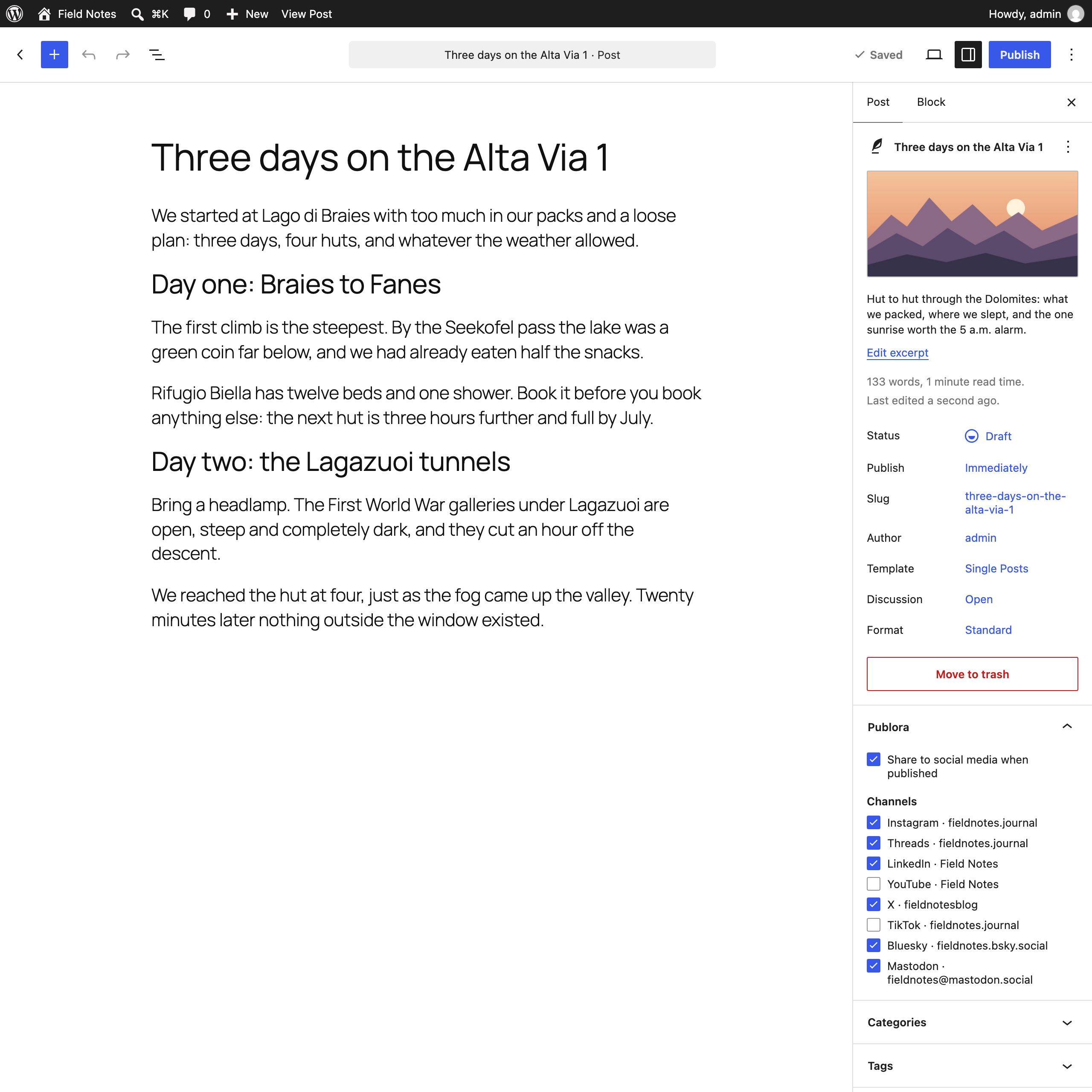
- Turn sharing on or off for an individual post, and choose different channels for it.
- Let the featured image travel with the announcement.
- On LinkedIn, put the link in the first comment instead of the post text.
安装:
- Install and activate the plugin.
- Go to Settings → Publora and click "Connect Publora". You will be sent to Publora to sign in and approve access.
- Choose the social accounts to post to and adjust the announcement template.
- Publish a post. If sharing is enabled, the announcement goes out through Publora right away.
屏幕截图:
常见问题:
Do I need a Publora account?
Yes. The plugin sends posts through Publora, which holds the connections to your social accounts.
Are old posts shared when I install the plugin?
No. Only posts published after the plugin is set up are shared, and only when sharing is enabled for them.
Will editing a published post share it again?
No. Each post is sent once, the first time it becomes public.
When does the announcement go out?
As soon as the post is published. A post scheduled in WordPress is announced when it goes live.
Can I use different channels for different posts?
Yes. The Publora box in the post editor overrides the site-wide choice for that post.
What happens to my posts if I uninstall the plugin?
Plugin settings are removed from your site. Posts already sent live in your Publora account and are not affected.
更新日志:
1.0.3
- The announcement now goes out the moment the post is published, not a few minutes later.
- New: on LinkedIn, the link can go in the first comment instead of the post text (Settings → Publora).
- Fixed: a YouTube or Pinterest account among the chosen channels made the whole announcement fail, and TikTok announcements were visible only to the account owner. These three networks are no longer offered.
- Fixed: announcements with emoji could be rejected just under the length limit, and announcements with numbers were shortened more than needed.
- Fixed: when an announcement was too long for X, Bluesky, Threads or Mastodon, the link to the post was cut off. Now the excerpt gets shorter and the title and link stay.
- Fixed: announcements with numbers in them could be rejected by Publora just under the length limit.
- When Publora rejects an announcement, the message now says why, for example which network's length limit was exceeded.
- If your Publora account has no social accounts yet, the settings screen and the editor say so and link to Publora.
- Fixed: "Connect Publora" opened the dashboard instead of the Publora sign-in page.
- Fixed: in the block editor, the featured image and the per-post choices were ignored when a post was published.
- New: the Publora panel in the block editor shows whether the post was shared and which networks were skipped.
- Network names are spelled the way the networks spell them.
- First release.