Punchr Lite – PunchOut cXML Bridge for WooCommerce
| 开发者 | punchr |
|---|---|
| 更新时间 | 2026年1月11日 00:16 |
| PHP版本: | 8.1 及以上 |
| WordPress版本: | 6.9 |
| 版权: | GPLv2 or later |
| 版权网址: | 版权信息 |
详情介绍:
- The procurement system sends a PunchOutSetupRequest (cXML) to your WooCommerce site.
- Punchr Lite authenticates the request using HTTP Basic Authentication (Token / Secret).
- Punchr Lite creates a short-lived PunchOut session and returns a PunchOutSetupResponse with a StartPage URL.
- The user is redirected to your WooCommerce shop in PunchOut mode (checkout is blocked).
- When the user clicks “Return to Procurement”, Punchr Lite sends a PunchOutOrderMessage (cXML) back to the procurement system.
- POST /wp-json/punchr/v1/setup\ Receives a cXML PunchOutSetupRequest and returns a PunchOutSetupResponse (StartPage URL).
- GET /wp-json/punchr/v1/start?sid=...&st=...\ Activates the PunchOut session and redirects the user to the WooCommerce shop..
- Front return handler\ Adds a “Return to Procurement” button in the cart and posts the PunchOutOrderMessage to the validated return URL. Admin
- Punchr Lite > Settings: single Buyer credentials (Token and Secret regeneration)
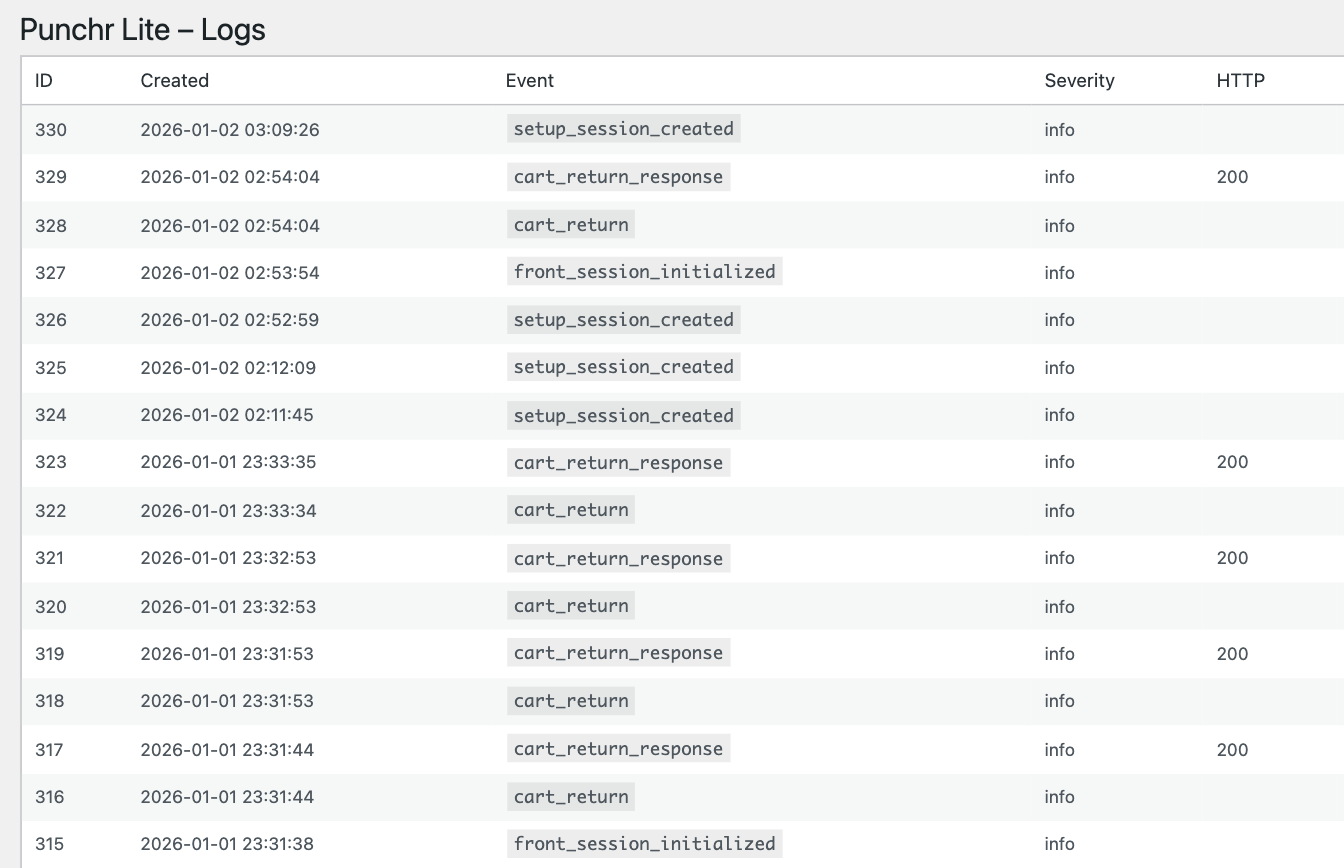
- Punchr Lite > Logs: last 200 events
- Punchr Lite > Upgrade to Pro Documentation and technical details are available at: https://punchr.net
安装:
- Upload the plugin folder to
/wp-content/plugins/(or install via the Plugins screen). - Activate the plugin through the “Plugins” screen in WordPress.
- Ensure WooCommerce is installed and active.
- Go to Punchr Lite in the WordPress admin menu.
- Copy the Token.
- Click Regenerate secret to generate a new Secret (shown once — copy it immediately).
- Configure your procurement system:
- Setup URL:
https://YOUR-SITE/wp-json/punchr/v1/setup - Authentication: HTTP Basic Authentication
- Username: Token
- Password: Secret
- Run a test PunchOut session from your procurement system.
屏幕截图:
常见问题:
Does Punchr Lite require WooCommerce?
Yes. This plugin requires WooCommerce to be installed and active.
How does authentication work for /setup?
The /setup endpoint uses HTTP Basic Authentication, which is widely supported by ERP and procurement systems.
- Username: Buyer Token
- Password: Buyer Secret
Is it protected against replay attacks?
Yes. A transient-based nonce is stored briefly. Reusing the same (token, nonce) within the retention window is rejected.
How is SSRF prevented when posting back the PunchOutOrderMessage?
The return_url extracted from the cXML request is validated:
- Only http and https schemes are accepted
- Local hosts are blocked (e.g. localhost)
- Direct IP addresses are blocked
- Common internal TLDs are blocked (.local, .internal, .lan)
- Non-standard ports are blocked (only 80 and 443 allowed) Outgoing requests are sent using wp_remote_post() with reject_unsafe_urls enabled.
Does the plugin store sensitive payloads in logs?
No. Punchr Lite stores only a SHA-256 hash of payloads by default. Payload content is not stored.
Why is checkout blocked?
PunchOut workflows require users to build a cart and return it to the procurement system. Checkout inside WooCommerce is therefore disabled in PunchOut mode.
What happens if the session expires?
PunchOut sessions are short-lived. If a session expires, the start endpoint and return flow will return an error.
Is Punchr Lite free?
Yes. Punchr Lite is free for evaluation purposes.
What happens when the evaluation expires?
When the evaluation period ends, PunchOut setup requests are blocked. The /setup endpoint returns a cXML Status 401 with an explicit message to upgrade. Your configuration is not deleted and no data is lost.