
PushFeedback – Feedback Widget with Screenshots
| 开发者 | techdocsstudio |
|---|---|
| 更新时间 | 2026年8月13日 18:37 |
| PHP版本: | 7.4 及以上 |
| WordPress版本: | 7.1 |
| 版权: | GPLv2 or later |
| 版权网址: | 版权信息 |
详情介绍:
- One-click feedback - visitors rate a page and optionally leave a message, with no forms to build
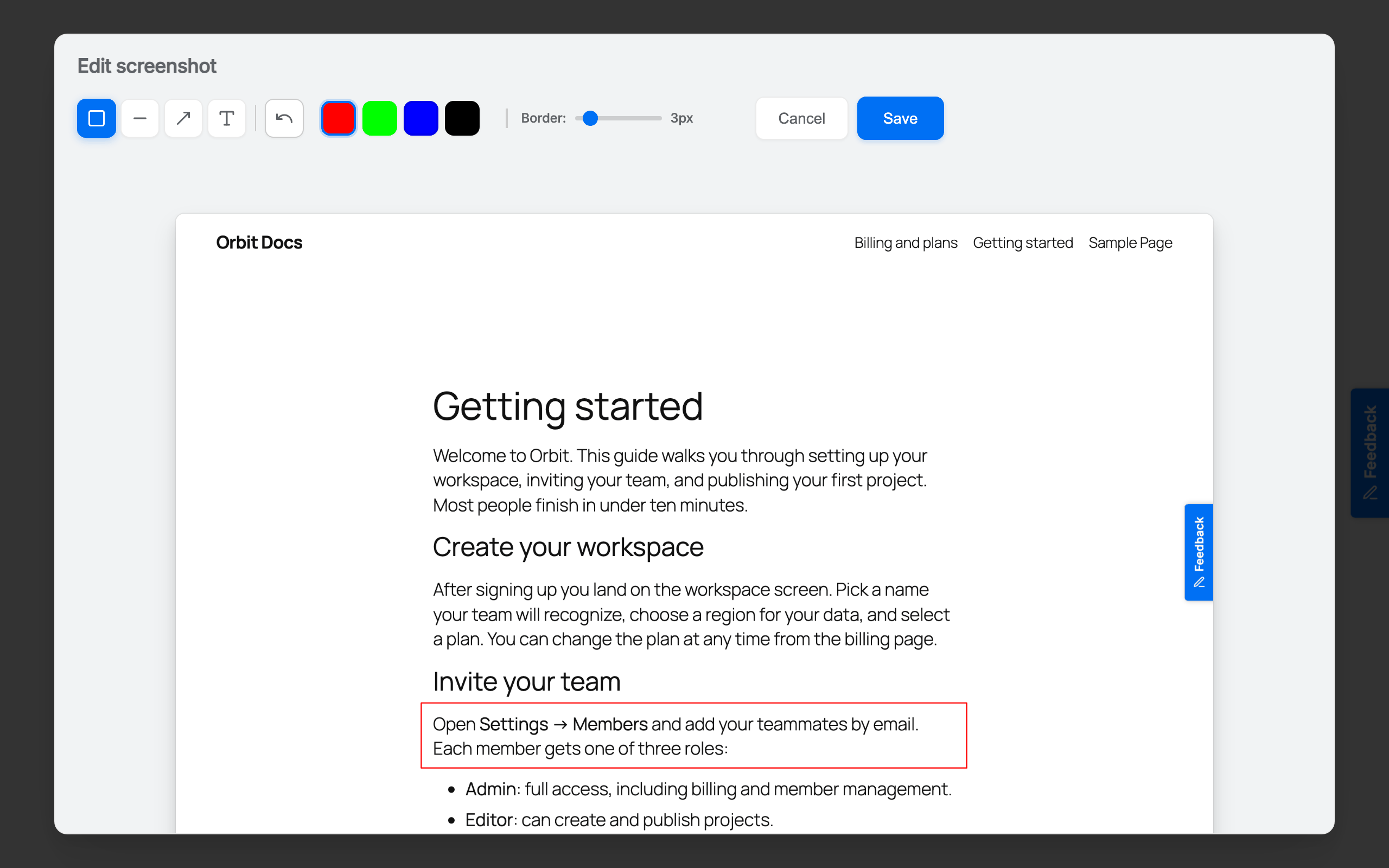
- Annotated screenshots - visitors highlight and comment on what they saw, so a bug report arrives with visual context
- Flexible placement - a floating button, an edge tab, the
[pushfeedback]shortcode, or a fully embedded form. Add several widgets with different settings if you need them - Customize everything - colors, fonts, button style, layout, labels and messages, with a live preview
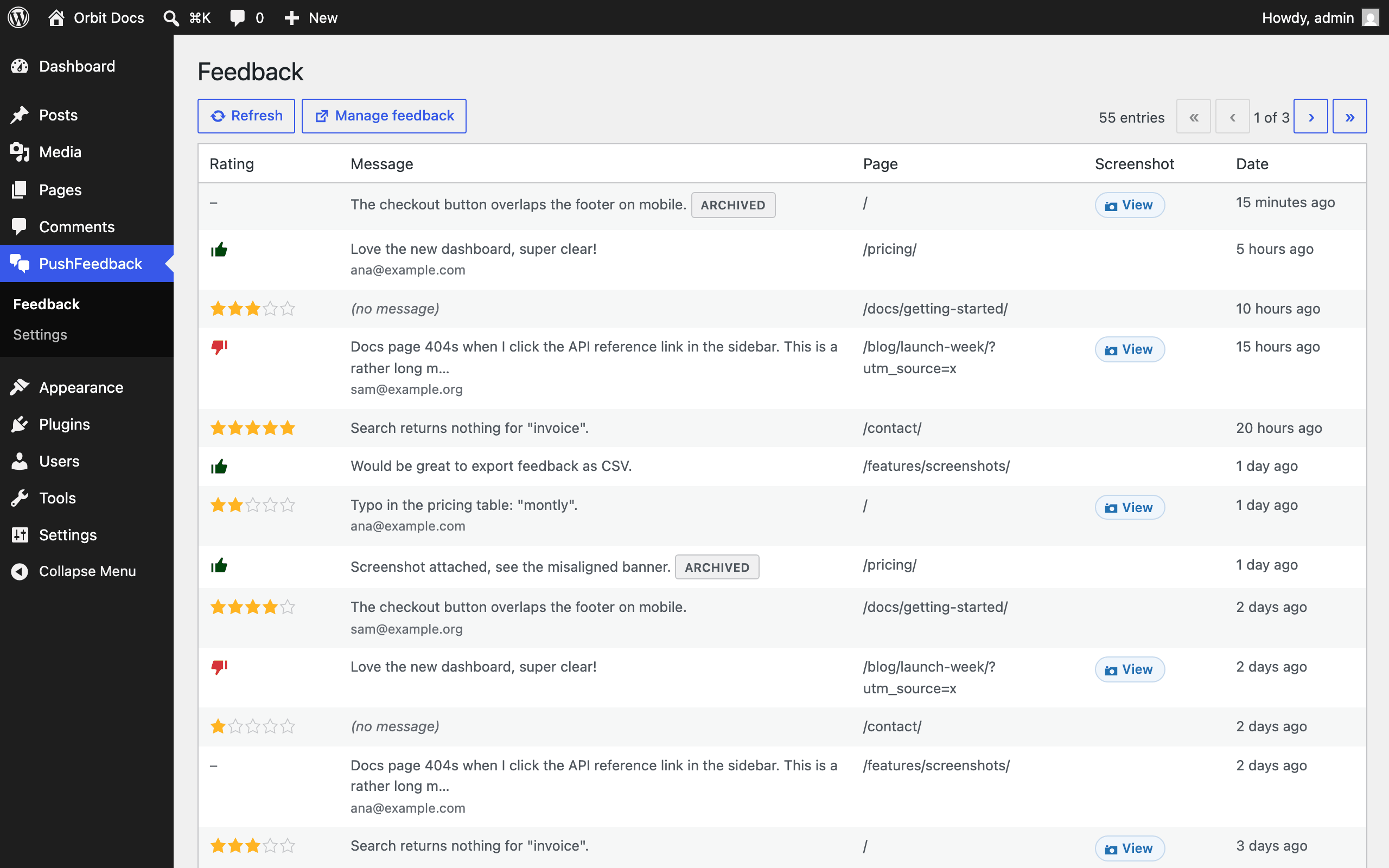
- Read it in wp-admin - your latest feedback with ratings, screenshots and the source page, and thumbs or stars to spot problem pages
- Show it only where it helps - include / exclude URL rules, and an optional or required email field
- Analytics and integrations - the PushFeedback dashboard adds a sentiment analytics view and alerts by email, Slack, Jira, Microsoft Teams, webhooks, Zapier or Make
- Free - never expires, no credit card. One website, unlimited feedback, and every entry stays readable. Your first 25 notifications are emailed as feedback arrives, to one address. After that PushFeedback sends a monthly summary. Screenshots are stored for 30 days.
- Paid plans - an email for every entry with no monthly cap, to as many as three addresses, plus archiving and export, the analytics view, the REST API, and notifications to Slack, Jira, Microsoft Teams, webhooks, Zapier and Make.
- Unlimited - everything in the paid plans across unlimited websites and with seats for your teammates, plus AI reports that summarize recurring themes.
pushfeedback npm package, MIT licensed.
安装:
- Install and activate the plugin.
- Go to the PushFeedback menu in wp-admin.
- Click Connect to PushFeedback and create a free account (or log in). You are sent back to WordPress automatically.
- Done. The feedback button is live on your site. Already have a project? Use "I already have a project ID" instead.
屏幕截图:
常见问题:
How do I add a feedback button to WordPress?
Install the plugin, connect a free PushFeedback account, and the floating feedback button is live on every page. No code needed. To place the button inside a page or post instead, use the [pushfeedback] shortcode.
Can visitors send screenshots with their feedback?
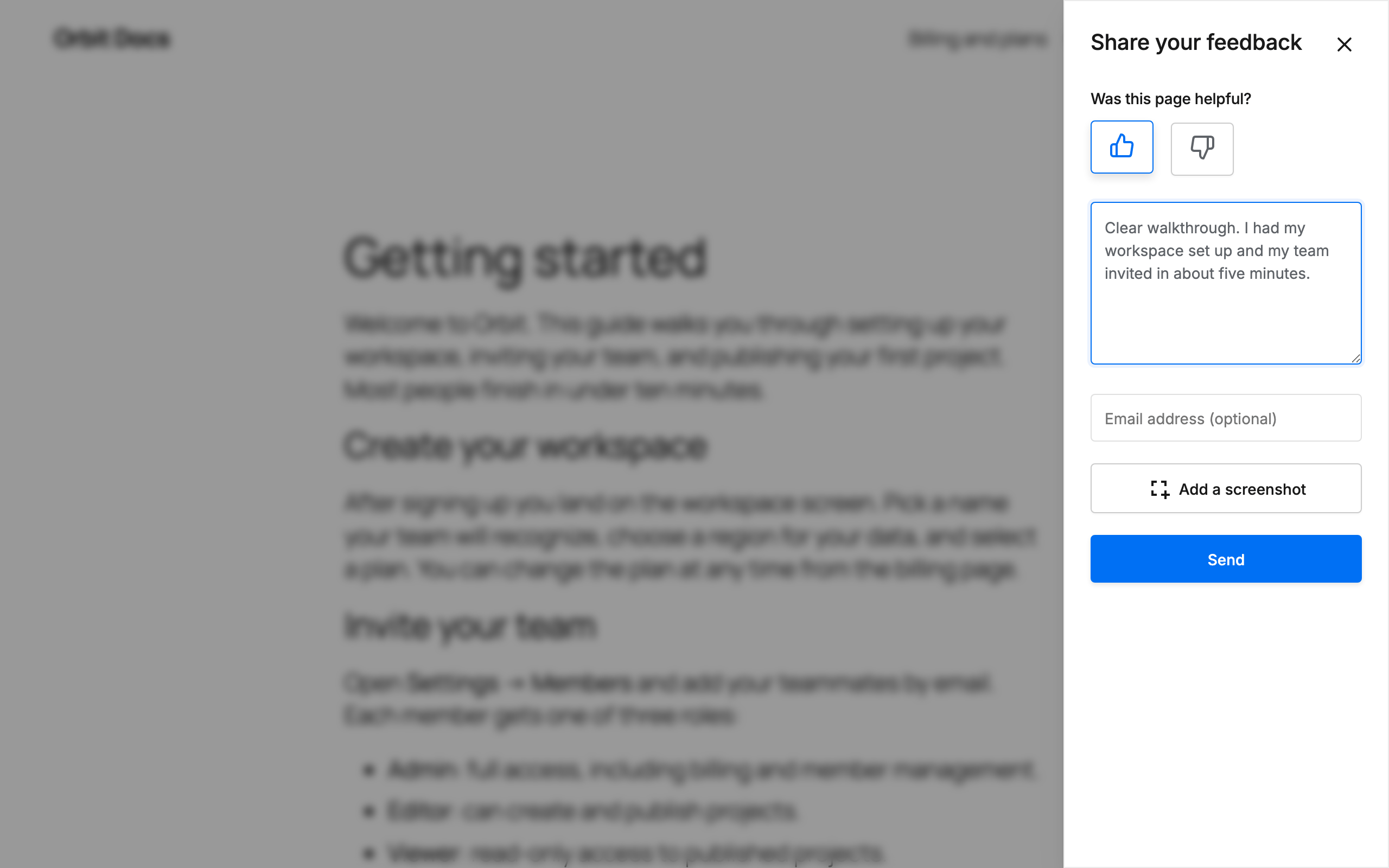
Yes. Visitors click "Add a screenshot", capture the page, and can highlight and annotate the image before sending. The screenshot arrives attached to the entry, so you get visual feedback rather than a description. You can turn screenshots off in the settings.
How do I add a "Was this page helpful?" button?
That is the widget's default rating question. Leave the rating on thumbs up / down and visitors see "Was this page helpful?" when they open the widget. You can reword it, or switch to a five-star rating, in the settings.
Can I put the feedback button inside a page instead of floating?
Yes. Use the [pushfeedback] shortcode anywhere. Add embedded="true" to render the form inline, and override any widget option per instance, for example [pushfeedback button_text="Report a docs issue" modal_position="sidebar-right"].
Can I use more than one widget on the same site?
Yes, each with its own settings. Run the floating button across your documentation and an embedded form on your contact page, or point a widget at a different project with [pushfeedback project="<OTHER_PROJECT_ID>"]. Shortcode widgets work even with the floating button turned off.
Can I show the widget only on certain pages?
Yes. The settings take include and exclude URL rules: list a fragment such as /docs/ to show the widget only on matching pages, or /checkout/ to keep it off them. Leave both empty to show it everywhere.
Does it work with page builders like Elementor or Divi?
Yes. The floating button is added in the site footer, independently of how a page's content is built, so it works with the block editor, Elementor, Divi, Beaver Builder and classic themes. The shortcode works anywhere shortcodes are supported.
Does it work with WooCommerce?
Yes. The widget runs on any WordPress site, including WooCommerce stores, and the URL rules let you collect customer feedback on product pages while keeping the widget off cart and checkout.
Can I change the widget's colors and text?
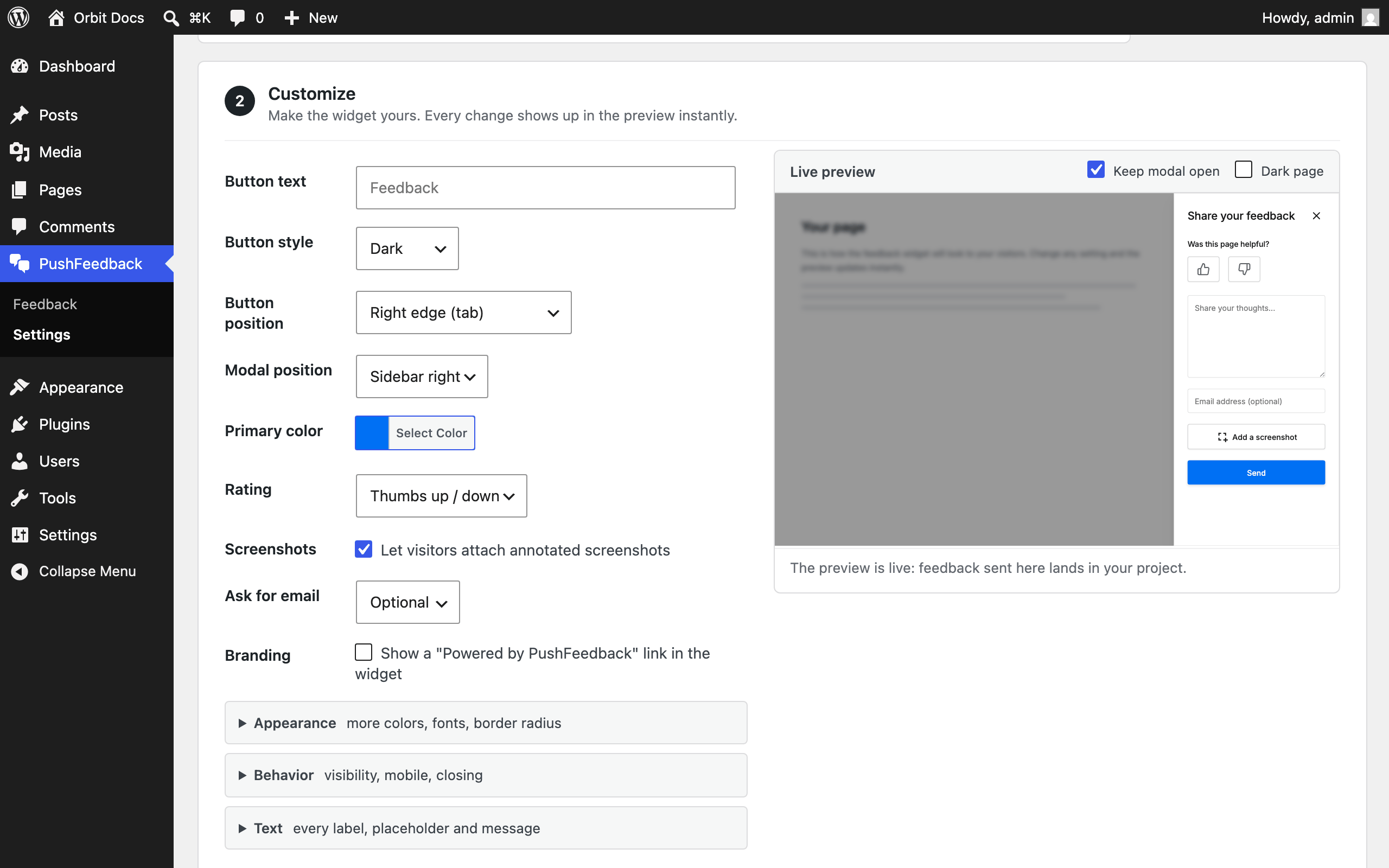
Yes. Colors, button style and position, rating mode, and every text string in the widget (titles, placeholders, messages) are editable in the settings, with a live preview that updates as you type.
Does the widget support dark mode?
Yes. The widget switches to its dark palette when an ancestor element carries data-theme="dark", usually the <html> tag. If your theme already sets that attribute when a visitor picks dark, the widget follows it and there is nothing to do.
Otherwise add it from your child theme's functions.php:
add_filter( 'language_attributes', function ( $output ) { return $output . ' data-theme="dark"'; } );
That forces dark for everyone, because PHP runs on the server and cannot see the visitor's system preference. See the WordPress guide for how to change individual dark colors.
Is there a free plan?
Yes. The free plan never expires, needs no credit card, and lets you collect unlimited feedback on one website. Nothing is locked and nothing is deleted, so every entry stays readable in wp-admin and in your dashboard. What changes is how feedback is delivered: after your first 25 email notifications, PushFeedback sends a monthly summary instead. Archiving, export, the analytics view and the API are on paid plans, along with Slack, Jira, Microsoft Teams, webhooks, Zapier and Make. See the PushFeedback pricing page.
Can I get an email when someone sends feedback?
Yes. Under Notifications in the PushFeedback settings you can turn these emails on or off and choose who receives them. Connecting a new site turns it on and sends to your account address, so the first entry reaches you without any setup. The free plan sends to one address. Paid plans send to three. Other integrations are configured in the PushFeedback dashboard.
Where is my feedback stored, and for how long?
Feedback entries are stored in your PushFeedback account, not in your WordPress database. You can read the latest entries on the Feedback page in wp-admin, and disconnecting or uninstalling the plugin never deletes them. Each entry's message, rating, page URL and date are kept permanently on every plan. On the free plan, screenshots are kept for 30 days; paid plans keep them for as long as the entry itself.
Is it GDPR-friendly?
The widget collects only what the visitor submits: their message, an optional rating, an optional email address, and an optional screenshot. You can enable a privacy-policy consent checkbox in the widget settings. By default no third-party fonts or scripts load in the visitor's browser. See the PushFeedback privacy policy.
Can I use it without a PushFeedback account?
No. The plugin is a connector for the PushFeedback service, and entries are stored in your PushFeedback account. The free plan takes about two minutes to set up.
更新日志:
- Confirmed compatibility with WordPress 7.1.
- Notifications: a Notifications step in the settings, with an on/off switch and the address feedback is emailed to. Connecting a site now turns email on and sends to your account address.
- The Feedback page no longer reports a paging error as a rejected API key, and falls back to the first page when entries are removed while you are reading a later one.
- Reconnecting to a different project no longer carries the previous project's notification settings across, and pasting a project ID clears an API key that belonged to another project.
- Disconnecting keeps your widget customization, and clears the caches it used to leave behind. Uninstalling now cleans every site on a multisite network.
- Dropped ~830 KB of unused vendored widget builds from the package.
- Accessibility: the layout checkboxes announce the setting they control instead of six identical "Enabled" labels.
- Corrected the free plan description throughout: feedback is unlimited on every plan, and the 25 is a lifetime email-notification allowance.
- Initial release: one-click connect, paste-a-project-ID fallback, floating feedback button, full widget customization (essentials plus advanced appearance, layout and text options), URL include/exclude rules, the
[pushfeedback]shortcode with embedded mode, a wp-admin feedback list, and admin-bar-aware widget positioning for logged-in viewers.