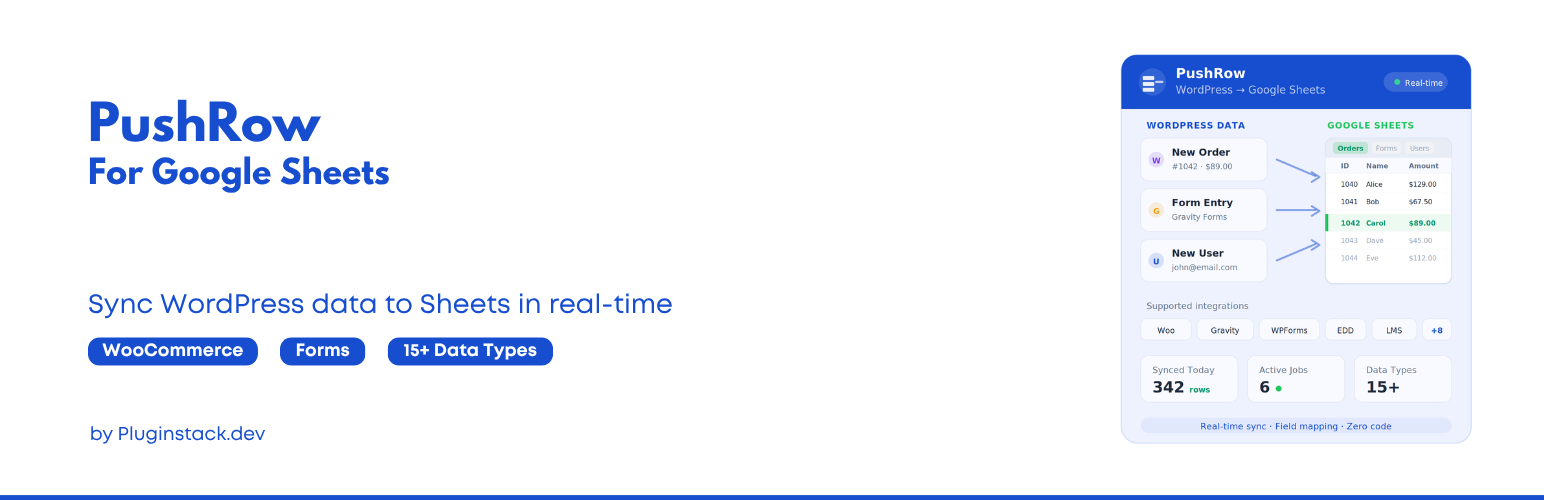
PushRow for Google Sheets
| 开发者 |
ankitmaru
freemius |
|---|---|
| 更新时间 | 2026年10月14日 19:26 |
| PHP版本: | 7.4 及以上 |
| WordPress版本: | 7.1 |
| 版权: | GPLv2 or later |
| 版权网址: | 版权信息 |
详情介绍:
- Posts and pages: send them to a sheet with the fields you choose.
- Users: send your user list to a sheet.
- Contact Form 7: add each new submission to your sheet as it arrives. Set it up in the Google Sheets tab of the form editor, with field mapping.
- A five-step job wizard: name and direction, data, sheet, columns, then review.
- Column choice: tick the fields that become columns, in the order you want.
- Run now and test runs: run a job when you need it, or try it on 10 rows first. Pause, resume and duplicate jobs.
- An activity log of every run, with rows, errors and duration.
- Imports from Google Sheets into posts, pages, custom post types, users, WooCommerce products, coupons, reviews, and product categories and tags. Imports also update WooCommerce order statuses, notes and tracking details, and write rows into custom database tables.
- Schedules: every 5, 15 or 30 minutes, hourly, every 6 or 12 hours, daily or weekly.
- Real-time sync when a record is created, updated, deleted or changes status.
- More data types: WooCommerce orders, subscriptions, products, customers, coupons, refunds, reviews, and product categories and tags; Gravity Forms, WPForms, Elementor Forms, Forminator, MetForm, SureForms, Ninja Forms, Fluent Forms and Formidable Forms; Easy Digital Downloads orders, customers and licenses; LearnDash enrollments and quiz results; Amelia bookings; custom post types with Advanced Custom Fields; and custom database tables.
- Priority support.
安装:
- In WordPress, go to Plugins → Add New Plugin and search for PushRow for Google Sheets.
- Click Install Now, then Activate.
- Go to PushRow in the admin menu and follow the setup to connect your Google account.
- Open the Google Cloud Console and create or select a project.
- Under APIs & Services → Library, enable the Google Sheets API and the Google Drive API.
- Under OAuth consent screen, choose External (or Internal for Google Workspace) and add the app name and contact email.
- Under Credentials, create an OAuth client ID of type Web application.
- Add the redirect URI shown on the plugin's Settings screen under Authorized redirect URIs. It looks like
https://your-site.com/wp-json/pushrow/v1/auth/callback. - Paste the Client ID and Client Secret into PushRow, save them, and click Authorize with Google.
常见问题:
Do I need a Google Cloud account?
Yes. You create a free Google Cloud project, turn on the Google Sheets and Google Drive APIs and add an OAuth client. Google does not require billing for normal use of these APIs.
Does my data pass through your servers?
No. PushRow sends your data from your site straight to Google's APIs, using the credentials you created. The Google access token is stored encrypted in your WordPress database.
Which permissions does PushRow ask Google for?
Two scopes: read and write access to spreadsheets, and read-only access to Drive file details so it can list your spreadsheets.
What does PushRow Pro add?
Imports from Google Sheets into WordPress, schedules, real-time sync, and more data types: WooCommerce and WooCommerce Subscriptions, more form plugins (including Elementor Forms, Forminator, MetForm and SureForms), Easy Digital Downloads, LearnDash, Amelia, custom post types and database tables. See PushRow Pro.
Do my jobs and settings carry over to Pro?
Yes. PushRow Pro uses the same Google connection, jobs and settings, and switches the free plugin off when you activate it.
Which versions of WordPress and PHP are supported?
WordPress 6.0 or later and PHP 7.4 or later.
更新日志:
- Improved: PushRow declares compatibility with WooCommerce High-Performance Order Storage (HPOS) and the cart and checkout blocks.
- Fixed: The Contact Form 7 export now applies its Form, Date From and Date To filters, with or without Flamingo. Before, it could export every submission or none.
- New: PushRow Pro sends Elementor Forms, Forminator, MetForm and SureForms entries to Google Sheets, both existing entries and new ones in real time.
- New: PushRow Pro syncs WooCommerce Subscriptions: status, billing schedule, start and next payment dates, recurring total, renewals and the customer.
- Fixed: PushRow runs on PHP 7.4 and 8.0 again. Version 0.0.3 bundled Google libraries that need PHP 8.1, which caused a fatal error on older PHP.
- Fixed: Settings in the Contact Form 7 "Google Sheets" tab now save. Before, sync stayed off and the field mapping was lost when the form was saved.
- Security: Updated the bundled Guzzle, PSR-7 and phpseclib libraries to their latest security fixes. = 0.0.3 = 24-09-2026
- New: The free plugin and PushRow Pro are now built from one codebase. The free plugin covers posts, pages, users and Contact Form 7; Pro adds imports, schedules, real-time sync and more data types.
- New: Redesigned admin screens in the PushRow brand: a top bar and tabs, an overview, a job wizard that shows your choices at each step, and layouts that work on phones.
- New: Copy button for the OAuth redirect URI.
- New: Updating from 0.0.2 carries over your Google connection, jobs and Contact Form 7 form settings.
- New: PushRow now includes the Freemius SDK. On activation it asks whether you want to opt in to update notices; nothing is shared if you skip.
- Improved: Authorization errors are shown next to the Authorize button, not only in the browser console.
- Improved: The admin menu icon follows your admin colour scheme.
- Improved: Accessibility of the admin screens: labelled fields, keyboard-friendly cards and properly disabled controls.
- Changed: PushRow is now published by WPAnkit, with links to getpushrow.com. = 0.0.2 = 01-04-2026
- Minor improvements and fixes.
- Initial release.