QuachCMO Video Study Notes
| 开发者 | quachcmo |
|---|---|
| 更新时间 | 2026年3月31日 18:21 |
| PHP版本: | 7.4 及以上 |
| WordPress版本: | 6.9 |
| 版权: | GPL-2.0-or-later |
| 版权网址: | 版权信息 |
详情介绍:
QuachCMO Video Study Notes transforms passive video watching into an active learning experience.
📺 Watch the Demo
https://www.youtube.com/watch?v=77ijfFM-qVM
Whether you are an educator, a student, or a content creator, this plugin allows you and your users to take notes directly on embedded videos.
Each note is automatically timestamped, creating an interactive index. Clicking a note jumps the video player to that exact moment, making review sessions incredibly efficient.
🚀 Experience it live
Key Features
- Timestamped Note-Taking — Notes are linked directly to the video timeline.
- Click-to-Seek — Navigate the video instantly by clicking your notes.
- Focus Mode — Distraction-free learning with a full-screen theater view.
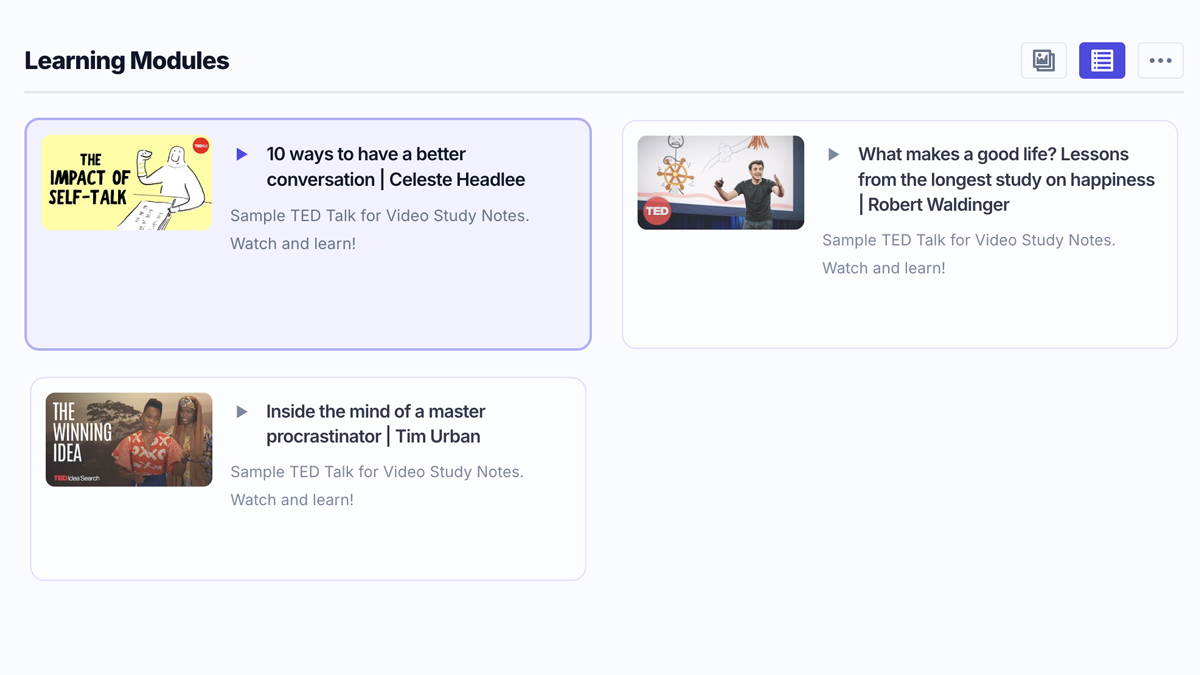
- Video Gallery — Showcase multiple learning modules in a beautiful video library.
- AJAX Auth — Seamless login/registration popup without leaving the video.
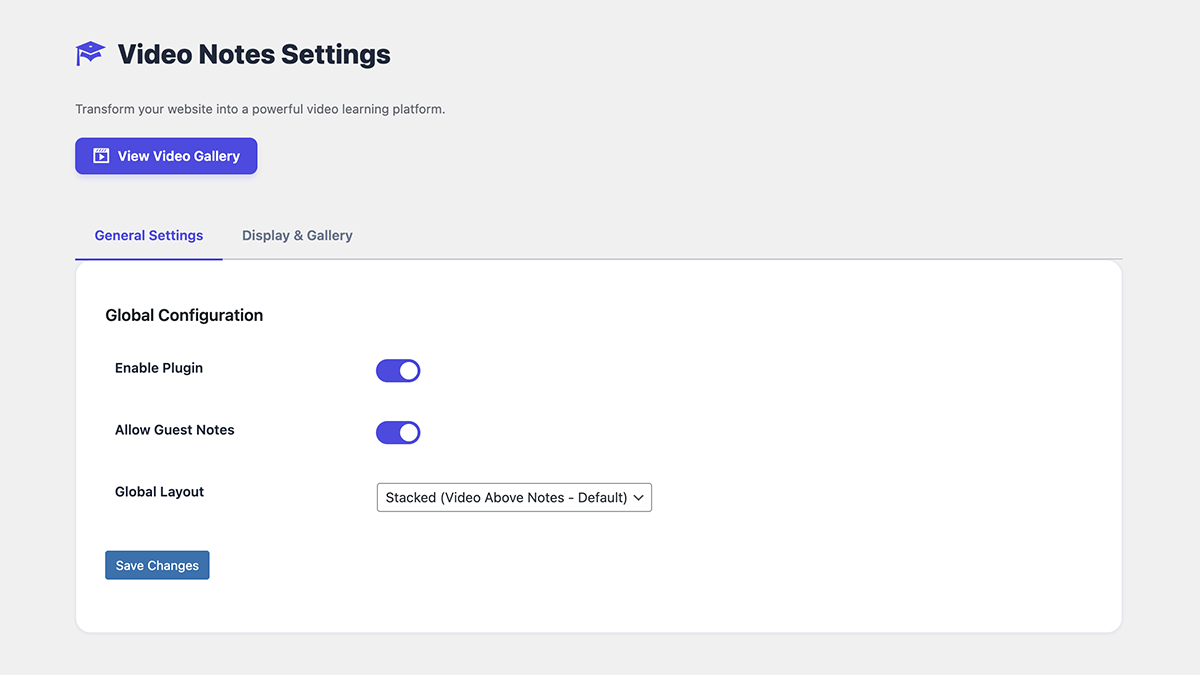
- Flexible Layouts — Choose between Stacked (above-below) or Side-by-Side views.
- Export Options — Save notes as Markdown, TXT, or copy directly to clipboard.
- Guest Notes — Option to allow or restrict note-taking to logged-in users.
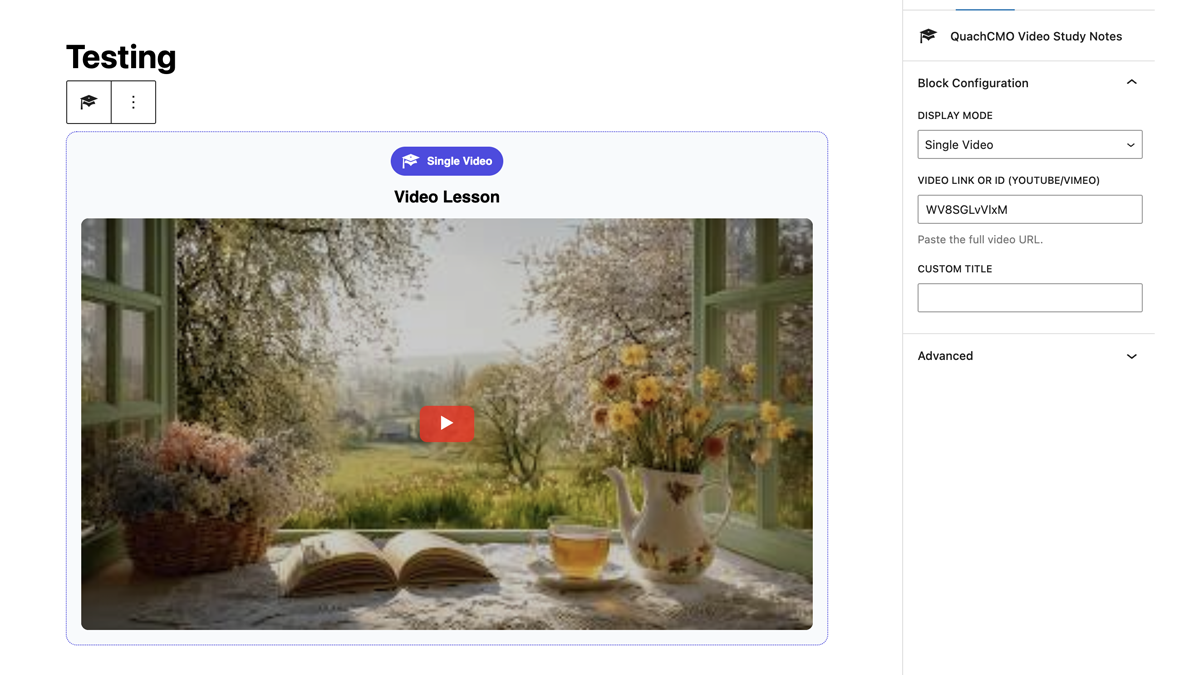
- Gutenberg Block — Native block editor support with live preview.
[quacvist_player video="VIDEO_ID"] in any post or page.
Display a gallery of all your lessons with [quacvist_gallery].
安装:
- Upload the
quachcmo-video-study-notesfolder to the/wp-content/plugins/directory. - Activate the plugin through the Plugins menu in WordPress.
- A Video Lessons menu will appear in your admin sidebar.
- Go to Video Lessons > Notes Settings to configure options.
- Add videos via the Quick Add button, then embed them using the shortcode or Gutenberg block.
屏幕截图:
常见问题:
How do I find the YouTube Video ID?
The ID is the 11-character code in a YouTube URL. For example, in https://www.youtube.com/watch?v=arj7oStGLkU, the ID is arj7oStGLkU.
Can I customize the width of the player?
Yes! Use the max_width attribute: [quacvist_player video="ID" max_width="800px"].
Are notes saved?
Notes are stored in the browser's localStorage for guests, and synced server-side for logged-in users.
How do I display only videos from a specific category?
Use: [quacvist_gallery category="TERM_ID"]
Can I use this in the block editor?
Yes! Search for "QuachCMO Video Study Notes" in the block inserter to add the native Gutenberg block.
更新日志:
1.5.1
New: Added Inline Edit Popup — edit video lessons directly from the post list without page reloads.
New: Integrated Video Preview within the Edit popup to verify content (YouTube/Vimeo) instantly.
New: Auto-populate video metadata (Link, Title, Description, Category) inside the Edit modal.
Improved: Redesigned Admin Modal UI with modern CSS, vertical form layouts, gradient headers, and smooth animations.
Improved: Standardized styling for both "Add" and "Edit" modals for a consistent professional experience.
Improved: Migrated legacy video lesson content to native Gutenberg paragraph blocks.
Fixed: Resolved a critical error caused by a missing closing parenthesis in block registration.
Fixed: Removed the broken quacvist-video-sidebar plugin that caused Block Editor crashes.
Fixed: Optimized performance by removing redundant flush_rewrite_rules() on every page load.
Fixed: Registered _quacvist_video_id and _quacvist_video_provider meta via REST API for full Gutenberg compatibility.
Dev: Implemented quacvist_load_video and quacvist_update_video AJAX handlers for seamless inline editing.
Dev: Added enqueue_block_editor_assets hook for explicit and reliable block script loading.
1.5.0
Major Refactor: Full codebase overhaul for WordPress.org repository compliance.
Namespace Update: Globally prefixed all identifiers with quacvist_ to prevent naming conflicts.
Security: Conducted a comprehensive late-escaping audit and secured includes/auth.php.
Optimization: Replaced all inline styles/scripts with proper asset enqueueing.
Breaking Change: Updated shortcodes to [quacvist_player] and [quacvist_gallery].
1.2.0
Standardization: Prepared codebase for official WordPress.org submission.
Security: Applied wp_unslash to $_POST data and added esc_html_e, esc_attr, and wp_kses_post to all outputs.
Internationalization: Added languages/ directory, .pot template, and load_plugin_textdomain support.
UX/Accessibility: Added ARIA roles/labels to modals and removed debug console.log statements.
Cleanup: Added register_deactivation_hook for clean plugin removal.
1.1.0
New: Added "Copy to Clipboard" export functionality for notes.
New: Implemented AJAX-powered Login/Registration popup.
Feature: Added "Allow Guest Notes" privacy toggle in settings.
UI: Enhanced auto-scroll and highlight logic within Focus Mode.
Shortcode: Added max_width attribute for better layout control.
1.0.0
Initial stable release.
Core functionality: Timestamp-based note taking.
Interactive Focus Mode implementation.
Video Gallery shortcode and Custom Post Type (CPT) integration.