
QuackChat Widget
| 开发者 | quackchat |
|---|---|
| 更新时间 | 2026年10月9日 10:59 |
| PHP版本: | 7.4 及以上 |
| WordPress版本: | 7.1 |
| 版权: | GPLv2 or later |
| 版权网址: | 版权信息 |
详情介绍:
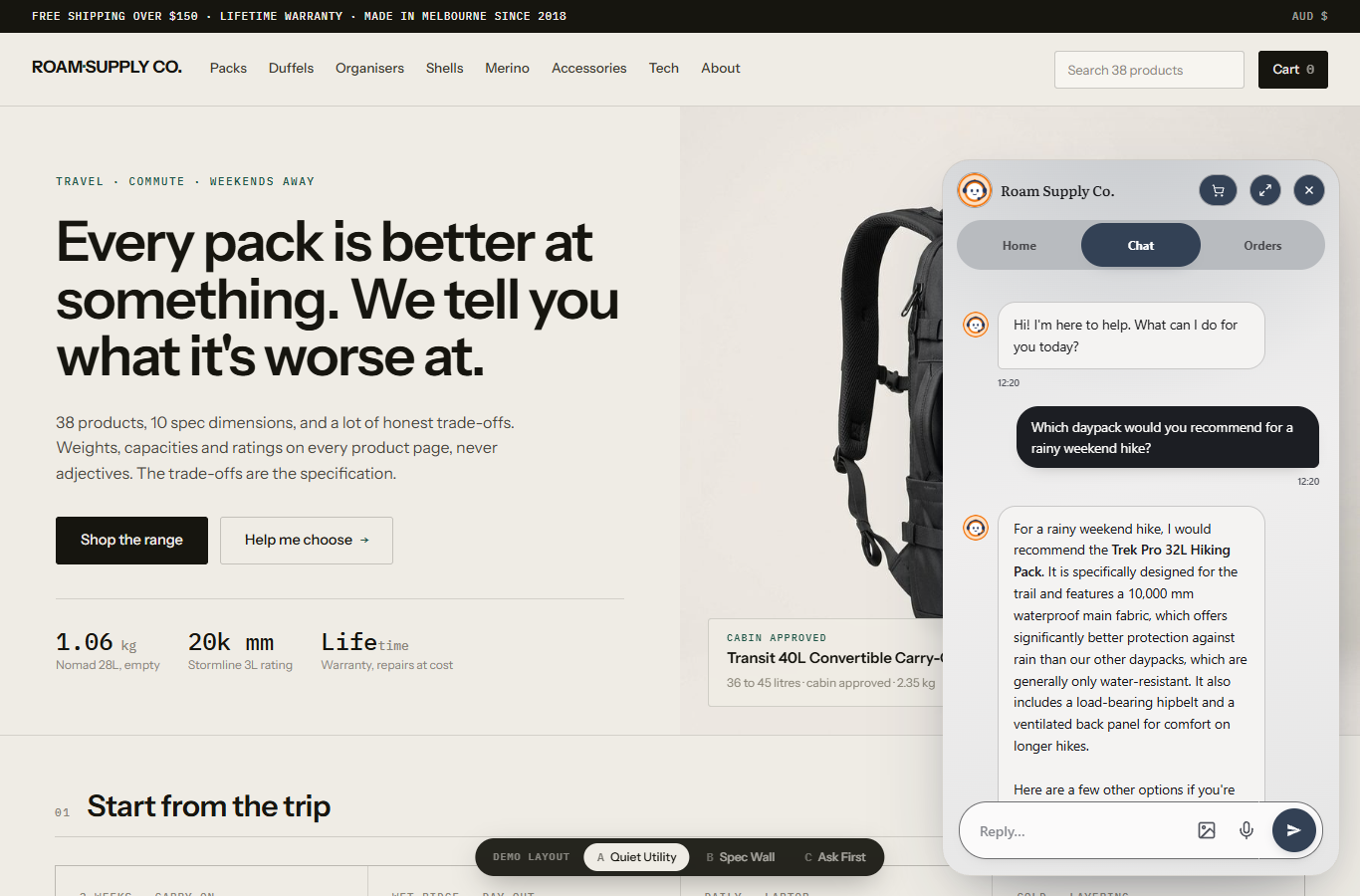
- Works with any theme, including Elementor, Divi and Gutenberg
- WooCommerce aware, with an optional toggle to hide the widget on cart and checkout
- Clears your page cache for you whenever the widget tag changes, which is the most common reason a newly installed widget is invisible to visitors
- Widget appearance (colours, greeting, avatar) is managed in your QuackChat dashboard, so it stays in sync everywhere
安装:
- In WordPress admin, go to Plugins, Add New, search for QuackChat, then click Install Now and Activate
- Go to Settings, QuackChat
- Paste your Bot ID, which is on the Deploy page of your QuackChat dashboard, and save
屏幕截图:
常见问题:
Do I need a paid account?
You need a QuackChat account. Every plan starts with a free month and asks for a payment method up front. The plugin itself is free and contains no locked features: it is the connector between your site and the QuackChat service, and everything it does, it does as soon as you give it a Bot ID.
Where do I find my Bot ID?
In your QuackChat dashboard: open your bot, then the Deploy page.
I see two chat bubbles
You previously installed the widget with a code snippet, for example via WPCode. Remove that snippet; the plugin replaces it.
The widget doesn't appear
If a security plugin blocks external scripts, allow www.quackchat.app and api.quackchat.app. The widget is added through WordPress's normal script queue, so your theme needs to call both wp_head() and wp_footer(). Some page builders and headless themes skip one or both, in which case use the embed snippet method from the QuackChat guides instead.
I can see the chat, but my visitors can't
Your page cache is serving a copy of the page that was stored before the widget was added. Caching plugins skip the cache for logged-in users, so you see the widget in your own browser while everyone else gets the old copy. On a phone, logged out, it disappears, which looks like a mobile bug but isn't.
Check it in one step: open your site normally, then open it again with ?cb=123 on the end of the address. If the widget only shows up on the second one, it's the cache.
The plugin clears the cache for you when you activate it, when you update it, and when you change your Bot ID or turn the widget on or off. The settings page tells you which caches it cleared. Caching run by your host or a CDN (Cloudflare, Kinsta, WP Engine and similar) is a separate layer that we can't reach, so clear that from their dashboard.
If you're clearing by hand, choose the option that deletes the cache rather than the one that refreshes or revalidates it. A refresh keeps serving the old copy while it rebuilds, so the widget comes back for a while and then vanishes again. After clearing, wait for the rebuild to finish before you test, and check again the next day.
Does uninstalling remove everything?
It removes every option, transient and user preference this plugin wrote, on every site of a multisite network. It does not revoke the WooCommerce API key if you connected a store; revoke that in WooCommerce, Settings, Advanced, REST API.
更新日志:
- Updates now come from WordPress.org. The plugin no longer checks quackchat.app for new versions, so nothing is sent to QuackChat until you enter a Bot ID or connect a store.
- The setup reminder is now dismissible and appears only on the Plugins and Dashboard screens instead of every admin page.
- The settings page now explains what QuackChat is and links to signup when no Bot ID is set yet, rather than only asking for an ID.
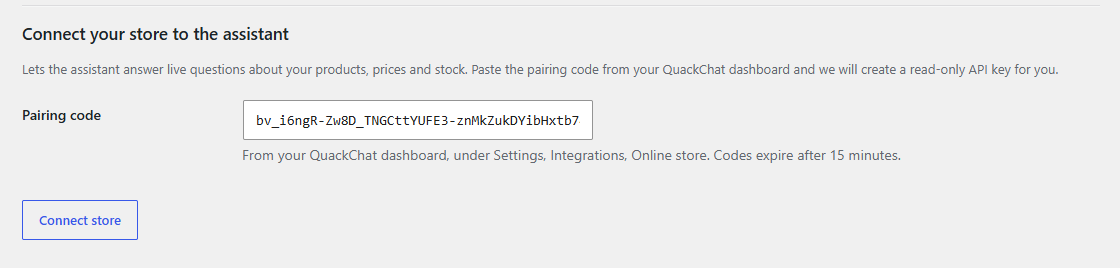
- The store connection form is hidden until a Bot ID is saved, so it can no longer create a WooCommerce key that cannot be used.
- Support and Documentation links added to the plugins list.
- The widget script is now enqueued through WordPress rather than printed directly, so caching and optimisation plugins can see it.
- Uninstall now also removes the per-user preferences the plugin writes.
- Translation support corrected. Roughly two thirds of the plugin's text used a text domain that could never load a translation.
- Fixes and refinements to the WooCommerce store connection flow.
- Connect a WooCommerce store from inside WordPress with a pairing code, for sites where the redirect-based flow is blocked.
- Updates appear on your Plugins screen and install with one click.
- Clears page caches automatically on activation, deactivation, plugin update, and any settings change that alters the widget tag. A cache built before setup was the most common cause of "I can see the chat, my visitors can't".
- Supports Seraphinite Accelerator, WP Rocket, W3 Total Cache, WP Super Cache, LiteSpeed Cache, Autoptimize, SiteGround Optimizer, Cache Enabler, Breeze, Nginx Helper and WP Fastest Cache. The settings page reports which were cleared.
- Marks the widget script as critical for Seraphinite Accelerator so it isn't delayed until the visitor scrolls or clicks.
- Initial release: settings page (Bot ID, enable toggle, position, WooCommerce cart/checkout hide), site-wide widget injection.