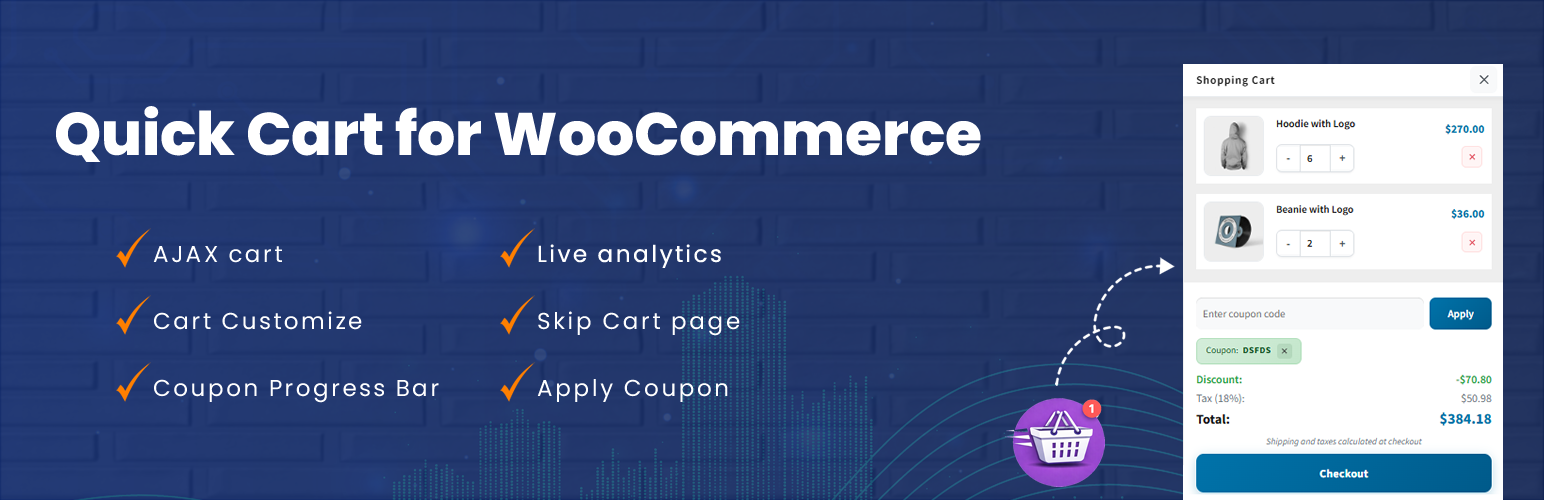
Quick Cart - Floating cart & side cart for WooCommerce
| 开发者 | shibhuplugins |
|---|---|
| 更新时间 | 2026年7月14日 09:47 |
| PHP版本: | 7.0 及以上 |
| WordPress版本: | 7.0 |
| 版权: | GPLv2 or later |
| 版权网址: | 版权信息 |
详情介绍:
- Floating Cart Icon - Always visible, customizable floating cart that follows users as they shop
- Smooth Animations - Beautiful bounce and pulse effects when items are added to cart
- AJAX Functionality - Update cart quantities, remove items, and apply coupons without page refresh
- Progress Bar - Show customers how close they are to unlocking discount coupons
- Coupon Management - Easy coupon application and removal directly from the mini cart
- 4 Icon Styles - Choose from shopping cart, bag, or basket icons
- Fully Customizable - Control colors, position, and styling to match your brand
- Responsive Design - Works perfectly on desktop, tablet, and mobile devices
- Visibility Controls - Hide the floating cart on specific page types
- Auto-Open Cart - Automatically opens cart when products are added (on single product pages)
- Display progress toward discount coupon eligibility
- Multiple coupon tiers support
- Customizable progress messages
- One-click coupon application
- Visual completion celebrations
- Auto-copy coupon codes to clipboard
- Position Settings - Left or right side placement with pixel-perfect positioning
- Color Controls - Customize background, icon, and badge colors
- Icon Selection - 4 modern icon designs to choose from
- Typography - Professional, readable font styling
- Animation Speed - Smooth, optimized animations
- Visibility Rules - Show/hide on home, pages, posts, or archives
- Online stores wanting to increase conversions
- Shops using discount coupons to drive sales
- Mobile-first eCommerce sites
- Stores with high product counts
- Any WooCommerce store wanting better UX
- Free shipping progress bar
- Recommended products in cart
- Cart abandonment recovery
- Advanced analytics
- Custom CSS editor
- Multi-step checkout preview
安装:
- Log in to your WordPress admin panel
- Go to Plugins > Add New
- Search for "Quick Cart"
- Click "Install Now" and then "Activate"
- Go to Quick Cart settings to customize
- Download the plugin ZIP file
- Log in to your WordPress admin panel
- Go to Plugins > Add New > Upload Plugin
- Choose the downloaded ZIP file and click "Install Now"
- Click "Activate Plugin"
- Go to Quick Cart settings to customize
- Navigate to Quick Cart in your WordPress admin menu
- Customize the position, colors, and icon style
- Enable the progress bar feature (optional)
- Select coupons to display in progress tracking
- Save your settings and view your site!
常见问题:
Does this plugin require WooCommerce?
Yes, Quick Cart requires WooCommerce to be installed and activated. The plugin will not activate without WooCommerce.
Will this work with my theme?
Quick Cart is designed to work with any properly coded WordPress theme. The floating cart uses fixed positioning and high z-index values to ensure visibility.
Can I change the cart icon?
Yes! Quick Cart includes 4 different icon styles: two shopping cart variants, a shopping bag, and a shopping basket. You can select your preferred icon from the settings page.
How do I set up the progress bar?
- Go to Quick Cart settings
- Enable "Cart Progress Bar"
- Select one or more coupons from your WooCommerce coupons
- Set minimum spend amounts on your coupons in WooCommerce > Coupons
- Customize the progress messages (optional)
- Save settings
Can I hide the floating cart on specific pages?
Yes! Quick Cart includes visibility controls. You can hide the floating cart on:
- Home page
- All pages
- Blog posts
- Post archives
Does it work on mobile devices?
Absolutely! Quick Cart is fully responsive and optimized for mobile, tablet, and desktop devices. The cart sidebar takes full width on mobile for better usability.
Will this slow down my site?
No. Quick Cart is lightweight and uses optimized code. All scripts and styles are minified and loaded only when needed. AJAX calls are efficient and don't reload the entire page.
Can customers apply coupons in the mini cart?
Yes! Customers can apply and remove coupon codes directly in the mini cart without going to the cart page. This feature can be disabled in settings if needed.
Does the cart auto-open when products are added?
Yes, on single product pages, the mini cart automatically opens when a product is added, giving customers immediate feedback and encouraging checkout.
Can I customize the colors?
Yes! Quick Cart includes a color picker for:
- Background color
- Icon color
- Count badge background
- Count badge text
- Progress bar colors
Is the plugin translation ready?
Yes, Quick Cart is fully translation ready and uses WordPress localization standards. You can translate it to any language using translation plugins or POT files.
How do I get support?
For support questions, please use the WordPress.org support forum for this plugin. We monitor the forums regularly and will respond as quickly as possible.
更新日志:
- Analystics introduced
- Font Awesome introduced
- Bug fixes
- Initial release
- Floating cart icon with 4 icon styles
- AJAX mini cart with smooth animations
- Quantity controls with +/- buttons
- Coupon application and removal
- Progress bar with multi-tier support
- Customizable colors and positioning
- Visibility controls for page types
- Auto-open cart on product add (single product pages)
- Responsive design for all devices
- Translation ready